
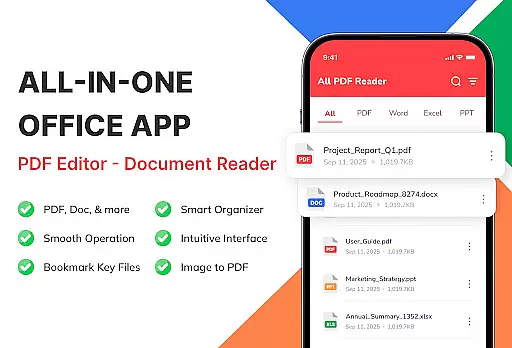
Document Viewer - PDF Reader is a versatile document management tool designed to streamline how users interact with PDF and Office files on Android devices. This app consolidates essential file formats including PDF, Word, Excel, and PowerPoint into one unified platform, allowing for seamless reading, organizing, and managing of documents.
With its fast and reliable performance, the app ensures smooth navigation through large files while maintaining perfect formatting across all supported formats. Its smart file management system automatically detects documents stored on your device, enabling easy sorting, searching, and categorization. Whether you're a student reviewing lecture notes or a professional accessing work presentations, Document Viewer - PDF Reader provides an efficient solution tailored to various user needs.
The app's offline functionality and privacy-focused design make it ideal for users who require secure and instant access to their files without needing an internet connection. By transforming your Android device into a powerful document viewer, this app significantly enhances productivity and simplifies document handling.
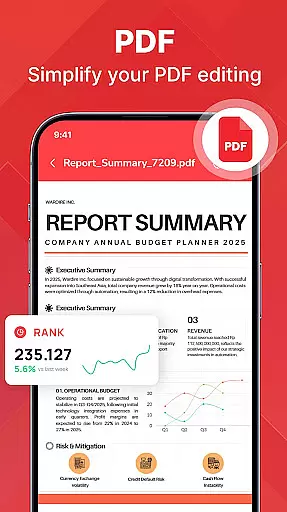
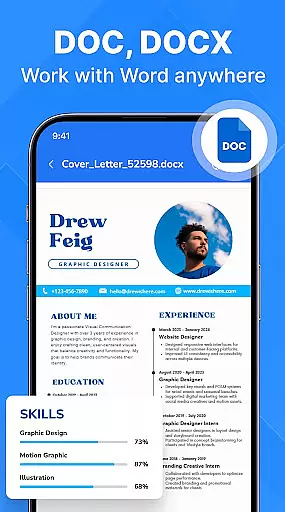
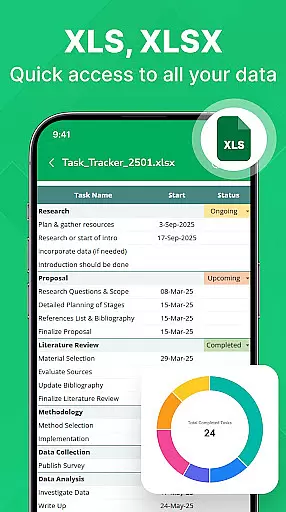
One of the standout features of Document Viewer - PDF Reader is its ability to handle multiple document formats effortlessly. It supports PDF files for eBooks and manuals, Word documents for essays and reports, Excel sheets for budgets and tables, and PowerPoint slides for presentations. Each format is rendered with precision, ensuring that charts, visuals, and text layouts remain intact.
The app is optimized for speed and reliability, offering instant file opening and smooth page navigation. Its lightweight design ensures stable performance even on older Android devices. Additionally, the smart file management system allows users to organize documents by name, size, or date, while also providing quick access to recent and favorite files.
Designed with usability in mind, the app features a clean interface that requires no learning curve. Its offline capability ensures uninterrupted access to files, while the privacy-focused architecture guarantees that all documents remain securely stored on the user's device. These features collectively make Document Viewer - PDF Reader a comprehensive tool for anyone seeking efficient document management.
For a document viewer app like PDF Reader - Document Viewer, core function accuracy and effectiveness are paramount. This app ensures that every PDF, Word, Excel, and PowerPoint file opens with precision, maintaining the original formatting and layout. The app's ability to render documents quickly and accurately means users can rely on it for everything from eBooks to complex spreadsheets.
The effectiveness of this tool is highlighted by its smooth scrolling and quick page navigation features. Users experience minimal lag, even with large files, ensuring efficient workflow. Its lightweight nature also guarantees stability across various Android devices, making it an ideal choice for both students and professionals who need constant access to their documents.
Moreover, the app offers smart file management options that enhance its core functionality. With automatic file detection, sorting, and searching capabilities, users can organize and retrieve their documents effortlessly. These features collectively ensure that the app not only views files accurately but also manages them effectively, providing a comprehensive solution for all document handling needs.
A simple and intuitive interface is crucial for a positive user experience in any tool app, including PDF Reader - Document Viewer. This app boasts a clean design that makes it easy for users to open, read, and manage their documents without a steep learning curve. The straightforward layout allows users to focus on their content rather than figuring out complicated controls.
The app's ease of use extends to its file management system. With clearly labeled categories and easy access to recent or favorite documents, users can find what they need quickly. Sorting and searching by name, size, or date further streamline the process, ensuring that important files are always at your fingertips.
Additionally, the app supports offline functionality, enhancing its intuitiveness by allowing uninterrupted access to documents without needing an internet connection. This feature, combined with its privacy-conscious approach where files remain on the device, reassures users about their data's safety. Overall, the interface's simplicity and intuitiveness make PDF Reader - Document Viewer a reliable choice for anyone needing efficient document management on their Android device.
User-friendly interface
Multi-format support
Fast file loading
Offline functionality
Smart organization tools
Limited advanced editing
No cloud integration
Basic annotation tools
Occasional ads
Heavy files may lag

 4.50
4.50
1-Click close all background apps on Android TV
3.90
Save any video in HD - paste the link, download fast and watch offline.
4.2
Keep track of your Palia friendships, tasks, and inventory with Palia Notebook
4.60
Amateur Radio app for APRS: Track friends, exchange messages, get tactical info.
3.90
Fast Video Downloader, Movie Downloader, Torrent Downloader & Adblock Browser
4.70
Fun lie-detection pranks for friends and parties.
3.80
Mobile Security with Scam Protection | Malware & Virus Cleaner | Safe Browser
4.70
A clean app.
4.50
Change your GPS location instantly. Simulate routes anywhere in the world.
4.90
Enjoy smooth gameplay with Game Booster
4.90
Optimize your WiFi network, turn your phone into Wifi Analyzer
4.70
Small and simple app to Verify Root Access and BusyBox Install!
4.70
Protect your device with antivirus, storage cleanup, and system monitoring
4.70
Canon PRINT is a companion app for your Canon printer.
4.60
Planner and Tracker for Stardew Valley
4.60
Mirror your screen to Fire TV - Super fast and simple
4.40
VESC Tool can monitor and configure VESC-compatible devices over BLE and Wifi
4.20
Introducing Smart Printer, your ultimate destination for printing solutions!
4.00



User Reviews