
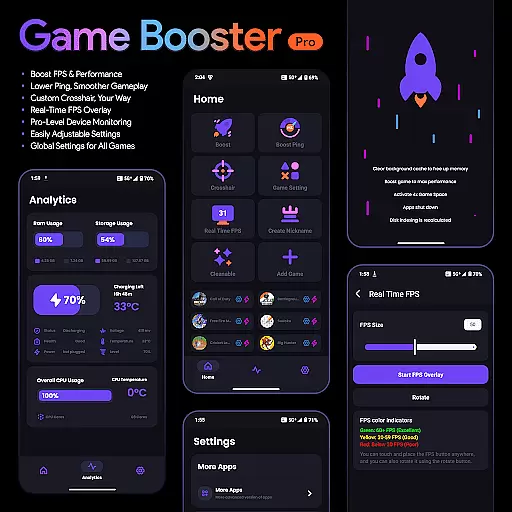
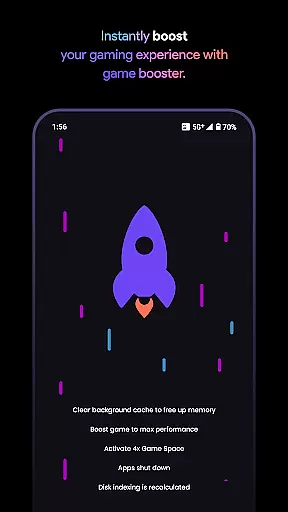
Game Booster Pro is a powerful mobile application designed to enhance gaming performance on Android devices. The app focuses on optimizing frame rates (FPS), reducing lag, and providing real-time device monitoring for gamers who demand the best experience. With its unique VpnService feature, it prioritizes network traffic for selected games, ensuring minimal latency during gameplay.
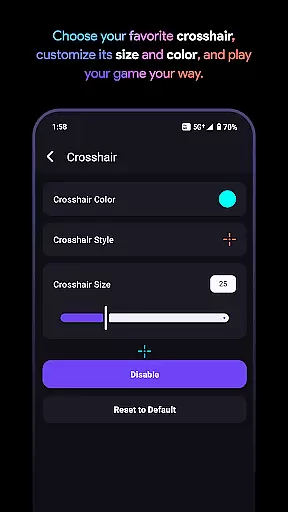
One of the standout features is the customizable crosshair tool, which allows users to create their ideal aiming point for FPS and shooting games. Additionally, the app offers an intuitive interface that makes adjusting settings easy, even for beginners. Whether you're a casual or competitive gamer, Game Booster Pro provides tools that can elevate your gaming sessions by improving both visual and network performance.
This app is particularly useful for gamers who play graphics-intensive or online multiplayer games where every millisecond counts. By boosting FPS and lowering ping, it ensures smoother gameplay while giving users control over their device's performance metrics.
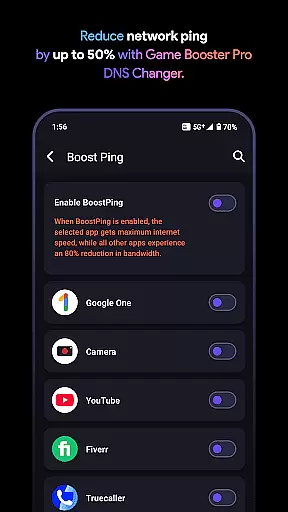
Game Booster Pro stands out with its comprehensive suite of gaming optimization tools. The app boosts FPS and reduces lag through advanced settings tailored specifically for gaming scenarios. Its proprietary VpnService technology creates a local-only VPN connection that prioritizes network traffic for selected games, effectively reducing ping without compromising privacy.
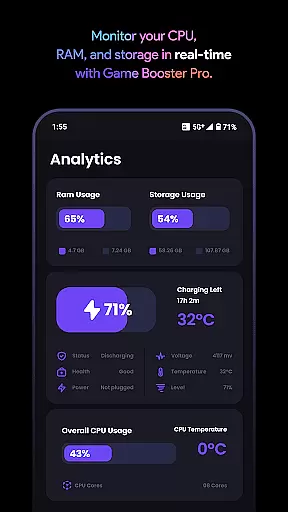
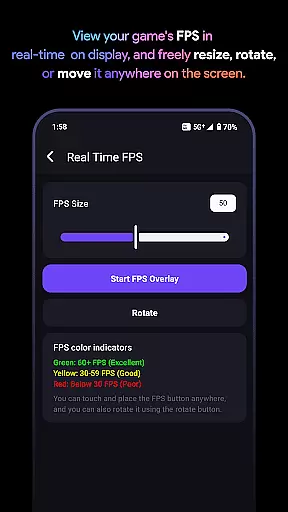
Another key feature is the real-time FPS overlay, which allows gamers to monitor their device's performance directly within the game interface. This functionality helps users make informed decisions about adjusting graphic settings or closing background apps that may be consuming resources. Additionally, the pro-level device monitoring dashboard provides detailed insights into CPU usage, memory allocation, and temperature levels.
The customizable crosshair feature caters to FPS enthusiasts, enabling them to design personalized crosshairs for different games. Combined with global settings that apply preferences across all titles, this app ensures consistency in user experience regardless of the game being played. These features collectively deliver a seamless blend of performance enhancement and customization options.
Game Booster Pro focuses on delivering accurate and effective core functions that elevate the gaming experience. The app optimizes device performance by boosting FPS, lowering lag, and prioritizing network traffic for selected games. These features are crucial for gamers who demand smooth gameplay and minimal disruptions during intense sessions.
The app achieves this through a combination of advanced settings adjustments and real-time monitoring. By using VpnService, it creates a Local-Only VPN connection to optimize network traffic specifically for gaming. This ensures reduced ping and lag, providing an enhanced online gaming experience without compromising user privacy or data security.
Gamers benefit significantly from these optimizations. With higher frame rates and reduced network latency, players can enjoy competitive gaming with improved responsiveness and precision. The seamless integration of these features into one app makes Game Booster Pro a reliable tool for both casual and professional gamers seeking peak performance.
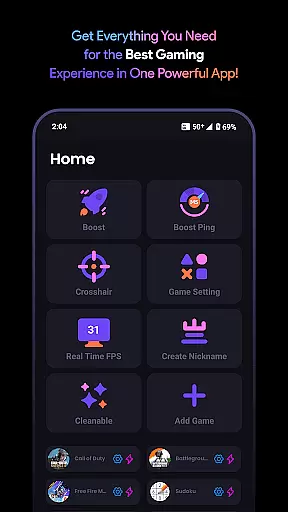
A simple and intuitive interface is essential for any tool designed to enhance user experience, and Game Booster Pro excels in this area. The app offers easily adjustable settings that allow users to customize their gaming preferences with just a few taps. This ease of use ensures that even those unfamiliar with technical configurations can optimize their devices effectively.
The design emphasizes clarity and accessibility, presenting options such as FPS boosting, crosshair customization, and device monitoring in a straightforward manner. Users can apply global settings across all games or fine-tune individual parameters based on specific needs. Such flexibility empowers gamers to tailor their experience without unnecessary complexity.
Ultimately, the intuitive nature of Game Booster Pro's interface enhances user engagement and satisfaction. Gamers can focus more on enjoying their favorite titles rather than navigating complicated menus. This approach not only simplifies the optimization process but also encourages regular use, ensuring sustained performance improvements over time.
Boosts FPS effectively
Reduces network lag
Customizable crosshair
Real-time performance stats
User-friendly interface
Premium features locked
Requires constant updates
May drain battery faster
Limited free version
Not compatible with all games

Unlock your Essential Key. Create custom shortcuts to your favorite apps!
 4.4
4.4
Quickly & easily calculate the spacing of handrail balusters
4.20
card-reader app
2.20
An easy-to-use calculator designed to save time calculating and bending conduit
4.30
Bedrock Together: Join any bedrock server on Xbox/PS
4.80
The one-and-only remote control for PC, Mac, and Linux
4.70
Game Booster, GFX Tool is now compatible with newer game update
4.50
Pro Emulator is an easy to use game console emulator for a range of consoles.
4.40
A clean app.
4.50
Change your GPS location instantly. Simulate routes anywhere in the world.
4.90
Easily install aab(Android App Bundle) files on your Android device with our app
4.80
WiFi Signal Strength Meter help you detect WiFi Signal Strength in real time.
4.80
HD Camera captures every special moment.
4.60
Play your X-Box games remotely in 1080p with any controller and zero latency
4.60 4.50
4.50
Head tracking for PC sim games such as MSFS 2024 or Elite:Dangerous. No headset!
4.50
View detailed information about your Nissan Leaf the dealer never shows you.
4.10
Amateur Radio app for APRS: Track friends, exchange messages, get tactical info.
3.90
PDF Reader - Document Viewer: Read, Manage & Organize Your Documents
3.10



User Reviews