
Stardew Valley Tracker is an essential companion tool for players of the popular farming simulation game Stardew Valley. This app provides a comprehensive tracking system that helps users manage their in-game activities efficiently.
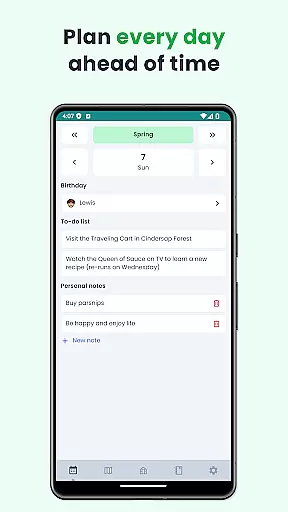
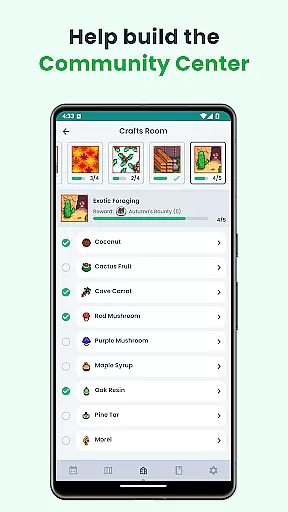
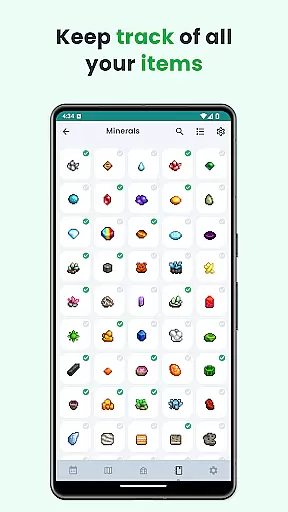
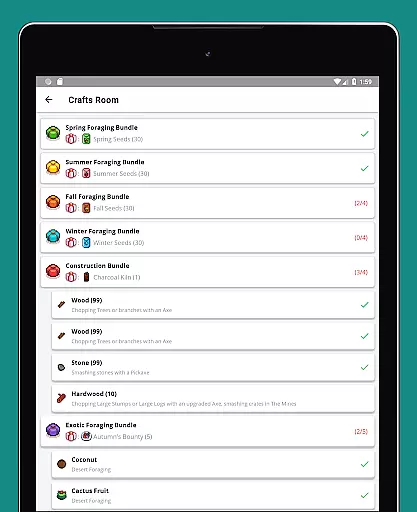
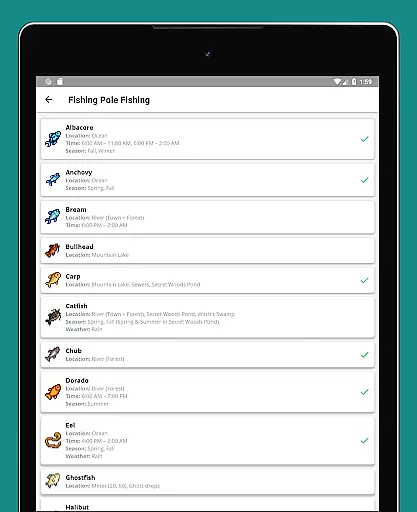
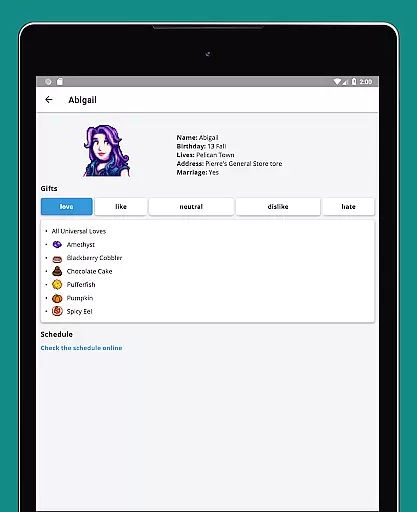
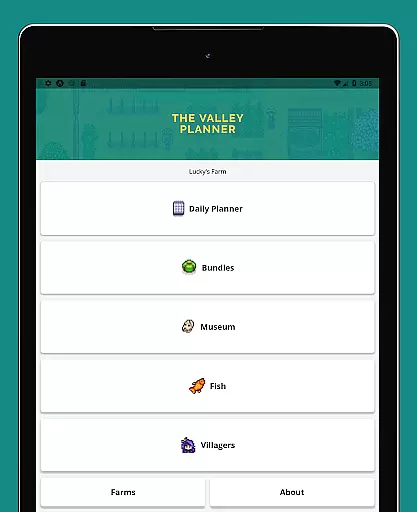
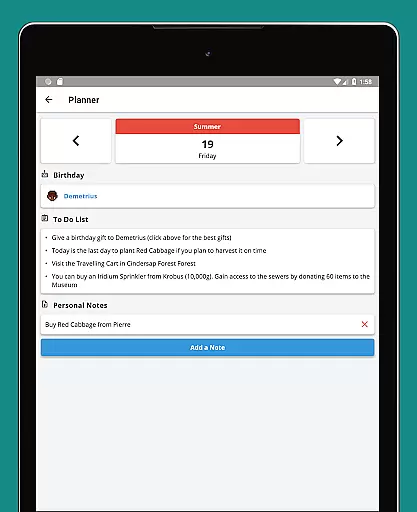
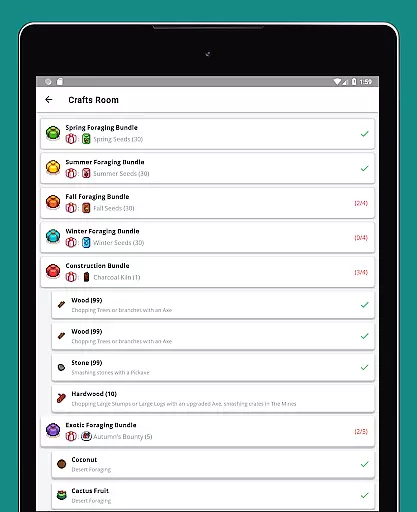
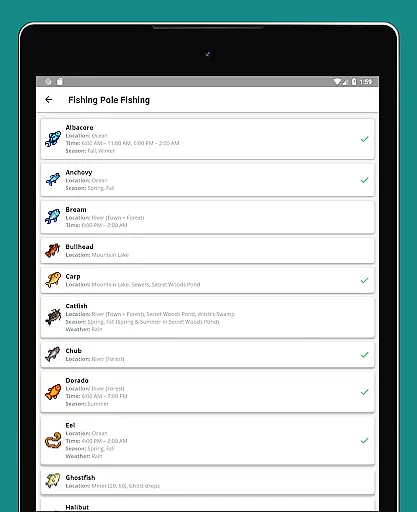
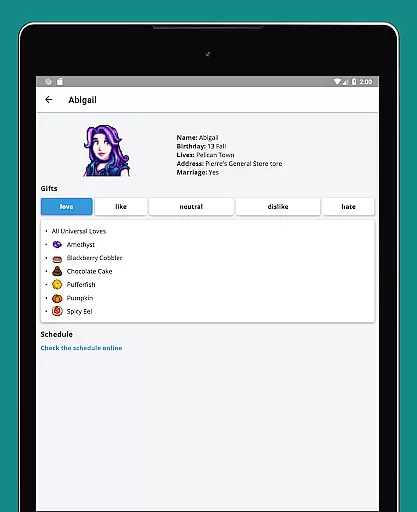
The tracker includes a detailed to-do list for each season, villager schedules, a seasonal calendar, and checklists for community center bundles. It also features a museum item tracker, fishing guide, and gift preferences for villagers. With support for six languages, dark mode, and offline functionality, it ensures accessibility and convenience.
Ideal for both new and experienced players, this tool enhances gameplay by keeping all crucial information organized and readily available, allowing farmers to focus on what truly matters - building their dream farm.
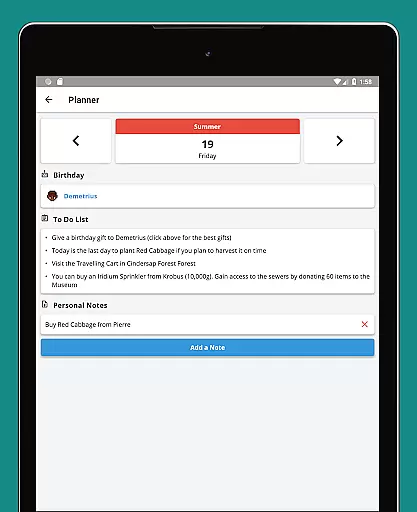
Stardew Valley Tracker offers an array of specialized features designed to enhance the gaming experience. The app's most notable feature is its comprehensive task management system, which includes daily to-do lists for each season and customizable notes.
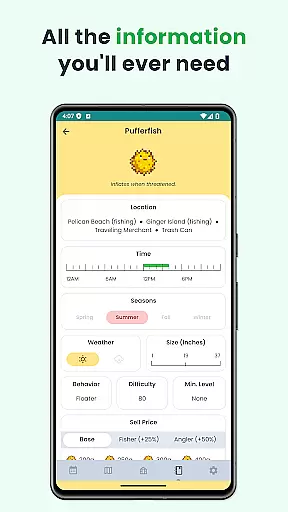
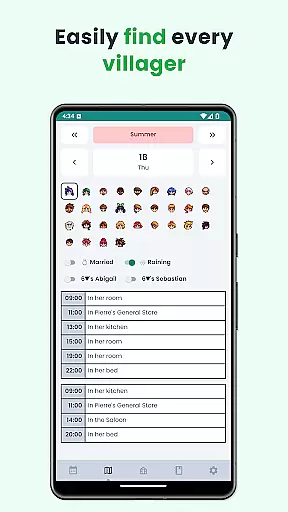
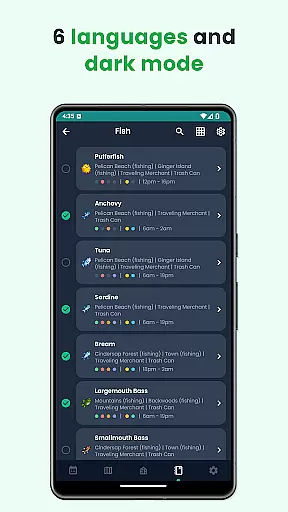
Players can easily locate villagers using the schedule feature, track progress with bundle checklists, and find important items with the museum tracker. The app also provides detailed information on fish and villager gift preferences. Its multilingual support, dark mode, and offline capability make it a versatile tool for all players.
These features collectively ensure that players can optimize their farming strategy while enjoying a user-friendly interface that simplifies complex game elements.
Stardew Valley Tracker excels in providing accurate and effective core functionalities that are essential for players managing their virtual farming lives. The app meticulously tracks daily tasks, seasonal to-do lists, villager schedules, and important farming information.
With features like a comprehensive checklist for Community Center bundles, fish tracking, and museum item tracking, the app ensures that users can effectively manage their in-game responsibilities. The inclusion of multiple languages and dark mode adds to the overall utility and accessibility of the tracker.
Players benefit from having all vital information at their fingertips, which enhances their gaming experience by allowing them to strategize and plan efficiently. This level of detail and organization leads to more productive in-game days and overall success in Stardew Valley.
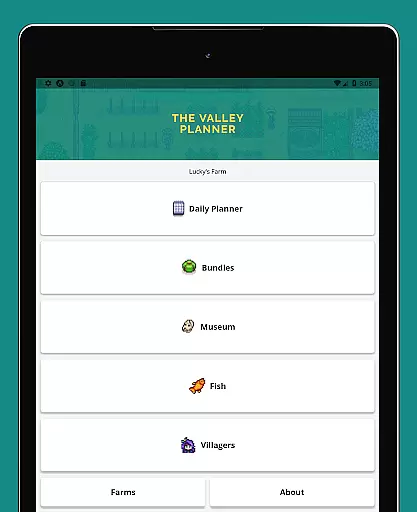
The interface of Stardew Valley Tracker is designed with simplicity and intuitiveness in mind, ensuring that players can easily navigate through its various features without a steep learning curve. The clean layout provides quick access to daily tasks, villager schedules, and checklists.
Custom notes can be added effortlessly, and the app's support for six languages makes it accessible to a wider audience. Its intuitive design allows users to switch between different sections such as the calendar, fish tracker, and museum items with ease.
This straightforward approach not only makes the app easy to use for both new and experienced players but also enhances user engagement by keeping the focus on enjoying the game rather than struggling with complex navigation.
User-friendly design
Comprehensive tracking
Multilingual support
Offline functionality
Regular updates
Limited to Stardew Valley
No iOS version
Occasional bugs
Ads present
Premium features locked

 4.50
4.50
HD Camera captures every special moment.
4.60
1-Click close all background apps on Android TV
3.90
Unit and currency converter with easy and simple UI.
4.80
Use your phone as a webcam on your computer over WiFi or USB.
4.40
Powerful collection of electronics tools and reference.A must for any enthusiast
4.90
Game Booster, GFX Tool is now compatible with newer game update
4.50
Protect your device with antivirus, storage cleanup, and system monitoring
4.70
Screen recorder with audio to record high-quality videos and take screenshots.
4.40
Easily install aab(Android App Bundle) files on your Android device with our app
4.80
The Ultimate Flex Drivers Utility App - Convenient Tapping & Block Filters
4.70
eXtended Permission Manager - a small app to manage permissions and AppOps
4.50
An easy-to-use calculator designed to save time calculating and bending conduit
4.30
Just one-tap to easy translate in any language after calls within seconds.
4.20 4.10
4.10
A simple app to back up and restore SMS & MMS messages and call logs.
4.10
Introducing Smart Printer, your ultimate destination for printing solutions!
4.00
Create your own custom widget with endless possibilities
3.90
Safely recover deleted photos, videos, and files with a single easy tap.
3.70




User Reviews