
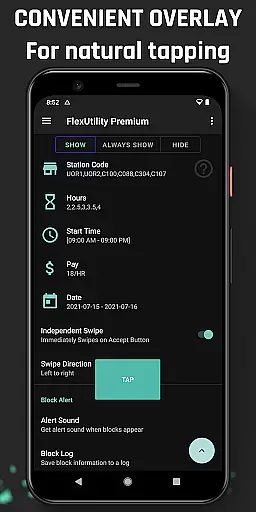
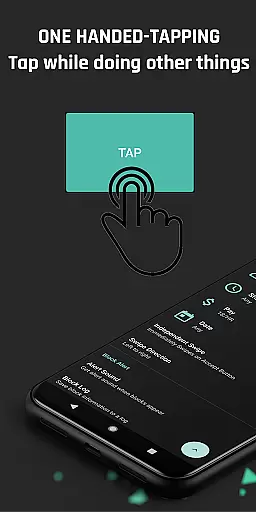
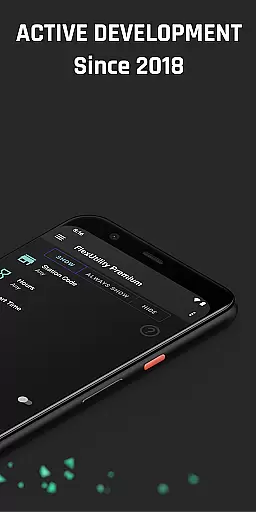
Flex Utility Premium is a powerful tool designed specifically for Flex drivers who want to optimize their work experience. The app provides an innovative one-tap overlay button that simplifies the process of accepting work blocks, eliminating the need for constant attention to the screen. This allows drivers to multitask while searching for suitable blocks.
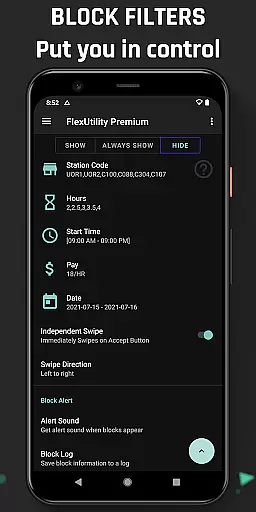
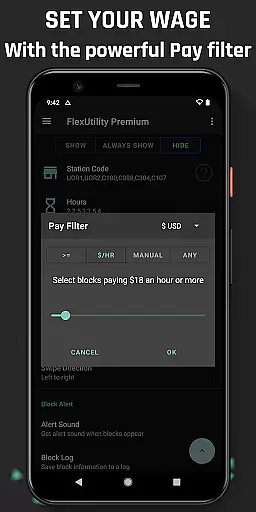
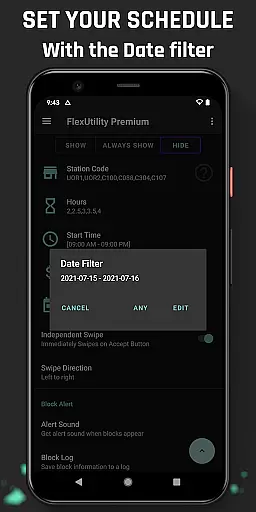
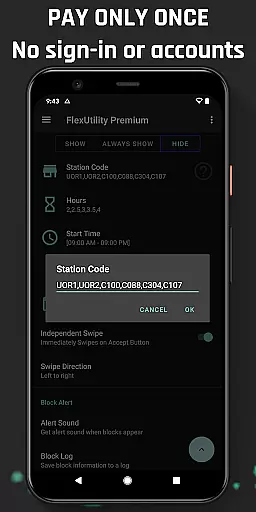
Beyond its core functionality, Flex Utility Premium offers advanced filtering options that enable drivers to customize their work preferences. Users can set filters based on pay rate, favorite stations, work days, start times, and desired job durations. These features give drivers unprecedented control over their schedules and earning potential.
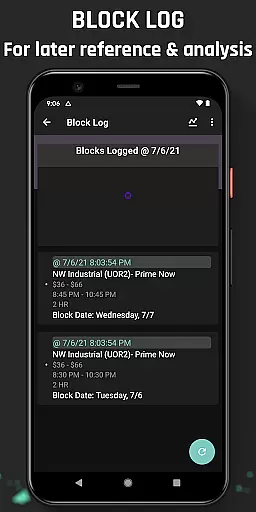
The app also includes valuable features like Block Alert notifications and a detailed Block Log with CSV export capabilities. These tools help drivers identify optimal work patterns and maximize their efficiency. As an Android Accessibility Service, Flex Utility Premium serves drivers with disabilities while maintaining strict privacy standards by not collecting personal data or requiring user credentials.
Flex Utility Premium stands out with its comprehensive feature set tailored specifically for Flex drivers. The app's one-finger tapping interface revolutionizes how drivers interact with work blocks, making the process more efficient and less demanding than traditional methods.
The filtering system represents a significant advancement in driver autonomy. Drivers can precisely define their preferred working conditions through multiple parameters including minimum pay rate, station preferences, specific work days, start times, and job duration. This granular control ensures that users only receive work opportunities that match their exact requirements.
Additional features demonstrate the app's commitment to driver convenience and productivity. The Block Alert system provides timely notifications for suitable work opportunities, while the Block Log maintains a comprehensive record of available blocks. The ability to export this data for analysis enables drivers to make informed decisions about their work patterns. Furthermore, the app's regular updates and strong community feedback loop ensure continuous improvement and feature expansion.
Flex Utility Premium exemplifies core function accuracy and effectiveness by streamlining the block acceptance process for Flex drivers. The app's one-tap overlay button simplifies interaction, ensuring that users can secure blocks without the need for constant attention to their device.
The powerful filtering system is a testament to the app's precision. By allowing drivers to set specific criteria such as pay rate, station preference, workdays, start times, and job duration, Flex Utility ensures that only the most relevant work opportunities are presented. This targeted approach saves time and increases the likelihood of securing preferred blocks.
Additional features like Block Alert and Block Log further enhance the app's effectiveness. Drivers receive notifications for blocks that match their filters, eliminating the need for continuous monitoring. The logging feature provides insights into block availability patterns, empowering users with data-driven decision-making capabilities.
Overall, Flex Utility Premium delivers on its promise of convenience and efficiency, making it an indispensable tool for Flex drivers seeking to optimize their workflow.
Flex Utility Premium excels in interface simplicity and intuitiveness, offering Flex drivers an unparalleled user experience. The app's design centers around a single overlay button, minimizing screen clutter and enabling effortless navigation even during busy work periods.
Its straightforward filtering options make customization accessible to all users. Whether setting minimum pay rates or preferred station codes, the intuitive controls ensure that drivers can quickly adjust parameters without technical expertise. This ease of use extends to scheduling preferences, where selecting workdays and start times becomes a seamless process.
Furthermore, additional functionalities like Block Alert and Block Log maintain this commitment to simplicity. Notifications arrive promptly when suitable blocks appear, while logged data remains easily accessible for review and analysis. These thoughtful design choices demonstrate how complex tasks can be simplified through intelligent interface design.
By prioritizing clarity and ease of interaction, Flex Utility Premium establishes itself as a model example of intuitive application design within the Tools category.
Efficient block management
Customizable work filters
Accessibility-focused design
Regular feature updates
Strong privacy protection
Premium price point
Android-only support
Learning curve for new users
Limited auto-functions
Requires accessibility permissions

A convenient photo, video, and file recovery tool.
 4.00
4.00
Connect instantly to a fast, encrypted VPN with one tap
4.60
FV File Manager Pro, Fast and powerful file manager for Android
4.60
Learn the vast amount of system information about device and monitor it's state
4.70
Optimize your WiFi network, turn your phone into Wifi Analyzer
4.70
Best leveling tool for your Android device. Hang paintings like a pro.
4.90
MS-DOS in your pocket. Play old DOS games anywhere you are ;)
4.10
Planner and Tracker for Stardew Valley
4.60
Remote Play with FSR upscaling, low latency & full controller support
4.80
Excellent scientific calculator with symbolic algebra, integrals, derivatives
4.80
HD Camera captures every special moment.
4.60
Use your phone as a webcam on your computer over WiFi or USB.
4.40
Universal TV remote control all TVs, Roku, LG, Samsung, Fire, Vizio, Sony, TCL.
4.40
App that Recover your pictures, videos or files after you delete them.
4.20
Carry a FTP server in your pocket and avoid USB cables for file transfer
4.20
A simple app to back up and restore SMS & MMS messages and call logs.
4.10
1-Click close all background apps on Android TV
3.90
Safely recover deleted photos, videos, and files with a single easy tap.
3.70
Clean the junk files on your device
3.40



User Reviews