
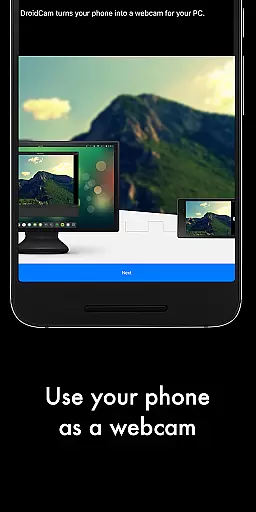
DroidCamX HD (Classic) is a versatile tool that transforms your Android device into a high-quality webcam for your computer. This app allows users to chat using the 'DroidCam Webcam' feature, providing both sound and picture. It supports connections over Wifi or USB and offers 720p/1080p video quality with its HD Mode.
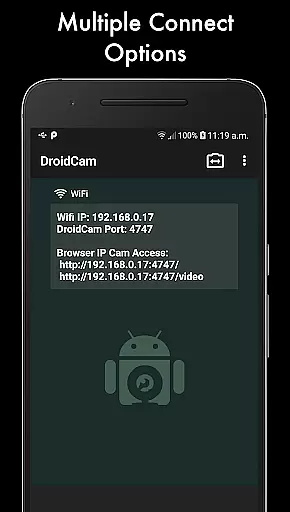
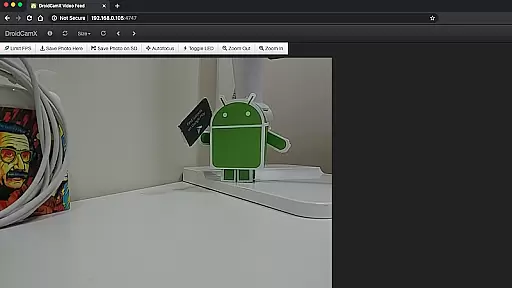
One of the standout features of DroidCamX is its ability to work in the background, enabling users to utilize other apps simultaneously. Additionally, it conserves battery by functioning even when the screen is off. The app also provides IP Webcam MJPEG access, allowing camera access via a browser or from another device.
This app is particularly useful for remote workers, content creators, or anyone needing a reliable webcam solution. By turning a mobile device into a webcam, DroidCamX offers a cost-effective and flexible alternative to traditional webcams, enhancing the user's video conferencing experience.
DroidCamX HD (Classic) boasts an array of features designed to enhance the webcam experience. Users can connect their Android devices to a computer via Wifi or USB, enjoying high-definition 720p/1080p video quality. The 'Smooth FPS' option ensures more stable video streaming, making it ideal for professional settings.
The app allows for multitasking by operating in the background, which means users can run other applications simultaneously without interruption. It also conserves battery life by continuing to function with the screen off. Camera controls such as auto-focus, zoom, flash light, and more are available, providing users with extensive customization options.
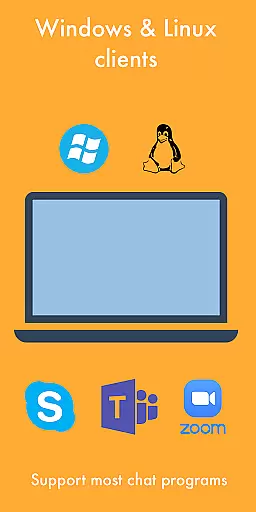
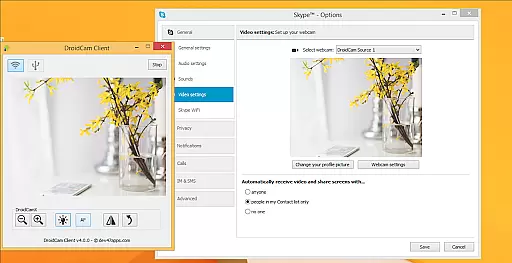
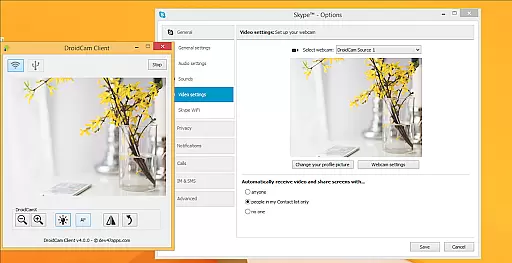
Additionally, DroidCamX offers advanced controls on the Windows Client, including Mirror, Flip, Brightness, and Contrast adjustments. These features ensure that users can tailor their webcam feed to their specific needs, whether for professional video calls or personal use.
DroidCamX HD (Classic) excels in delivering core webcam functionalities with precision and reliability. The app transforms your Android device into a high-definition webcam, supporting resolutions up to 720p/1080p through its HD Mode. This ensures that video quality is not only clear but also consistent, providing users with an effective tool for video conferencing or content creation.
The application offers multiple connectivity options including Wifi and USB, catering to different user preferences and environments. With features like 'Smooth FPS,' it enhances video stability, making virtual interactions smoother and more professional. These capabilities ensure that whether you're attending meetings or streaming online, the video feed remains uninterrupted and of high quality.
Moreover, DroidCamX allows users to operate other apps simultaneously while running in the background, demonstrating its efficient resource management. This multitasking ability, combined with battery-saving measures when the screen is off, highlights the app's commitment to delivering both performance and convenience without compromising device usability.
One of the standout features of DroidCamX HD (Classic) is its simple yet intuitive interface, designed to make navigation effortless for users of all technical backgrounds. Upon launching the app, users are greeted with straightforward options to connect their Android device to a computer either via Wifi or USB, streamlining the setup process significantly.
The inclusion of advanced settings such as camera controlsu2014auto-focus, zoom, flash lightu2014and pro controls on the Windows Clientu2014including mirror, flip, brightness, contrast adjustmentsu2014ensures that while the interface remains uncluttered, it does not compromise on functionality. Users can easily access these features without feeling overwhelmed, enhancing their overall experience.
Furthermore, the app provides comprehensive support resources available at www.dev47apps.com, offering additional guidance for installation and usage across various platforms. This blend of simplicity in design coupled with robust support structures underscores DroidCamXu2019s dedication to user-centric design principles, ensuring that even novice users can harness the full potential of this powerful tool.
User-friendly interface
High-definition video support
Background operation capability
Battery conservation features
Extensive camera controls
Requires PC client installation
USB connection may need extra setup
Limited to Android devices
No native iOS support
Dependent on network stability

pdf merge, word to pdf, jpg to pdf, edit pdf, convert to pdf and much more!
 4.20
4.20
HD Camera captures every special moment.
4.60
PDF Reader - Document Viewer: Read, Manage & Organize Your Documents
3.10
Safely recover deleted photos, videos, and files with a single easy tap.
3.70
Excellent scientific calculator with symbolic algebra, integrals, derivatives
4.80
PC precision for mobile gaming: dominate with keyboard and mouse!
4.30
Making emulation easy for everyone!
4.30
Create your own custom widget with endless possibilities
3.90
A clean app.
4.50
Support Fossify apps with a warm thank you!
5.00
Easily install aab(Android App Bundle) files on your Android device with our app
4.80
Protect your device with antivirus, storage cleanup, and system monitoring
4.70
Play your X-Box games remotely in 1080p with any controller and zero latency
4.60
eXtended Permission Manager - a small app to manage permissions and AppOps
4.50
Screen Mirroring for Roku Sticks, Roku TCL TV and Roku Hisense TV
4.50
Just swipe the edge to do something!
4.40
Mirror your screen to Fire TV - Super fast and simple
4.40
A powerful, easy-to-use flight computer on your phone or tablet!
3.80
Fun lie-detection pranks for friends and parties.
3.80




User Reviews