
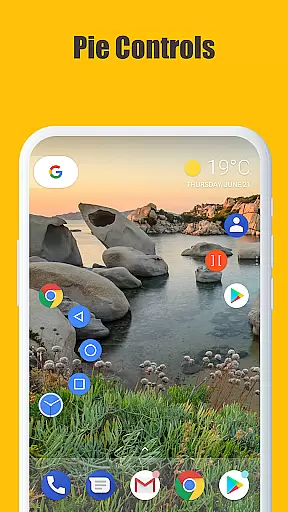
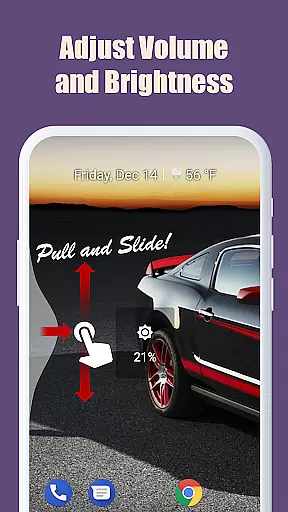
Edge Gestures is a powerful tool app that allows users to perform various actions through simple gestures on the screen edge. With support for multiple gesture types such as tap, swipe, and pie controls, it offers a highly customizable experience. The app enables quick access to essential functions like launching apps, controlling brightness, and toggling split-screen mode. Its edge area customization feature lets users adjust thickness, length, and position according to their preferences. Designed for productivity, Edge Gestures streamlines device interaction by minimizing the need for complex navigation.
This app is particularly useful for Android users seeking to optimize their workflow with intuitive shortcuts. By leveraging accessibility service APIs, it ensures seamless integration with system-level functions while maintaining user privacy. Whether you're managing notifications or switching between apps, Edge Gestures provides an efficient solution tailored to enhance your mobile experience.
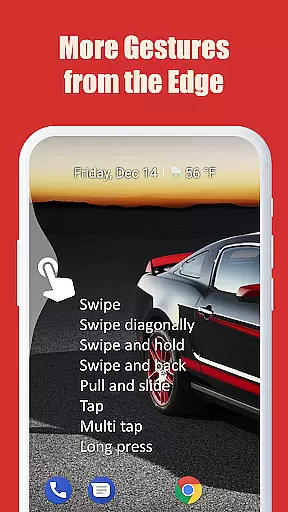
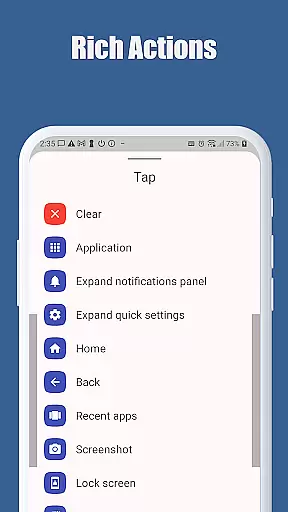
Edge Gestures stands out with its comprehensive set of features designed to simplify device interaction. The app supports a wide range of gesture types including tap, double-tap, long press, swipe, and more. Each gesture can be mapped to specific actions such as launching applications, expanding the status bar, or adjusting media volume. This versatility allows users to create personalized shortcuts that suit their unique needs.
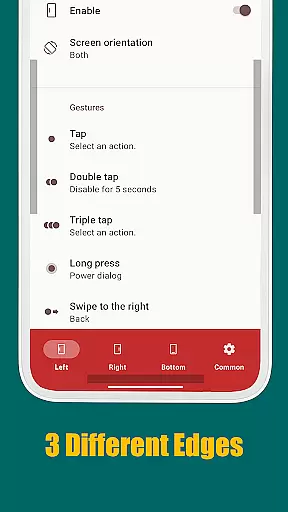
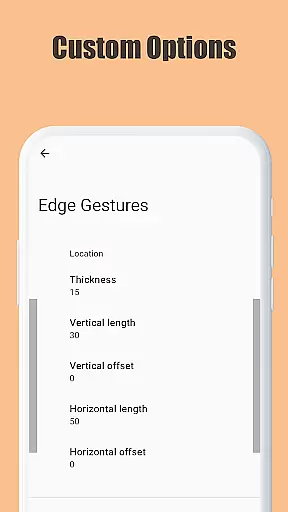
One notable feature is the ability to customize the edge area where gestures are detected. Users can modify parameters like thickness, length, and position to ensure optimal usability. Additionally, Edge Gestures requires minimal permissions, ensuring that only necessary data is accessed. By utilizing accessibility service APIs responsibly, the app delivers enhanced functionality without compromising security. These attributes make Edge Gestures an indispensable tool for anyone looking to boost their device's efficiency.
Edge Gestures delivers a highly accurate and effective gesture-based navigation system that transforms the way users interact with their devices. The app supports a wide array of gesture types, including tap, swipe, and pie controls, each designed to ensure precision and ease of use.
The application's core functions are implemented through an accessibility service API, which allows for seamless integration with essential device actions such as launching apps, controlling soft keys, and adjusting settings like brightness and volume. This ensures that every gesture you perform is accurately translated into the intended action.
Users benefit from reliable performance as gestures are executed without delay or misinterpretation. Whether it's scrolling, toggling split screens, or expanding the notification panel, Edge Gestures provides a fluid experience that enhances productivity and simplifies navigation.
The interface design of Edge Gestures emphasizes simplicity and intuitiveness, ensuring that users can easily customize and utilize its features. With adjustable edge areas for thickness, length, and position, users have the flexibility to tailor the gesture controls to their personal preferences.
Setup is straightforward, allowing users to map specific gestures to various actions such as navigating back, going home, or accessing recent apps. This intuitive mapping process eliminates the need for extensive tutorials or a steep learning curve.
By focusing on clarity and ease of use, Edge Gestures makes advanced navigation accessible to all user levels. Its minimalistic approach does not compromise functionality, offering powerful tools in an easy-to-use package that enhances overall user satisfaction.
Highly Customizable
Wide Gesture Support
Minimal Permissions
Enhanced Productivity
User-Friendly Interface
Limited iOS Support
Requires Accessibility
Learning Curve
Occasional Bugs
Android Version Limit

HD Camera captures every special moment.
 4.60
4.60
A recovery soft,it features photo recovery, video recovery, file recovery.
3.40
Head tracking for PC sim games such as MSFS 2024 or Elite:Dangerous. No headset!
4.50
Family Locator, Share location, StayConnect with your family in real time
3.90
Canon PRINT is a companion app for your Canon printer.
4.60
eXtended Permission Manager - a small app to manage permissions and AppOps
4.50
Excellent scientific calculator with symbolic algebra, integrals, derivatives
4.80
Bedrock Together: Join any bedrock server on Xbox/PS
4.80
Connect wirelessly to your computer to watch movies, browse the web, play games
5.00
Unit and currency converter with easy and simple UI.
4.80
Planner and Tracker for Stardew Valley
4.60 4.50
4.50 4.50
4.50
Remote for Roku, Fire TV, Samsung TV, LG TV, Android TV, Chromecast and VIZIO TV
4.20
Carry a FTP server in your pocket and avoid USB cables for file transfer
4.20
A simple app to back up and restore SMS & MMS messages and call logs.
4.10
Automate everything from settings to photos, SMS to speech. ADC2 prize winner.
4.10
Create your own live wallpaper or check out thousands already made presets
3.90
card-reader app
2.20



User Reviews