
Tasker is a powerful automation tool for Android devices, enabling users to automate repetitive tasks and customize their smartphone experience. With over 130 contexts and 350 actions, it allows you to create complex automations based on time, location, app usage, and more.
The app's flexibility extends beyond simple automation. It can trigger actions via various means such as launcher shortcuts, widgets, or even external devices using Join. Tasker also supports creating custom UI scenes, backing up files automatically, and even developing standalone apps through the Tasker App Factory.
Ideal for power users and developers, Tasker offers advanced features like HTTP requests, third-party app integrations, and root capabilities. Whether you want to optimize your daily routine or develop sophisticated automation workflows, Tasker provides the tools to make your Android device truly smart.
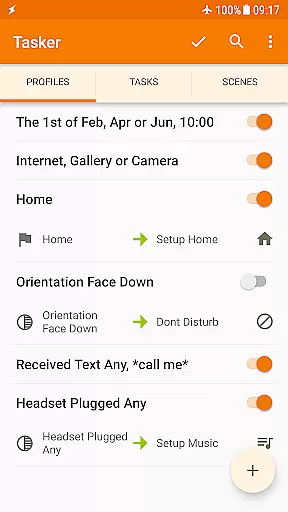
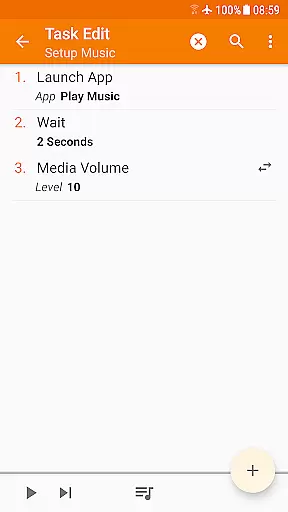
Tasker stands out with its extensive range of automation triggers and actions. The app can automate settings changes, send SMS, control music playback, and manage system settings like Wi-Fi tethering and dark mode. Its 130+ contexts include time of day, location, Wi-Fi network, and received messages.
Beyond basic automation, Tasker offers advanced functionalities such as scene creation for custom UIs, remote triggering through Join, and automatic file backups to Google Drive. The app also supports developer-friendly features like HTTP requests and third-party plugin integration, making it a versatile tool for both personal and professional use.
Tasker's unique selling point is its unparalleled flexibility. Users can combine different contexts and actions in creative ways, limited only by their imagination. From simple daily tasks to complex workflows, Tasker empowers users to take full control of their Android devices.
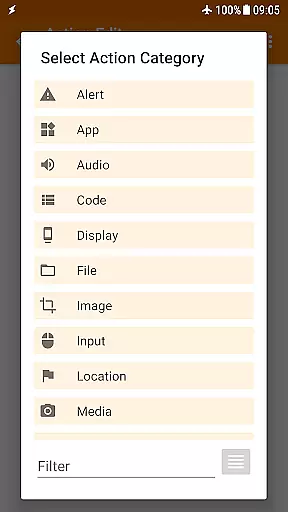
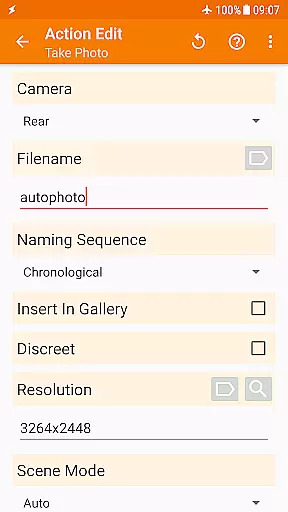
Tasker excels in delivering precise and effective core functions that automate a wide range of tasks on your Android device. With over 350 actions available, it allows users to customize their phone's behavior like never before. From sending SMS to controlling system settings such as Wi-Fi Tether and Dark Mode, Tasker can handle almost any task you can think of.
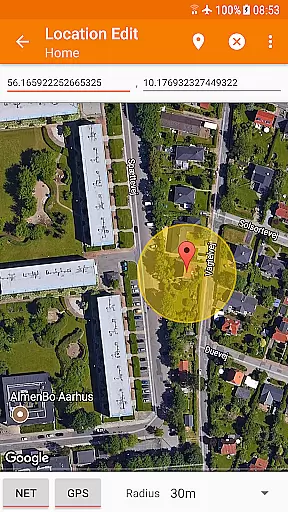
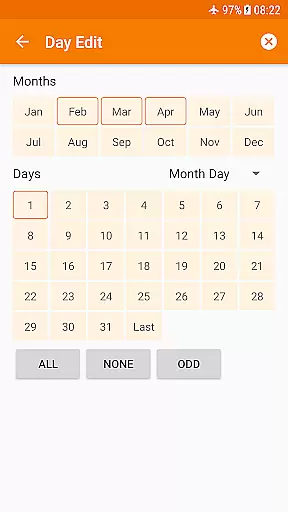
The app supports automation based on various contexts including time of day, location, Wi-Fi network, received SMS or calls, and many other states and events. This flexibility ensures that the user's device responds accurately to real-world situations, enhancing both convenience and efficiency.
One of Tasker's standout features is its ability to integrate with third-party apps, allowing for even more complex automations. Many developers have enabled their apps to work seamlessly with Tasker, providing users with endless possibilities for customization. Additionally, Tasker's HTTP Auth and Request actions let users interact with most web APIs, further extending its capabilities.
Overall, Tasker's core function accuracy and effectiveness lie in its comprehensive set of tools and its adaptability to individual needs, making it an indispensable utility for power users looking to maximize their productivity.
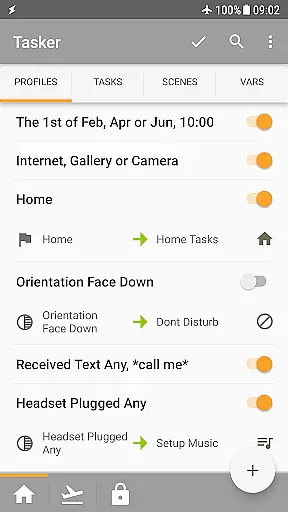
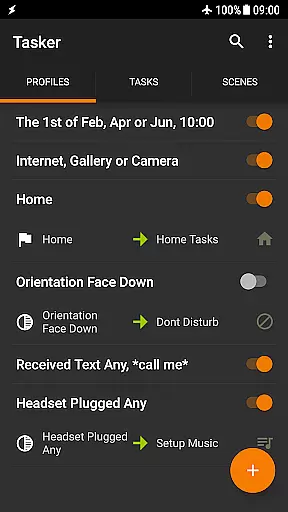
Despite its powerful capabilities, Tasker maintains a straightforward and intuitive interface that makes it accessible even to less tech-savvy users. The app provides clear guides and starter projects to help new users get acquainted with its functionalities quickly. These resources ensure that users can start automating tasks without feeling overwhelmed by the app's extensive feature set.
Tasker's design emphasizes ease of use through its visual task creation process. Users can create automations using simple drag-and-drop actions, which significantly reduces the learning curve. Moreover, the app offers various triggers such as launcher shortcuts, widgets, and media buttons, enabling users to initiate tasks effortlessly.
Another aspect of Taskeru2019s interface simplicity is its Scenes feature, which allows users to design custom UIs. This feature not only enhances usability but also lets users tailor the app's appearance to their preferences, ensuring a personalized and intuitive experience. By combining powerful functionality with an easy-to-navigate interface, Tasker strikes a perfect balance between complexity and user-friendliness.
In summary, Tasker's interface simplicity and intuitiveness make it an ideal choice for anyone looking to harness the full potential of their Android device without getting bogged down by complicated controls or settings.
Highly customizable
Extensive automation options
Developer friendly features
Powerful context triggers
Versatile action library
Steep learning curve
Requires technical knowledge
Some features need root
Complex interface
Premium pricing

Change your GPS location instantly. Simulate routes anywhere in the world.
 4.90
4.90
This app unlocks the Pro features of the Central for DayZ app
3.60
Unlock your Essential Key. Create custom shortcuts to your favorite apps!
4.3
eXtended Permission Manager - a small app to manage permissions and AppOps
4.50
Forza Tuning Calculator App for Forza Horizon 5, Motorsport and Earlier Titles
4.40
Best leveling tool for your Android device. Hang paintings like a pro.
4.90
MS-DOS in your pocket. Play old DOS games anywhere you are ;)
4.10
Mirror your screen to Chromecast and Android TV - Super fast and simple
4.60
Game Booster, GFX Tool is now compatible with newer game update
4.50
Optimize your WiFi network, turn your phone into Wifi Analyzer
4.70
NFC Tools can read and write NFC tags.
4.70
HD Video player and downloader for all formats, fast & smooth 4K video playback.
4.60
Planner and Tracker for Stardew Valley
4.60
Screen Mirroring for Roku Sticks, Roku TCL TV and Roku Hisense TV
4.50
PC precision for mobile gaming: dominate with keyboard and mouse!
4.30
Signal Strength, Mobile, Wifi, Speed Test, Bad Signals, Cellular, 5G, LTE, 4G
4.20
Screen Mirroring with sound for Samsung TV, LG TV, Sony TV, Smart TV and Browser
4.20
Detect hidden spy camera with advanced scanning {{ Premium version }}
4.00
Create your own live wallpaper or check out thousands already made presets
3.90



User Reviews