
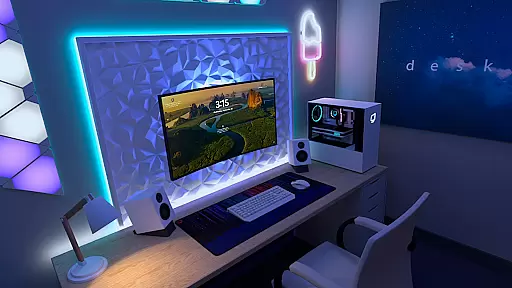
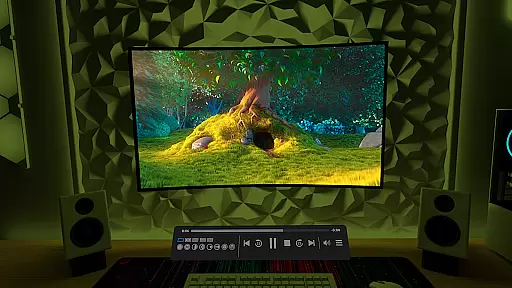
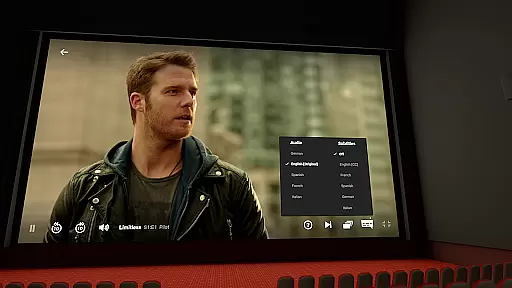
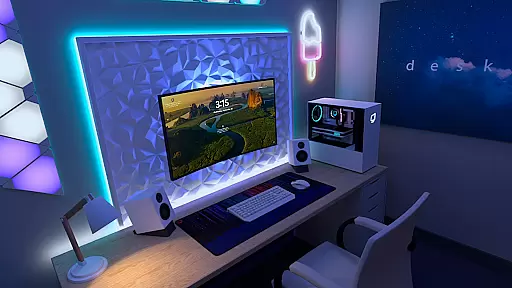
Virtual Desktop is a powerful tool that allows users to connect wirelessly to their computers for an immersive experience. With the ability to watch movies, browse the web, and play games on a large virtual screen, this app transforms how users interact with their digital content. It supports streaming PCVR games, making it ideal for gamers who want to enjoy high-quality visuals without being tethered to their PCs.
The application is optimized for low latency and high-quality streaming, ensuring smooth performance. Whether you're using a Windows or macOS device, Virtual Desktop provides a seamless connection through a 5 or 6 GHz router. Its compatibility with various peripherals like Bluetooth mice and keyboards enhances user convenience, while features such as multi-monitor support and microphone passthrough make it versatile for different use cases.
Virtual Desktop boasts several standout features that enhance its functionality. One of the key aspects is its support for both local and remote connections, allowing users to access their computers from anywhere with an internet connection. The app's optimization for low latency ensures that streaming is smooth, even when playing demanding PCVR games.
Another notable feature is the video tab, which enables users to download or stream videos directly from their computers. This includes regular, 180, and 360-degree videos, providing flexibility in media consumption. Additionally, Virtual Desktop supports 3D content in Side-by-Side or Over-Under formats, catering to users interested in immersive viewing experiences. With options for multi-monitor setups and peripheral integration, this app offers a comprehensive solution for enhancing productivity and entertainment.
Virtual Desktop excels in delivering a seamless and high-quality streaming experience by focusing on core functionalities that matter most to users. The application is optimized for low latency, ensuring that whether you are watching movies, browsing the web, or playing games, the interaction feels instantaneous and smooth.
The app supports both local and remote connections, allowing users to connect wirelessly to their computers. This feature is particularly beneficial for those who wish to enjoy a giant virtual screen experience without being tethered by physical cables. By requiring a Gigabit Ethernet connection, Virtual Desktop ensures stable and fast data transmission, which is crucial for maintaining quality in streamed content.
Moreover, the support for multi-monitors and various types of content, including 3D Side-by-Side and Over-Under formats, showcases the app's versatility and commitment to meeting diverse user needs. These capabilities make it an ideal tool for both entertainment and productivity purposes.
Despite its advanced features, Virtual Desktop maintains an interface that is both simple and intuitive. Users can easily navigate through different tabs, such as Videos, to access or stream content directly from their computers. This ease of use ensures that even those new to virtual desktop environments can quickly adapt and make the most out of the app's offerings.
The inclusion of Bluetooth support for mice, keyboards, and gamepads further enhances the user experience by providing familiar input methods. This compatibility not only simplifies the interaction process but also broadens the range of activities that can be comfortably performed within the virtual space.
Additionally, the Microphone passthrough option adds another layer of convenience, allowing users to engage in voice chats or other audio-dependent tasks without hassle. Overall, Virtual Desktop strikes a perfect balance between powerful functionality and user-friendly design, making it accessible to a wide audience.
Low latency streaming
Supports multiple platforms
High-quality visuals
Flexible video options
Peripheral compatibility
Requires wired Ethernet
Limited mobile OS support
Internet dependent for remote
Premium features may cost extra
Complex setup for beginners

 4.50
4.50
Transfer Files, APK from Phone to Watch & Install.
4.0
Just swipe the edge to do something!
4.40
FV File Manager Pro, Fast and powerful file manager for Android
4.60
Clean the junk files on your device
3.40
Universal TV remote control all TVs, Roku, LG, Samsung, Fire, Vizio, Sony, TCL.
4.40
eXtended Permission Manager - a small app to manage permissions and AppOps
4.50
Making emulation easy for everyone!
4.30
Planner and Tracker for Stardew Valley
4.60
Best leveling tool for your Android device. Hang paintings like a pro.
4.90
Small and simple app to Verify Root Access and BusyBox Install!
4.70
NFC Tools can read and write NFC tags.
4.70
Creation, Learning, Entertainment & More — The All-in-One AI Search Engine
4.70 4.50
4.50
Just one-tap to easy translate in any language after calls within seconds.
4.20
An open-source APK explorer for Android!
4.10
A convenient photo, video, and file recovery tool.
4.00
Safely recover deleted photos, videos, and files with a single easy tap.
3.70
Unlock your Essential Key. Create custom shortcuts to your favorite apps!
4.0




User Reviews