
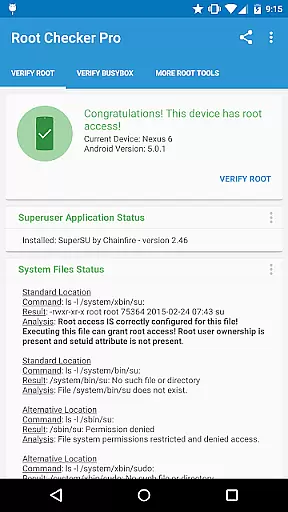
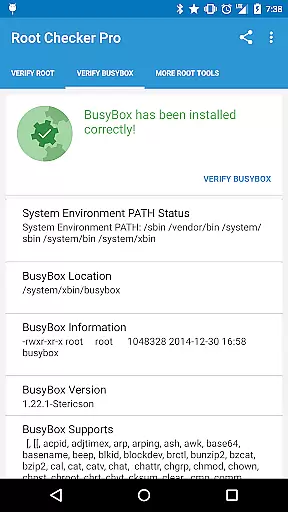
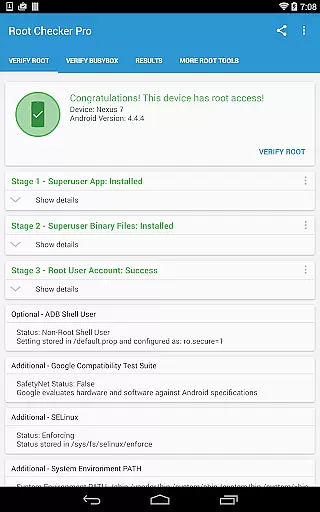
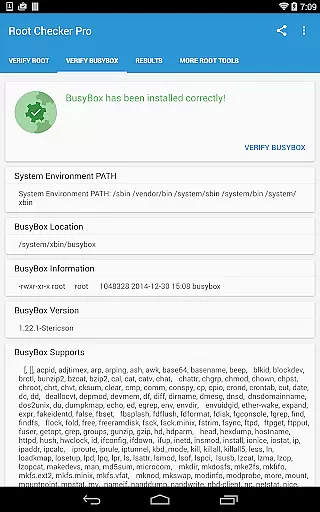
Root Checker Pro is a powerful tool designed to verify root access on Android devices. The app provides a comprehensive check of the su binary location and permissions, ensuring proper root (superuser) access. It also evaluates BusyBox installations, offering detailed insights for troubleshooting.
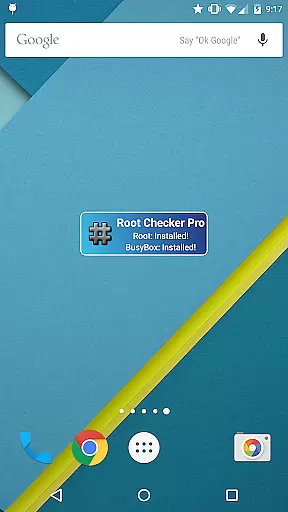
This application caters to both novice and advanced users by presenting crucial information in an easy-to-understand format. Users can quickly determine their device's root status, SELinux context results, and Superuser application details. Additionally, the built-in widget enables real-time monitoring of root and BusyBox status.
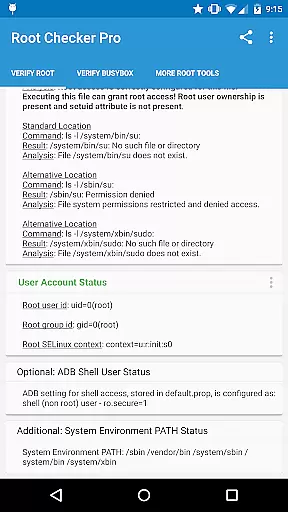
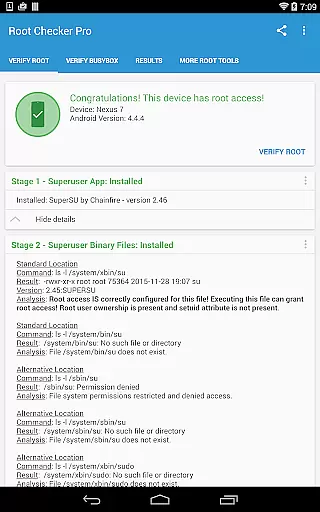
The app offers multiple features that make root checking efficient and reliable. It checks standard su binary locations, file permissions, and SELinux status, providing a clear picture of the device's root access. The detailed output includes root uid/gid, adb shell user mode, and system PATH.
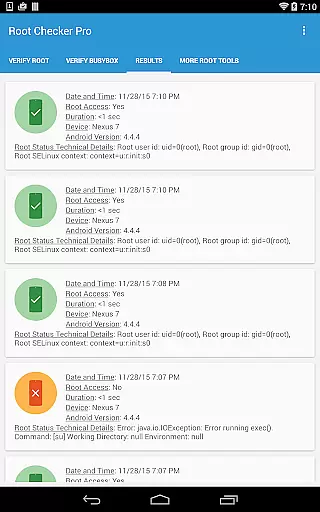
Advanced users benefit from the app's ability to export technical details via email or social media. This facilitates collaboration and troubleshooting. The widget feature allows users to set intervals for automatic root and BusyBox status updates, ensuring constant monitoring.
Root Checker Pro delivers exceptional accuracy in verifying root access on Android devices. The application meticulously checks the presence and status of the su binary, which is critical for granting root permissions.
The app's effectiveness lies in its comprehensive diagnostic capabilities. It examines standard su binary locations, file permissions, and system-defined paths, providing users with detailed information about their device's root status.
For technically inclined users, the application offers advanced details about SELinux contexts, Superuser app installations, and BusyBox configurations. This level of detail enables effective troubleshooting of root-related issues.
With its reliable testing methodology and quick verification process, the application ensures users can confidently determine their device's root access status while maintaining complete control over their Android system's administrative privileges.
The application features a straightforward interface that makes root checking accessible even to novice Android users. Its design focuses on simplicity, presenting complex technical information in an easily digestible format.
Key information is organized into clear categories, allowing users to quickly identify crucial details about their device's root status. The Root Check mode displays essential data without overwhelming users with unnecessary technical jargon.
For sharing diagnostic results, a single button enables easy export of detailed output via email or other installed applications. This intuitive feature facilitates collaboration and troubleshooting without complicated procedures.
The accompanying widget enhances user experience by providing constant monitoring of root and BusyBox status. Users can set custom check intervals and receive notifications directly on their home screen, making system monitoring both convenient and efficient.
Quick root verification
Detailed BusyBox analysis
User-friendly interface
Exportable diagnostic reports
Real-time status widget
No root installation capability
Limited to Android platform
Basic UI design
Requires email support
Needs manual updates

1-Click close all background apps on Android TV
 3.90
3.90
Use your phone as a webcam on your computer over WiFi or USB.
4.40
Universal TV remote control all TVs, Roku, LG, Samsung, Fire, Vizio, Sony, TCL.
4.40
MS-DOS in your pocket. Play old DOS games anywhere you are ;)
4.10
Detect hidden spy camera with advanced scanning {{ Premium version }}
4.00
Unleash gamepad precision for ultimate mobile gaming dominance.
3.90
Signal Strength, Mobile, Wifi, Speed Test, Bad Signals, Cellular, 5G, LTE, 4G
4.20
Planner and Tracker for Stardew Valley
4.60
Pro Emulator is an easy to use game console emulator for a range of consoles.
4.40
Easily install aab(Android App Bundle) files on your Android device with our app
4.80
Extremely fast, secure, and protects your privacy
4.80
Mirror your screen to Chromecast and Android TV - Super fast and simple
4.60
Screen Mirroring for Roku Sticks, Roku TCL TV and Roku Hisense TV
4.50
Clean up large files and similar photos, fast and easy to use
4.40
Effortlessly run ADB commands directly on your device without a PC.
4.20
Screen Mirroring with sound for Samsung TV, LG TV, Sony TV, Smart TV and Browser
4.20
An open-source APK explorer for Android!
4.10
Safely recover deleted photos, videos, and files with a single easy tap.
3.70
Clean the junk files on your device
3.40



User Reviews