
Canon PRINT is a versatile mobile application designed to enhance your printing experience with Canon printers. This app allows users to easily set up their printers, initiate print jobs, and perform scanning tasks directly from their mobile devices. With additional features such as cloud printing and consumable level checks, it ensures seamless printer management.
The app supports a wide range of Canon printer models including PIXMA, MAXIFY, imagePROGRAF, imageFORCE, imagePRESS, imageRUNNER ADVANCE, Color imageRUNNER, imageRUNNER, Satera, imageCLASS, i-SENSYS series, and SELPHY compact photo printers. Whether for home or office use, Canon PRINT provides comprehensive solutions for all your printing needs.
By integrating advanced functionalities with user-friendly interfaces, Canon PRINT delivers exceptional convenience and efficiency. Users can now manage their printing tasks effortlessly while enjoying the flexibility of mobile access, making it an indispensable tool for both personal and professional environments.
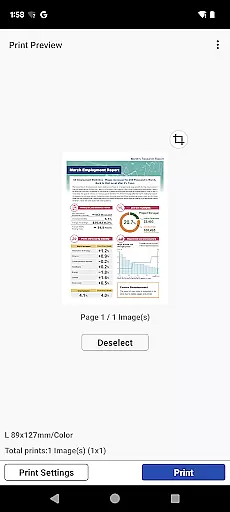
Canon PRINT offers an array of sophisticated features tailored to optimize printer functionality. One standout feature is its ability to connect to printers via Wi-Fi, enabling wireless printing and scanning without the need for cumbersome cables. Additionally, the app supports cloud services, allowing users to print documents and images stored in cloud storage seamlessly.
Another notable feature is the consumable level monitoring system. This function alerts users when ink or toner levels are low, ensuring uninterrupted printing operations. The app also includes a user-friendly interface that simplifies printer setup and management, even for those who are not tech-savvy.
Furthermore, Canon PRINT caters to diverse printing needs by supporting various printer models across different series. From high-quality photo prints using SELPHY printers to large-format printing with imagePROGRAF series, the app adapts to multiple scenarios. These capabilities make Canon PRINT a powerful tool for enhancing productivity and convenience in any setting.
Canon PRINT delivers exceptional core functionality by providing precise control over your printing and scanning tasks. The app ensures accurate communication between your mobile device and Canon printer, resulting in high-quality outputs every time.
The application supports a wide range of Canon printer models, including PIXMA, MAXIFY, imagePROGRAF, imageFORCE, imagePRESS, imageRUNNER ADVANCE, Color imageRUNNER, imageRUNNER, Satera, imageCLASS, i-SENSYS series, and SELPHY compact photo printers. This extensive compatibility demonstrates the app's effectiveness across various product lines.
Users benefit from practical features such as cloud printing, consumable level checks, and wireless connectivity options. These functions not only enhance printing accuracy but also streamline the entire printing process, saving both time and resources.
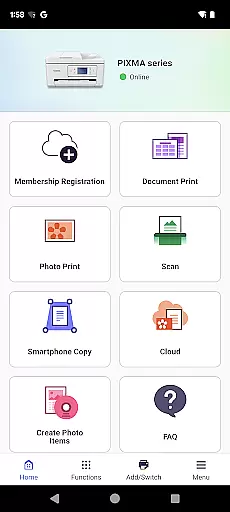
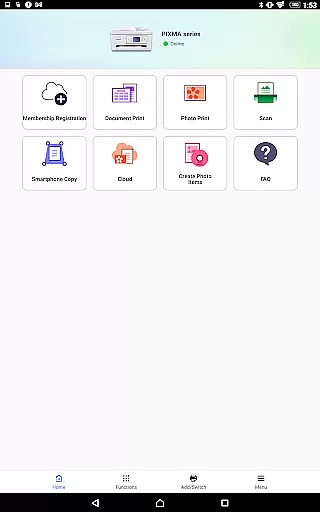
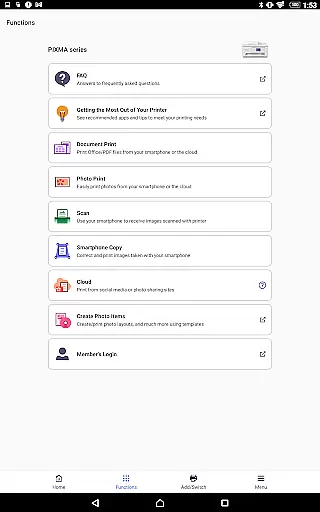
The Canon PRINT app features an intuitive interface that makes printer setup and operation straightforward for users of all technical backgrounds. Its clean design presents essential functions prominently, allowing quick access to frequently used features without unnecessary complexity.
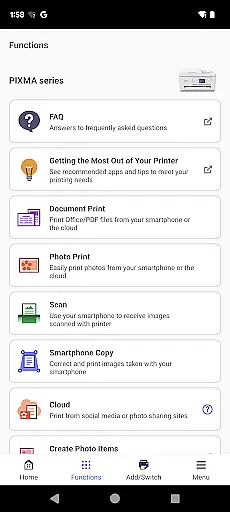
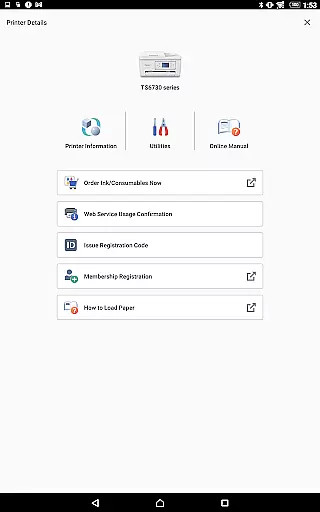
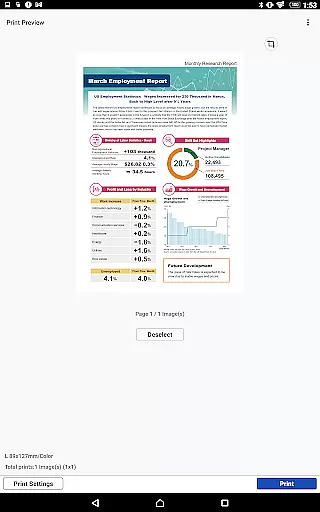
Key operations like printing, scanning, and checking ink levels are organized logically within the app's menu structure. This thoughtful arrangement enables users to complete their tasks efficiently without having to navigate through complicated settings or menus.
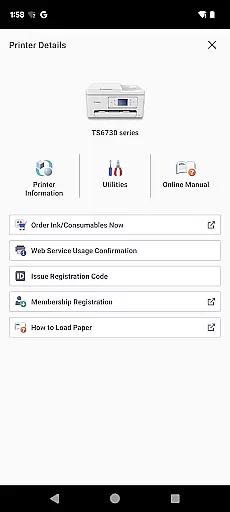
Additionally, the app provides clear instructions and visual cues during printer setup and troubleshooting processes. These helpful guides contribute to a more user-friendly experience, ensuring that even first-time users can operate their Canon printers with confidence and ease.
User-friendly interface
Wide printer compatibility
Wireless printing support
Cloud integration
Consumable monitoring
Limited to Canon printers
Some features region-restricted
Occasional connectivity issues
Advanced options may overwhelm beginners
Dependent on stable internet for cloud features

A recovery soft,it features photo recovery, video recovery, file recovery.
 3.40
3.40
Learn the vast amount of system information about device and monitor it's state
4.70
Head tracking for PC sim games such as MSFS 2024 or Elite:Dangerous. No headset!
4.50
Keep track of your Palia friendships, tasks, and inventory with Palia Notebook
4.60
Effortlessly run ADB commands directly on your device without a PC.
4.20
Detect hidden spy camera with advanced scanning {{ Premium version }}
4.00
The ultimate tool for network analysis, wifi scanning and problem detection.
4.90
Creation, Learning, Entertainment & More — The All-in-One AI Search Engine
4.70
Enjoy a smooth mobile reading experience!
3.60
Support Fossify apps with a warm thank you!
5.00
Remote Play with FSR upscaling, low latency & full controller support
4.80
Optimize your WiFi network, turn your phone into Wifi Analyzer
4.70
Small and simple app to Verify Root Access and BusyBox Install!
4.70
Play your X-Box games remotely in 1080p with any controller and zero latency
4.60
With videos, electrical calculators, and built-in ebook, Ugly’s has your answer.
4.50
Button mapper, mouse toggle, sleep timer and a lot of another features
4.50
Fluid navigation gestures for all of us!
4.30
An open-source APK explorer for Android!
4.10
A non-root local ADB shell client. READ BELOW!
3.40




User Reviews