
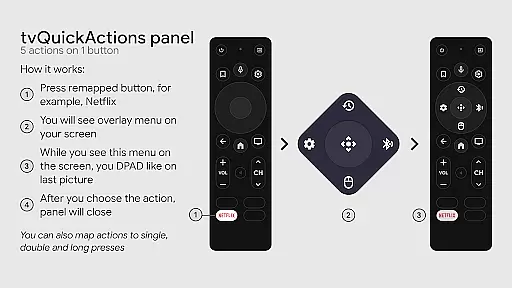
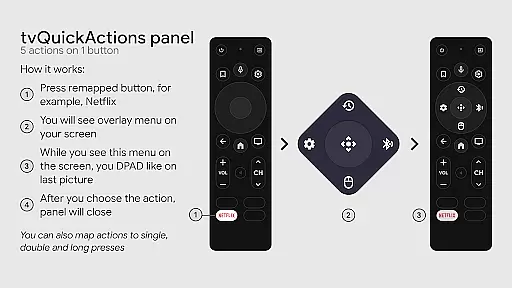
tvQuickActions Pro is an advanced button/key mapper specifically designed for TV devices, compatible with Android TV, Google TV, and AOSP on most devices. Its standout feature allows users to assign up to five actions to a single remote button, significantly enhancing device functionality.
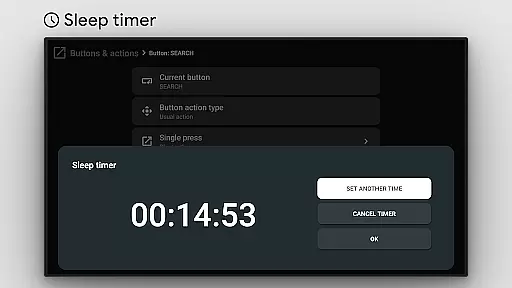
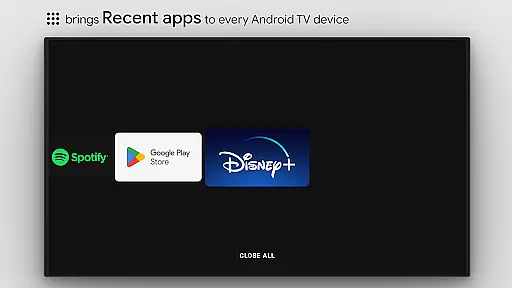
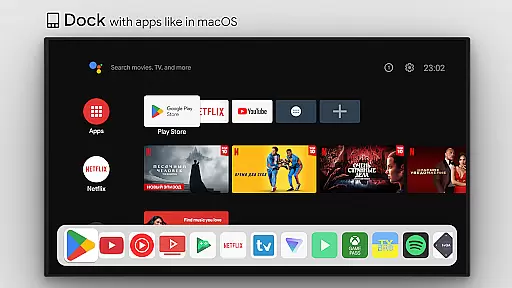
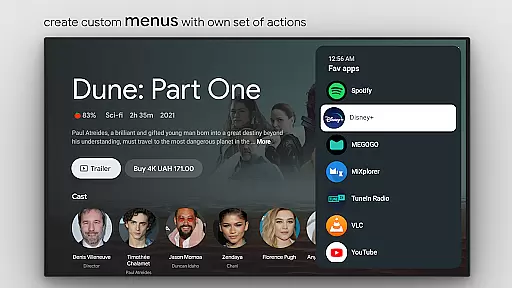
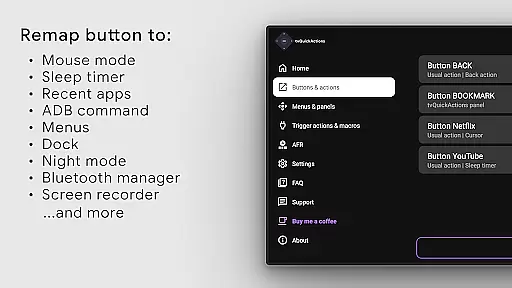
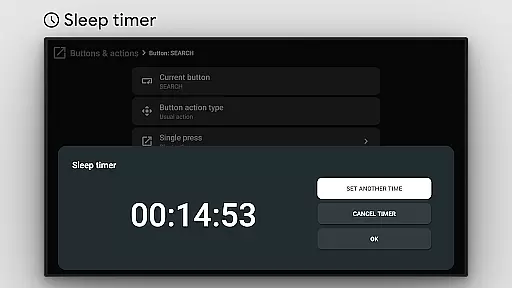
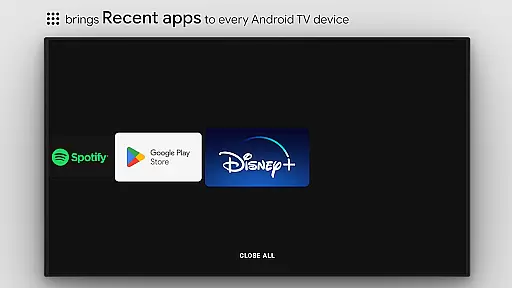
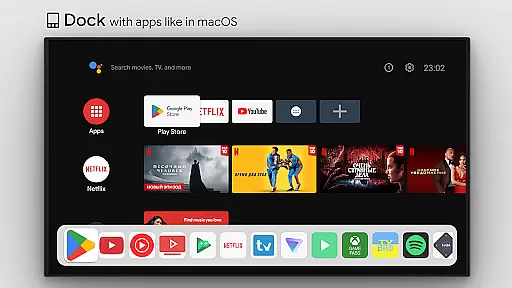
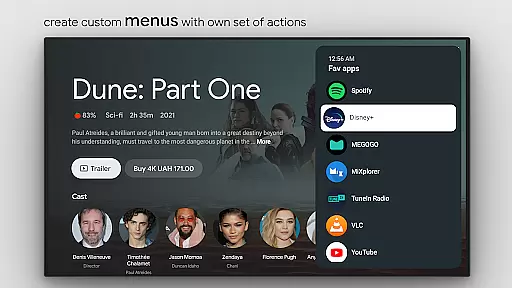
This tool transforms your TV remote into a powerful controller by enabling features like app docks similar to macOS/iPadOS, recent apps management, custom action menus, and even ADB commands. It also supports practical functions such as sleep timers, screen recording, night mode, and Bluetooth management, making it an indispensable utility for power users.
Whether you're looking to optimize your TV's usability or customize its interface extensively, tvQuickActions Pro offers the tools necessary to tailor your experience precisely to your needs, ensuring maximum convenience and efficiency.
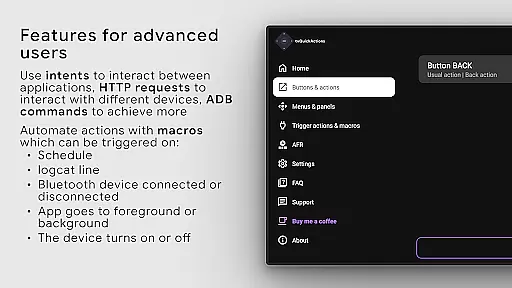
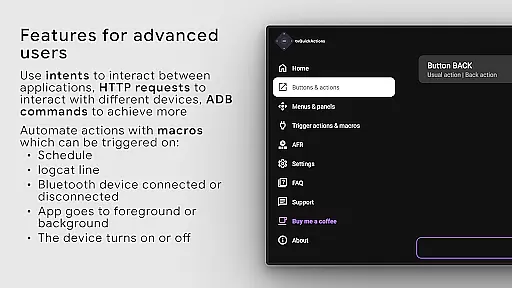
tvQuickActions Pro boasts a comprehensive set of features that cater to both casual and advanced users. The app allows for extensive customization through custom menus and user-defined ADB commands, providing unparalleled control over your TV device.
Among its notable capabilities are the mouse toggle function, media control panel, quick TV input changes, and an auto framerate feature for Amlogic devices running Android 9-11. Additionally, it supports remapping specific buttons on popular devices like Xiaomi and TiVo Stream 4K, further expanding its versatility.
Users can automate routine tasks by setting actions on power-on, sleep entry, or exit events. The ability to create custom channels for Android TV homes and lock apps adds another layer of personalization, ensuring that your TV environment is both secure and tailored to your preferences.
tvQuickActions Pro stands out as a highly accurate and effective button/key mapper specifically designed for TV devices, including Android TV, Google TV, and AOSP on most devices. The app's core functionality allows users to assign up to five actions to a single button on their remote control, significantly enhancing the utility of their device.
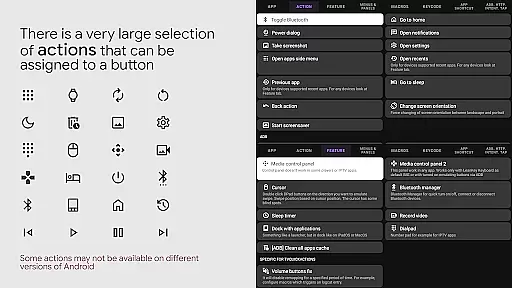
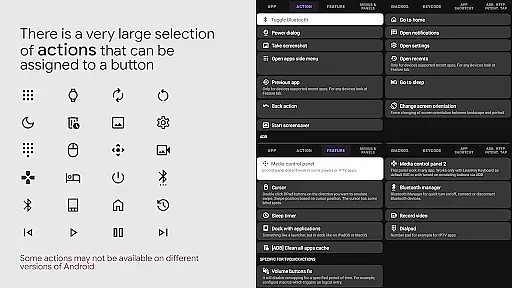
The application supports an extensive range of actions, from opening apps and recent apps management to executing ADB commands and toggling features like WiFi, Bluetooth, and media controls. This versatility ensures that users can customize their TV experience precisely according to their preferences and needs.
One of the unique aspects of tvQuickActions Pro is its ability to integrate seamlessly with the system through AccessibilityService API. This integration is crucial for remapping buttons and enabling features such as AutoFrameRate, which automates mode selection based on the content being viewed. Such capabilities underline the app's commitment to delivering precise and impactful functionality.
By offering advanced features like custom menus, user ADB commands, and support for remapping Netflix buttons on specific devices, tvQuickActions Pro empowers users to unlock the full potential of their TV devices. These functions not only enhance user interaction but also streamline device management, making it an indispensable tool for tech-savvy individuals.
Despite its powerful capabilities, tvQuickActions Pro maintains an interface that is both simple and intuitive, ensuring that users of all technical backgrounds can navigate and utilize its features effectively. The design philosophy centers around ease of use, allowing users to quickly set up and manage their button mappings without a steep learning curve.
The app provides clear options for assigning actions to buttons, with descriptions and visual cues that make the process straightforward. Users can easily access a comprehensive list of actions, ranging from basic commands like opening apps and controlling media playback to more advanced functionalities such as executing ADB commands and managing device settings.
tvQuickActions Pro further simplifies the user experience by supporting essential accessibility services. By leveraging APIs that listen to and block key events, the app ensures that remapped buttons function reliably and intuitively. This seamless operation enhances the overall usability of the application, making it accessible even to those who may not be familiar with technical jargon.
In addition to its intuitive interface, the app offers helpful features like tooltips and contextual help, guiding users through complex tasks with ease. This attention to detail in user interface design ensures that tvQuickActions Pro remains approachable and efficient, catering to both casual users and power users seeking to maximize their TV device's potential.
Highly customizable
Extensive compatibility
User-friendly interface
Advanced automation options
Comprehensive feature set
Complex setup process
Limited support for older devices
Potential conflicts with firmware
Requires technical knowledge
Occasional performance issues

Quickly switch to an encrypted DNS server on Android TV
 4.50
4.50
Just swipe the edge to do something!
4.40
A recovery soft,it features photo recovery, video recovery, file recovery.
3.40
Complete kernel toolbox with features to manage and tweak your rooted device
4.30
HD Video player and downloader for all formats, fast & smooth 4K video playback.
4.60
Universal TV remote control all TVs, Roku, LG, Samsung, Fire, Vizio, Sony, TCL.
4.40
App that Recover your pictures, videos or files after you delete them.
4.20
With videos, electrical calculators, and built-in ebook, Ugly’s has your answer.
4.50
Creation, Learning, Entertainment & More — The All-in-One AI Search Engine
4.70
Unit and currency converter with easy and simple UI.
4.80
Fast Video Downloader, Movie Downloader, Torrent Downloader & Adblock Browser
4.70 4.50
4.50 4.10
4.10
Detect hidden spy camera with advanced scanning {{ Premium version }}
4.00
Amateur Radio app for APRS: Track friends, exchange messages, get tactical info.
3.90
Create your own custom widget with endless possibilities
3.90
card-reader app
2.20
Unlock your Essential Key. Create custom shortcuts to your favorite apps!
4.5
Download any file easily and quickly with Downloader
4.4



User Reviews