
Franco Kernel Manager is a comprehensive toolbox designed for rooted Android devices, offering an extensive range of features to optimize and manage your device's kernel. This app caters to both novice users and experts alike, providing tools for performance enhancement, battery optimization, and system customization.
With Franco Kernel Manager, you can flash mods without needing a custom recovery, monitor detailed battery statistics, and adjust various system settings such as CPU frequencies, GPU settings, and display controls. The app also supports creating per-app profiles, allowing tailored configurations for different applications, ensuring optimal performance based on usage scenarios.
This powerful tool is invaluable for users looking to supercharge their device's capabilities while maintaining ease of use. Whether you're aiming to boost battery life or enhance overall performance, Franco Kernel Manager provides the necessary tools to achieve these goals efficiently.
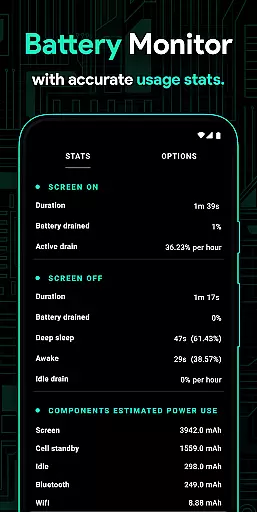
Franco Kernel Manager stands out with its rich feature set tailored for comprehensive device management. One notable feature is the Battery Monitor notification, which provides detailed insights into power consumption patterns, charging time estimates, and more. This allows users to make informed decisions about their device usage and optimize battery life effectively.
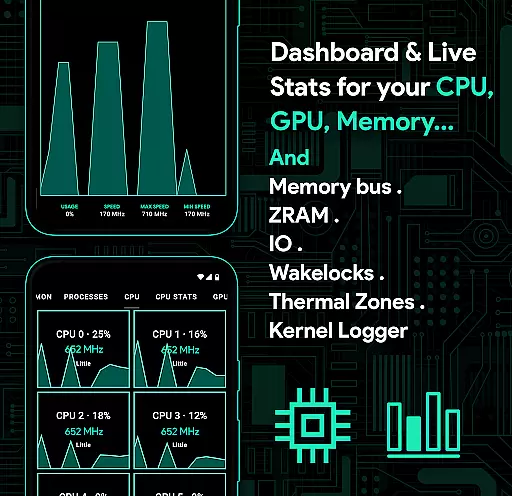
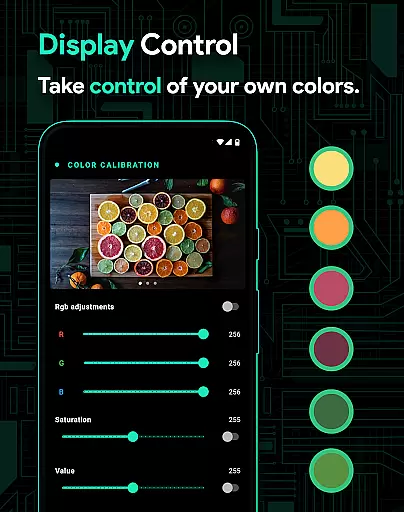
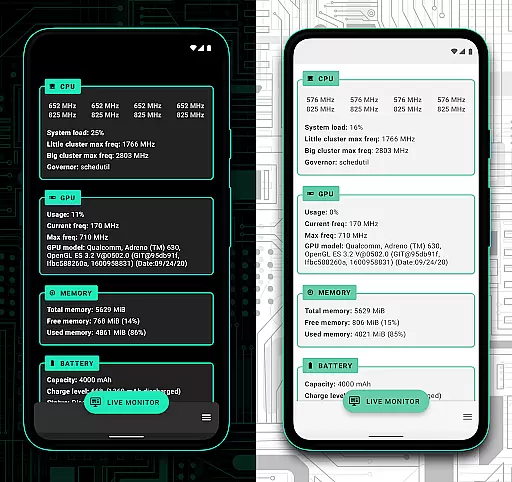
The app also includes advanced functionalities like auto-flashing kernels and Magisk modules, a build.prop editor, and support for various GPU types including Adreno, Exynos, and Kirin. Users can benefit from powerful battery-saving tips, display color temperature presets, and High Brightness Mode (HBM) for supported devices. Additionally, the System Health section offers real-time monitoring of CPU, GPU, RAM, and thermal zones, enhancing the user's ability to manage system resources efficiently.
Furthermore, Franco Kernel Manager supports per-app profiles, enabling users to apply specific settings for different apps. For instance, gamers might prefer maximum CPU frequency during gameplay, while lower frequencies could be set for reading e-books. These customizable options ensure that each application runs optimally according to individual preferences and needs.
Franco Kernel Manager is designed to provide users with precise control over their device's kernel settings, ensuring optimal performance and customization. The app offers a rich feature set that includes detailed battery monitoring, CPU frequency adjustments, GPU management, and more, all aimed at maximizing the efficiency of your device.
The application's core functions are implemented with meticulous attention to detail. For instance, its battery monitor provides real-time data on power consumption, charging time estimates, and even detailed breakdowns of energy usage by individual components such as WiFi, screen, and signal. This level of granularity allows users to make informed decisions about their device's power management, ultimately leading to enhanced battery life.
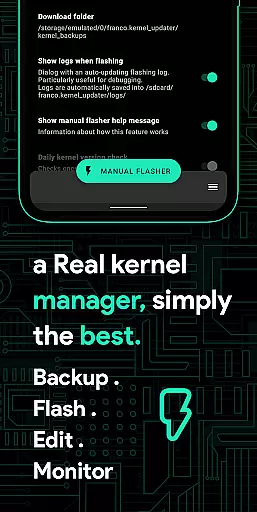
Another key aspect of Franco Kernel Manager is its ability to handle complex tasks like flashing kernels and mods without requiring a custom recovery. This functionality not only simplifies the process for less experienced users but also ensures that advanced users can perform these tasks quickly and safely. Additionally, features like per-app profiles enable tailored performance settings for different applications, further enhancing the user experience.
By combining powerful tools with an intuitive interface, Franco Kernel Manager delivers both accuracy and effectiveness. Whether you're looking to boost performance, extend battery life, or fine-tune system settings, this app provides the necessary tools to achieve your goals efficiently and reliably.
A well-designed interface is crucial for ensuring that users can easily navigate and utilize an app's features. Franco Kernel Manager excels in this area by offering a clean, intuitive layout that caters to both novice and expert users alike. Despite the complexity of the tasks it performs, the app maintains a user-friendly design that simplifies interaction.
The main dashboard of Franco Kernel Manager presents users with a comprehensive overview of their deviceu2019s current status, including CPU, GPU, RAM, and battery statistics. This immediate access to critical information helps users quickly assess their device's health and performance. Moreover, the app's use of visual aids, such as graphs and charts, enhances understanding and makes data interpretation straightforward.
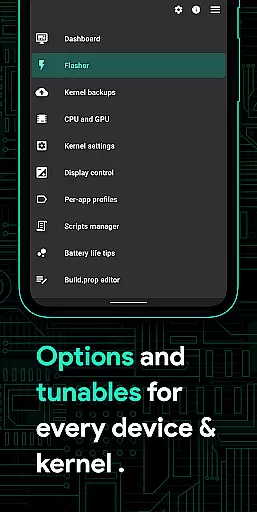
For those who require deeper customization, the app provides advanced settings that are logically organized and easy to locate. Features like build.prop editing, governor profiles, and IO scheduler tuning are accessible through clear menus and options. Even complex operations, such as creating shell scripts or managing wake gestures, are streamlined to prevent confusion and reduce the learning curve.
Overall, Franco Kernel Manager strikes a perfect balance between functionality and usability. Its interface is not only simple and intuitive but also highly effective in empowering users to take full control of their devices without feeling overwhelmed by technical jargon or complicated procedures.
User-friendly interface
Comprehensive feature set
Efficient battery management
Customizable per-app profiles
Real-time system monitoring
Requires root access
Complex for beginners
Limited official support
No iOS compatibility
Potential stability issues

Quickly switch to an encrypted DNS server on Android TV
 4.50
4.50
View detailed information about your Nissan Leaf the dealer never shows you.
4.10
PC precision for mobile gaming: dominate with keyboard and mouse!
4.30
Mirror your screen to Chromecast and Android TV - Super fast and simple
4.60
Planner and Tracker for Stardew Valley
4.60
Connect wirelessly to your computer to watch movies, browse the web, play games
5.00
Automate everything from settings to photos, SMS to speech. ADC2 prize winner.
4.10
Your personal health butler
3.60
Enhance your Beats
3.70
The ultimate tool for network analysis, wifi scanning and problem detection.
4.90
Unit and currency converter with easy and simple UI.
4.80
The one-and-only remote control for PC, Mac, and Linux
4.70
Play your X-Box games remotely in 1080p with any controller and zero latency
4.60 4.50
4.50
Just swipe the edge to do something!
4.40
Mirror your screen to Fire TV - Super fast and simple
4.40
Remote for Roku, Fire TV, Samsung TV, LG TV, Android TV, Chromecast and VIZIO TV
4.20
Carry a FTP server in your pocket and avoid USB cables for file transfer
4.20
Introducing Smart Printer, your ultimate destination for printing solutions!
4.00



User Reviews