
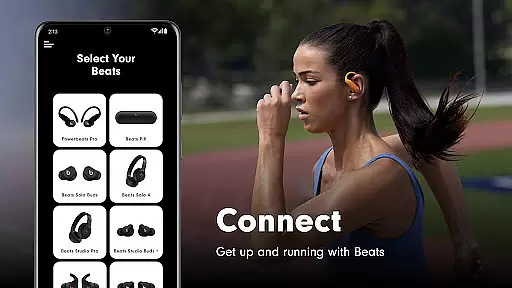
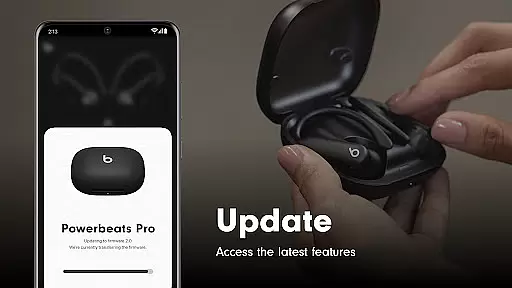
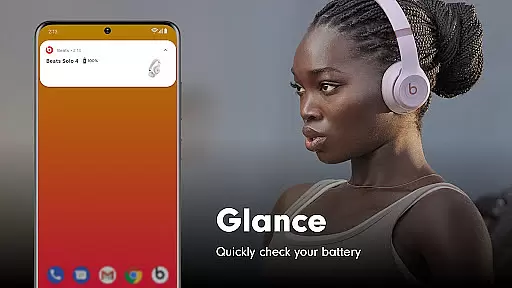
Beats is a comprehensive management tool designed specifically for Beats product users. The app provides essential features such as one-touch pairing, battery status monitoring, and customizable Android widgets. Users can also locate their misplaced Beats devices on a map. With firmware update capabilities, the app ensures that your headphones and speakers are always up to date, delivering an optimal audio experience.
The app supports a wide range of Beats products including Powerbeats Fit, Beats Solo Buds, Beats Pill, and many more. Whether you're managing your device settings or tracking down lost headphones, Beats offers a complete solution for all your Beats product needs.
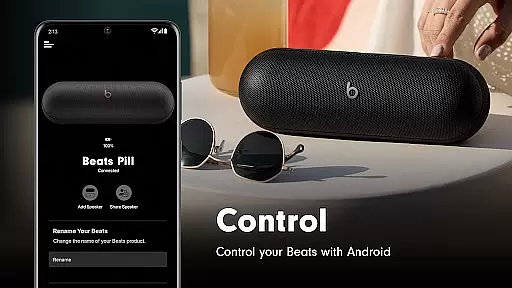
Beats stands out with its robust feature set tailored for audio device management. The one-touch pairing functionality allows for quick and effortless connections, while the battery status feature keeps users informed about their device's power levels. The app also enables the creation of personalized Android widgets for easy access to frequently used controls.
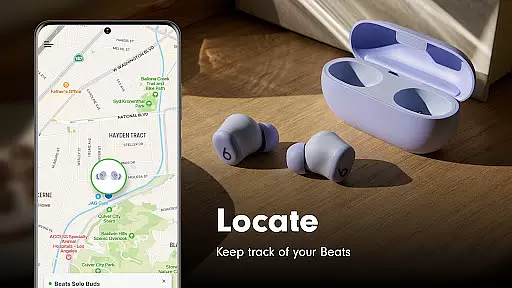
One of the standout features is the ability to locate misplaced Beats devices on a map, provided location access is enabled. Additionally, the app handles firmware updates seamlessly, ensuring that all supported devices operate with the latest software enhancements. This combination of convenience, control, and connectivity makes Beats an indispensable tool for any Beats product owner.
When it comes to tools like the Beats app, core function accuracy and effectiveness are paramount. This application ensures precise Bluetooth connectivity for seamless pairing with a wide range of Beats products, from headphones to speakers. The app provides users with critical features such as firmware updates and battery status notifications, which are essential for maintaining device performance.
The effectiveness of the Beats app is demonstrated through its ability to deliver timely firmware updates, ensuring that all supported devices operate with the latest software enhancements. Users can easily access settings and functionalities, streamlining the management of their audio devices. With one-touch pairing, the app simplifies the connection process, making it accessible even for non-tech-savvy individuals.
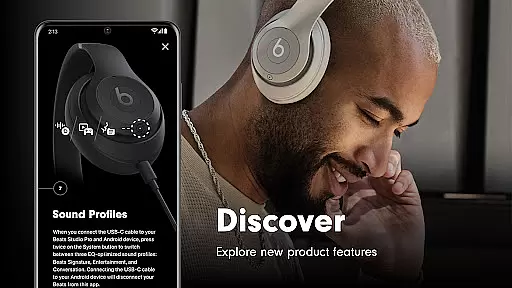
For users, this level of functionality means enjoying an uninterrupted and high-quality Beats experience. Firmware updates not only add new features but also improve existing ones, directly impacting sound quality and device reliability. As a result, users can be confident that their Beats products will consistently deliver premium audio performance.
A tool's value is significantly enhanced by an interface that is both simple and intuitive, qualities that the Beats app offers to its users. Its design emphasizes ease of use, allowing users to effortlessly navigate through various features such as device settings, battery status, and firmware updates. The straightforward layout ensures that even first-time users can manage their Beats devices without a steep learning curve.
Intuitiveness in the Beats app is highlighted by its widget creation feature, enabling users to customize their Android home screens with direct access to key functions. Additionally, the app provides clear options for analytics sharing, putting users in control of their data. These elements contribute to a hassle-free user experience that aligns with modern expectations for smart device management.
By prioritizing interface simplicity, the Beats app ensures that users spend less time managing their devices and more time enjoying them. Quick access to important information and controls translates into a more satisfying user experience. Ultimately, the app's intuitive nature fosters user engagement and loyalty, proving that powerful tools can also be user-friendly.
User-friendly interface
Comprehensive device support
Efficient firmware updates
Customizable widgets
Device locator functionality
Location access required
Limited to Beats products
Optional permissions needed
Analytics opt-in
Some features restricted

 4.50
4.50
Head tracking for PC sim games such as MSFS 2024 or Elite:Dangerous. No headset!
4.50
This app unlocks the Pro features of the Central for DayZ app
3.60
Save any video in HD - paste the link, download fast and watch offline.
4.3
Universal TV remote control all TVs, Roku, LG, Samsung, Fire, Vizio, Sony, TCL.
4.40
Carry a FTP server in your pocket and avoid USB cables for file transfer
4.20
Excellent scientific calculator with symbolic algebra, integrals, derivatives
4.80
Connect wirelessly to your computer to watch movies, browse the web, play games
5.00
Introducing Smart Printer, your ultimate destination for printing solutions!
4.00
Optimize your WiFi network, turn your phone into Wifi Analyzer
4.70
Creation, Learning, Entertainment & More — The All-in-One AI Search Engine
4.70
FV File Manager Pro, Fast and powerful file manager for Android
4.60 4.50
4.50
Just swipe the edge to do something!
4.40
An easy-to-use calculator designed to save time calculating and bending conduit
4.30
Remote for Roku, Fire TV, Samsung TV, LG TV, Android TV, Chromecast and VIZIO TV
4.20
App that Recover your pictures, videos or files after you delete them.
4.20
Unleash gamepad precision for ultimate mobile gaming dominance.
3.90
Download any file easily and quickly with Downloader
4.3




User Reviews