
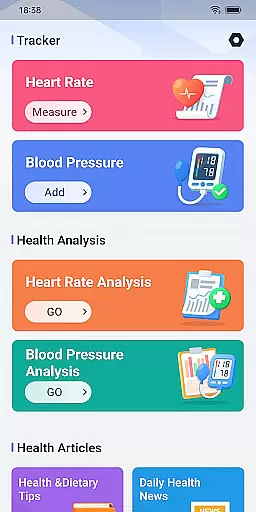
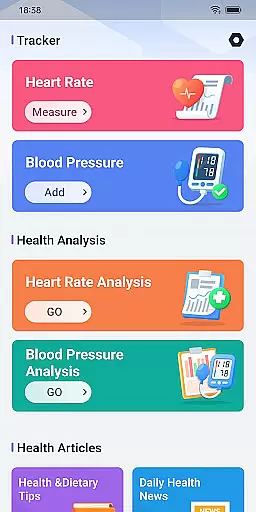
Daily HealthTracker is a comprehensive health monitoring tool designed to help users track their heart rate and blood pressure using just their smartphone. By leveraging the phone's camera, the app intelligently captures changes in fingertip blood flow to measure real-time heart rate, while also supporting manual input for blood pressure data.
The app caters to various user groups including sports enthusiasts monitoring training intensity, middle-aged and elderly individuals managing daily health, and office workers aiming to prevent cardiovascular diseases. With features like reminder alarms for measurements and an easy-to-use interface, Daily HealthTracker simplifies health management and ensures users stay on top of their well-being.
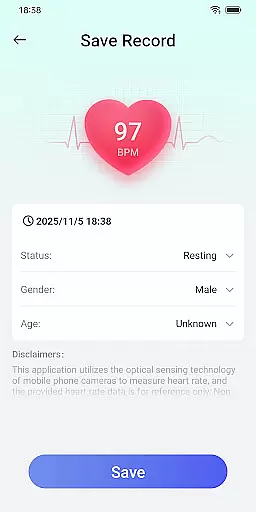
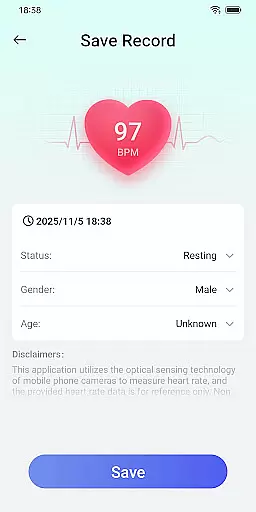
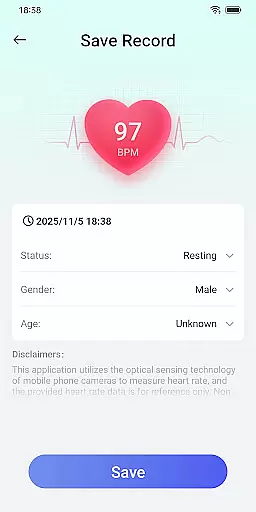
Daily HealthTracker offers a range of features that make health monitoring both convenient and efficient. One standout feature is its ability to transform a smartphone into a portable health monitor by utilizing the device’s camera to capture blood flow changes, providing instant heart rate readings.
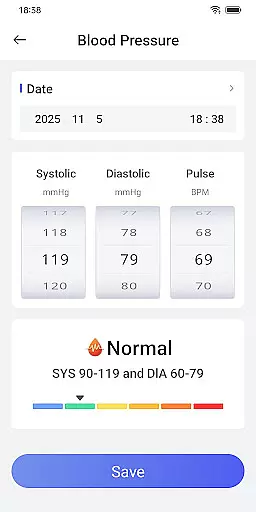
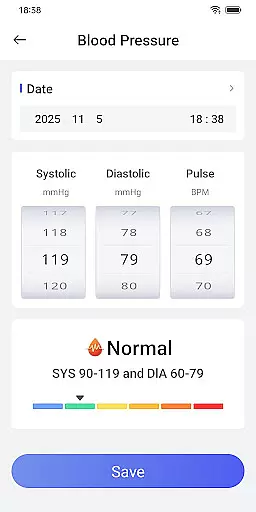
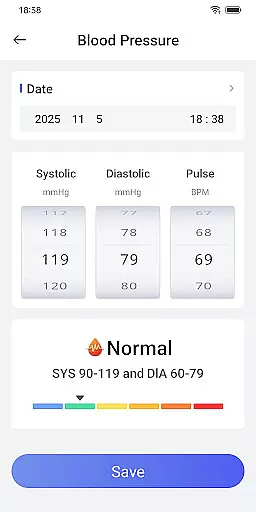
In addition to heart rate monitoring, the app allows users to manually record blood pressure data, helping them keep track of fluctuations over time. Users can set up reminder alarms to ensure they never miss a reading, which is particularly useful for maintaining consistent health tracking. The app strictly adheres to privacy policies, ensuring user data remains secure and private.
Accuracy and effectiveness are crucial for any health monitoring tool, especially when it comes to heart rate and blood pressure measurements. Daily HealthTracker leverages advanced algorithms and your smartphone's camera to capture subtle changes in fingertip blood flow, providing real-time heart rate data.
The app supports manual input and recording of blood pressure readings, ensuring that users can maintain a comprehensive log of their vital signs. This dual functionality makes the app not only a measurement tool but also a robust health management system.
By setting up reminder alarms for heart rate checks and blood pressure recordings, the app ensures that users never miss an important health metric. These reminders contribute significantly to maintaining consistent health monitoring habits.
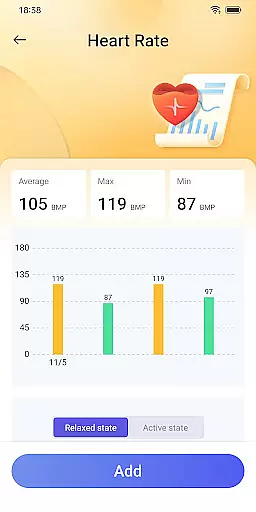
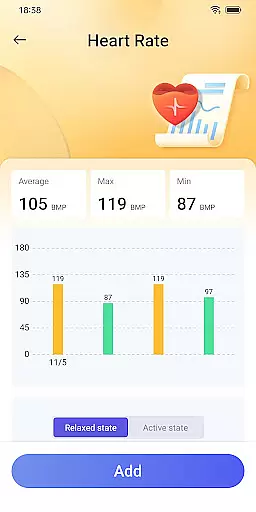
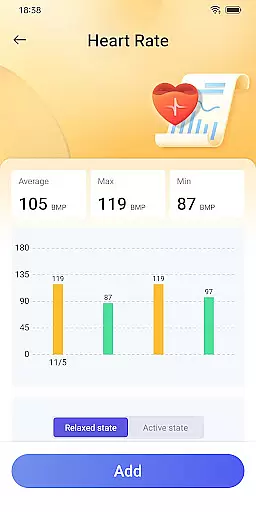
While the heart rate data provided is for reference and may vary due to lighting or device differences, the ability to track trends over time offers valuable insights into your overall health condition.
A simple and intuitive interface is essential for tools that aim to make health management accessible to everyone. Daily HealthTracker excels in this area by transforming your mobile phone into a health monitor without the need for additional hardware.
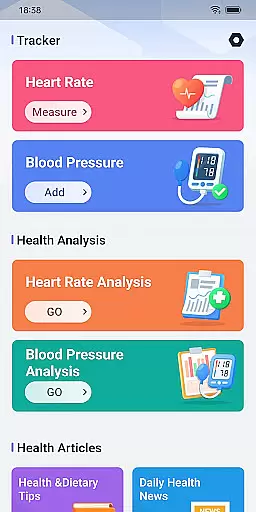
The app's design focuses on ease of use, allowing users to quickly access features through a straightforward layout. After granting necessary permissions, users can enjoy quick access functionalities directly from their home screen.
With clear instructions and support for various scenarios like sports enthusiasts monitoring training intensity or office workers preventing cardiovascular diseases, the app caters to a wide audience with different health needs.
Despite its simplicity, the app does not compromise on functionality, offering detailed tracking and analysis features that empower users to take control of their health with minimal effort.
User-friendly interface
Real-time heart rate monitoring
Blood pressure tracking
Reminder alarms for measurements
Privacy-focused design
Heart rate accuracy varies
Limited to smartphone compatibility
No integration with wearables
Manual blood pressure input only
Dependent on lighting conditions

Just swipe the edge to do something!
 4.40
4.40
A recovery soft,it features photo recovery, video recovery, file recovery.
3.40
Quickly & easily calculate the spacing of handrail balusters
4.20
Create your own live wallpaper or check out thousands already made presets
3.90
Smart and comfortable browsing experience.
3.80
WiFi Signal Strength Meter help you detect WiFi Signal Strength in real time.
4.80
The Ultimate Bluetooth Keyboard & Mouse. Securely control your PC, Mac, and more
4.50
The Ultimate Flex Drivers Utility App - Convenient Tapping & Block Filters
4.70
A simple app to back up and restore SMS & MMS messages and call logs.
4.10
Best leveling tool for your Android device. Hang paintings like a pro.
4.90
Navigate with Ease and Style
4.90
Remote Play with FSR upscaling, low latency & full controller support
4.80
With videos, electrical calculators, and built-in ebook, Ugly’s has your answer.
4.50
Screen Mirroring for Roku Sticks, Roku TCL TV and Roku Hisense TV
4.50
Complete kernel toolbox with features to manage and tweak your rooted device
4.30
Carry a FTP server in your pocket and avoid USB cables for file transfer
4.20
View detailed information about your Nissan Leaf the dealer never shows you.
4.10
A powerful, easy-to-use flight computer on your phone or tablet!
3.80
This app unlocks the Pro features of the Central for DayZ app
3.60



User Reviews