
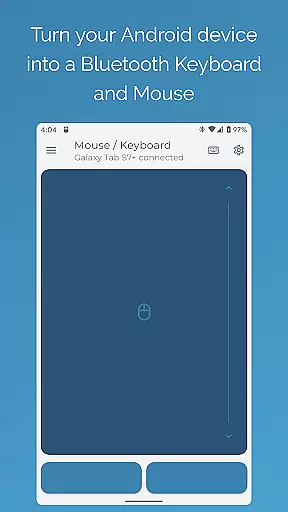
Bluetooth Keyboard & Mouse Pro revolutionizes the way you interact with your devices by turning your Android phone into a versatile remote control tool. This powerful app allows you to seamlessly operate your computer, tablet, or media center without the need for additional software or server connections. With its direct Bluetooth connectivity, you can enjoy instant response times while maintaining a private and secure connection.
The app offers an impressive array of features including precision control with a responsive keyboard, mouse, and multi-touch trackpad. It also includes specialized modes like Keep-Alive / Jiggler Mode to prevent your computer from sleeping, Presenter Mode for confident slide navigation during presentations, and Multimedia Control for effortless media management. These capabilities make it an ideal solution for professionals who require reliable and efficient device control in various settings.
Whether you're working remotely, giving presentations, or managing multimedia content, Bluetooth Keyboard & Mouse Pro provides the tools you need to stay productive and focused. Its universal compatibility ensures that you can connect to a wide range of devices running different operating systems, making it a valuable addition to any professional toolkit.
Bluetooth Keyboard & Mouse Pro stands out with its comprehensive set of features designed to enhance productivity and streamline device interactions. One of its key strengths is the Precision Control functionality, which includes a highly responsive keyboard, mouse, and multi-touch trackpad with intuitive scrolling capabilities. This allows users to perform tasks with accuracy and ease, whether they're typing documents, navigating interfaces, or controlling presentations.
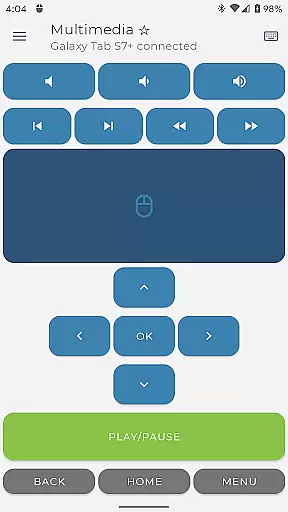
In addition to basic controls, the app offers advanced features such as Keep-Alive / Jiggler Mode, which prevents computers from sleeping or locking during long tasks—a crucial feature for remote workers. The Presenter Mode enables users to navigate slides confidently, control pointers, and engage audiences effectively. Meanwhile, the Multimedia Control feature lets users manage playback, volume, and navigation for various media players and streaming services effortlessly.
Another notable aspect is the app's Universal Compatibility. It works with any device that supports standard Bluetooth connections, including Windows, Apple iOS, iPad OS, Android, Chromebook Chrome OS, and even gaming platforms like Steam Deck. This versatility ensures that users can rely on Bluetooth Keyboard & Mouse Pro across multiple devices and operating systems, providing consistent performance and convenience wherever they go.
Bluetooth Keyboard & Mouse Pro delivers exceptional core functionality through its versatile and precise control options. The app transforms your Android device into a powerful Bluetooth keyboard, mouse, and presentation tool without requiring additional software or server connections.
The application ensures instant response times with its direct Bluetooth connection, offering users a secure and private experience. Its highly responsive keyboard, multi-touch trackpad, and intuitive scrolling provide precision control for seamless navigation across devices like computers, tablets, and media centers.
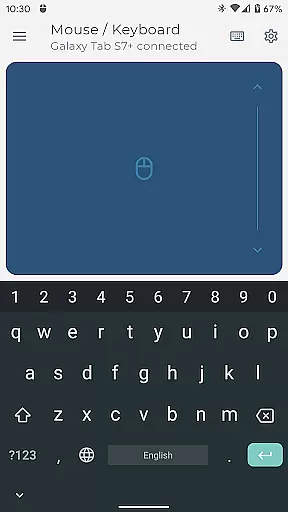
With features such as Keep-Alive / Jiggler Mode to prevent sleep or lock states, Full PC Keyboard support with over 100 international language layouts, and Presenter Mode for confident slide navigation, the app caters to both productivity and professional needs. These tools ensure that users can maintain workflow continuity and deliver presentations with ease.
Ultimately, this app's effectiveness lies in its ability to streamline tasks while maintaining compatibility with major operating systems including Windows, iOS, iPadOS, Android, Chrome OS, and Steam Deck. This universal compatibility enhances its value as an essential productivity tool.
Achieving simplicity and intuitiveness in its interface design, Bluetooth Keyboard & Mouse Pro offers users an effortless setup process and easy access to advanced functionalities. The app eliminates the need for complex configurations by using a direct Bluetooth connection, making it accessible even to non-technical users.
Its clean layout provides quick access to essential tools such as Precision Control for responsive typing and scrolling, Multimedia Control for managing playback and volume, and Voice & Clipboard Sync for efficient text input. Each feature is strategically placed within the interface to minimize learning curves while maximizing usability.
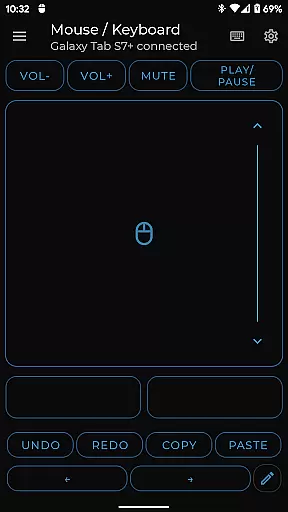
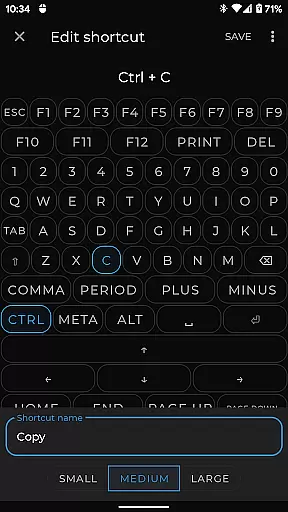
Custom Layouts further enhance user experience by allowing individuals to engineer personalized remote interfaces tailored to specific applications or games. This flexibility ensures that every user can create an environment that suits their unique workflow requirements.
By combining straightforward navigation with powerful customization options, Bluetooth Keyboard & Mouse Pro strikes a perfect balance between simplicity and functionality, ensuring that users of all skill levels can operate it effectively.
User-friendly interface
Highly responsive controls
Versatile device compatibility
Secure Bluetooth connection
Comprehensive feature set
Premium features require subscription
Initial setup may be complex
Limited free version functionality
Occasional connectivity issues
Advanced features have learning curve

Just one-tap to easy translate in any language after calls within seconds.
 4.20
4.20
Family Locator, Share location, StayConnect with your family in real time
3.90
eXtended Permission Manager - a small app to manage permissions and AppOps
4.50
Create your own live wallpaper or check out thousands already made presets
3.90
View detailed information about your Nissan Leaf the dealer never shows you.
4.10
Making emulation easy for everyone!
4.30
Screen Mirroring for Roku Sticks, Roku TCL TV and Roku Hisense TV
4.50
Download any file easily and quickly with Downloader
4.0
Automate everything from settings to photos, SMS to speech. ADC2 prize winner.
4.10
Change your GPS location instantly. Simulate routes anywhere in the world.
4.90
Enjoy smooth gameplay with Game Booster
4.90
Optimize your WiFi network, turn your phone into Wifi Analyzer
4.70
NFC Tools can read and write NFC tags.
4.70
Forza Tuning Calculator App for Forza Horizon 5, Motorsport and Earlier Titles
4.40
Mirror your screen to Fire TV - Super fast and simple
4.40
Pro Emulator is an easy to use game console emulator for a range of consoles.
4.40
An easy-to-use calculator designed to save time calculating and bending conduit
4.30
Remote for Roku, Fire TV, Samsung TV, LG TV, Android TV, Chromecast and VIZIO TV
4.20
card-reader app
2.20




User Reviews