
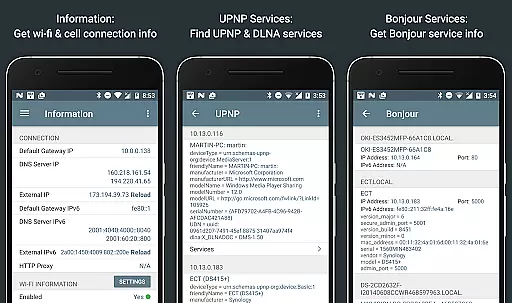
Network Analyzer Pro is a comprehensive network diagnostic tool designed to help users identify and resolve issues related to Wi-Fi networks, Internet connectivity, and remote servers. The app offers an extensive suite of utilities including a fast Wi-Fi device discovery tool, standard network diagnostic features like ping and traceroute, and detailed insights into neighboring Wi-Fi networks. With support for both IPv4 and IPv6, it provides complete visibility into your network setup while helping optimize router configurations.
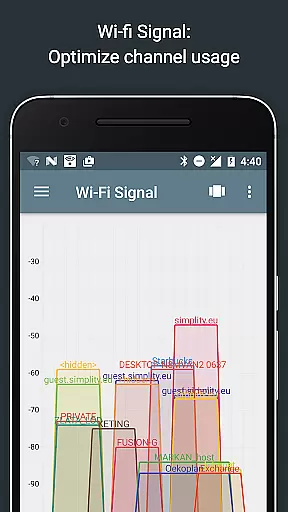
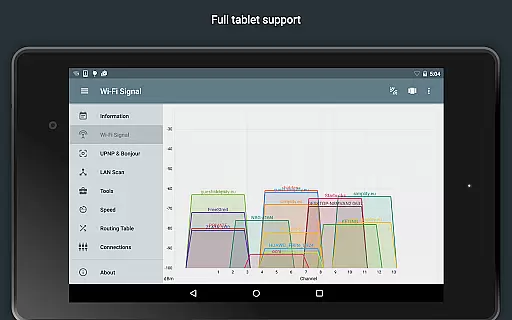
One of the standout features is its ability to display both graphical and textual representations of network channels and signal strengths, making it easier to choose the optimal channel for your wireless router. Additionally, Network Analyzer Pro includes advanced tools such as port scanning, DNS lookup, and Whois queries, which are essential for troubleshooting and securing your network infrastructure. Whether you're an IT professional or a home user looking to improve your network performance, this app delivers the necessary tools in a user-friendly interface.
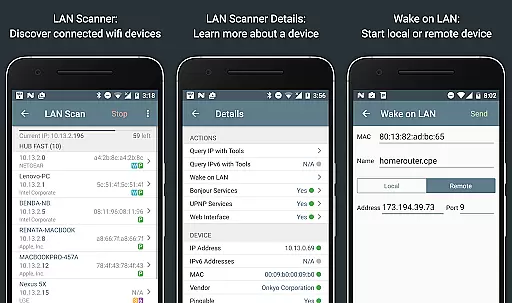
Network Analyzer Pro stands out with its wide array of specialized tools tailored for network diagnostics. The LAN scanner quickly identifies all devices on your local network, providing IP addresses, device names, and additional details like Bonjour/DLNA services. It also supports Wake on LAN (WOL) functionality, allowing you to remotely power on devices within your network. The inclusion of custom IP range scans and filtering options makes it highly versatile for different network environments.
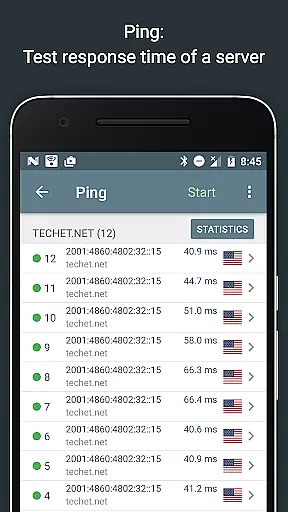
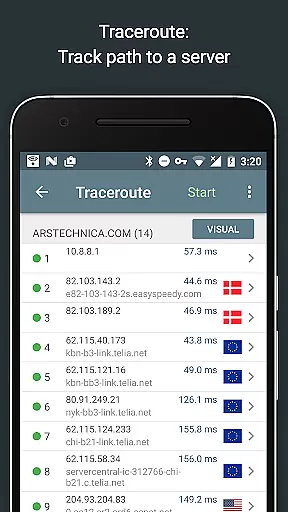
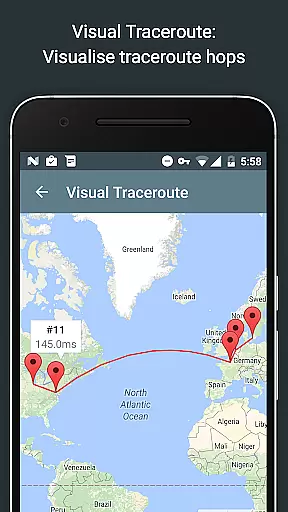
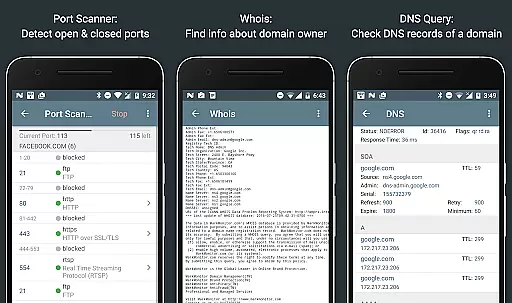
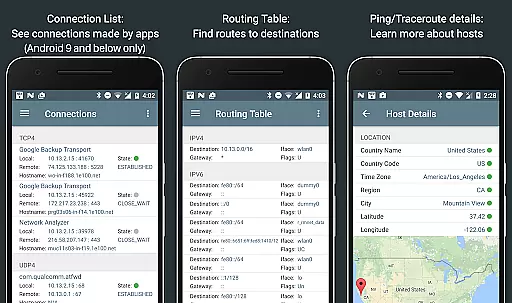
The app's ping and traceroute features offer real-time statistics and geolocation data for every network node, visualized on an interactive map. This helps pinpoint latency issues and understand network topology better. Furthermore, the port scanner uses an adaptive algorithm to detect open, closed, or firewalled ports swiftly. Coupled with functionalities like DNS lookup and Whois queries, Network Analyzer Pro ensures that users have access to critical information about their network's health and security posture.
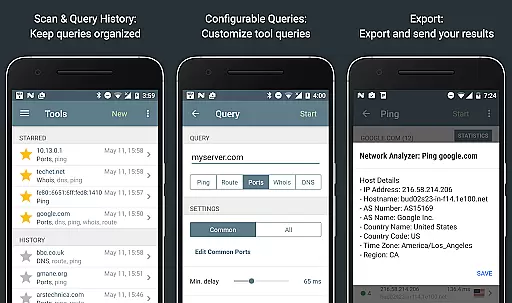
Network Analyzer Pro stands out for its precision and effectiveness in diagnosing network issues. The application provides a comprehensive suite of tools including ping, traceroute, port scanner, DNS lookup, and whois to accurately identify problems within your wifi network or remote servers.
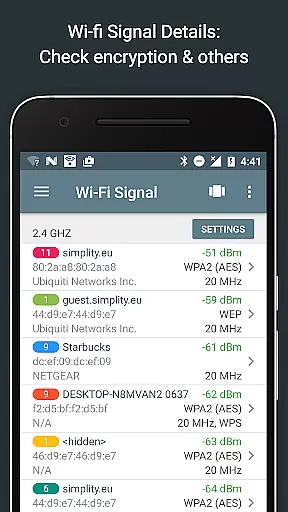
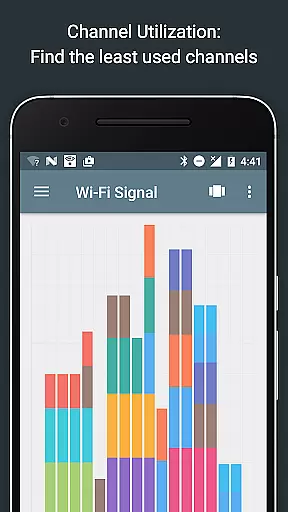
The app's capabilities extend to detecting neighboring wi-fi networks and detailing their signal strength, encryption methods, and router manufacturers. This functionality supports users in selecting the optimal channel for their wireless routers, ensuring minimal interference and maximum performance.
With features like the wifi signal meter and LAN scanner, Network Analyzer Pro delivers both graphical and textual representations of network data. Users can quickly discover all network devices, check IP addresses, and perform tests on discovered devices, enhancing their ability to manage and troubleshoot network setups effectively.
Despite its technical depth, Network Analyzer Pro maintains an intuitive and user-friendly interface. Tools are neatly organized, allowing users to swiftly navigate between different diagnostic utilities without a steep learning curve.
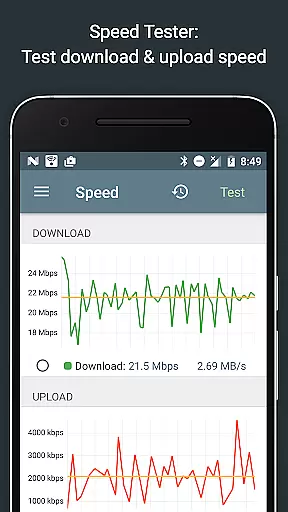
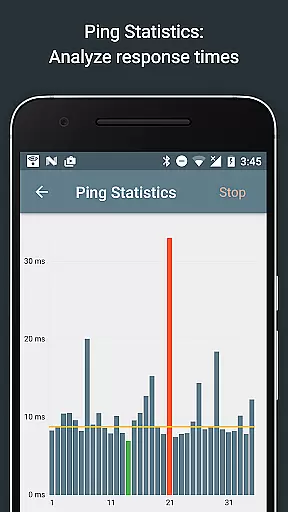
The app presents complex network information through clear visualizations and straightforward data displays. For instance, the channel usage graph and round trip delay statistics offer easily digestible insights into network performance and health.
Moreover, helpful functionalities such as Wake on LAN (WOL), scan of custom IP ranges, and filtering options for discovered devices ensure that even advanced tasks can be executed with ease. This blend of powerful features wrapped in a simple interface makes Network Analyzer Pro accessible to both novice and expert users.
Comprehensive network tools
Supports IPv4 and IPv6
User-friendly interface
Fast device discovery
Detailed network insights
Paid version required
Advanced features complex
Limited free options
Requires technical knowledge
No offline support

 4.50
4.50 4.50
4.50
1-Click close all background apps on Android TV
3.90
This app unlocks the Pro features of the Central for DayZ app
3.60
Use your phone as a webcam on your computer over WiFi or USB.
4.40
Safely recover deleted photos, videos, and files with a single easy tap.
3.70
Mirror your screen to Fire TV - Super fast and simple
4.40
Remote Play with FSR upscaling, low latency & full controller support
4.80
Screen recorder with audio to record high-quality videos and take screenshots.
4.40
Bedrock Together: Join any bedrock server on Xbox/PS
4.80
Pro Emulator is an easy to use game console emulator for a range of consoles.
4.40
Complete kernel toolbox with features to manage and tweak your rooted device
4.30
PC precision for mobile gaming: dominate with keyboard and mouse!
4.30
pdf merge, word to pdf, jpg to pdf, edit pdf, convert to pdf and much more!
4.20
VESC Tool can monitor and configure VESC-compatible devices over BLE and Wifi
4.20
View detailed information about your Nissan Leaf the dealer never shows you.
4.10
A simple app to back up and restore SMS & MMS messages and call logs.
4.10
Family Locator, Share location, StayConnect with your family in real time
3.90
Undelete and recover your lost or deleted files with DiskDigger!
3.40




User Reviews