
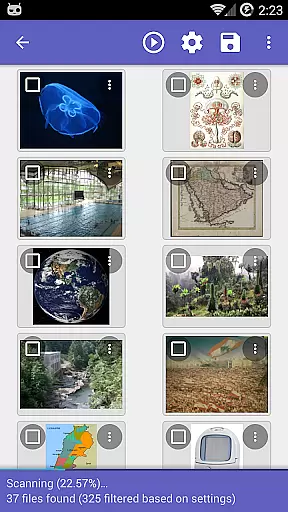
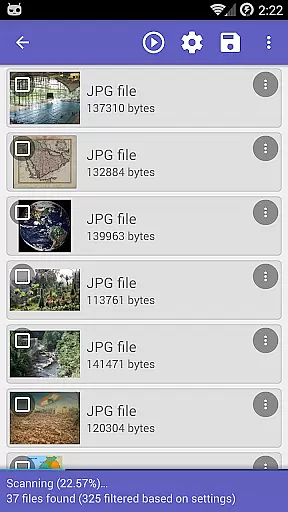
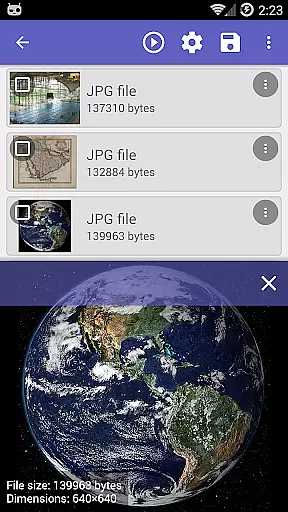
DiskDigger Pro file recovery is a powerful tool designed for rooted Android devices, enabling users to recover lost files including photos, documents, videos, and music. With its advanced scanning capabilities, the app can retrieve deleted files even from reformatted memory cards or internal storage. The application supports a wide range of file types, making it versatile for various data recovery needs.
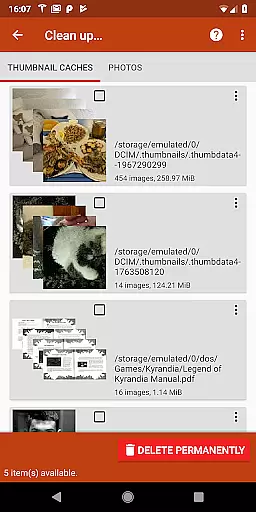
For non-rooted devices, DiskDigger offers limited functionality, primarily focusing on recovering lower-resolution versions of photos and videos found in cache and thumbnail directories. Additionally, users can permanently delete unwanted files using the 'Clean up' feature and erase free space to prevent future recovery of deleted items. This ensures both recovery and privacy management are covered.
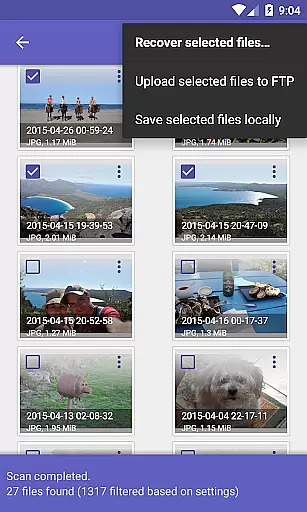
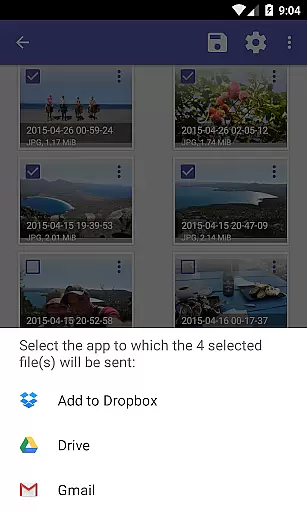
The recovered files can be uploaded directly to cloud services like Google Drive and Dropbox, sent via email, or saved locally. DiskDigger Pro stands out by providing comprehensive instructions and support, ensuring users can effectively manage their data recovery processes. Its ability to handle different file formats and offer multiple recovery options makes it an essential tool for anyone needing to restore lost data on their Android device.
DiskDigger Pro file recovery boasts several key features that make it a top choice for data recovery on Android devices. Firstly, its powerful scanning engine can recover a wide array of file types, including JPG, PNG, MP4, DOCX, PDF, and many others. This versatility ensures that users can retrieve various kinds of lost data, from personal photos to important documents.
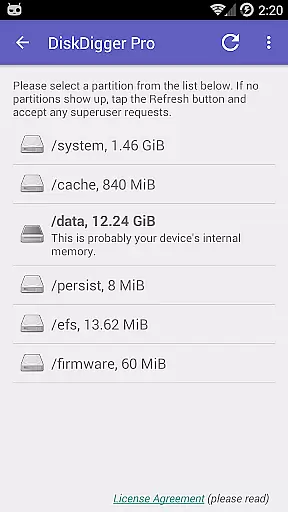
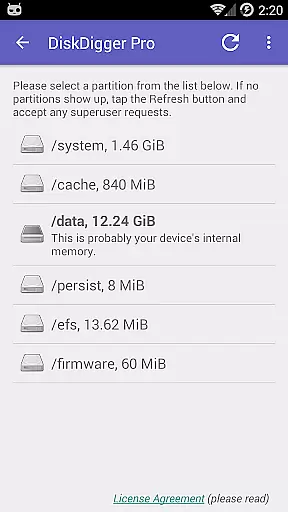
Another standout feature is its ability to perform both basic and full scans. While non-rooted devices are limited to basic scans for photos and videos, rooted devices can take advantage of full scans that explore the entire internal memory. The 'Clean up' button allows users to permanently delete unnecessary files, while the 'Wipe free space' option ensures deleted files cannot be recovered, adding a layer of security.
Furthermore, DiskDigger Pro offers seamless integration with cloud services such as Google Drive and Dropbox, along with FTP server uploads and local saving options. This flexibility in handling recovered files enhances user convenience. Overall, these features combine to create a robust solution for managing and recovering lost data efficiently and securely.
DiskDigger Pro file recovery stands out for its powerful data recovery capabilities, which are essential for any tool in the data recovery category. The app can recover a wide range of file types including photos, documents, videos, and music from both memory cards and internal memory.
The effectiveness of DiskDigger Pro is evident in its ability to undelete files even after memory card reformatting. This feature ensures that users can retrieve lost data with minimal effort, making it an indispensable tool for anyone who has accidentally deleted important files.
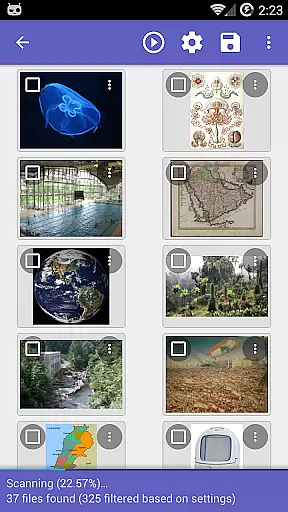
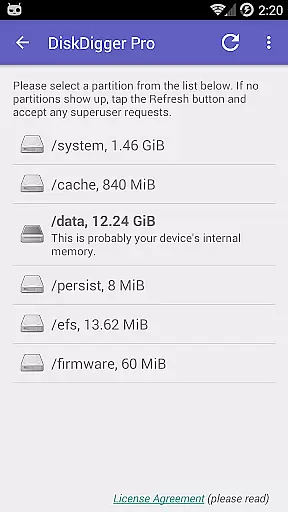
For rooted devices, the app offers comprehensive scanning options that allow for the recovery of high-resolution files. This functionality highlights the app's commitment to providing accurate and effective solutions for data loss scenarios, ensuring users can restore their files to their original quality.
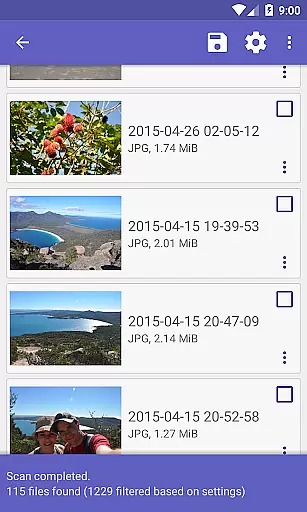
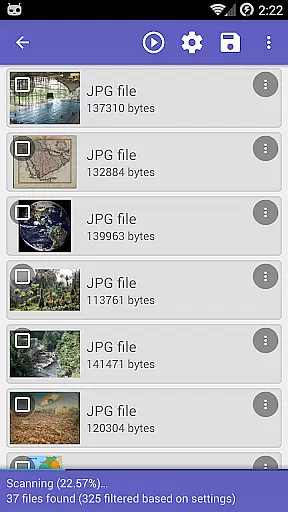
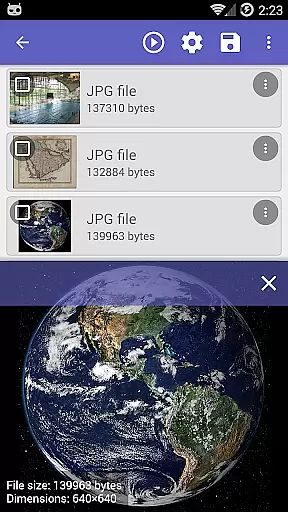
The user interface of DiskDigger Pro is designed to be straightforward and easy to navigate, which is crucial for users who may not be technically inclined. Upon launching the app, users are greeted with clear options for initiating scans and recovering files, streamlining the data recovery process.
After completing a scan, DiskDigger Pro provides a 'Clean up' button to help users manage recovered files they no longer need. This experimental feature adds an intuitive layer of file management, allowing users to maintain an organized storage space effortlessly.
Additionally, the app includes options like 'Wipe free space,' enabling users to erase residual data permanently. These features, presented in a simple and accessible manner, ensure that even those new to data recovery can utilize DiskDigger Pro effectively, enhancing their overall experience.
Powerful recovery
Wide file support
Cloud integration
User-friendly
Secure deletion
Limited on non-rooted
Root required
Basic cleanup
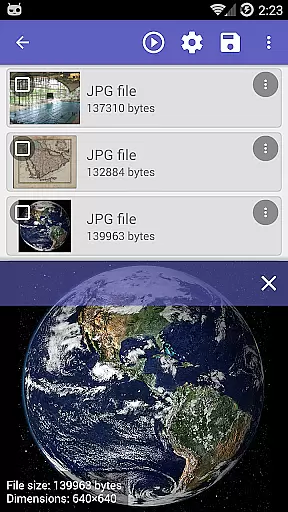
No instant preview
Complex for beginners

 4.10
4.10 4.50
4.50
pdf merge, word to pdf, jpg to pdf, edit pdf, convert to pdf and much more!
4.20
1-Click close all background apps on Android TV
3.90
Clean the junk files on your device
3.40
Enjoy smooth gameplay with Game Booster
4.90
ADB support Android 4.X-Android 13(Support wireless pair mode).No root required!
4.70
PC precision for mobile gaming: dominate with keyboard and mouse!
4.30
Your personal health butler
3.60
Unit and currency converter with easy and simple UI.
4.80
Bedrock Together: Join any bedrock server on Xbox/PS
4.80
NFC Tools can read and write NFC tags.
4.70
HD Camera captures every special moment.
4.60
Play your X-Box games remotely in 1080p with any controller and zero latency
4.60
With videos, electrical calculators, and built-in ebook, Ugly’s has your answer.
4.50
Button mapper, mouse toggle, sleep timer and a lot of another features
4.50
Create your own live wallpaper or check out thousands already made presets
3.90
Fun lie-detection pranks for friends and parties.
3.80
Transfer Files, APK from Phone to Watch & Install.
4.5



User Reviews