
Electrodoc Pro is a comprehensive electronics toolkit designed for professionals, hobbyists, and students alike. This application serves as an essential resource by providing a wide array of calculators, references, and tools tailored to the needs of anyone involved in electronics projects.
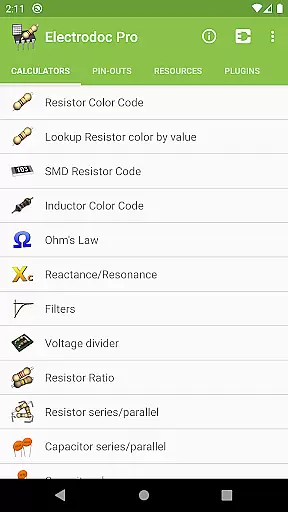
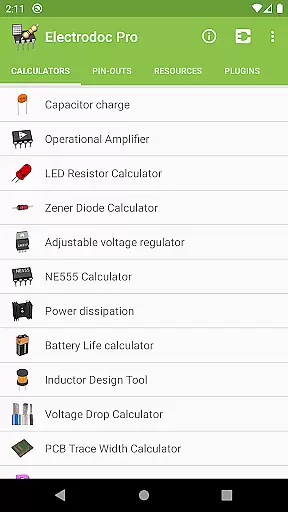
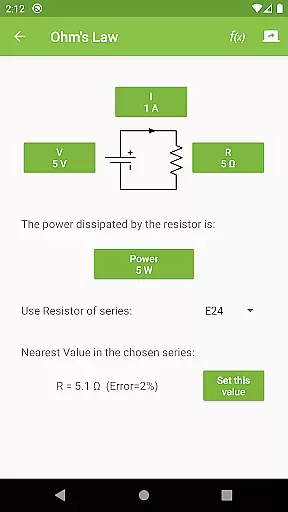
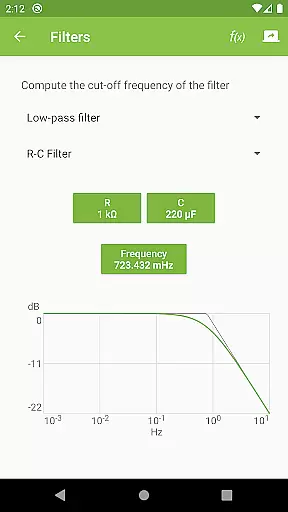
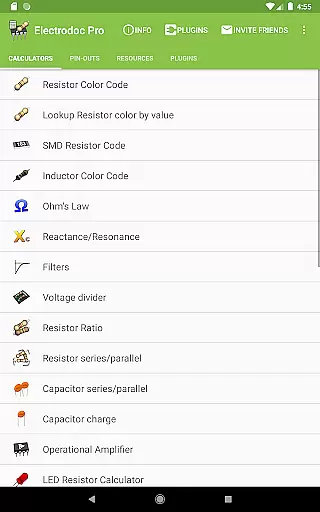
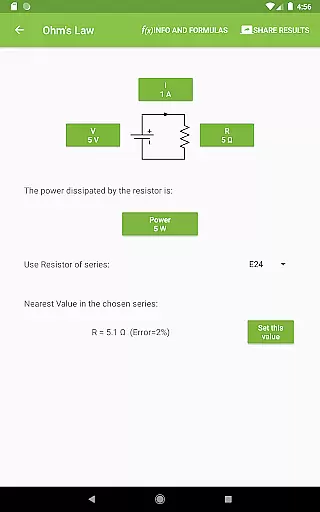
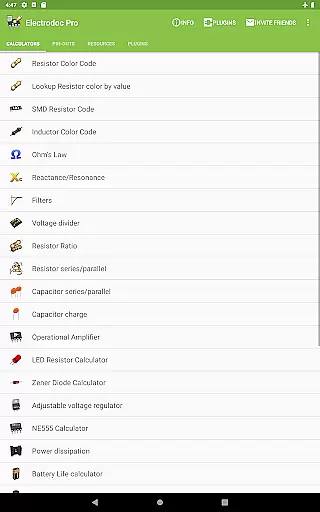
The app includes advanced features such as Resistor Color Code decoding, Ohm's Law calculations, Reactance/Resonance analysis, and much more. With its intuitive interface, Electrodoc Pro allows users to quickly access tools like the LED Resistor Calculator, Zener Diode Calculator, and PCB Trace Width Calculator, making it indispensable for circuit design and troubleshooting.
Whether you're working on a small DIY electronics project or designing complex circuits, Electrodoc Pro offers the convenience of having numerous electronics references at your fingertips. Its offline functionality ensures that these powerful tools are available whenever and wherever you need them, without requiring an internet connection.
Electrodoc Pro stands out with its extensive collection of specialized electronics tools. The app provides users with critical calculators such as Voltage Divider, Capacitor Charge, and Power Dissipation, alongside unique features like the NE555 Calculator and Inductor Design Tool.
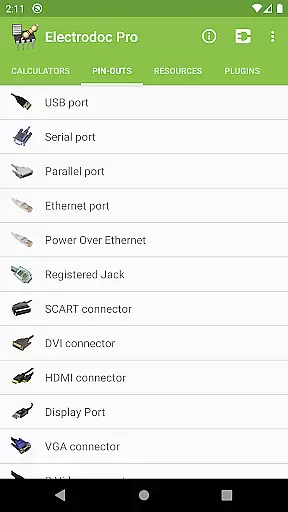
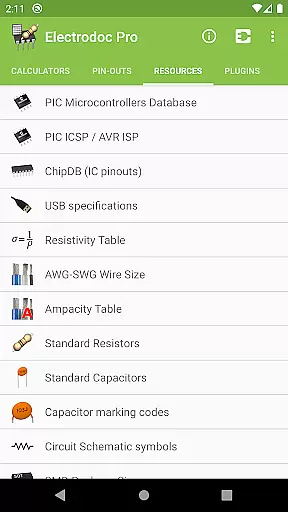
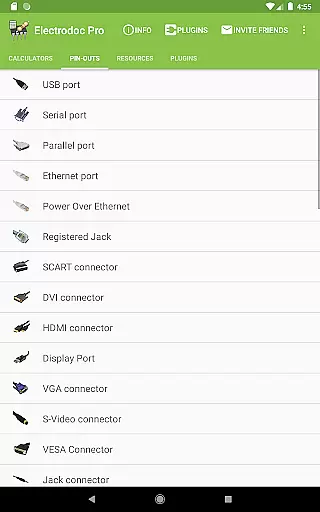
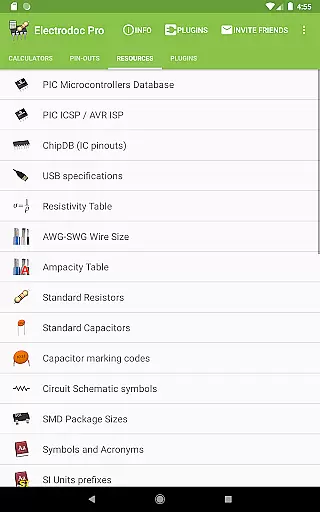
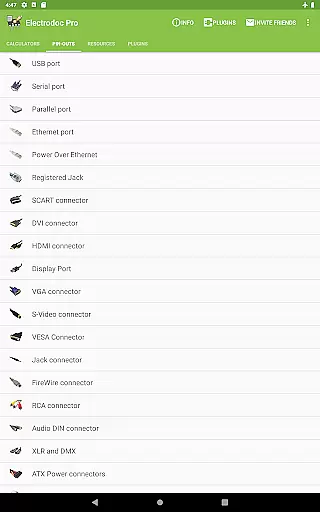
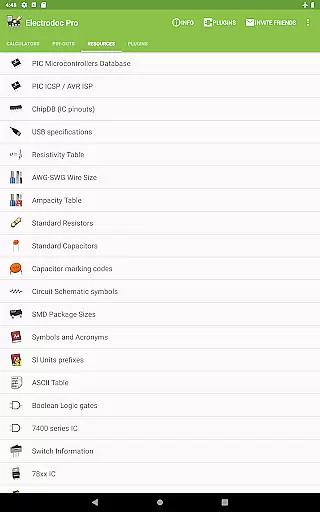
One of the key strengths of Electrodoc Pro is its comprehensive port pin-out information, covering everything from USB and HDMI connectors to Raspberry Pi pin-outs. Additionally, the Resources section offers valuable data including AWG-SWG Wire Size charts, Standard Resistors, and Circuit Schematic symbols, making it an invaluable reference for any electronics workspace.
The application's support for plugins extends its functionality even further, allowing users to incorporate additional tools such as micro-controller databases and parts search capabilities. The PRO version removes all advertisements and provides complete access to EIA resistor series across all calculators, ensuring maximum utility for professional use.
Electrodoc Pro stands out in the Tools category by offering highly accurate and effective core functionalities that are essential for electronics enthusiasts and professionals. The app provides a comprehensive suite of calculators and reference tools, including Resistor Color Code, Ohm's Law, Reactance/Resonance calculators, and more, ensuring precision in every computation.
The application meticulously calculates values such as resistor color codes, SMD resistor codes, and inductor color codes, empowering users to implement these components correctly in their projects. With dedicated tools like the LED Resistor Calculator and Zener Diode Calculator, Electrodoc Pro ensures that users can work on diverse electronics projects with reliable data at their fingertips.
Furthermore, the app extends its utility beyond basic calculations to include advanced features such as operational amplifier configurations, NE555 timer circuits, and power dissipation metrics. These tools not only enhance productivity but also enable intricate project planning and execution, making Electrodoc Pro an indispensable tool for anyone involved in electronics design and troubleshooting.
By integrating support for EIA resistor series across all its calculators and providing additional resources like circuit schematic symbols and standard capacitor values, Electrodoc Pro delivers an unmatched level of detail and reliability. This commitment to accuracy and effectiveness translates into significant time savings and increased confidence when working on complex electronic systems.
In the realm of Tools applications, Electrodoc Pro excels by offering an interface that marries simplicity with intuitiveness, catering to both novice users and seasoned professionals. The app's layout is thoughtfully designed, ensuring that even those new to electronics can navigate its features with ease while still providing the depth required by experts.
Each tool within Electrodoc Pro is accessible through a straightforward menu system, allowing users to quickly find and utilize the specific calculator or reference they need. Whether itu2019s determining resistor values using the Resistor Color Code or calculating voltage dividers, the process is streamlined to minimize unnecessary steps and maximize efficiency.
Moreover, Electrodoc Pro enhances user experience by incorporating intuitive visual aids and interactive elements throughout the app. For instance, graphical representations of resistor color bands help users visualize and understand coding schemes better. Similarly, detailed pin-out diagrams for various connectors ensure clarity when working with different ports and interfaces.
By prioritizing interface simplicity without compromising on functionality, Electrodoc Pro ensures that users can focus on their projects rather than struggling with complicated software. This balance between powerful capabilities and user-friendly design makes Electrodoc Pro a standout choice among electronics tools, fostering both productivity and satisfaction.
Comprehensive toolset
Offline functionality
Regular updates
User-friendly interface
Wide range of calculators
Premium price point
Steep learning curve
Occasional bugs
Limited visual appeal
No beginner tutorials

PDF Reader - Document Viewer: Read, Manage & Organize Your Documents
 3.10
3.10
card-reader app
2.20
Create your own live wallpaper or check out thousands already made presets
3.90
Smart and comfortable browsing experience.
3.80
A non-root local ADB shell client. READ BELOW!
3.40
PC precision for mobile gaming: dominate with keyboard and mouse!
4.30
The one-and-only remote control for PC, Mac, and Linux
4.70
Quickly check the frequency of the Earth
4.30
Fast Video Downloader, Movie Downloader, Torrent Downloader & Adblock Browser
4.70
Change your GPS location instantly. Simulate routes anywhere in the world.
4.90
NFC Tools can read and write NFC tags.
4.70
Keep track of your Palia friendships, tasks, and inventory with Palia Notebook
4.60
Quickly switch to an encrypted DNS server on Android TV
4.50
Head tracking for PC sim games such as MSFS 2024 or Elite:Dangerous. No headset!
4.50
Making emulation easy for everyone!
4.30
Carry a FTP server in your pocket and avoid USB cables for file transfer
4.20 4.10
4.10
Safely recover deleted photos, videos, and files with a single easy tap.
3.70
Save any video in HD - paste the link, download fast and watch offline.
4.5




User Reviews