
Intermountain Health is a comprehensive medical application designed to empower users in managing their healthcare needs efficiently. Powered by MyChart®, this app consolidates appointments, test results, health records, prescriptions, billing, and care team messaging into a single platform. Its secure and proven technology ensures that users can access their medical information anytime, anywhere, providing convenience and peace of mind.
This app is particularly beneficial for individuals who need to manage not only their own healthcare but also that of others. With everything accessible at your fingertips, Intermountain Health streamlines the healthcare management process, making it easier for users to stay informed and engaged in their health journey.
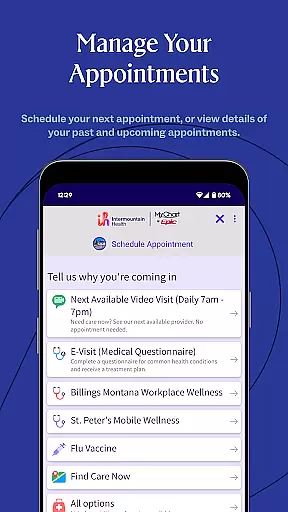
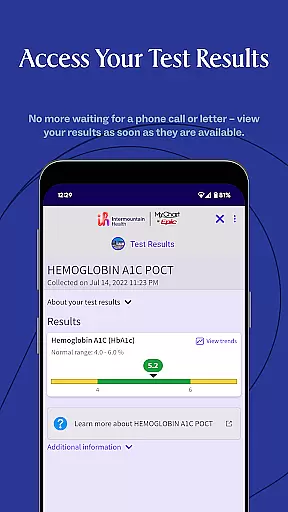
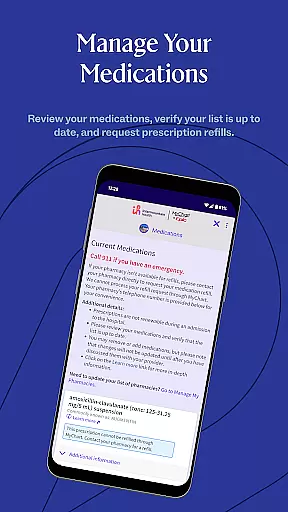
Intermountain Health offers a wide array of features tailored to enhance the user's healthcare experience. One of its standout features is the integration of various healthcare services into one platform, allowing users to schedule appointments, view test results, and manage prescriptions seamlessly. This consolidation simplifies the user experience, eliminating the need to navigate multiple systems.
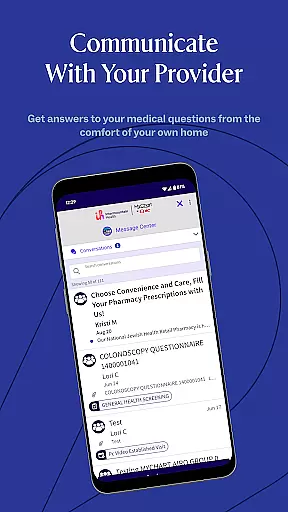
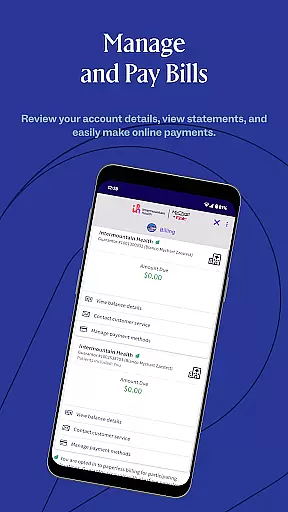
Another significant feature is the secure messaging system with your care team. This facilitates direct communication, ensuring that users can quickly address any concerns or questions they might have. Additionally, the app provides easy access to billing information, making it straightforward to manage healthcare expenses. These features collectively contribute to a more organized and efficient healthcare management process.
In the realm of digital health, the credibility of medical content is paramount. The Intermountain Health app ensures that all information presented to users is thoroughly vetted by healthcare professionals. This guarantees that patients receive accurate and reliable guidance regarding their health.
The app's content undergoes rigorous expert review processes. Medical experts regularly update the informational resources within the app to reflect the latest clinical guidelines and research findings. This commitment to accuracy helps users make informed decisions about their care.
For users managing their own or a loved one's health, having access to credible information is invaluable. The Intermountain Health app provides peace of mind by ensuring that every piece of advice or information has been reviewed for medical accuracy. This empowers users to take control of their healthcare with confidence.
Teleconsultations have become an essential part of modern healthcare, offering convenience without compromising on quality. The Intermountain Health app excels in providing high-quality teleconsultation services that connect patients with qualified healthcare providers seamlessly.
Through the app, users can engage in secure video consultations, send messages to their care team, and receive timely responses. These interactions are designed to mimic in-person visits as closely as possible while offering the flexibility that today's fast-paced world demands.
Quality is never compromised, as each healthcare provider available through the app is carefully selected and adheres to strict professional standards. Users can trust that they are receiving top-notch medical advice during every teleconsultation session, enhancing both satisfaction and health outcomes.
User-friendly interface
Comprehensive health management
Secure messaging with care team
Accessible medical records
Convenient appointment scheduling
Limited to MyChart® users
Potential privacy concerns
Dependent on internet connectivity
Occasional syncing issues
Subscription may be required

Live vet support by text/video
 4.80
4.80
Patient Health Portal
4.20
OKN Strips, OptoDrum, OKN
4.2
Manage your prescriptions anytime, anywhere with the Publix Pharmacy mobile app.
4.80
The Better Pharmacy Experience
4.90
Voice pitch monitor for speech therapy, LSVT, Parkinson's, singing & trans
4.30
The world's best selling 3D Human Anatomy app with groundbreaking 3D technology
2.00
Online Doctors & Condition Management
4.40
Find and Price Care
4.60
Elegant, easy-to-use period tracker for fertility, PMS symptoms, and more
4.90
Hear far away sounds, conversations, TV and surrounding sounds more clearly.
4.70
Download the PulsePoint app and use your CPR skills to save a life!
4.60
Check and Track your Blood Pressure & Heart Rate.
4.50
Modivcare members can book and manage trips.
4.50
Get your lab results on your smartphone with MyQuest.
4.40
Control your hearing aids discreetly with the touch of a finger
4.30
Hearing aid app for Android solves your hearing problems.
4.00
MySafeRide simplifies booking and managing rides for health plan members.
3.50
A fantastic 3d reference that includes over 300 structures and a quiz function.
3.00





User Reviews