
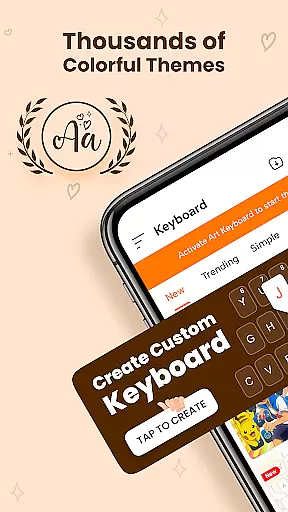
Keyboard Themes - Fonts, Emoji is a feature-rich personalization app that transforms your mobile typing experience. This all-in-one keyboard solution combines stylish themes, expressive fonts, and an extensive emoji collection in one smart package. Designed for users seeking both functionality and style, the app offers customizable keyboard layouts, modern design options, and multi-language support.
The application stands out with its AI-powered emoji suggestions, creative font art, and thousands of visually appealing themes. Whether you're looking for cute keyboard styles, professional layouts, or unique fonts, this app caters to diverse preferences. Its comprehensive feature set makes it particularly valuable for social media enthusiasts and creative professionals who want their digital communication to reflect their personality.
What sets Keyboard Themes apart is its ability to balance aesthetics with practicality. The app maintains smooth performance through features like auto-correct, swipe typing, and voice input while offering daily updates of fresh content. This combination of visual customization and technical reliability creates a personalized yet efficient typing experience across different platforms and devices.
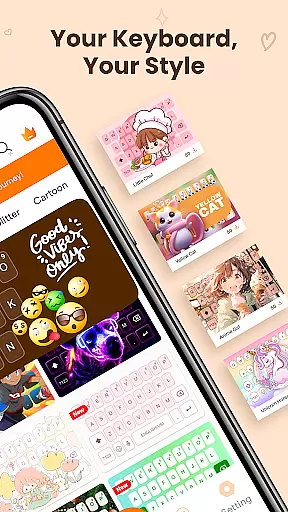
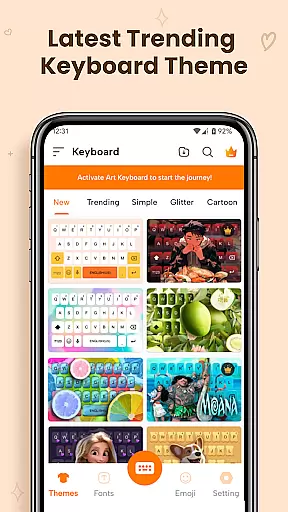
This personalization app distinguishes itself through innovative keyboard customization features. The application's theme engine provides thousands of options including dark themes, gradient designs, and aesthetic layouts, all optimized for visual comfort. Users can switch between customized keyboard designs effortlessly, ensuring their typing experience always feels fresh and personal.
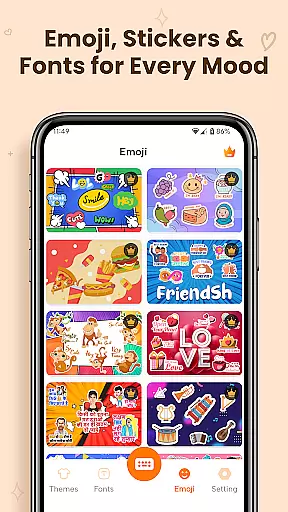
The font customization system is particularly noteworthy, offering a wide range of artistic options from calligraphy to modern cool fonts. These aren't just surface-level changes - each font is carefully integrated to work seamlessly across different applications and messaging platforms. The AI-powered emoji suggestion engine adds another layer of personalization, learning user preferences to provide more relevant and expressive options.
Technical performance features are equally impressive. The app incorporates advanced typing technologies including predictive text, auto-correction, and swipe functionality while maintaining minimal resource usage. Regular updates ensure the keyboard stays current with new themes, fonts, and emojis, making it a living extension of the user's personality rather than a static input tool.
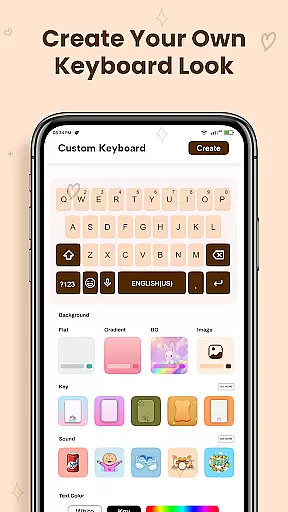
Customization is at the heart of Keyboard Themes - Fonts, Emoji, offering users a vast array of options to personalize their typing experience. This app goes beyond basic theming by integrating keyboard themes, fonts, and emoji into one cohesive package.
Users can choose from thousands of themes including cute styles, dark modes, gradients, and more. The ability to switch themes easily ensures that personal expression is not just a one-time setup but an ongoing journey. Each theme is crafted to provide visual comfort while maintaining aesthetic appeal.
The app also includes extensive font options, ranging from cursive and calligraphy to creative art fonts. These fonts work seamlessly across different applications, allowing users to make their messages stand out with unique styles. Such diversity in customization empowers users to type with personality and emotion.
By providing these rich customization features, Keyboard Themes - Fonts, Emoji enhances user engagement and satisfaction. It transforms the mundane task of typing into an opportunity for self-expression, making every interaction on the keyboard a reflection of the user's style.
Theme compatibility is a crucial aspect of Keyboard Themes - Fonts, Emoji, ensuring that all customizations work harmoniously across various devices and operating systems. The app supports multiple languages with accurate layouts and smart predictions, making it versatile for global use.
One of the standout features is its multi-language support. Users can switch languages effortlessly while still enjoying the same level of customization and performance. This seamless integration ensures that no matter the language, the user experience remains consistent and reliable.
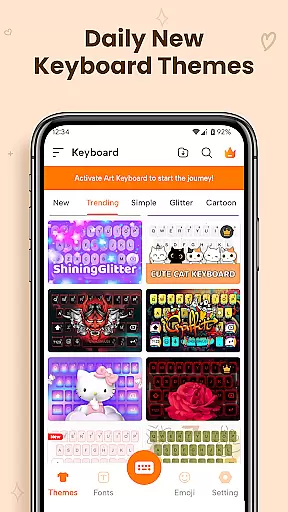
Additionally, the app provides daily updates with new themes and trending designs. This keeps the keyboard experience fresh and exciting, encouraging regular use and exploration of new styles. Users can trust that their chosen themes will remain compatible and functional over time.
Ultimately, Keyboard Themes - Fonts, Emoji delivers a robust solution for those seeking a personalized yet dependable keyboard experience. Its commitment to compatibility ensures that users enjoy a smooth, visually pleasing interface regardless of their device or language preferences.
Extensive theme library
Versatile font options
AI-powered suggestions
Multi-language support
Daily content updates
Requires storage space
Premium features locked
Initial setup time
Some bugs reported
Learning curve present

A light in the dark, a unique style and an andless cutomization!
 4.30
4.30
A launcher for Samsung Good Lock and Good Guardians modules without ads
4.70
Bring adorable pets to life on your screen. Playful, interactive and full of fun
4.60
Add cute Shimeji pets to screen, interact with them and relax with cute motions
4.60
More than 3000+ themes and 9000+ wallpapers for everybody!
4.10
HappyLighting is a Bluetooth lamp control software.
3.40
Crystal-clear, square icon provides a sleek and sophisticated visual upgrade
4.00
300+ Stunning and well-designed widgets inspired by NOTHING.
4.70
Amazing letter fonts in your messages and social statuses
4.70
Sparkle your screen with Glitter Wallpapers For Girls and Cute Backgrounds!
4.80
Unique Android Launcher
4.60
Stylish Pink Cute Hippo keyboard with 10000+ customized keyboard themes!
4.60
300+ Beautifully crafted widgets inspired by OneUI.
4.60
Unique Fonts, typefaces and stylish text. Fonts for Instagram, Whatsapp & others
4.20
Magic fluids wallpaper 4D: Relax with stunning fluid simulation wallpaper app
4.20
Emoji Maker app - Design custom emojis and effortlessly blend them with Mixer
3.80
Turn your lock screen into fun with smile live wallpapers & animated wallpapers!
2.50
Struggling to find apps? Use this app to locate and open any app on your phone!
2.20
Custom edge gestures for volume control, brightness, apps, and shortcuts.
4.2



User Reviews