
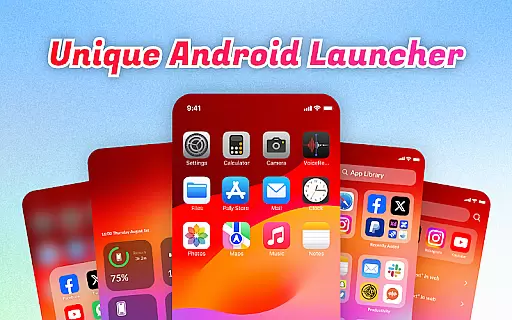
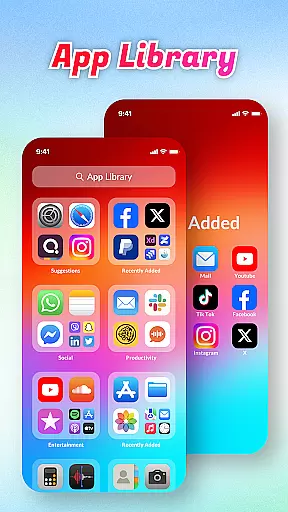
OS Launcher Theme is a personalization app that transforms your smartphone experience with its elegant design and practical features. The app offers an innovative App Library that automatically sorts apps into categories, helping you stay organized. With Quick Center, users can access essential functions like flashlight and settings with a single swipe, while the built-in QR Scanner eliminates the need to switch between apps for scanning. Battery Info and Data Usage tools provide crucial insights to help manage device resources effectively.
This launcher theme is ideal for users who value both aesthetics and functionality. It combines visually appealing design elements with productivity-focused features, making it perfect for those who want a clutter-free and efficient mobile interface. Whether you're looking to optimize your daily workflow or simply enjoy a more polished look, OS Launcher Theme delivers a complete package that enhances both form and function.
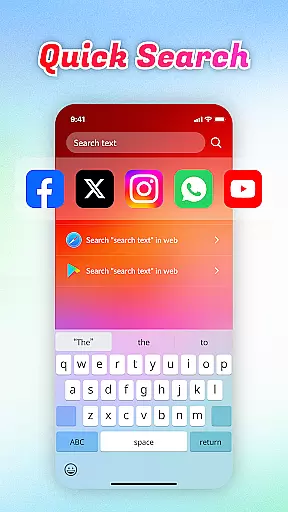
OS Launcher Theme stands out with its comprehensive feature set designed to improve user convenience. The Quick Search functionality allows users to find apps or web content within seconds using simple keyword searches, saving valuable time. The App Manager helps identify apps consuming excessive storage space, enabling better device maintenance. Meanwhile, the Data Usage tracker ensures you stay within your data limits by providing detailed usage statistics.
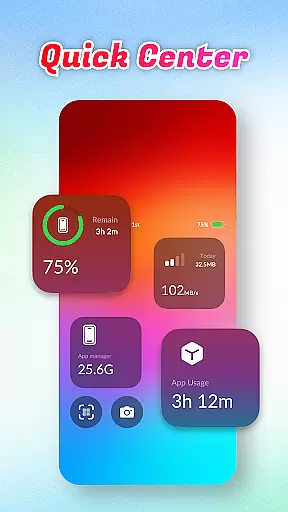
One of the most notable features is the Quick Center, which consolidates frequently used functions into a single accessible panel. This includes controls for flashlight, settings, and other essential utilities. Additionally, the built-in QR Scanner provides seamless scanning capabilities without needing to open separate applications. These thoughtful additions demonstrate how OS Launcher Theme prioritizes user experience through smart, integrated solutions that simplify everyday tasks.
OS Launcher Theme offers a wide array of customization options that allow users to tailor their device's appearance and functionality according to their preferences.
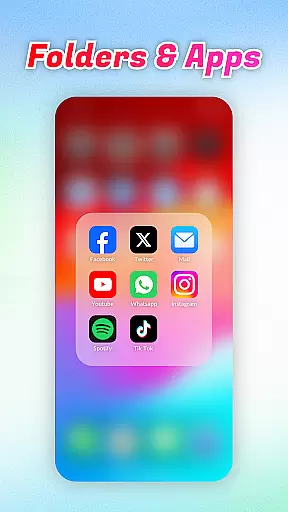
The App Library feature automatically sorts apps into categories, reducing clutter and personalizing the user's app drawer experience. With Quick Center, users can access frequently used settings like flashlight and settings with a single swipe and tap, enhancing convenience.
Quick Search enables swift keyword searches for both apps and web content, streamlining the way users interact with their devices. The inclusion of a built-in QR Scanner further adds to the versatility of this launcher by eliminating the need to switch between apps for scanning purposes.
These diverse customization features collectively ensure that users have a personalized and efficient interaction with their device, catering to both aesthetic preferences and functional needs.
Theme compatibility is a crucial aspect of OS Launcher Theme, ensuring that visual customizations are applied seamlessly across the user interface.
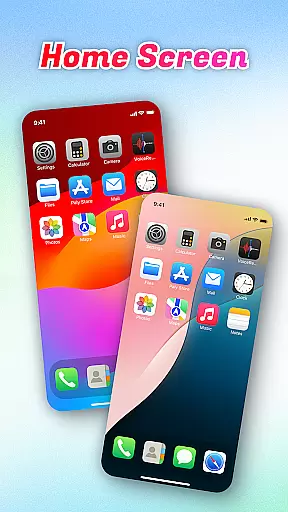
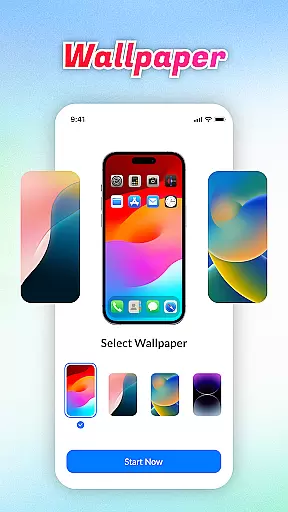
This launcher supports various themes which means users can change the entire look of their device with just a few taps. Whether it's altering icon designs or applying new color schemes, the changes maintain consistency throughout the system.
Battery Info and Data Usage widgets integrate directly into the theme, providing essential information without disrupting the visual harmony. Additionally, App Manager works in tandem with the chosen theme to identify storage-heavy apps, allowing for an uncluttered and visually cohesive home screen experience.
By maintaining high standards of theme compatibility, OS Launcher Theme guarantees a unified and engaging user experience that aligns with individual tastes while preserving usability.
Intuitive interface
Efficient app sorting
Quick access tools
Built-in scanner
Comprehensive monitoring
Limited customization
Occasional bugs
Ads in free version
High system requirements
Learning curve

Ultra realistic gold analog watch face with lots of customization options.
 4.50
4.50
Winter's Journey: digital watch face for Galaxy Watch & Wear OS
4.80
Realistic animated snow on your wrist, with 10 images landscapes to choose from
4.00
Zip lock screen with magic wallpaper to decorate your phone with fun zipper lock
4.60
Nothing Icon pack with more than 3750+ highly crafted icons.
4.70
Color phone with cool effects for call screen, flash alert & ringtones music
4.50
Crystal-clear, square icon provides a sleek and sophisticated visual upgrade
4.00
Amazing letter fonts in your messages and social statuses
4.70
Install amazing sticker packs: endless styles, always cool.
4.70
Gun Chase - Let the chase begin.
4.80
One 8 icons glass color version
4.80
A Colorful and Minimal icon pack in an Outline Style - Over 13,600 icons!
4.70
Bring adorable pets to life on your screen. Playful, interactive and full of fun
4.60
Try creating your own keyboard with "Keyboard theme for android" app now!
4.50
Romantic Kiss Stickers App. Start romantic messaging now!
4.30
More than 3000+ themes and 9000+ wallpapers for everybody!
4.10
Customizable flower power digital watch face for Wear OS watches.
4.00
Adorable pets roam and play right on your phone screen!
3.30
Capture moments that pass like a storm, second by second.
4.1



User Reviews