
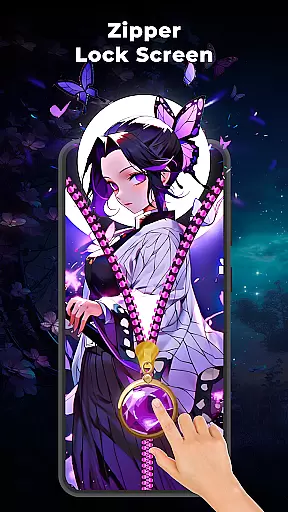
Zipper Lock Screen: Zip Theme is a creative lock screen app that transforms the way you unlock your phone with an interactive zipper effect. This app allows users to customize their lock screens by choosing from various zipper styles, wallpapers, and sound effects. The core feature of this app is its unique zipper unlock mechanism, which provides both security and style. Users can personalize every detail, including row styles and wallpapers, making it a perfect choice for those who want a fun yet secure lock screen experience.
The app offers multiple customization options such as different zipper designs, magic wallpapers, and interactive sound effects. Whether you're looking to match your phone's theme or simply want a more engaging way to unlock your device, this app delivers on all fronts. It is particularly useful for users who enjoy expressing their individuality through their smartphone's appearance while maintaining essential security features.
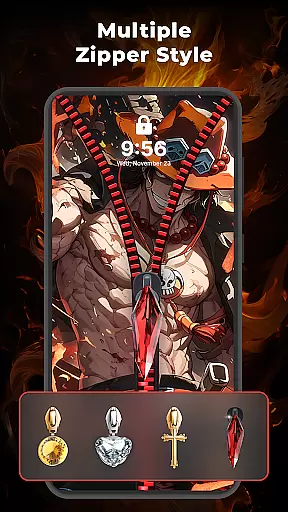
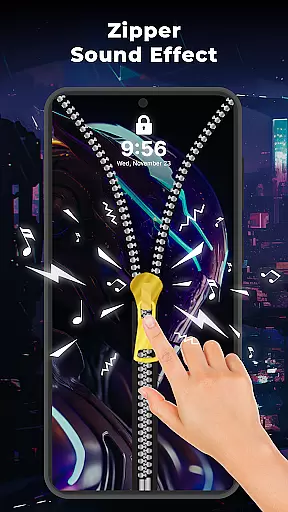
Zipper Lock Screen: Zip Theme stands out with its innovative approach to phone security and personalization. One of the key features is the stylish zip lock screen, where users slide a virtual zipper to unlock their phones. This feature combines functionality with aesthetics, offering a smooth and interactive unlocking experience. Additionally, the app provides various zipper styles, allowing users to choose designs that best match their personal taste.
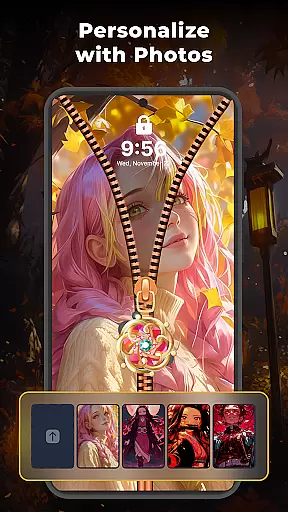
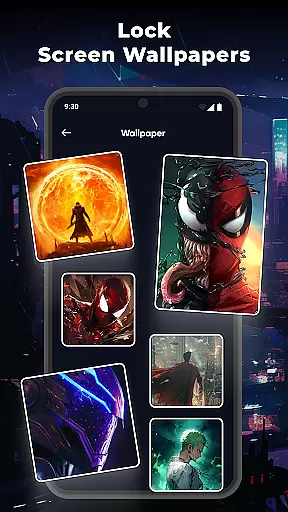
Another notable feature is the ability to customize the lock screen wallpaper. Users can select from a collection of beautiful wallpapers or upload their own images, ensuring a personalized touch. The app also includes adjustable row styles and sound effects, enhancing the overall user experience. With these features, Zipper Lock Screen: Zip Theme not only secures your device but also makes the unlocking process enjoyable and unique.
Customization is at the heart of Zipper Lock Screen: Zip Theme, offering users a plethora of options to tailor their device's lock screen.
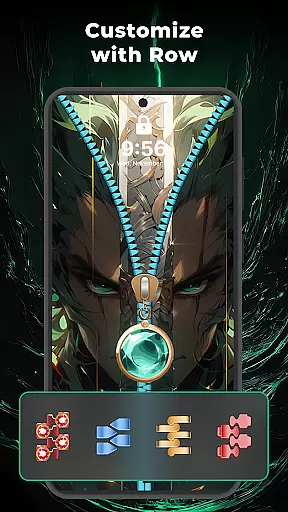
This app provides various zipper styles that can be matched with your phoneu2019s theme, allowing for a personalized touch every time you unlock your device. The ability to adjust the row style adds another layer of personalization, ensuring that your lock screen is as unique as you are.
In addition to zipper customization, the app offers custom lock screen wallpapers. Users can select from a collection of magic wallpapers or upload their own images, making each lock screen truly one-of-a-kind.
The inclusion of zipper sound effects further enhances the customization experience, providing an interactive element that makes unlocking your phone more enjoyable and engaging.
Zipper Lock Screen: Zip Theme excels in theme compatibility, ensuring that its unique zipper effect and other customizable elements integrate seamlessly with various device models and operating systems.
Whether you're using an Android phone or tablet, this app adapts to your device's specifications without compromising functionality or visual appeal. Its responsive design maintains high performance across different screen sizes and resolutions.
Moreover, the app supports a wide range of themes beyond just the zipper effect. This versatility allows users to switch between different looks while maintaining a consistent user experience throughout their digital ecosystem.
By prioritizing theme compatibility, Zipper Lock Screen ensures that all users can enjoy a stylish and secure lock screen regardless of their device type, enhancing both aesthetics and usability.
Unique zipper effect
Highly customizable
Variety of wallpapers
Interactive sound effects
User-friendly interface
Limited to Android
May drain battery
Not suitable for all devices
Some features may require premium
Potential privacy concerns

A Colorful and Minimal icon pack in an Outline Style - Over 13,600 icons!
 4.70
4.70
Capture moments that pass like a storm, second by second.
4.0
Ultra realistic high quality analog watch face for Wear OS.
4.60
Realistic animated snow on your wrist, with 10 images landscapes to choose from
4.00
Adaptive Dot Style IconPack with Light & Dark Theme.
3.70
Design your screen with unique, vibrant clocks
3.80
300+ Stunning and well-designed widgets inspired by NOTHING.
4.70
Modern Glass Icon Pack with glossy icons, clean minimal theme & aesthetic style
4.4
Amazing letter fonts in your messages and social statuses
4.70
Gun Chase - Let the chase begin.
4.80
One 8 icons glass color version
4.80
Nothing Icon pack with more than 3750+ highly crafted icons.
4.70
A minimalist productivity launcher. One-hand-friendly. Zero ads.
4.70
Add cute Shimeji pets to screen, interact with them and relax with cute motions
4.60
Art & Emoji Keyboard with Cool Fonts, Cute Themes and Custom Designs.
4.40
Your home screen, just the way you like it.
4.30
Organize and manage your photos and videos effortlessly with Photo Gallery
4.20
More than 3000+ themes and 9000+ wallpapers for everybody!
4.10
Custom edge gestures for volume control, brightness, apps, and shortcuts.
4.3



User Reviews