
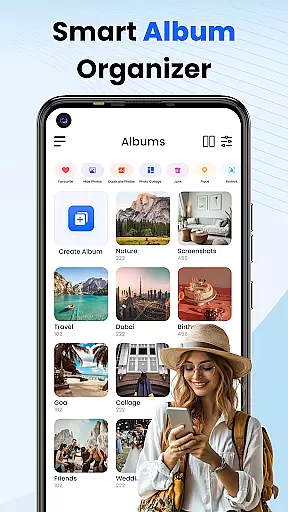
Gallery 2025 is a comprehensive photo management app designed to simplify the organization and enhancement of your digital memories. This feature-rich application offers smart organization tools that automatically categorize photos and videos by timeline, location, and path, making it effortless to manage large media libraries. The built-in editing suite allows users to enhance their images with just a few taps, while the secure vault ensures complete privacy for sensitive content.
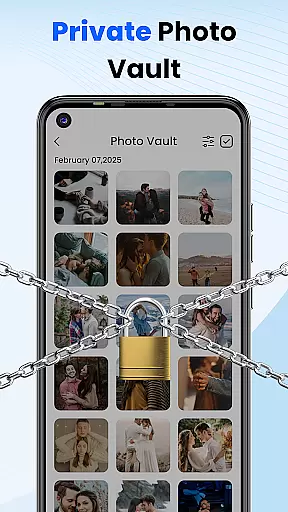
The app's standout feature is its robust privacy protection system. Users can safeguard personal photos and videos in a PIN-protected vault, with multiple security options including numeric PIN, pattern lock, or security questions. Additionally, the lightweight design incorporates essential functionalities such as album locking, collage creation, and video playback without compromising device performance. Whether you're looking to organize your media collection or protect confidential files, Gallery 2025 provides a reliable solution for all your photo management needs.
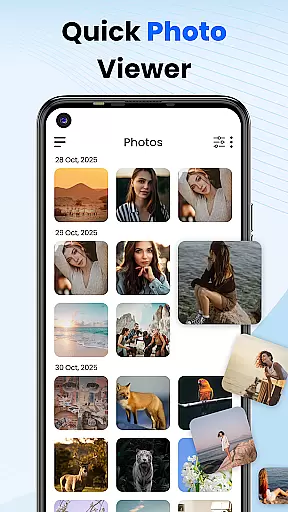
Gallery 2025 distinguishes itself through its comprehensive feature set tailored for efficient media management. The smart organization system automatically sorts media files by various parameters including date, location, and storage path, while enabling seamless file transfer to and from SD cards. Its powerful search functionality allows users to quickly locate specific photos or videos through advanced filtering by places and dates.
Privacy protection stands out as a key differentiator, with multiple layers of security measures. The private vault feature employs military-grade encryption to protect sensitive media, accessible only through secure authentication methods such as PIN, pattern, or security questions. Additional features include a recycle bin for accidental deletions, basic photo editing tools for quick enhancements, and gallery lock functionality for extra protection. These capabilities make Gallery 2025 an indispensable tool for anyone seeking both convenience and security in managing their digital media collection.
Customization is at the heart of Photo Gallery, allowing users to tailor their photo management experience to their personal preferences. This app offers a diverse range of customization options that cater to both novice and advanced users.
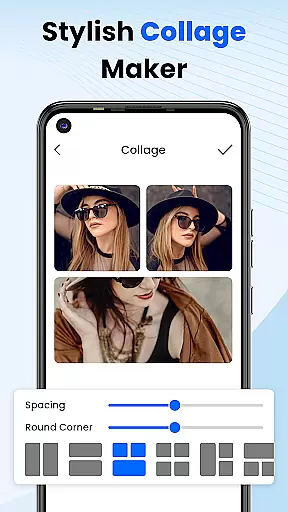
With features such as album locking, photo editing, collage creation, and video playback, Photo Gallery provides a full suite of functionalities. Users can organize their media by timeline, location, and path, ensuring that every precious moment is captured and easily accessible.
The ability to copy and transfer files to and from SD Cards adds another layer of convenience, making it simple to manage large collections of photos and videos. Whether you're looking to create stunning collages or simply keep your memories organized, Photo Gallery has the tools you need.
By offering these extensive customization options, Photo Gallery empowers users to create a personalized and secure environment for their digital memories, enhancing both the functionality and enjoyment of photo management.
Theme compatibility in Photo Gallery ensures that users can enjoy a visually cohesive experience across their devices. The app supports various themes, allowing users to choose one that best suits their style or mood.
This feature is not just about aesthetics; it also contributes to the overall usability of the app. A well-designed theme can make navigation more intuitive and enhance the user's interaction with their photos and videos.
Moreover, the theme system in Photo Gallery is designed to be flexible and adaptable. Users can switch between different themes effortlessly, ensuring that their photo management experience remains fresh and engaging.
By prioritizing theme compatibility, Photo Gallery not only enhances the visual appeal of the app but also reinforces its commitment to providing a customizable and user-friendly platform for managing digital memories.
User-friendly interface
Robust privacy features
Comprehensive editing tools
Efficient organization system
Lightweight performance
Limited cloud integration
Basic editing capabilities
Occasional bugs reported
Premium feature costs
Device compatibility issues

Stunningly Different look with Line Icons and Neon Colors
 4.60
4.60
A Colorful and Minimal icon pack in an Outline Style - Over 13,600 icons!
4.70
Vertically oriented rectangular icons
4.70
Ultra realistic gold analog watch face with lots of customization options.
4.50
Ninja Turtles Cowabunga SE watch face for Wear OS
4.50
Gun Chase - Let the chase begin.
4.80
Personalize your phone with stunning HD and 4K wallpapers!
4.70
One 8 icons glass color version
4.80
Enjoy a variety of amazing live wallpapers and colorful EDGE lighting borders!
4.80
350+ widgets with a premium glass-style finish, perfect for home & lock screens.
4.70
A minimalist productivity launcher. One-hand-friendly. Zero ads.
4.70
A retro cartoon style watch face and a punch right in the face of the copyright
4.60
Ultimate Gallery Lock App - Hide Pictures, Videos and Lock Apps Instantly!
4.60
Zip lock screen with magic wallpaper to decorate your phone with fun zipper lock
4.60
Handcrafted pixel art icons, widgets & wallpapers
4.60 4.50
4.50
Fingerprint Lock Screen & Live Animations with 4K Wallpapers as Live Wallpaper
4.40 4.10
4.10
Interactive Miniature Painting Catalogue
3.30



User Reviews