
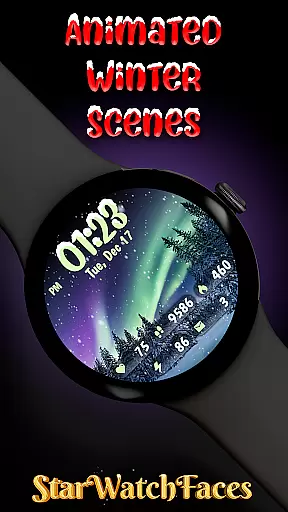
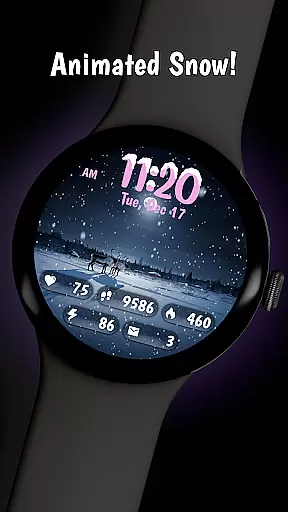
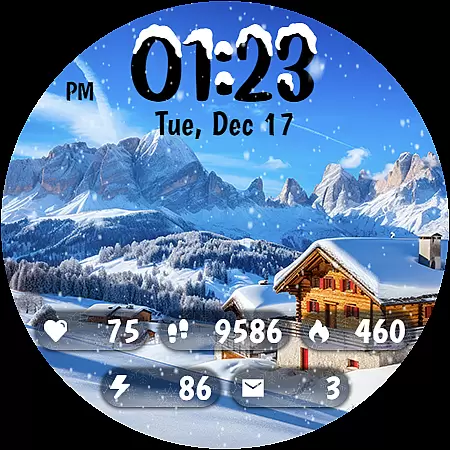
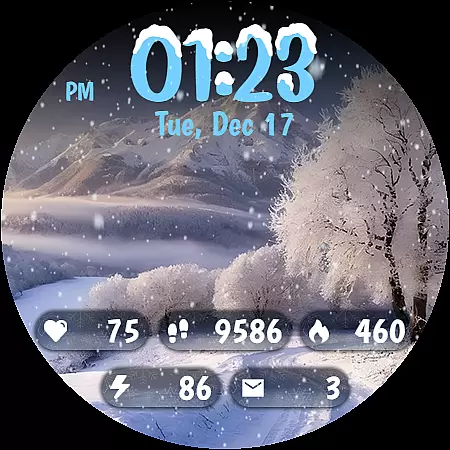
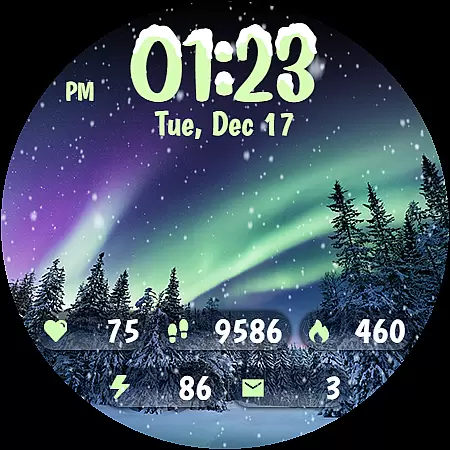
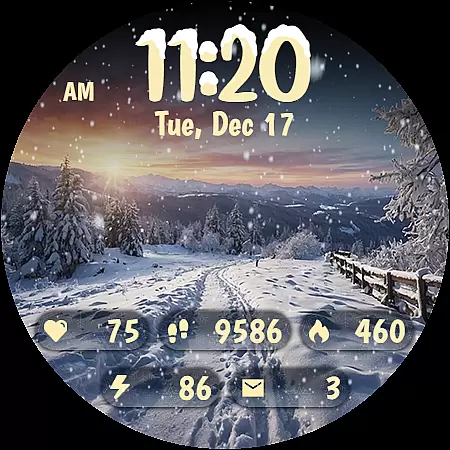
Animated Winter Scenes brings the serene beauty of winter to your Wear OS smartwatch. This personalization app offers a collection of animated watchfaces that transform your device into a window overlooking enchanting snowy landscapes. With features like animated snowfall, customizable color themes, and integrated health stats, it creates both a visually stunning and functional experience.
The app includes 10 winter-themed backgrounds, a custom digital clock with unique snow accents, and an Always-On Display mode optimized for battery efficiency. Compatible with the latest Wear OS, this app is perfect for users who want to carry the magic of winter on their wrist while staying connected to essential information like steps, heart rate, and notifications.
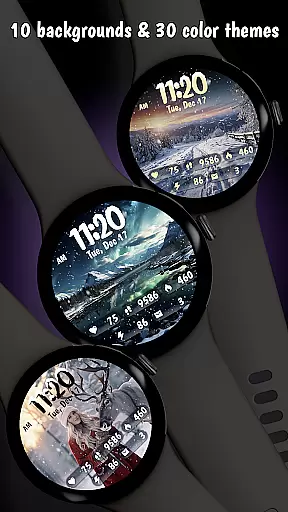
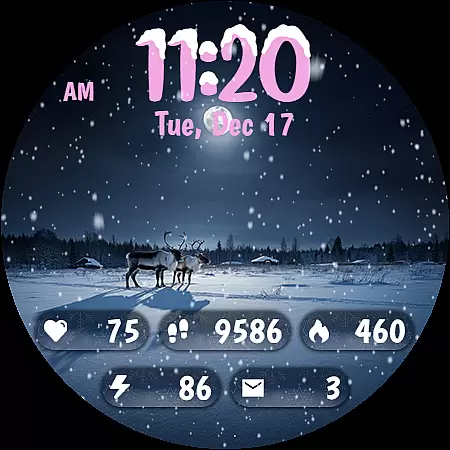
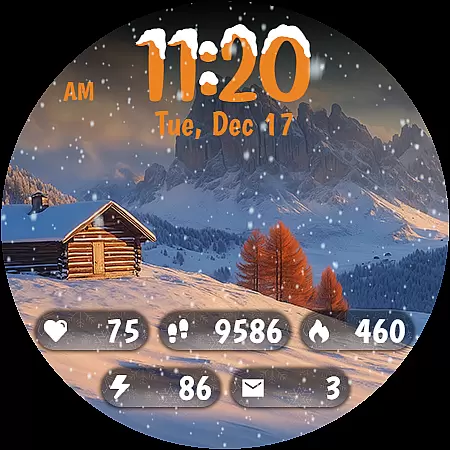
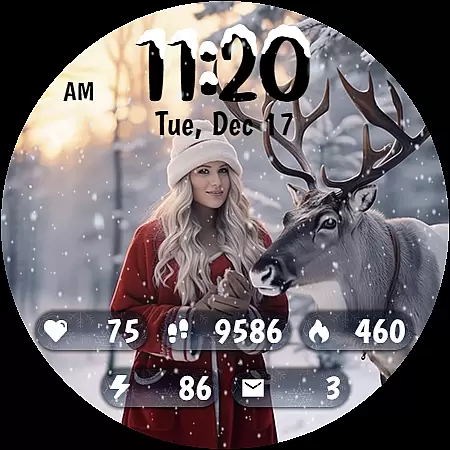
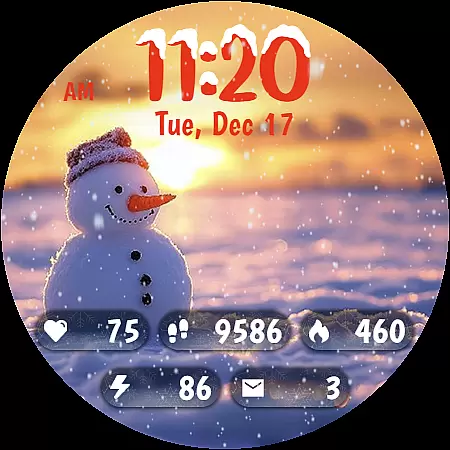
Animated Winter Scenes stands out with its rich feature set tailored for personalization enthusiasts. The app provides 10 breathtaking winter-themed backgrounds, each capturing iconic seasonal elements like snow-covered forests and cozy cabins. These are complemented by animated snow effects that add a calming, festive touch to your smartwatch display.
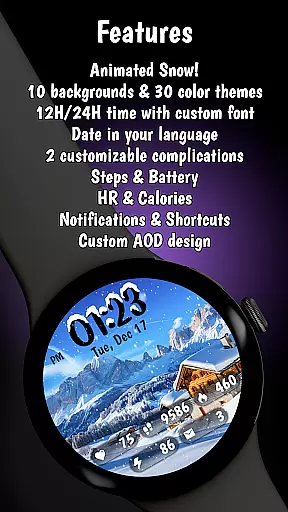
Customization is at the core of this app, offering 30 unique color themes and a stylish digital clock with a snow-accented font. Users can also access vital stats such as step count, heart rate, and battery status directly on their watchface. Optimized for the latest Watch Face Format (WFF) and Wear OS, the app ensures smooth performance while delivering a highly personalized and seasonally thematic experience.
Customization is at the heart of Animated Winter Scenes, offering users a rich tapestry of options to tailor their smartwatch experience. With 10 stunning winter-themed backgrounds ranging from majestic mountains to enchanting forests, users can select the perfect scene that resonates with their personal style.
Beyond just backgrounds, the app provides 30 unique color themes, ensuring that there's a palette for every mood and occasion. These themes are carefully crafted to complement the wintry visuals, enhancing the overall aesthetic appeal of your Wear OS device.
The custom digital clock feature adds another layer of personalization, allowing users to view time in either a 12 or 24-hour format. The unique font, adorned with snow accents, not only tells time but also captivates the eye, making each glance at your wrist a delightful experience.
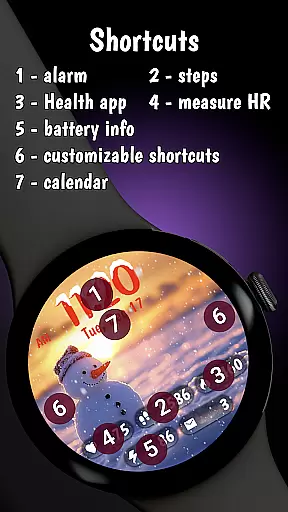
By integrating essential information such as step count, heart rate, calories burned, battery status, and notifications into the design, Animated Winter Scenes ensures that users stay informed without compromising on style. This harmonious blend of functionality and customization empowers users to create a truly personalized and engaging smartwatch interface.
Animated Winter Scenes excels in theme compatibility, ensuring that each visual element and function is perfectly optimized for the latest Wear OS. This seamless integration allows users to enjoy an uninterrupted and fluid experience, regardless of their device model.
The app leverages the latest Watch Face Format (WFF) to deliver high-quality animations and graphics. This means that whether you're admiring the animated snowfall or exploring different color schemes, every detail is rendered with precision and care.
Moreover, the Always-On Display (AOD) mode is fine-tuned for optimal battery efficiency. Users can bask in the serene beauty of their chosen winter scene without worrying about excessive power consumption, striking a perfect balance between aesthetics and practicality.
With comprehensive support for various watchfaces and complications, Animated Winter Scenes stands out in its ability to maintain visual consistency across different settings and configurations. Whether you're adjusting the background image, characters, or color themes, rest assured that every customization will look and feel cohesive, providing a unified and polished appearance on your smartwatch.
Stunning winter visuals
Highly customizable themes
Battery-efficient AOD
Integrated health stats
Unique snow animations
Premium-only content
Limited to Wear OS
No free trial
Additional purchases
Complex customization

A light in the dark, a unique style and an andless cutomization!
 4.30
4.30
Ultra realistic high quality analog watch face for Wear OS.
4.60
Prank your friends with realistic broken screen and cracked HD effects!
4.4
Add cute Shimeji pets to screen, interact with them and relax with cute motions
4.60
Dark icon pack based on One 8
4.80
Ultimate widget creator. Design custom widgets for a truly unique home screen!
3.90
The definitive Icon pack maker and editor
4.30
Yandex Browser — stylish and secure, with voice search and data compression
4.40
300+ Stunning and well-designed widgets inspired by NOTHING.
4.70
Winter's Journey: digital watch face for Galaxy Watch & Wear OS
4.80
Customize your home screen with stunning themes, blur, widgets & icons.
4.60
Try creating your own keyboard with "Keyboard theme for android" app now!
4.50
Unleash Your Creativity and Connect with Loved Ones with Lockscreen Drawing!
4.20
More than 3000+ themes and 9000+ wallpapers for everybody!
4.10
Transform your phone with stunning video wallpapers and a unique, personal touch
3.80
Interactive Miniature Painting Catalogue
3.30
Capture moments that pass like a storm, second by second.
4.4
Custom edge gestures for volume control, brightness, apps, and shortcuts.
4.0
Modern Glass Icon Pack with glossy icons, clean minimal theme & aesthetic style
4.5



User Reviews