
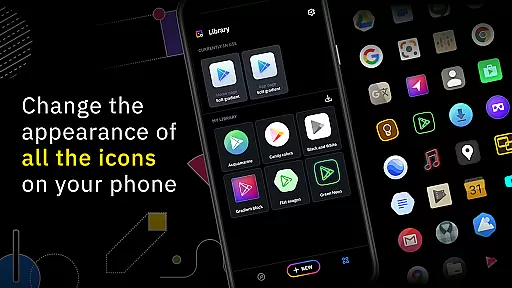
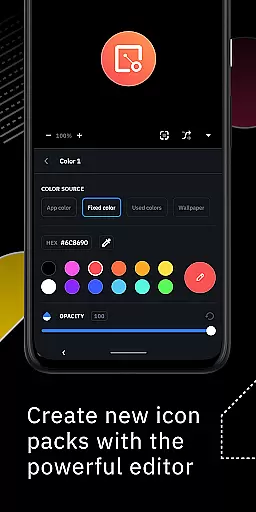
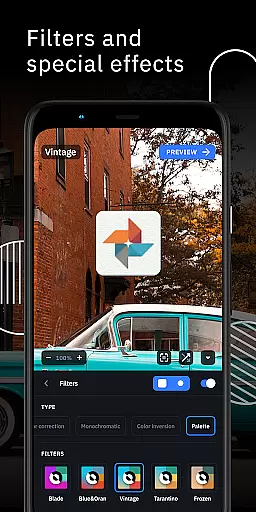
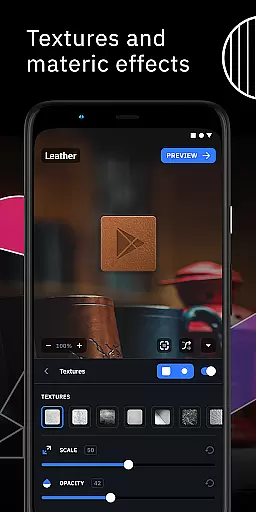
Icon Pack Studio is a unique personalization app that allows users to create custom icon packs tailored to their preferences. Unlike pre-made icon packs, IPS empowers you to design icons that perfectly match your home screen's aesthetic. The app provides an advanced editor where you can resize, move, and apply filters like shadows, lights, textures, and bezels to achieve the desired look.
Beyond just creating from scratch, Icon Pack Studio supports importing and tweaking existing icon packs on your device. This flexibility ensures that every app on your device can have a matching icon, something no Play Store icon pack can guarantee. Compatible with Smart Launcher and many other popular launchers, this app offers both creative freedom and broad usability.
One of the standout features of Icon Pack Studio is its advanced icon editor. This tool lets you manipulate every element of your custom icons, including resizing, repositioning, and applying various filters such as shadows and textures. The ability to tweak existing icon packs adds another layer of customization, allowing you to modify installed icon packs to better suit your style.
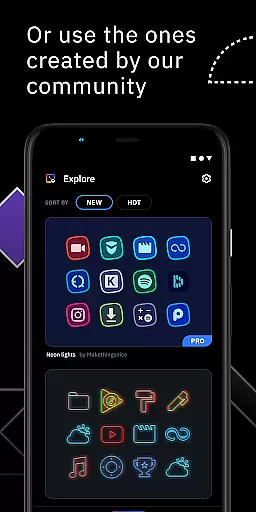
Another key feature is the app's compatibility with a wide range of launchers. While optimized for Smart Launcher, it also works seamlessly with popular options like Nova Launcher, Action Launcher, and more. This versatility ensures that regardless of your launcher choice, you can enjoy a personalized home screen experience. Additionally, the app's community-driven approach means you have access to thousands of user-created icon packs, providing endless inspiration and variety.
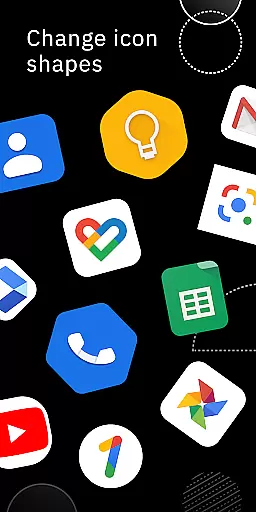
Icon Pack Studio offers a diverse range of customization options that allow users to create personalized icon packs from scratch. The advanced editor provides tools for resizing and moving elements within the icons, ensuring each design can be tailored to individual preferences.
With special filters such as lights, shadows, textures, and bezels, users can enhance their custom icons with professional-looking effects. This level of detail ensures that every icon pack is unique and fits perfectly with the user's home screen aesthetic.
The ability to import and tweak any installed icon pack adds another layer of versatility. Users are not limited to creating new designs but can also modify existing ones, offering endless possibilities for personalization.
Ultimately, Icon Pack Studio empowers users to express their creativity by crafting icon packs that no pre-made option could replicate, providing a truly customized experience for their device's interface.
Theme compatibility in Icon Pack Studio is designed to work seamlessly with a wide array of launchers, ensuring broad usability across different devices and interfaces. While optimized for Smart Launcher, it supports popular launchers like Nova Launcher, Action Launcher, and Lawnchair Launcher among others.
This extensive compatibility means that regardless of the launcher a user prefers, they can apply their custom icon packs without worrying about inconsistencies or lack of support. The app has been tested rigorously to ensure smooth integration with these launchers.
However, there are some unsupported launchers like Xperia Home Launcher and Pixel Launcher where full functionality might not be available. Despite this, many other launchers not explicitly listed may still be compatible due to the flexible design of Icon Pack Studio.
By prioritizing theme compatibility, Icon Pack Studio guarantees that users enjoy a cohesive visual experience on their devices, enhancing both functionality and aesthetics through its versatile application.
User-friendly interface
Advanced customization tools
Wide launcher compatibility
Community-driven content
Regular updates
Limited to supported launchers
Advanced features may overwhelm beginners
Some functionalities require premium version
Occasional bugs in third-party launcher support
Learning curve for new users

Ultra realistic gold analog watch face with lots of customization options.
 4.50
4.50
Bring adorable pets to life on your screen. Playful, interactive and full of fun
4.60
Ultimate Gallery Lock App - Hide Pictures, Videos and Lock Apps Instantly!
4.60
Romantic Kiss Stickers App. Start romantic messaging now!
4.30
Zip lock screen with magic wallpaper to decorate your phone with fun zipper lock
4.60
Color phone with cool effects for call screen, flash alert & ringtones music
4.50
Design your screen with unique, vibrant clocks
3.80
Stylish Pink Cute Hippo keyboard with 10000+ customized keyboard themes!
4.60
Unleash Your Creativity and Connect with Loved Ones with Lockscreen Drawing!
4.20
One 8 icons glass color version
4.80
100+ Stylish Fonts, Emojis, Symbols keyboard for Instagram & TikTok!
4.80
Ultra realistic high quality analog watch face for Wear OS.
4.60
300+ widgets inspired by Material You and Material 3 expressive design.
4.60
Ninja Turtles Cowabunga SE watch face for Wear OS
4.50
Magic fluids wallpaper 4D: Relax with stunning fluid simulation wallpaper app
4.20
Realistic animated snow on your wrist, with 10 images landscapes to choose from
4.00
Create unique, fun emojis with Funny Emoji Maker! Unlimited creativity!
4.00 3.50
3.50
Turn your lock screen into fun with smile live wallpapers & animated wallpapers!
2.50



User Reviews