
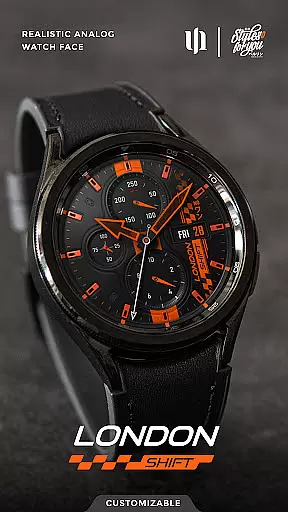
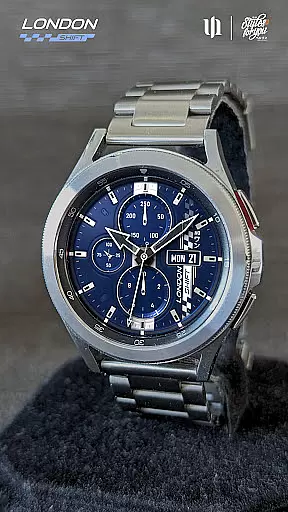
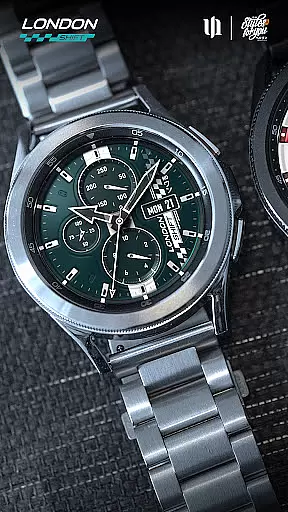
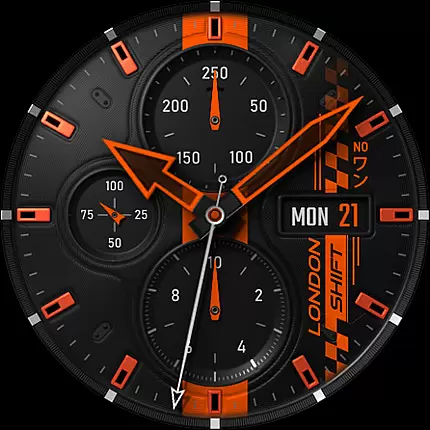
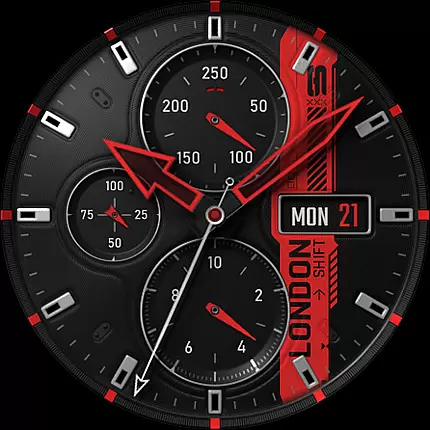
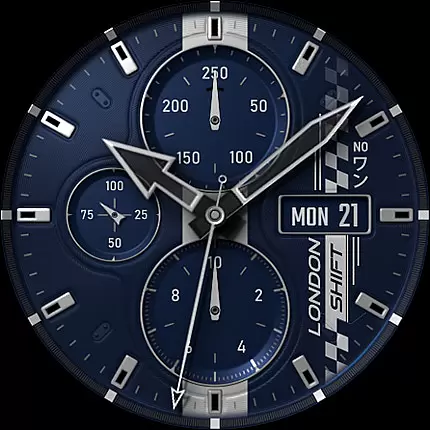
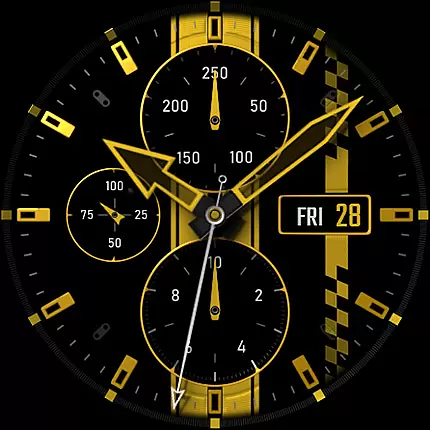
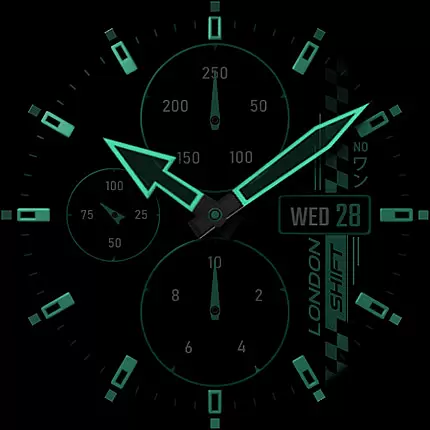
S4U Shift - Analog watch face is a premium Wear OS watch face designed for smartwatches running Wear OS 5 or higher. This highly customizable analog dial offers an ultra-realistic watch experience with its 3D effects and massive color options.
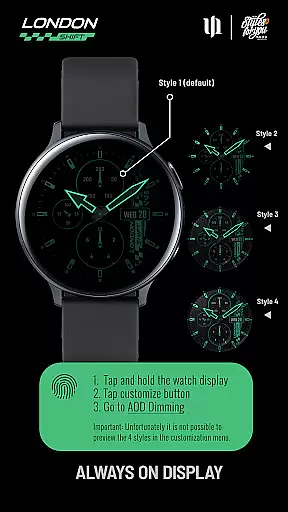
Key features include multiple display zones showing battery status, heart rate, day of the week, and pedometer readings. The always-on display (AOD) provides 4 dimming options while maintaining synchronization with the main view. Users can personalize their experience through 13 different color customization categories.
Ideal for fitness enthusiasts and professionals who value both style and functionality, this watch face transforms your smartwatch into a sophisticated timepiece that feels like wearing a real luxury watch.
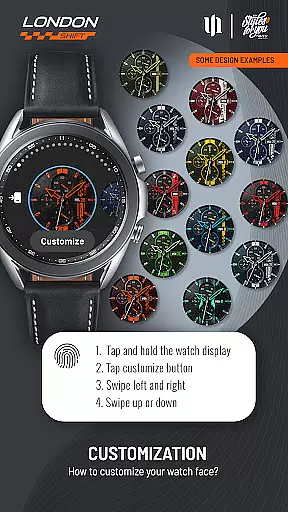
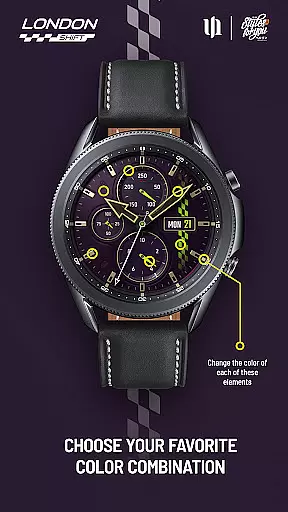
The S4U Shift watch face stands out with its advanced customization capabilities. Users can adjust colors across 13 different elements including background, hands, indexes, and dials border. The intuitive color adjustment system allows users to press, swipe, and customize their preferred combinations easily.
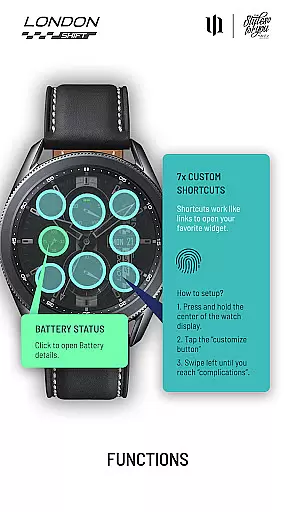
Functionality extends beyond aesthetics with practical features like 7 customizable shortcuts for quick access to favorite widgets. The interactive battery indicator opens detailed information with a single tap. Heart rate monitoring operates automatically based on user-defined intervals set in health settings.
Unique to this watch face is its compatibility with various Wear OS devices including Samsung Galaxy Watch series and Google Pixel Watch models. The developer also provides comprehensive support through email and maintains active social media presence for community engagement and future updates.
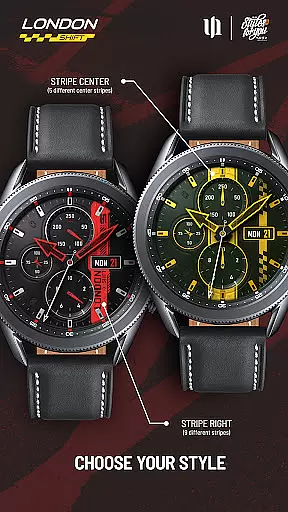
Customization is at the heart of the S4U Shift - Analog watch face, offering users an extensive range of personalization choices to tailor their smartwatch experience. With multiple color options available for various elements such as Background, Hands Main and Small, Indexes, Dials Border, and more, users can create a unique look that suits their style.
The level of detail in customization allows adjustments not only to primary features like hands and indexes but also secondary details including stripes on the right or center. This ensures that every aspect of the watch face can be personalized, providing a truly bespoke appearance tailored to individual preferences.
Moreover, with 7 custom shortcuts leading directly to favorite widgets, functionality meets personal taste. Users are empowered to set up these shortcuts according to their needs, enhancing both aesthetics and usability. Such comprehensive customization transforms a simple timepiece into a reflection of one's personality while maintaining practicality.
The S4U Shift - Analog watch face stands out for its theme compatibility across Wear OS devices running version 5 or higher (API 34+). Compatible with popular models like Samsung Galaxy Watches and Google Pixel Watches, it ensures a consistent user experience regardless of the device model.
Despite this broad compatibility, issues may arise during installation even on supported devices. To address this, users have access to troubleshooting steps via the companion app included with purchase. These resources guide through resolving potential setup challenges effectively.
Furthermore, should additional support be needed, direct assistance is readily available by contacting wear@s4u-watches.com. This commitment to customer service guarantees that all users can enjoy the full benefits of the S4U Shiftu2019s visually stunning themes without technical hindrances.
Highly customizable
Realistic 3D effect
Multiple device support
Comprehensive support
Active social media presence
Wear OS only
No AOD preview
Limited free options
Device compatibility issues
Complex setup required

Customizable flower power digital watch face for Wear OS watches.
 4.00
4.00
Make your phone look simple & luxury, like iDevice
4.60
Aesthetic Widgets, HD Wallpapers, Themes in Mico Widget for Home and Lock Screen
4.50
Turn text & photos into stunning AI videos, art, and creative visual stories.
4.50
Customize glowing edges, wallpapers, and caller screen with EdgeAura.
3.50
⭐ OneUI inspired Fluffy Icon Pack – Soft. Stylish. Standout. ⭐
4.5
Color phone with cool effects for call screen, flash alert & ringtones music
4.50
Custom edge gestures for volume control, brightness, apps, and shortcuts.
4.0
200+ Material Inspired Widgets
4.50
A launcher for Samsung Good Lock and Good Guardians modules without ads
4.70
Beautiful realistic hybrid watch face with numerous customization options.
4.50
Ninja Turtles Cowabunga SE watch face for Wear OS
4.50
Fingerprint Lock Screen & Live Animations with 4K Wallpapers as Live Wallpaper
4.40
AI-powered Copilot. Personalized keyboard with gifs, stickers & themes
4.40
Unleash Your Creativity and Connect with Loved Ones with Lockscreen Drawing!
4.20
Run multiple accounts of the same app on a single device
4.10
Realistic animated snow on your wrist, with 10 images landscapes to choose from
4.00
Ultimate widget creator. Design custom widgets for a truly unique home screen!
3.90
Your go to Weather App & Home Screen. Get your weather at a swipe of a finger!
3.80



User Reviews