
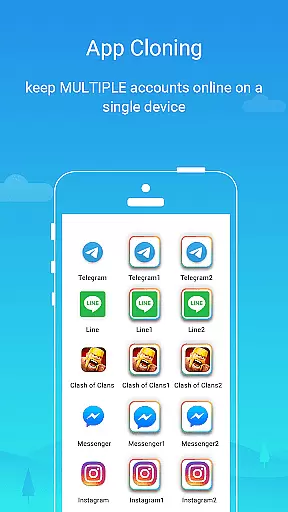
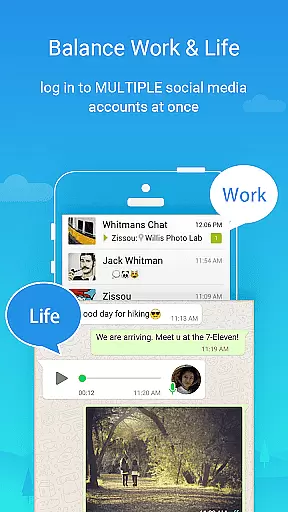
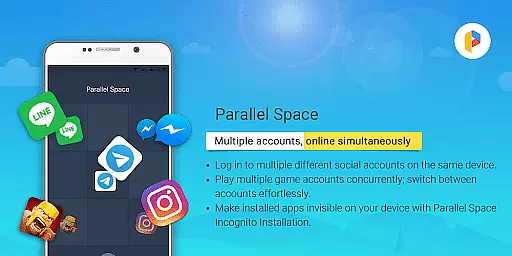
Parallel Space is a powerful Android tool that allows users to clone and run multiple accounts of the same app simultaneously. With over 200 million users, it provides a seamless experience for managing personal and work accounts, exploring different game paths, and keeping each account's data separate and organized.
The app offers enhanced privacy features such as Incognito Installation, which makes apps invisible on your device, and a secure lock feature to safeguard sensitive apps. Parallel Space supports 24 languages and is compatible with most Android apps, making it a versatile solution for multitasking and privacy protection.
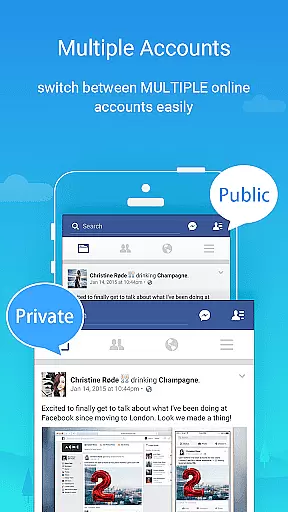
Parallel Space stands out with its unique application virtualization engine, multiDroid, which ensures stable and user-friendly performance. The app allows effortless switching between multiple accounts with a single tap, providing a convenient way to manage different identities or gaming profiles.
One of the key features is the ability to protect your privacy with hidden apps. Users can safeguard sensitive apps in their private space, away from prying eyes. Additionally, the app requires necessary permissions to ensure proper functioning but prioritizes user privacy by not collecting personal information.
While offering powerful capabilities, Parallel Space maintains optimal notification functionality for social networking apps when added to the whitelist of booster or task management apps. The Pro plan unlocks the ability to run more than two accounts simultaneously, enhancing productivity and flexibility.
Customization options variety refers to the range of features and settings that users can personalize to suit their preferences. In Parallel Space, this is evident through its ability to clone and run multiple accounts of the same app simultaneously.
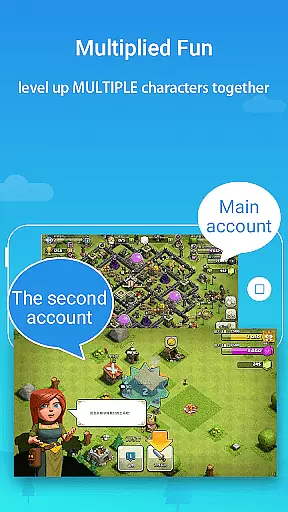
This app allows users to maintain a clear separation between personal and work accounts, enabling them to explore different game paths and level up multiple accounts at the same time. Each account's data remains separate and organized, providing a seamless experience for users who need to juggle various digital identities.
Parallel Space supports 24 languages and is compatible with most Android apps, making it a versatile tool for a global audience. The app's Incognito Installation feature adds an extra layer of customization by allowing apps to be hidden on the device, thus protecting user privacy.
With these customization options, Parallel Space empowers over 200 million users to manage multiple accounts on a single device while safeguarding their privacy. This flexibility makes it an essential tool for anyone looking to enhance their digital life through personalized app management.
Theme compatibility in Parallel Space pertains to how well the app supports different visual themes across cloned apps, ensuring a consistent and visually pleasing experience for users. As a leading Android tool, Parallel Space leverages its unique multiDroid technology, the first application virtualization engine for Android, to offer powerful, stable, and user-friendly theming options.
Users can enjoy enhanced privacy with the Incognito Installation feature, which not only makes apps invisible but also retains the original theme and appearance of the apps. This ensures that users do not experience any visual discrepancies when using multiple accounts of the same app.
Parallel Space's support for 24 languages extends to its theme compatibility, ensuring that users from different linguistic backgrounds can enjoy a uniform look and feel. This broad language support enhances the overall user experience by maintaining visual consistency regardless of the language setting.
By focusing on theme compatibility, Parallel Space provides a cohesive and intuitive interface that aligns with users' expectations. This attention to detail in visual presentation helps maintain user engagement and satisfaction, making Parallel Space a reliable choice for managing multiple accounts with ease.
Multi-account support
Enhanced privacy features
Wide language support
Seamless account switching
Unique virtualization engine
Resource consumption
Limited free version
Some app incompatibility
Requires whitelisting
Account verification needed

Unique Android Launcher
 4.60
4.60
Unique Fonts, typefaces and stylish text. Fonts for Instagram, Whatsapp & others
4.20
Romantic Kiss Stickers App. Start romantic messaging now!
4.30
Zip lock screen with magic wallpaper to decorate your phone with fun zipper lock
4.60 4.10
4.10
Custom edge gestures for volume control, brightness, apps, and shortcuts.
4.4
Yandex Browser — stylish and secure, with voice search and data compression
4.40
Create unique, fun emojis with Funny Emoji Maker! Unlimited creativity!
4.00
set a new experience for the Android mobile phone
4.20
Sparkle your screen with Glitter Wallpapers For Girls and Cute Backgrounds!
4.80
100+ Stylish Fonts, Emojis, Symbols keyboard for Instagram & TikTok!
4.80
Personalize your phone with stunning HD and 4K wallpapers!
4.70
A minimalist productivity launcher. One-hand-friendly. Zero ads.
4.70
Ultra realistic high quality analog watch face for Wear OS.
4.60
Want to make your phone more special than ever?
4.60
Icons made of colorful linear lines
4.60
Beautiful realistic hybrid watch face with numerous customization options.
4.50 4.50
4.50
⭐ OneUI inspired Fluffy Icon Pack – Soft. Stylish. Standout. ⭐
4.4



User Reviews