
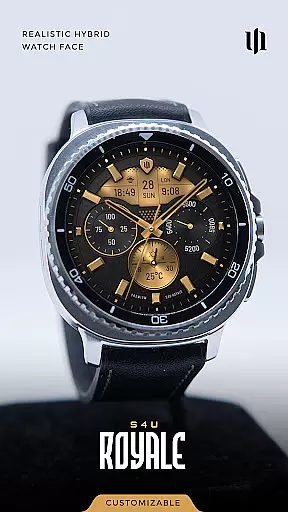
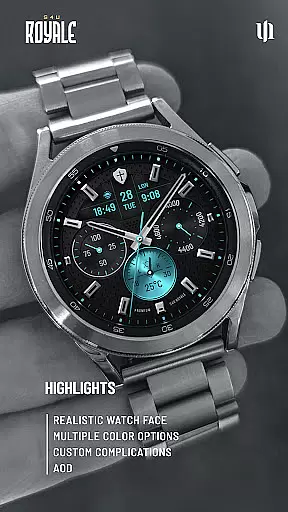
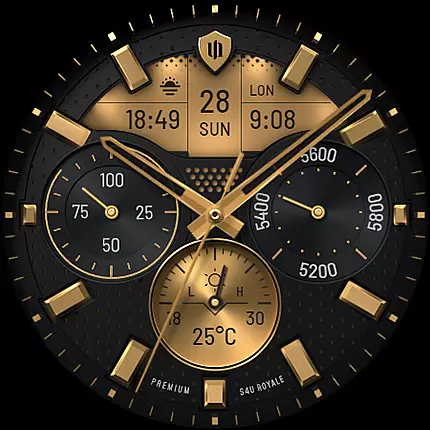
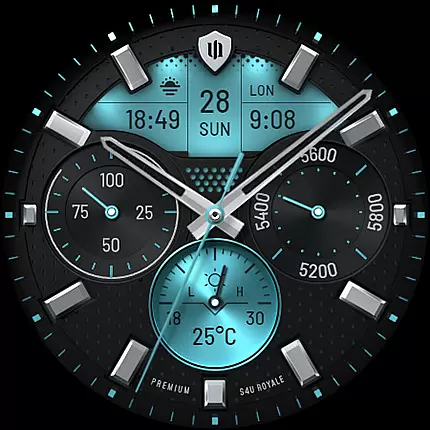
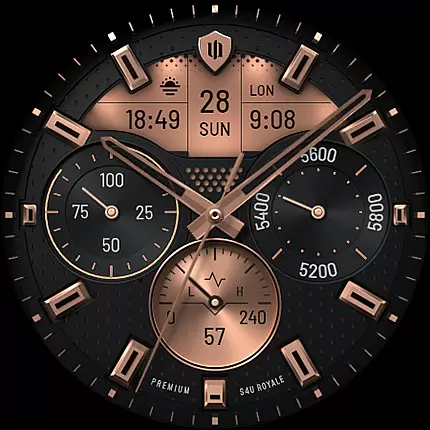
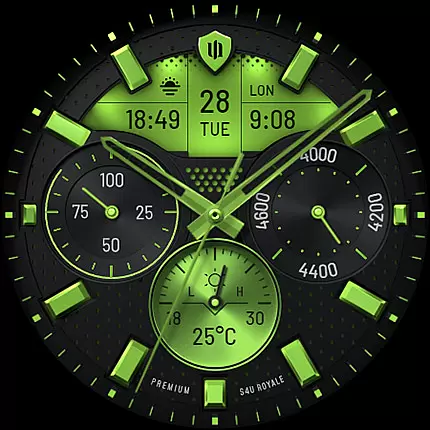
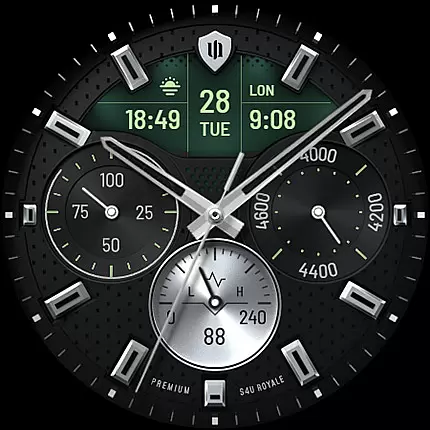
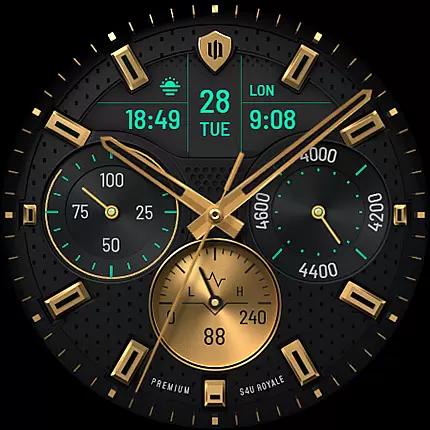
S4U Royale is a premium hybrid watch face designed for Wear OS smartwatches, offering users an elegant and highly customizable timekeeping experience. Compatible with devices like Samsung Galaxy Watch series and Google Pixel Watch, this app provides advanced features such as editable complications, shortcuts, and Always-On Display (AOD) functionality.
With its realistic design and numerous customization options, S4U Royale allows users to personalize their watch faces to match their preferences. The app supports multiple dial colors, adjustable AOD layouts, and various data display options including weather, heart rate, and daily steps. These features make it ideal for users seeking both aesthetics and functionality on their smartwatches.
The true value of S4U Royale lies in its ability to combine beauty with practicality. Whether you're monitoring your fitness progress or accessing favorite widgets through shortcuts, this watch face enhances usability while maintaining a stylish appearance.
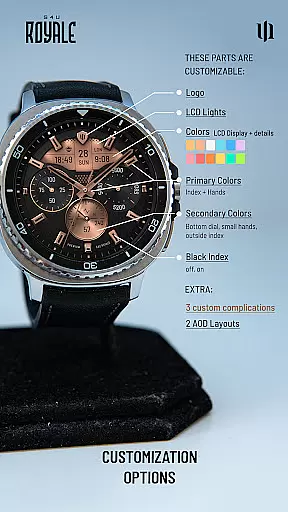
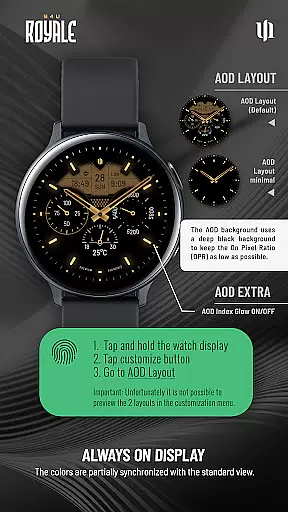
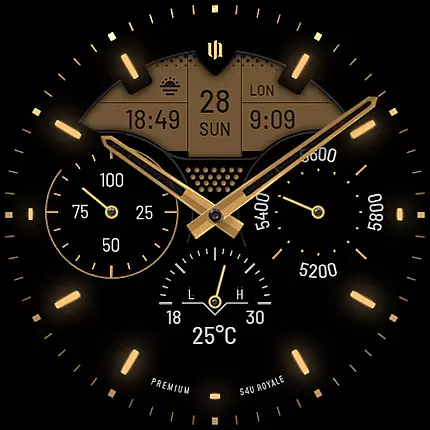
S4U Royale stands out with its extensive range of features tailored for personalization enthusiasts. One of the key highlights is the ability to customize virtually every aspect of the watch face, from dial colors to logo styles. Users can choose between two distinctive Always-On Display (AOD) layouts and adjust settings like black index marks, primary/secondary colors, and LCD light intensity.
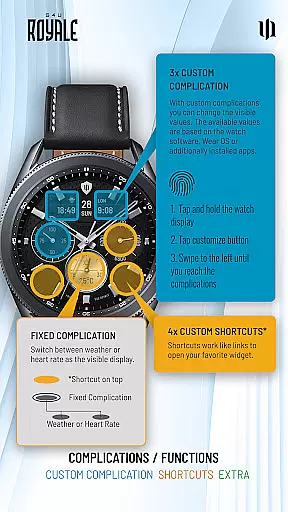
The app also includes three editable complications and four app shortcuts, enabling quick access to frequently used functions. Complications can display user-defined data such as weather or heart rate, while shortcuts allow linking to preferred widgets. Additionally, the AOD feature ensures continuous time visibility without compromising battery life significantly.
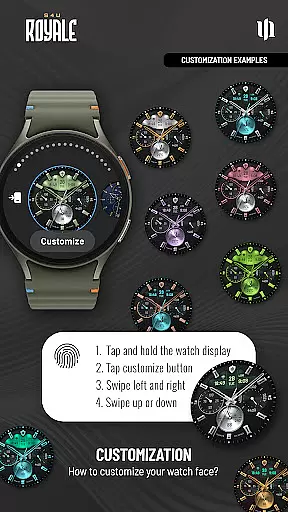
Another notable advantage is the intuitive setup process. By simply pressing and holding the watch display, users can navigate through customization menus effortlessly. This seamless integration of advanced features with ease of use makes S4U Royale a top choice for those looking to elevate their smartwatch experience.
Customization is at the heart of S4U Royale, offering users a rich variety of options to personalize their hybrid watch face. With multiple dial color choices, users can tailor the appearance to match their personal style or mood. The ability to choose between different logo styles and toggle black index marks on or off adds another layer of personal touch.
The app provides an extensive range of color options, including 9 primary and 8 secondary colors, allowing for a high degree of customization. Users can also adjust LCD light settings and select from 2 Always-On Display (AOD) layouts, ensuring their watch face is both functional and stylish even when not in active use. These features collectively enable users to create a unique and personalized timepiece that stands out.
Moreover, the AOD Glow feature can be turned on or off, giving users control over how their watch appears in low-light conditions. This level of customization ensures that each user's experience with S4U Royale is tailored specifically to their preferences, enhancing both aesthetic appeal and usability. Such comprehensive customization options underscore the app's commitment to delivering a personalized smartwatch experience.
S4U Royale excels in theme compatibility, ensuring seamless integration with Wear OS 5 or higher (Wear OS API 34+). This compatibility extends to popular devices like Samsung Galaxy Watch series and Google Pixel Watch, providing a consistent and reliable performance across various smartwatches. By supporting these platforms, S4U Royale guarantees that users can enjoy its advanced features without worrying about device limitations.
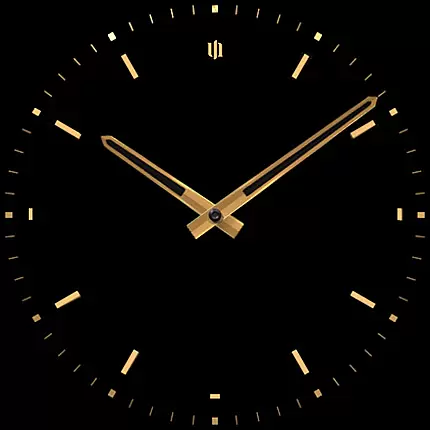
The app's design takes full advantage of Wear OS capabilities, offering an Always-On Display that adapts automatically to the standard watch faceu2019s design while maintaining optimal battery efficiency. It intelligently adjusts based on ambient light conditions, preserving the visual integrity of the watch face while conserving poweru2014a crucial aspect for maintaining usability throughout the day.
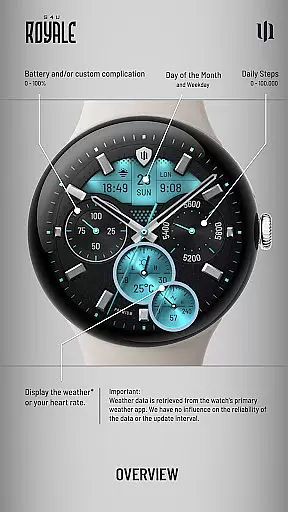
Furthermore, S4U Royale integrates smoothly with the primary weather apps on the user's smartwatch, displaying relevant data such as weather or heart rate on the bottom dial. Although the reliability of this data depends on the linked weather app, the integration itself showcases the app's robust compatibility with existing systems. Overall, S4U Royale's thoughtful design ensures it complements and enhances the Wear OS ecosystem effectively.
Highly customizable
Realistic design
User-friendly interface
Advanced AOD options
Wide device compatibility
Wear OS only
Weather data dependency
Battery consumption
Premium cost
Complex for beginners

Classic analogue watch face. For wear os devices.
 4.60
4.60
Vertically oriented rectangular icons
4.70
Only for Wear OS devices!
4.90
Unique Android Launcher
4.60
Ultimate widget creator. Design custom widgets for a truly unique home screen!
3.90 4.50
4.50 3.50
3.50
Stylish Pink Cute Hippo keyboard with 10000+ customized keyboard themes!
4.60
Transform your phone with stylish zipper lock themes and 4D live wallpaper
4.10
One 8 icons glass color version
4.80
Dark icon pack based on One 8
4.80
Embrace the Night. Unleash the power of darkness with Raven Dark Icon Pack
4.60
Icons made of colorful linear lines
4.60
Ninja Turtles Cowabunga SE watch face for Wear OS
4.50
Transform your phone with Launcher iOS 26 - Smooth & elegant iOS experience
4.50 4.50
4.50
Fingerprint Lock Screen & Live Animations with 4K Wallpapers as Live Wallpaper
4.40
Art & Emoji Keyboard with Cool Fonts, Cute Themes and Custom Designs.
4.40
Struggling to find apps? Use this app to locate and open any app on your phone!
2.20



User Reviews