
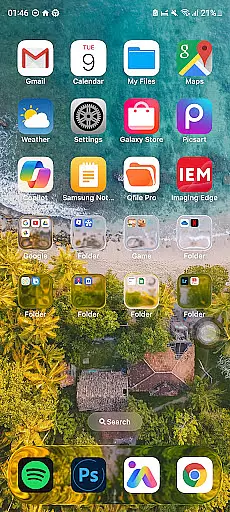
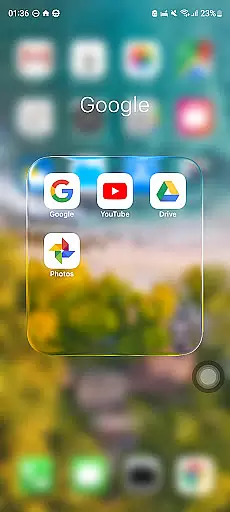
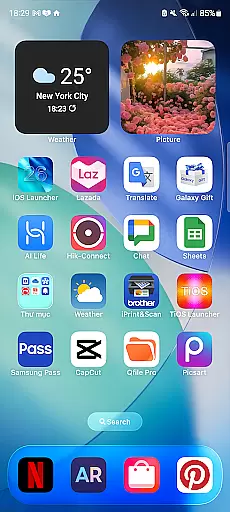
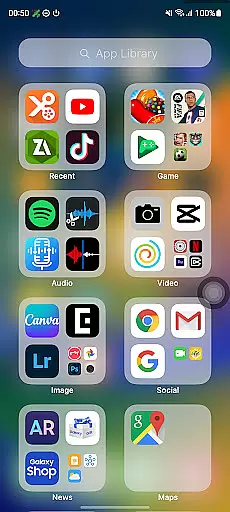
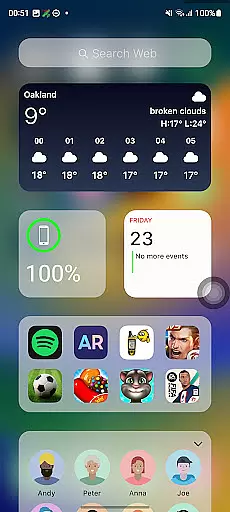
Launcher iOS 26 is a personalization app designed to bring the familiar iPhone experience to Android devices. This launcher transforms your phone's interface with a sleek and intuitive design inspired by iOS, offering users an authentic iPhone look and feel while maintaining Android functionality.
Beyond its aesthetic appeal, Launcher iOS 26 provides enhanced functionality through features like a convenient Control Center for quick access to essential functions, customizable wallpapers, and easy navigation to favorite apps. These tools simplify and personalize the Android experience, making it more user-friendly and efficient.
Ideal for those who appreciate iOS design but prefer using Android devices, this app bridges the gap between operating systems. It allows users to enjoy the best of both worlds, combining the polished design of iOS with the flexibility of Android customization.
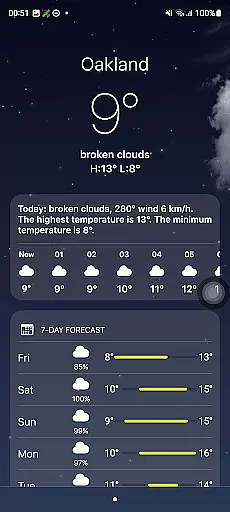
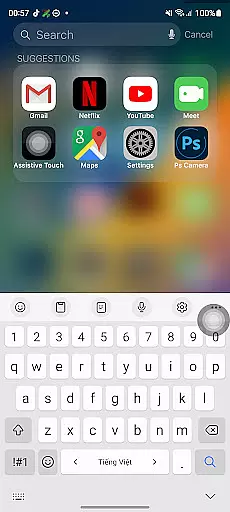
Launcher iOS 26 stands out with its comprehensive feature set that mimics the iPhone experience on Android devices. The app offers an authentic iOS look and feel, immersing users in a familiar and polished design environment. This attention to detail extends beyond visuals, providing a seamless transition for iOS users.
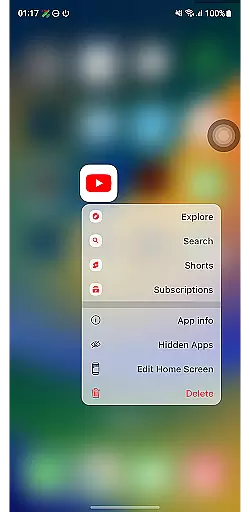
Functionality is enhanced through features such as the Control Center, which allows users to access essential functions with a simple swipe, similar to the iPhone's native feature. Quick Access shortcuts provide easy navigation to favorite apps and actions, inspired by iPhone's AssistiveTouch technology. Additionally, users can customize their home screen with wallpapers just like on an actual iPhone.
The app's personalization options go beyond basic theming, allowing users to tailor their Android experience while enjoying the benefits of iOS-inspired design elements. These features collectively create a unique hybrid experience that combines the best aspects of both operating systems.
Launcher iOS 26 offers a wide array of customization options that allow users to tailor their Android devices to closely resemble the iPhone experience. This includes not only aesthetic elements but also functional features inspired by iOS.
The launcher provides an authentic Control Center, which can be accessed with a simple swipe, offering quick toggles for essential phone functions. Additionally, users can enjoy the convenience of Quick Access, akin to iPhone's AssistiveTouch, enabling swift interaction with favorite apps and actions.
One of the standout customization features is the ability to set wallpapers freely, providing a personalized touch just like on an actual iPhone. These customization options collectively ensure that users can enjoy a familiar yet flexible mobile environment tailored to their preferences.
Theme compatibility in Launcher iOS 26 ensures that users can seamlessly integrate various themes to maintain a consistent look and feel across their Android device. This compatibility extends to both visual aesthetics and functional elements, ensuring a cohesive user experience.
The launcher supports themes that mimic the polished design language of iOS, allowing users to immerse themselves in a familiar interface. Beyond just appearances, it maintains operational consistency, meaning interactions such as swiping or tapping behave similarly to what iPhone users would expect.
This level of theme compatibility enhances user satisfaction by delivering an intuitive and visually appealing interface while preserving the unique functionalities of Android. Users benefit from a harmonized experience that blends the best aspects of both operating systems.
User-friendly interface
Authentic iOS aesthetics
Customizable features
Enhanced functionality
Seamless navigation
Limited to Android
Not all iOS features
Potential performance issues
Requires manual updates
Third-party app

Glass style colourful icons with a One UI look and feel
 4.60
4.60
Wear Os Watch Face - Seasonal - Animated Snow Effect - 9 Animals
4.20
Personalize your phone with stunning HD and 4K wallpapers!
4.70 4.10
4.10
Stylish Pink Cute Hippo keyboard with 10000+ customized keyboard themes!
4.60
Magic fluids wallpaper 4D: Relax with stunning fluid simulation wallpaper app
4.20
Your home screen, just the way you like it.
3.80
Transform your phone with stylish zipper lock themes and 4D live wallpaper
4.10
Cool custom fonts & keyboard themes! Symbols & font changer for Instagram
4.50
100+ Stylish Fonts, Emojis, Symbols keyboard for Instagram & TikTok!
4.80
350+ widgets with a premium glass-style finish, perfect for home & lock screens.
4.70
A minimalist productivity launcher. One-hand-friendly. Zero ads.
4.70
Try creating your own keyboard with "Keyboard theme for android" app now!
4.50 4.50
4.50
Vibrant Adaptive Icons with Material You and Enhanced Monet Colors.
4.50
AI-powered Copilot. Personalized keyboard with gifs, stickers & themes
4.40
Unique Fonts, typefaces and stylish text. Fonts for Instagram, Whatsapp & others
4.20
Realistic animated snow on your wrist, with 10 images landscapes to choose from
4.00
Capture moments that pass like a storm, second by second.
4.3



User Reviews