
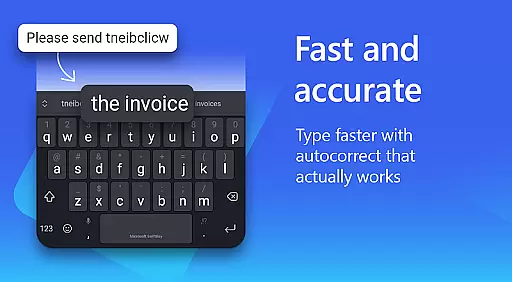
Microsoft SwiftKey AI Keyboard is an advanced personalization tool designed to enhance typing efficiency and style. This intelligent keyboard learns your unique writing patterns, offering personalized autocorrect and predictive text features that adapt to your slang, nicknames, and frequently used emoji.
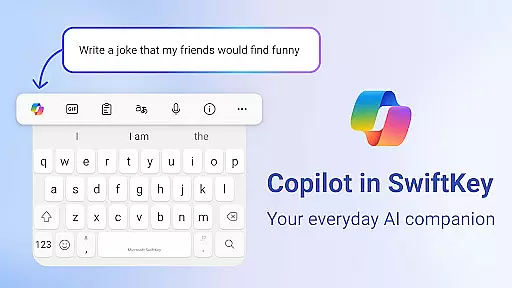
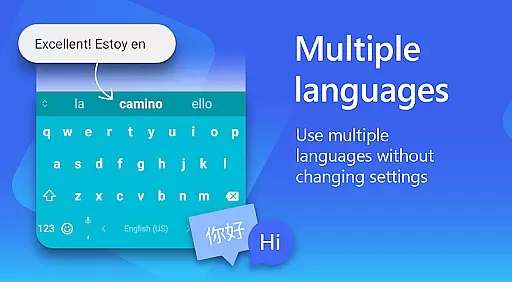
The app's standout feature is Copilot, an integrated AI assistant that allows you to query information directly within your favorite apps. With support for over 700 languages and the ability to enable up to five languages simultaneously, SwiftKey caters to multilingual users while providing customizable themes and layouts to match individual preferences.
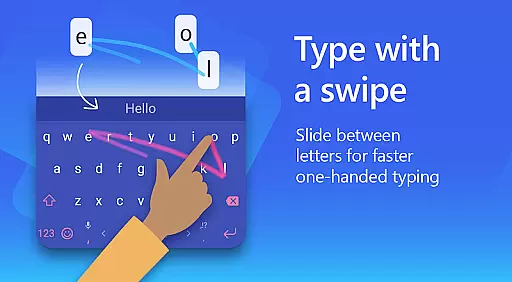
Whether you prefer swipe-to-type or traditional tap typing, Microsoft SwiftKey optimizes your typing experience through its adaptive learning system and rich content options including emojis, GIFs, and stickers. The keyboard's customization capabilities extend to theme selection, with over 100 colorful options and the ability to create personalized themes using your photos.
Microsoft SwiftKey AI Keyboard distinguishes itself through innovative typing features and extensive customization options. Its core functionality revolves around AI-powered text prediction and autocorrect, which continually learns from your typing patterns to provide increasingly accurate suggestions.
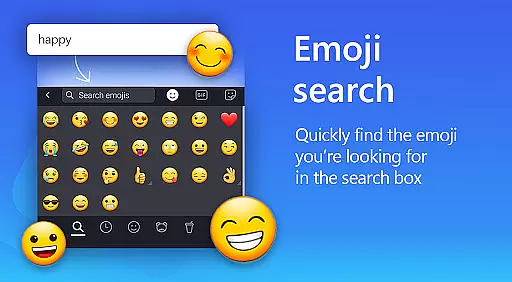
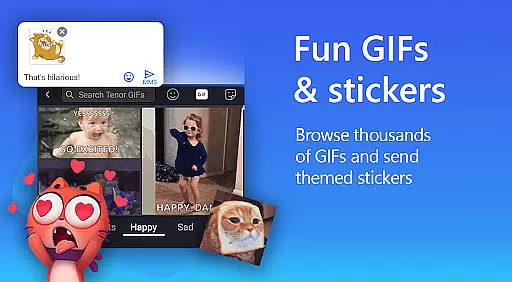
The keyboard supports multiple typing methods including swipe-to-type and tap-to-type, catering to different user preferences. Its rich content features include adaptive emoji prediction, searchable GIFs, and sticker integration, allowing users to express themselves more effectively in digital conversations.
Advanced customization capabilities enable users to personalize their typing experience through adjustable keyboard sizes, custom themes, and layout modifications. Professional users benefit from features like tone adjustment and text composition assistance, while multilingual support for over 700 languages makes it suitable for international communication.
Optional permissions enhance functionality by enabling voice-to-text capabilities, image insertion, and contact access, though these features remain optional to accommodate privacy-conscious users.
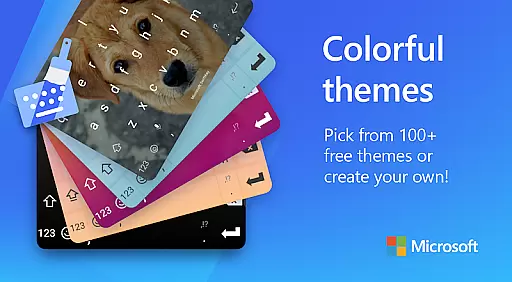
Microsoft SwiftKey AI Keyboard offers an extensive range of customization options that cater to individual preferences and styles. With over a hundred colorful keyboard themes, users can select a design that best reflects their personality or mood.
Beyond the preset themes, the application allows for a personalized touch by enabling users to create their own custom keyboard theme. This feature lets users set personal photos as the keyboard's background, making every typing experience uniquely theirs.
In addition to aesthetic personalization, Microsoft SwiftKey provides functional customization. Users have the ability to adjust their keyboard size and layout according to their comfort, which is essential for a seamless typing experience.
This level of customization ensures that whether you're looking for a keyboard that matches your favorite color, or need a layout that accommodates your typing style, Microsoft SwiftKey delivers a tailored experience that enhances both usability and enjoyment.
Theme compatibility in Microsoft SwiftKey AI Keyboard ensures that regardless of the device or operating system version, users will enjoy a consistent and visually pleasing typing interface. The app supports a wide array of themes that are designed to be flexible across different platforms.
Users can switch between themes without losing functionality or visual appeal, thanks to the adaptive design philosophy implemented within Microsoft SwiftKey. This means that whether you're on a smartphone or tablet, the chosen theme will adjust to provide optimal display and touch targets.
Moreover, the compatibility extends to integrating with the system's current settings, such as dark mode or light mode, ensuring that the keyboard not only looks good but also aligns with user preferences for visibility and comfort.
With Microsoft SwiftKey's commitment to compatibility, users can personalize their typing environment while being assured that their choice in themes will maintain performance standards and aesthetic coherence throughout their digital ecosystem.
AI-powered predictions
Multi-language support
Customizable themes
Rich content integration
Adaptive learning system
Requires storage space
Optional permissions needed
Learning curve for new users
Limited offline functionality
Premium theme costs

Stunningly Different look with Line Icons and Neon Colors
 4.60
4.60
Customizable flower power digital watch face for Wear OS watches.
4.00
Over 28,000 high quality icons to bring color & homogeneity to your phone.
4.60
Interactive Miniature Painting Catalogue
3.30 4.50
4.50 3.50
3.50
Yandex Browser — stylish and secure, with voice search and data compression
4.40
Handcrafted pixel art icons, widgets & wallpapers
4.60
Amazing letter fonts in your messages and social statuses
4.70
Gun Chase - Let the chase begin.
4.80
Want to make your phone more special than ever?
4.60
Stylish Pink Cute Hippo keyboard with 10000+ customized keyboard themes!
4.60
Customizable screen pets that play, climb, and keep you company.
4.50
Transform your device in a game console
4.40
Run multiple accounts of the same app on a single device
4.10
Your go to Weather App & Home Screen. Get your weather at a swipe of a finger!
3.80
Adorable pets roam and play right on your phone screen!
3.30
Turn your lock screen into fun with smile live wallpapers & animated wallpapers!
2.50
Prank your friends with realistic broken screen and cracked HD effects!
4.2




User Reviews