
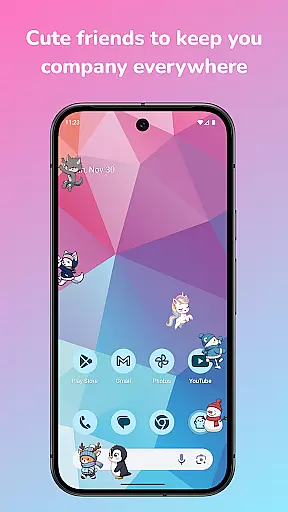
Shimeji: Screen Buddies is a delightful personalization app that brings cute animated characters to your mobile screen. These charming mascots live on top of your apps, providing entertainment while you use your phone. With the ability to run up to 10 characters simultaneously, the app creates an engaging and playful environment. The recent update introduces a new animation engine, character leveling system, and Mushroom currency, allowing users to unlock features simply by interacting with their Shimeji.
The app's interactive nature makes it perfect for casual moments, such as waiting for games to load or ads to finish. Users can tap, drag, and toss their Shimeji, watching them react in various ways. Beyond mere aesthetics, the app offers practical tools like a full editor for creating custom mascots, making it a versatile choice for those seeking both fun and creative expression on their devices.
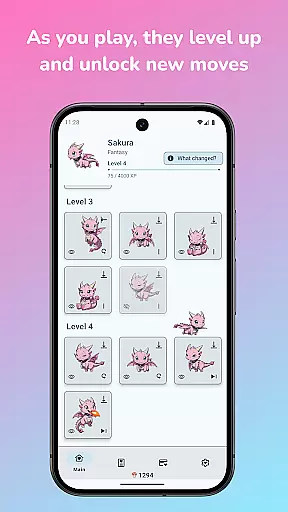
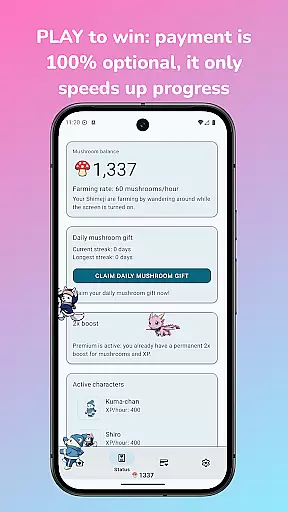
Shimeji: Screen Buddies stands out with its unique combination of entertainment and customization features. The app showcases an innovative idle-style leveling system where characters earn XP as they wander around the screen. This progression unlocks new animations and tricks, encouraging regular interaction. The introduction of Mushroom currency adds another layer of engagement, as users can accumulate this resource to unlock characters, animations, and upgrades without any mandatory payments.
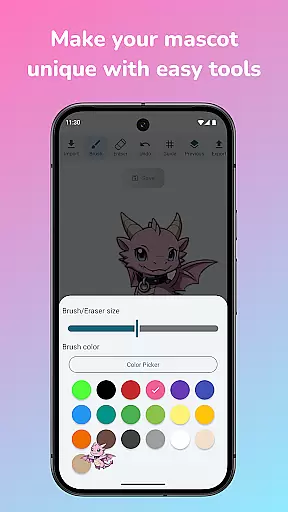
For creative users, the built-in editor provides powerful tools for importing, recoloring, and modifying art to create personalized mascots. All editor features are fully unlocked, ensuring no paywalls restrict creativity. Additionally, the app's optimization for modern devices guarantees smooth performance and minimal battery consumption. The inclusion of Ghost Mode allows mascots to remain visible without interfering with other activities, making it a smart and distraction-free solution for device personalization.
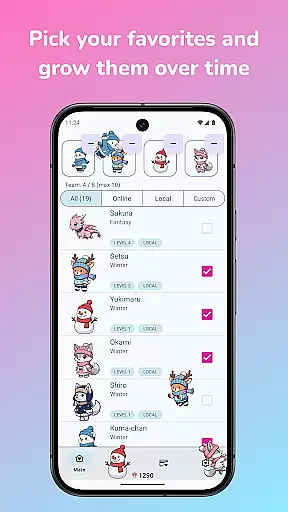
Shimeji: Screen Buddies offers an extensive range of customization options that allow users to personalize their screen buddies according to their preferences. With the ability to run up to 10 characters at once, each with unique animations and interactions, users can create a personalized ecosystem on their device screens.
The app features an in-built editor that lets users import their own art and turn it into live screen buddies. This tool is fully unlocked, providing the freedom to recolor, redraw, and customize sprites without any restrictions. Users can also duplicate existing mascots and modify them to craft one-of-a-kind companions.
Interactivity is a key aspect of customization, as users can tap, drag, and toss their Shimeji to see varied reactions. This interactive element ensures that each user's experience is unique and tailored to their personal interaction style.
By leveling up their favorite characters, users unlock new animations and tricks, adding another layer of customization. Different levels reveal new moves and poses, ensuring that the personalization of your screen buddies evolves over time.
Theme compatibility in Shimeji: Screen Buddies ensures that these animated characters blend seamlessly with your deviceu2019s aesthetic settings. The app has been optimized for modern devices, offering smooth motion and smart behavior adjustments that align well with various themes and interfaces.
Ghost Mode is a notable feature that enhances theme compatibility by allowing Shimeji to stay visible but unobtrusive while you use other apps. This mode respects the user's need for both companionship and functionality without compromising the visual appeal.
Simple controls for adjusting size, speed, and behavior come with a live preview, enabling users to tweak their Shimeji buddies to fit perfectly within their device's theme. These adjustments ensure that the mascots remain compatible and complementary to the overall look and feel of the device.
With an emphasis on original content, all graphical elements and animations are designed to be visually cohesive and adaptable. This approach maintains a distraction-free environment, where Shimeji characters enhance rather than disrupt the user's chosen theme.
User-friendly interface
Highly customizable
Engaging gameplay elements
Regular updates
Vibrant community support
Limited original content
Occasional performance issues
Ads between interactions
Learning curve for editor
Some features locked behind progress

Customizable flower power digital watch face for Wear OS watches.
 4.00
4.00
Ninja Turtles Cowabunga SE watch face for Wear OS
4.50
Turn your lock screen into fun with smile live wallpapers & animated wallpapers!
2.50
Unique Fonts, typefaces and stylish text. Fonts for Instagram, Whatsapp & others
4.20
Transfer your live wallpapers from Windows to Android using Wallpaper Engine!
4.00
App Icon Changer & Shortcut Creator. Customize your icons without any watermarks
4.30 3.50
3.50
Customize phone with anime themes, 3D icons, aesthetic widgets & wallpapers
4.80
Transform your phone with stylish zipper lock themes and 4D live wallpaper
4.10
Sparkle your screen with Glitter Wallpapers For Girls and Cute Backgrounds!
4.80
A launcher for Samsung Good Lock and Good Guardians modules without ads
4.70
Nothing Icon pack with more than 3750+ highly crafted icons.
4.70
Unique Android Launcher
4.60
Handcrafted pixel art icons, widgets & wallpapers
4.60
200+ Material Inspired Widgets
4.50
Themes - Widget & Wallpaper: Customize home screen, icon changer w unique themes
4.30
The definitive Icon pack maker and editor
4.30
Ultimate widget creator. Design custom widgets for a truly unique home screen!
3.90
Customize glowing edges, wallpapers, and caller screen with EdgeAura.
3.50



User Reviews