
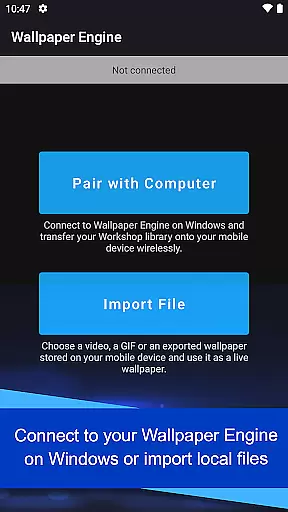
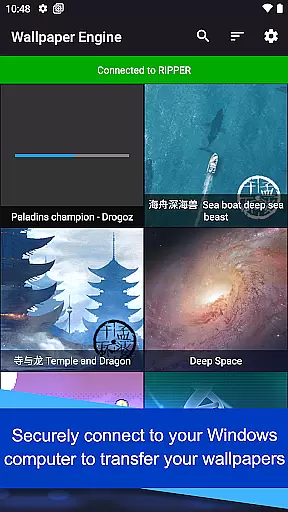
Wallpaper Engine is a personalization app designed to bring your live wallpapers from Windows to Android devices. The app allows users to seamlessly transfer their existing collection of animated wallpapers, GIFs, and interactive 2D/3D scenes directly from the desktop version of Wallpaper Engine. This creates an immersive experience by enabling dynamic wallpapers on mobile devices.
In addition to transferring content from the desktop client, users can also import local videos and GIFs for use as live wallpapers. With customization options, playlist creation, and automatic pausing during power-saving mode, this app offers both flexibility and efficiency. Whether you want to personalize your phone's appearance or automate wallpaper changes throughout the day, Wallpaper Engine provides a comprehensive solution for all your mobile wallpaper needs.
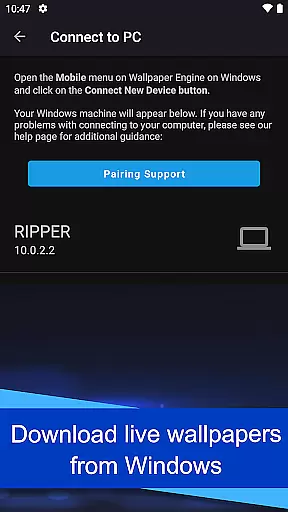
Wallpaper Engine stands out with its support for various media types, including videos, GIFs, and interactive 2D/3D scenes as wallpapers. By connecting to the Windows version of Wallpaper Engine, users can easily transfer their entire library of desktop wallpapers to their mobile devices. This cross-platform functionality ensures that your favorite animations are always at hand.
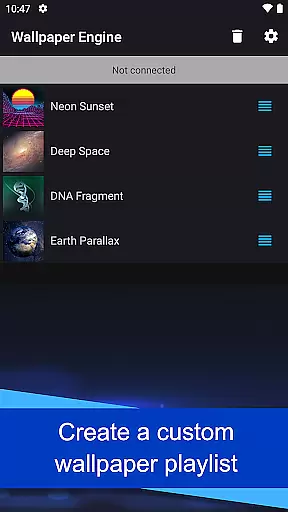
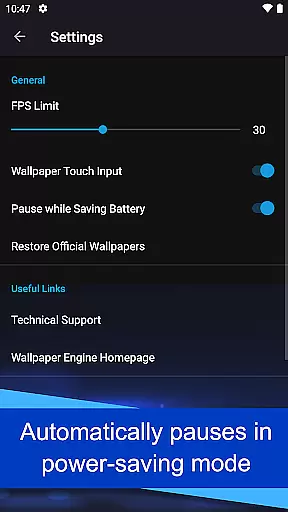
The app also includes advanced customization features such as adjusting playback settings and creating playlists that cycle through wallpapers based on time intervals or specific times of the day. Additionally, it respects battery life by automatically pausing wallpapers when power-saving mode is activated. With no ads or tracking, Wallpaper Engine prioritizes user privacy while delivering a smooth and visually appealing experience.
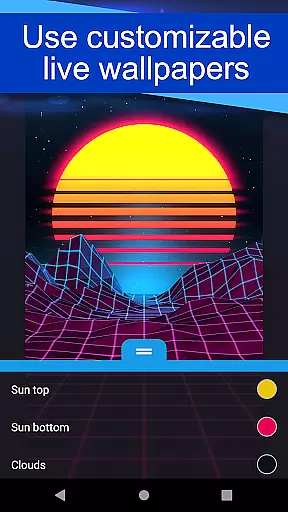
Wallpaper Engine offers a diverse range of customization options, allowing users to tailor their wallpapers to their personal preferences.
The app supports various formats including videos, GIFs, and interactive 2D/3D scenes, providing an extensive library for users to choose from.
Additionally, the ability to connect with the Windows version of Wallpaper Engine enables seamless transfer of desktop wallpapers to mobile devices, enhancing the customization experience.
Users can further personalize their device's aesthetics by setting up playlists that cycle wallpapers at regular intervals or based on the time of day, ensuring a dynamic and personalized visual experience.
Theme compatibility is a standout feature of Wallpaper Engine, ensuring that all wallpapers integrate smoothly with Android devices.
The app allows users to import local videos and GIFs, converting them into live wallpapers without compatibility issues.
Moreover, wallpapers are designed to automatically pause when the phone enters power-saving mode, optimizing battery usage while maintaining visual appeal.
This thoughtful design ensures that users enjoy a seamless experience, with wallpapers that not only look great but also respect the deviceu2019s performance constraints, making it an ideal choice for those seeking both style and functionality.
User-friendly interface
Highly customizable options
Cross-platform compatibility
Ad-free experience
Automatic power-saving mode
Limited to Android devices
Requires Windows version for full functionality
No iOS support available
Some features may drain battery
Dependent on desktop library

Vertically oriented rectangular icons
 4.70
4.70
Ninja Turtles Cowabunga SE watch face for Wear OS
4.50
Transform your phone with Launcher iOS 26 - Smooth & elegant iOS experience
4.50
Adult video chat, dating, making friends, random matching
4.20
Gun Chase - Let the chase begin.
4.80
AI-powered Copilot. Personalized keyboard with gifs, stickers & themes
4.40
Add cute Shimeji pets to screen, interact with them and relax with cute motions
4.60
Run multiple accounts of the same app on a single device
4.10
Icons made of colorful linear lines
4.60
Sparkle your screen with Glitter Wallpapers For Girls and Cute Backgrounds!
4.80
Embrace the Night. Unleash the power of darkness with Raven Dark Icon Pack
4.60
Beautiful realistic hybrid watch face with numerous customization options.
4.50 4.50
4.50
Color phone with cool effects for call screen, flash alert & ringtones music
4.50
Vibrant Adaptive Icons with Material You and Enhanced Monet Colors.
4.50
Romantic Kiss Stickers App. Start romantic messaging now!
4.30
Realistic animated snow on your wrist, with 10 images landscapes to choose from
4.00
HappyLighting is a Bluetooth lamp control software.
3.40
Custom edge gestures for volume control, brightness, apps, and shortcuts.
4.0




User Reviews