
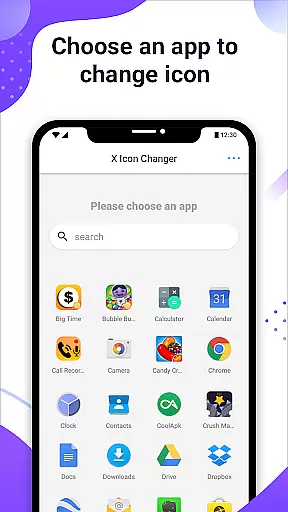
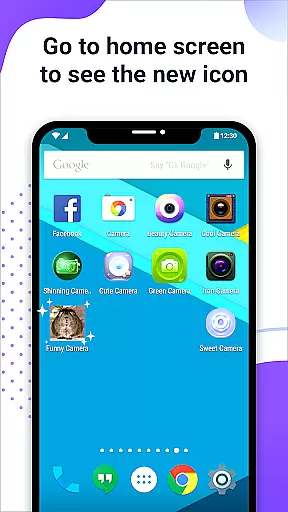
X Icon Changer is a free app designed to help users customize and change icons for any application on their Android devices. The app offers a wide range of icon choices, including built-in icon packs, personalized third-party packs, gallery images, or even other app icons.
One of the standout features is its ability to create shortcuts with new icons directly on the home screen, allowing users to easily decorate and personalize their phones. Additionally, it provides an innovative solution to avoid watermarks on Android 8.0 and above by using widget technology.
This app is particularly useful for those who want to refresh the look of their device without much hassle, making it both functional and visually appealing.
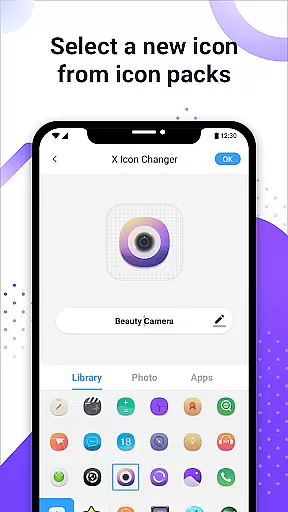
The app includes several notable features that enhance user experience. First, X Icon Changer allows users to select new icons from various sources such as built-in icon packs, personalized third-party packs, gallery images, or other app icons. This flexibility ensures that users can find the perfect icon to match their style.
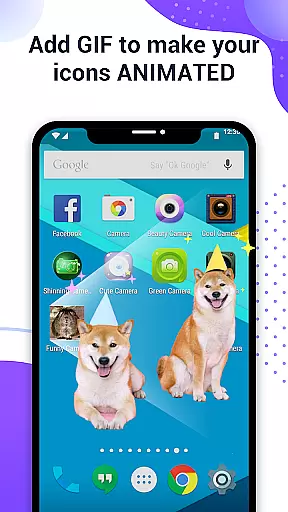
Another key feature is the ability to edit app names, providing further customization options. Users can also add GIF animations to play when launching apps with new icons, adding a dynamic element to their home screens.
For devices running Android 8.0 and above, the app uses widget technology to eliminate watermarks, ensuring a seamless and professional appearance. These features collectively offer a comprehensive solution for personalizing Android devices.
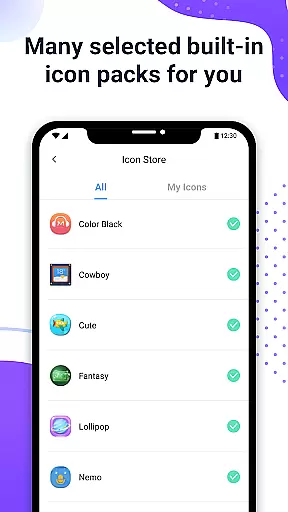
X Icon Changer offers an extensive range of customization options, allowing users to personalize their app icons effortlessly. The application provides a vast selection of built-in icon packs, which cater to various tastes and preferences.
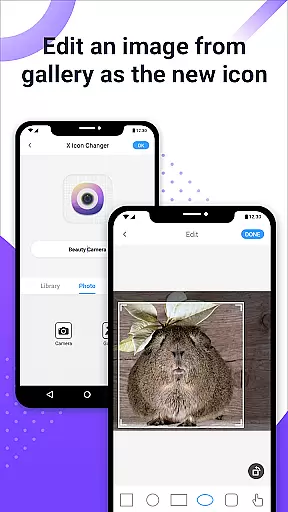
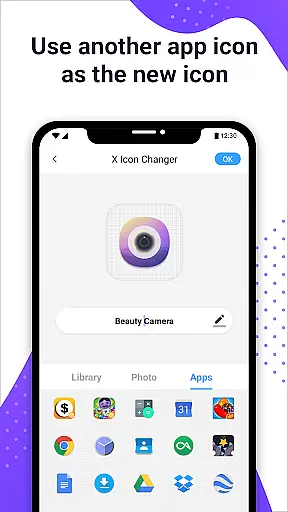
Users can also choose new icons from their gallery or other app icons, ensuring that personalization is not just limited to pre-existing choices. This flexibility empowers users to express their individuality by incorporating unique images as app icons.
In addition to changing icons, the app allows for the renaming of apps with custom names. This feature adds another layer of personal touch, making each app truly stand out on the home screen.
For those seeking even more creativity, X Icon Changer supports adding GIFs to app icons, enabling interesting animations to play when launching apps. This dynamic feature enhances user experience by bringing static icons to life.
Theme compatibility is a crucial aspect of X Icon Changer, ensuring that customized icons blend seamlessly with various Android themes. The app's design prioritizes visual consistency across different devices and OS versions.
On Android 8.0 and above, where watermarks might be an issue, X Icon Changer innovatively uses widget technology to eliminate any unwanted marks. By dragging the app's widget to the desktop, users can change icons without any watermark interference.
The app houses numerous personalized icon packs that are carefully selected to match different theme styles. These packs guarantee that users will find suitable options regardless of their current device theme.
Furthermore, all icon packs and features within X Icon Changer are free, removing barriers to achieving perfect theme compatibility. Users can enjoy a cohesive look across their device without worrying about additional costs or restrictions.
User-friendly interface
Wide variety of icon choices
Customizable app names
GIF animation support
Effective watermark removal
Limited to Android devices
Requires manual setup for widgets
Some features may be complex for beginners
Third-party icon packs might vary in quality
Potential compatibility issues with certain apps

Stunningly Different look with Line Icons and Neon Colors
 4.60
4.60
Ultra realistic high quality analog watch face for Wear OS.
4.60
Unique Android Launcher
4.60
Try creating your own keyboard with "Keyboard theme for android" app now!
4.50
Want to make your phone more special than ever?
4.60
Adaptive Dot Style IconPack with Light & Dark Theme.
3.70
Color phone with cool effects for call screen, flash alert & ringtones music
4.50
Transform your device in a game console
4.40
Customize phone with anime themes, 3D icons, aesthetic widgets & wallpapers
4.80
A minimalist productivity launcher. One-hand-friendly. Zero ads.
4.70
Add cute Shimeji pets to screen, interact with them and relax with cute motions
4.60
Over 28,000 high quality icons to bring color & homogeneity to your phone.
4.60
Stylish Pink Cute Hippo keyboard with 10000+ customized keyboard themes!
4.60
Ultra realistic gold analog watch face with lots of customization options.
4.50
Turn text & photos into stunning AI videos, art, and creative visual stories.
4.50
Themes - Widget & Wallpaper: Customize home screen, icon changer w unique themes
4.30
Launcher OS™ Pro without ads help make your phone simple and pretty
4.30
Create unique, fun emojis with Funny Emoji Maker! Unlimited creativity!
4.00 3.50
3.50




User Reviews