
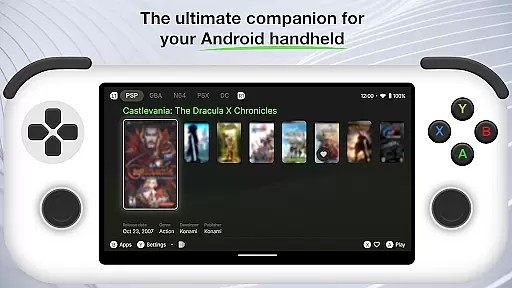
Beacon Game Launcher is an innovative Android launcher specifically designed for retro gaming enthusiasts. This application allows users to organize and manage their classic game collection with ease.
The app's core functionality lies in its ability to integrate with various emulators, enabling direct game launching. It automatically enhances your game library by scraping cover art and metadata, creating a visually appealing and well-organized collection.
Ideal for gamers who want to relive the nostalgia of classic titles, Beacon Game Launcher provides a seamless way to access and enjoy your retro games on modern Android devices.
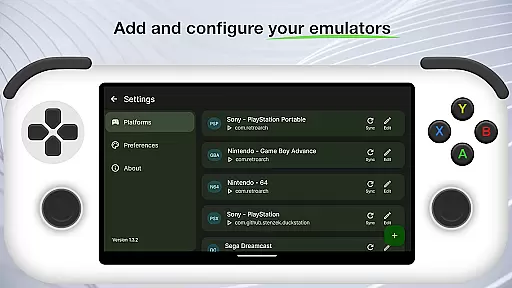
Beacon Game Launcher offers several distinctive features that set it apart from other launchers. The primary feature is its emulator integration system, which supports multiple popular retro game emulators.
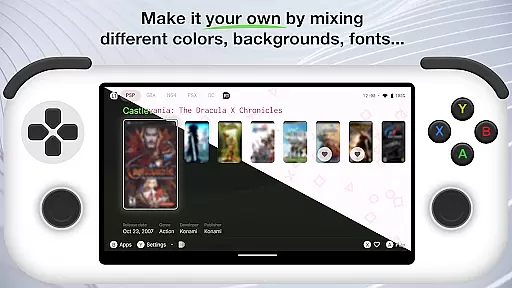
The automatic media scraper enriches your game library by fetching high-quality cover art and detailed metadata for your games. The customizable interface allows users to personalize their launcher experience according to their preferences.
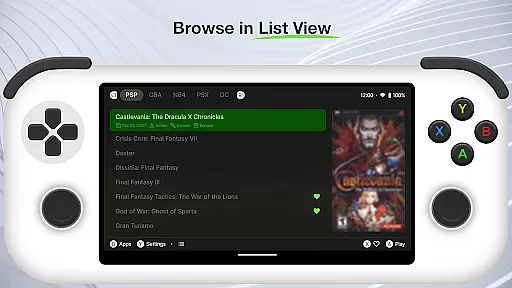
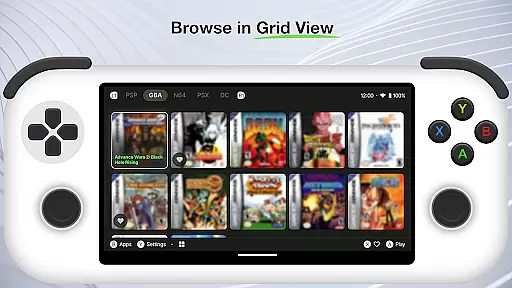
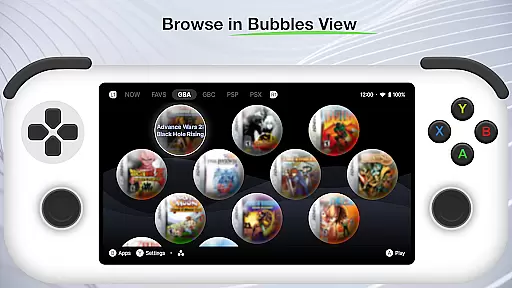
Additional features include advanced organization tools for sorting and categorizing games, cloud backup support for protecting your collection, and performance optimization options to ensure smooth operation on various Android devices.
Customization is at the heart of Beacon Game Launcher, allowing users to tailor their gaming experience. This Android launcher provides a versatile platform for classic gaming enthusiasts who want to organize and access their game library with ease.
The app supports adding various emulators, giving users the freedom to choose their preferred tools for running retro games. By enabling users to curate their own collections, it ensures that everyone can have a personalized selection of games that matter to them most.
Beacon enhances user experience by automatically fetching cover art and metadata, enriching the visual appeal and information depth of each game entry. This feature not only makes the library more attractive but also improves navigability and searchability.
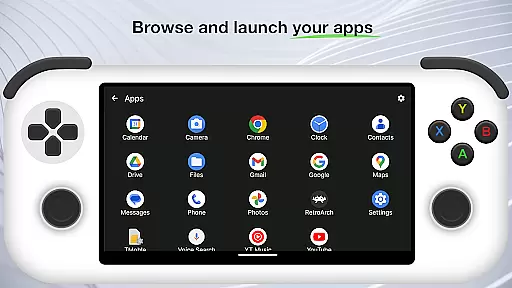
With these customization options, users can create a nostalgic yet modern interface that reflects their unique taste in classic gaming. The ability to launch games directly from the app further streamlines the process, making gaming sessions seamless and enjoyable.
Theme compatibility in Beacon Game Launcher ensures that users can enjoy a consistent and visually pleasing experience across different devices and screen sizes. As an Android launcher tailored for classic gaming, maintaining aesthetic harmony is crucial for user satisfaction.
The app is designed to work seamlessly with various themes, allowing users to apply their favorite looks without compromising functionality. Whether you prefer a retro-inspired design or a sleek modern interface, Beacon adapts to your preferences while keeping all features accessible.
This flexibility extends to how metadata and cover art are displayed, ensuring that regardless of the theme chosen, all visual elements remain clear and well-organized. Such attention to detail enhances both usability and enjoyment.
By prioritizing theme compatibility, Beacon Game Launcher offers a personalized yet cohesive environment where gamers can immerse themselves in their curated libraries. This dedication to visual consistency helps maintain engagement and fosters a deeper connection with cherished games.
User-friendly interface
Extensive emulator support
Automatic media scraping
Customizable layout options
Cloud backup functionality
Limited to retro gaming
No built-in emulator
Requires manual setup
Occasional compatibility issues
Metadata accuracy varies

Ninja Turtles Cowabunga SE watch face for Wear OS
 4.50
4.50
Prank your friends with realistic broken screen and cracked HD effects!
4.5
Unique Android Launcher
4.60
Bring adorable pets to life on your screen. Playful, interactive and full of fun
4.60 4.50
4.50
Your go to Weather App & Home Screen. Get your weather at a swipe of a finger!
3.80
Crystal-clear, square icon provides a sleek and sophisticated visual upgrade
4.00
300+ widgets inspired by Material You and Material 3 expressive design.
4.60
set a new experience for the Android mobile phone
4.20
Only for Wear OS devices!
4.90
Make your phone look simple & luxury, like iDevice
4.60
Over 28,000 high quality icons to bring color & homogeneity to your phone.
4.60
Handcrafted pixel art icons, widgets & wallpapers
4.60
Try creating your own keyboard with "Keyboard theme for android" app now!
4.50
A light in the dark, a unique style and an andless cutomization!
4.30
Adult video chat, dating, making friends, random matching
4.20
More than 3000+ themes and 9000+ wallpapers for everybody!
4.10
Ultimate widget creator. Design custom widgets for a truly unique home screen!
3.90 3.50
3.50



User Reviews