
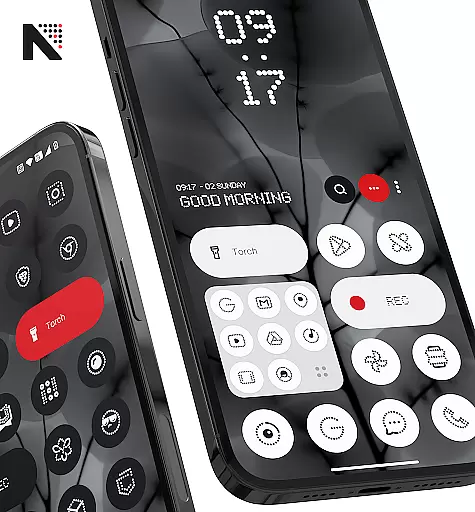
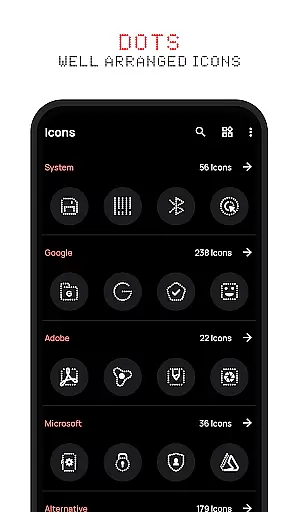
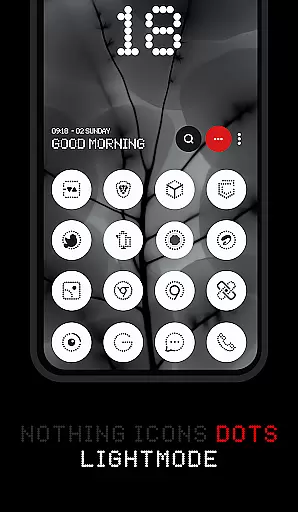
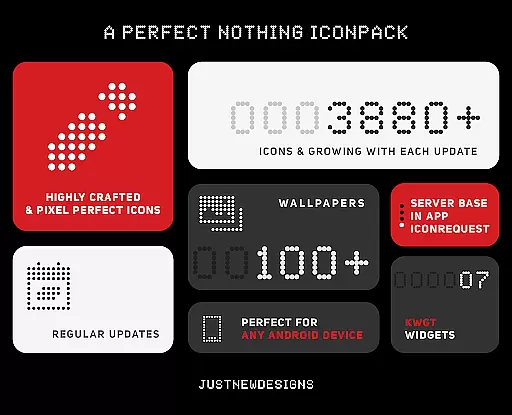
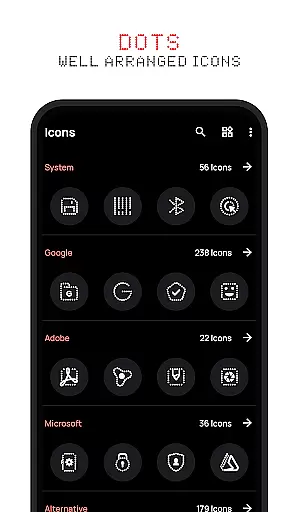
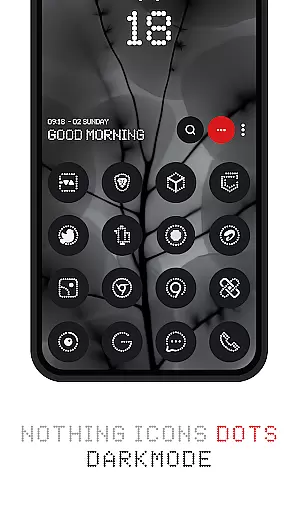
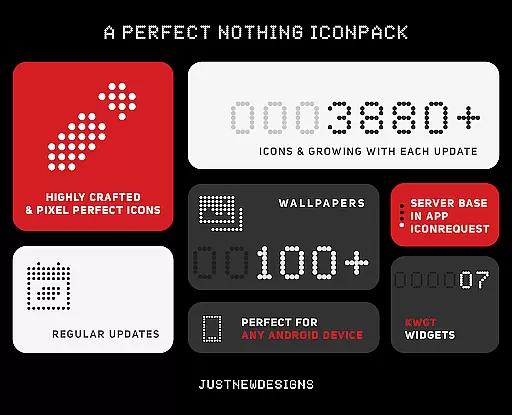
Dots : Adaptive Icon pack is a premium icon pack that delivers beautifully designed icons in combination with Dots Theme and White Color, inspired by the Nothing Brand. This personalization app offers over 3000 themed icons that adapt to your device's theme, providing a seamless experience across both dark and light modes.
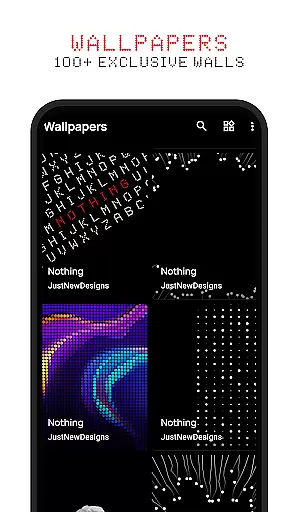
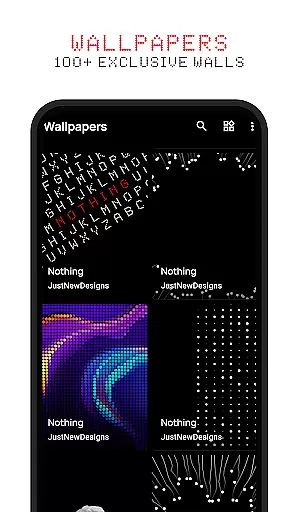
With support for adaptive icon shapes, the design dynamically adjusts based on your launcher preferences. The pack also includes 100+ matching wallpapers, giving users a complete customization solution for their devices. Whether you're an AMOLED screen enthusiast or simply appreciate well-crafted icons, this pack guarantees satisfaction with its 100% refund policy.
The standout feature of Dots : Adaptive Icon pack is its ability to automatically adjust icon colors based on your device's current theme setting. This ensures perfect integration whether you're using dark or light mode. The pack contains over 3000 meticulously designed icons, with new additions regularly incorporated through updates.
Another key aspect is its compatibility with various launchers' adaptive icon shape theming capabilities. This allows users to customize icon shapes according to their preferences. Additionally, the included collection of 100+ custom-created wallpapers provides perfectly matching home screen backgrounds, enhancing the overall aesthetic appeal of your device's interface.
Customization is at the heart of Dots: Adaptive Icon Pack, offering users a versatile way to personalize their device's appearance. With over 3000 themed icons, this pack provides an extensive selection that caters to various tastes and preferences.
The adaptive icon shapes feature allows for seamless integration with different launchers, ensuring that your home screen maintains a cohesive look regardless of the launcher you choose. This flexibility in adapting to various launcher themes enhances user experience by providing consistent aesthetics across devices.
In addition to its rich icon library, Dots includes 100+ matching wallpapers, which complement the icons and further elevate the customization possibilities. Users can enjoy a harmonized homescreen that reflects their unique style while benefiting from regular updates that introduce new content.
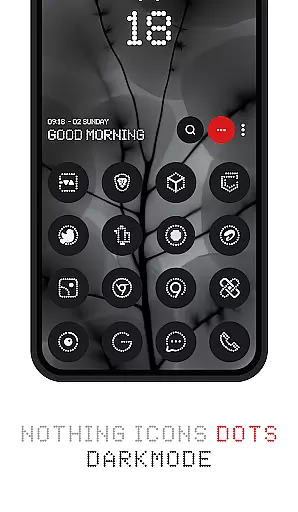
Dots: Adaptive Icon Pack excels in theme compatibility, automatically adjusting icon colors based on the device's chosen theme. Whether using a dark or light theme, icons will adapt their color scheme accordingly, ensuring visual consistency throughout the user interface.
This dynamic theming capability extends beyond just basic light and dark modes. The icon pack intelligently responds to system-wide theme changes, maintaining aesthetic harmony whether you're using AMOLED displays or traditional LCDs. Such responsiveness guarantees that your homescreen always looks polished and professional.
Furthermore, the pack's design draws inspiration from popular brands, bringing a touch of sophistication to every icon. This attention to detail in maintaining brand recognition while adapting to different themes demonstrates the pack's commitment to both form and function, making it an ideal choice for users seeking premium personalization options.
Over 3000+ unique icons
Adaptive color technology
Included custom wallpapers
Regular content updates
100% satisfaction guarantee
Limited to compatible launchers
No free trial option
Requires manual updates
Some apps not covered
Premium price point

Glass style colourful icons with a One UI look and feel
 4.60
4.60
A retro cartoon style watch face and a punch right in the face of the copyright
4.60
Adult video chat, dating, making friends, random matching
4.20
Interactive Miniature Painting Catalogue
3.30
Ultimate Gallery Lock App - Hide Pictures, Videos and Lock Apps Instantly!
4.60
App Icon Changer & Shortcut Creator. Customize your icons without any watermarks
4.30
Organize and manage your photos and videos effortlessly with Photo Gallery
4.20
Unleash Your Creativity and Connect with Loved Ones with Lockscreen Drawing!
4.20
Handcrafted pixel art icons, widgets & wallpapers
4.60
Only for Wear OS devices!
4.90
Vertically oriented rectangular icons
4.70
A launcher for Samsung Good Lock and Good Guardians modules without ads
4.70
300+ Stunning and well-designed widgets inspired by NOTHING.
4.70
A minimalist productivity launcher. One-hand-friendly. Zero ads.
4.70
Customize your home screen with stunning themes, blur, widgets & icons.
4.60
Icons made of colorful linear lines
4.60
Transfer your live wallpapers from Windows to Android using Wallpaper Engine!
4.00
Ultimate widget creator. Design custom widgets for a truly unique home screen!
3.90
Struggling to find apps? Use this app to locate and open any app on your phone!
2.20







User Reviews