
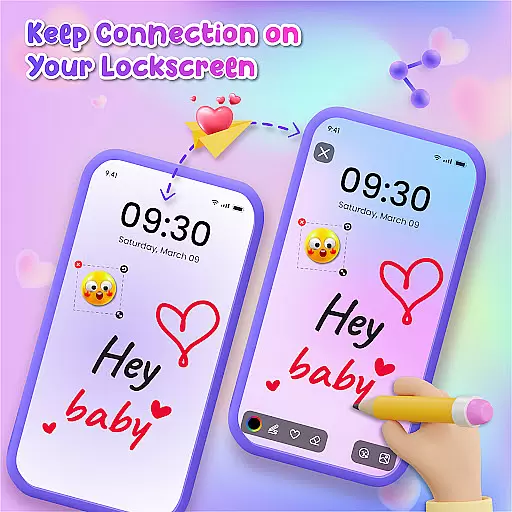
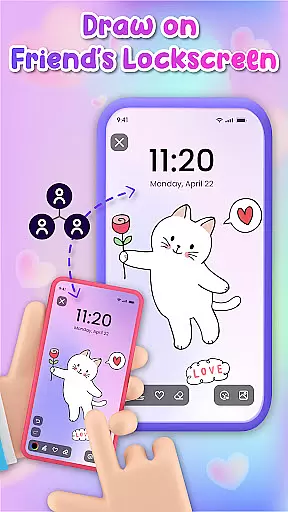
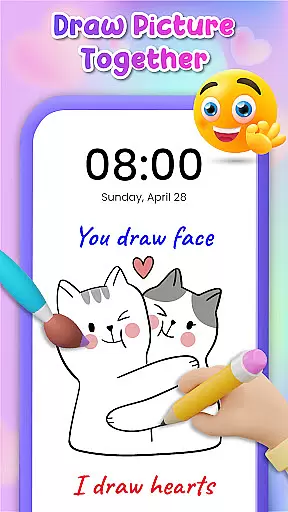
Lockscreen Drawing is a unique personalization app that transforms your phone's lock screen into an interactive canvas. This innovative application allows users to draw directly on their lock screens, share creations instantly with friends, and even collaborate on artwork in real-time.
The app offers multiple drawing options including lock screen doodling, widget art, and in-app canvas creation. With over 100 stickers and 20 themed backgrounds, it provides extensive creative possibilities while enabling social connection through shared artwork.
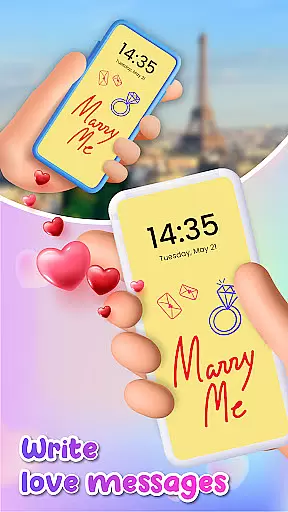
This application is particularly valuable for artistic expression and maintaining relationships. Users can surprise loved ones with personalized messages or drawings that appear on their partner's lock screen, making it an ideal tool for couples seeking creative ways to stay connected throughout the day.
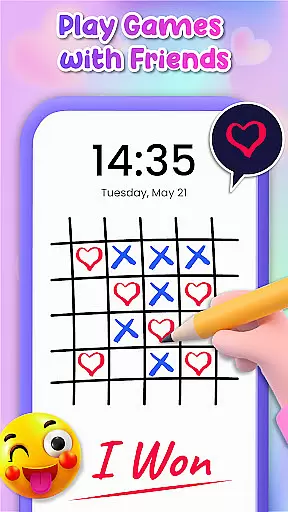
Lockscreen Drawing stands out with its innovative live collaboration feature, allowing multiple users to draw simultaneously on their lock screens. The app's real-time synchronization creates a seamless experience where each stroke appears instantly across all connected devices.
Beyond basic drawing capabilities, the app includes advanced features such as customizable backgrounds from both user galleries and pre-designed themes. The comprehensive sticker library adds another dimension to creativity, while the convenient widget keeps users updated on their friends' latest artwork without needing to open the main application.
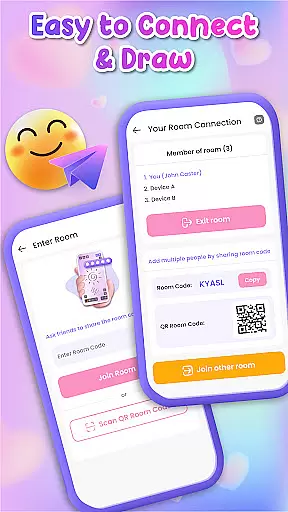
Additional functionality includes multiple connection methods through QR codes and special links, plus the ability to save and preserve artwork. These features combine to create a robust platform for both casual doodlers and serious digital artists looking to connect and share their work.
Lockscreen Drawing offers a rich array of customization options that allow users to transform their lock screens into personalized canvases. With over 100 unique stickers and more than 20 themed backgrounds, the app provides endless possibilities for creative expression.
The ability to choose from various backgrounds, including personal photos or pre-designed themes, ensures that every user can find the perfect setting for their artwork. This feature not only enhances visual appeal but also allows individuals to reflect their personality through their device's appearance.
Moreover, the inclusion of diverse stickers adds an extra layer of personalization, enabling users to infuse humor, emotion, or specific interests into their creations. These elements combine to create a highly customizable experience that caters to different tastes and preferences.
By offering such extensive customization features, Lockscreen Drawing empowers users to make their devices truly unique while fostering creativity and self-expression in everyday interactions with technology.
Theme compatibility is a crucial aspect of Lockscreen Drawing's design philosophy. The application seamlessly integrates with various themes, ensuring that users can maintain visual consistency across their devices while enjoying enhanced functionality.
Whether selecting from romantic backdrops or whimsical designs, the app guarantees smooth performance and aesthetic harmony between chosen themes and drawing tools. This compatibility extends beyond mere visual alignment; it encompasses technical aspects like resolution optimization and color scheme adaptation.
Furthermore, the app's architecture supports dynamic theme switching without compromising drawing quality or responsiveness. Users can experiment with different visual styles knowing that their artistic creations will remain intact and visually appealing regardless of theme changes.
This robust theme compatibility not only enhances user experience but also demonstrates the developer's commitment to providing a versatile platform where creativity meets technical excellence in personalization solutions.
User-friendly interface
Real-time collaboration
Extensive customization
Variety of creative tools
Strong social connectivity
Limited professional tools
Potential battery drain
Occasional sync issues
Basic color options
Storage requirements

Classic analogue watch face. For wear os devices.
 4.60
4.60
Glass style colourful icons with a One UI look and feel
4.60
Adult video chat, dating, making friends, random matching
4.20
Try creating your own keyboard with "Keyboard theme for android" app now!
4.50
The definitive Icon pack maker and editor
4.30
Wallpaper HD 4K Live - Thousands of high-quality Anime backgrounds for you.
4.80 4.50
4.50
Organize and manage your photos and videos effortlessly with Photo Gallery
4.20
Transform your device in a game console
4.40
Ultra realistic high quality analog watch face for Wear OS.
4.60
Over 28,000 high quality icons to bring color & homogeneity to your phone.
4.60
Want to make your phone more special than ever?
4.60
300+ Beautifully crafted widgets inspired by OneUI.
4.60
Handcrafted pixel art icons, widgets & wallpapers
4.60
Aesthetic Widgets, HD Wallpapers, Themes in Mico Widget for Home and Lock Screen
4.50 4.50
4.50
Realistic animated snow on your wrist, with 10 images landscapes to choose from
4.00
Crystal-clear, square icon provides a sleek and sophisticated visual upgrade
4.00
Interactive Miniature Painting Catalogue
3.30



User Reviews