
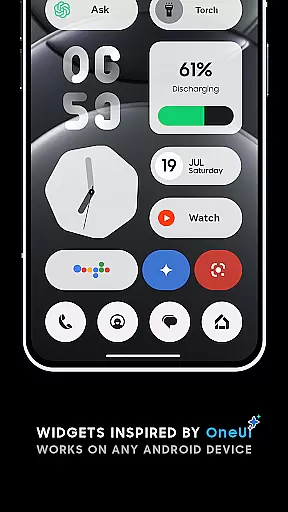
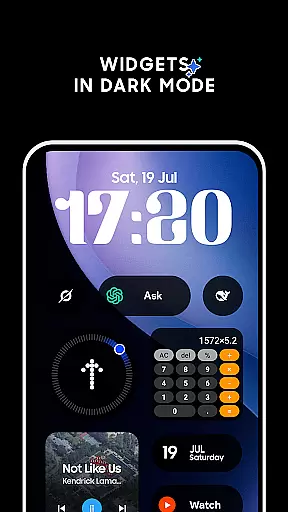
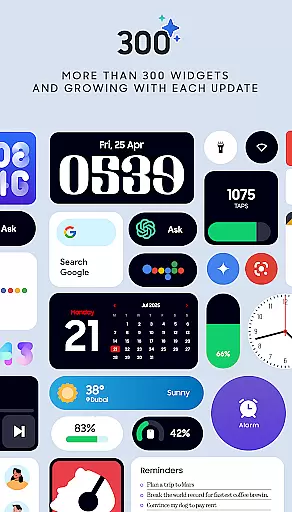
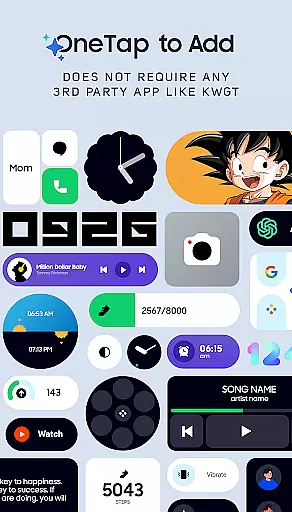
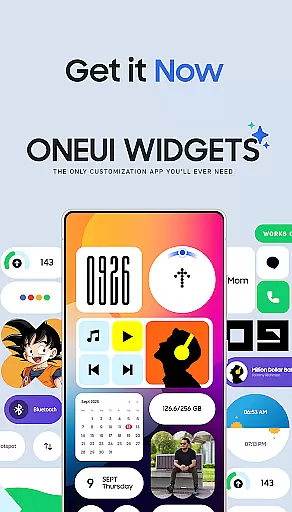
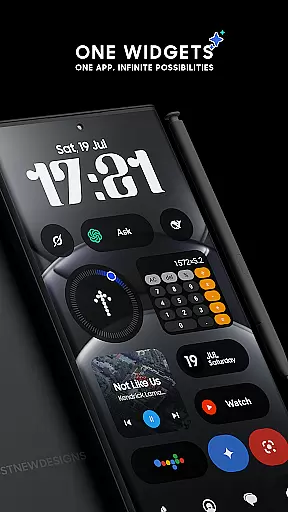
OneUI Widgets offers a comprehensive suite of over 300 beautifully designed widgets inspired by the One UI OS aesthetic, aimed at transforming your Android home screen into a personalized and functional space. The app provides a diverse range of widget categories including Clock & Calendar, Battery, Weather, Quick Settings, Contact, Photo, Google, Utility, Productivity, and even Game widgets.
Functionality is at the heart of OneUI Widgets, with features such as full resizeability and responsiveness, allowing users to adjust widget sizes for a perfect fit on their home screen. No third-party apps are required, ensuring a seamless experience. Additionally, the inclusion of matching wallpapers completes the customization process, offering exclusive designs that complement the widgets.
The app's value lies in its ability to provide both aesthetic appeal and practical utility, making it an ideal choice for fans of Samsung devices and OS. With a commitment to quality and user satisfaction, OneUI Widgets also offers a 100% refund guarantee, underscoring confidence in the product's ability to enhance your digital environment.
OneUI Widgets stands out with its extensive collection of over 300 widgets, each crafted to offer both beauty and functionality. These widgets cover a broad spectrum of uses, from elegant Clock & Calendar widgets to practical Utility widgets like compasses and calculators, ensuring there's something for every user need.
A key feature is the native compatibility with any Android device, eliminating the need for additional apps such as KWGT. This ensures a smooth and straightforward setup process. Furthermore, most widgets are fully resizable, providing flexibility in how they are displayed on the home screen.
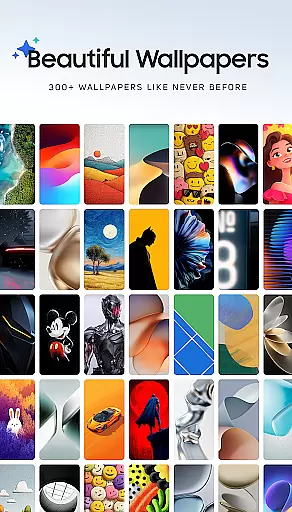
Innovation doesn't stop at widgets; the app also includes 300+ matching wallpapers, enhancing the visual coherence of your home screen. Continuous updates and a focus on quality ensure that users receive only the most useful and creative widgets, making OneUI Widgets a dynamic and evolving tool for personalization.
OneUI Widgets Pack offers an extensive range of customization options, ensuring users can tailor their home screens to reflect personal style and functionality preferences. With over 300 widgets available, this app provides a diverse selection that caters to various needs, from aesthetic enhancements to practical utilities.
The app includes clock and calendar widgets, battery indicators, weather forecasts, quick settings toggles, contact shortcuts, photo displays, Google app integrations, utility tools, productivity aids, pedometer functionalities, inspirational quotes, and even game widgets. This vast array allows for a personalized setup that can transform any Android device's home screen into a unique digital workspace or gallery.
Each widget is designed with the One UI OS aesthetic in mind, offering not only beauty but also seamless integration with any Android device without requiring third-party apps like KWGT. Users can simply tap to add widgets and instantly customize their screens, making it easy to achieve a high level of personalization without hassle.
Moreover, most widgets are fully resizable, allowing further customization by adjusting sizes from small to large. This flexibility ensures that every user can find the perfect fit for their home screen layout, enhancing both visual appeal and functional efficiency.
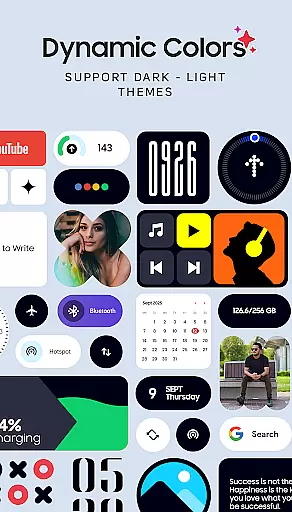
Theme compatibility is at the heart of OneUI Widgets Pack, ensuring that all widgets blend seamlessly with the overall design language of the One UI OS. The app's commitment to quality over quantity means each widget has been carefully crafted to maintain visual consistency across different devices and themes.
Users will appreciate how these widgets match perfectly with 300+ included wallpapers, which feature exclusive designs that complement the widgets' appearance. Whether opting for minimalist indicators or elegant analog clocks, the cohesive look provided by theme-compatible elements creates a polished and professional home screen environment.
In addition to matching wallpapers, the responsive nature of these widgets guarantees they look great on any screen size and resolution. By prioritizing theme compatibility, OneUI Widgets Pack ensures that whether you're using a Samsung device or another Android product, your home screen remains visually stunning and functionally robust.
This dedication to compatibility extends beyond just visuals; it encompasses usability too. Each widget is optimized for intuitive interaction, maintaining responsiveness regardless of the deviceu2019s operating system version or custom skin. Such attention to detail makes OneUI Widgets Pack an ideal choice for those seeking both form and function in their mobile experience.
User-friendly interface
Wide variety of widgets
No third-party apps needed
Fully resizable widgets
Matching wallpapers included
Limited to Android devices
Some widgets may lack customization
Occasional performance issues
Refund policy limitations
Dependent on update frequency

Stunningly Different look with Line Icons and Neon Colors
 4.60
4.60
Ultra realistic gold analog watch face with lots of customization options.
4.50
AI-powered Copilot. Personalized keyboard with gifs, stickers & themes
4.40
Art & Emoji Keyboard with Cool Fonts, Cute Themes and Custom Designs.
4.40
Dark icon pack based on One 8
4.80
More than 3000+ themes and 9000+ wallpapers for everybody!
4.10
Wallpaper HD 4K Live - Thousands of high-quality Anime backgrounds for you.
4.80 4.50
4.50
Adaptive Dot Style IconPack with Light & Dark Theme.
3.70
Only for Wear OS devices!
4.90
Sparkle your screen with Glitter Wallpapers For Girls and Cute Backgrounds!
4.80
Enjoy a variety of amazing live wallpapers and colorful EDGE lighting borders!
4.80
Nothing Icon pack with more than 3750+ highly crafted icons.
4.70
350+ widgets with a premium glass-style finish, perfect for home & lock screens.
4.70
Zip lock screen with magic wallpaper to decorate your phone with fun zipper lock
4.60
Launcher OS™ Pro without ads help make your phone simple and pretty
4.30
Wear Os Watch Face - Seasonal - Animated Snow Effect - 9 Animals
4.20
Adult video chat, dating, making friends, random matching
4.20
Magic fluids wallpaper 4D: Relax with stunning fluid simulation wallpaper app
4.20



User Reviews