
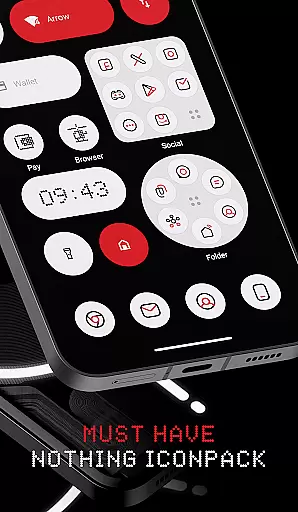
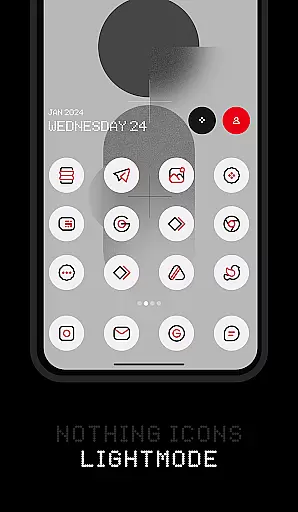
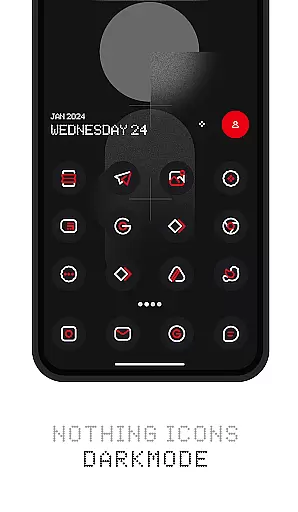
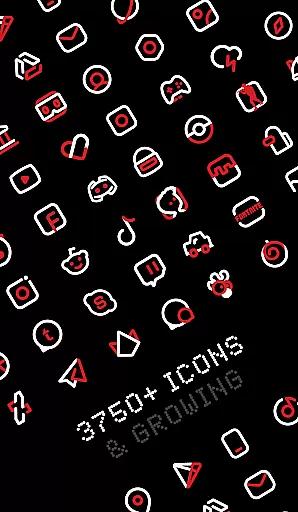
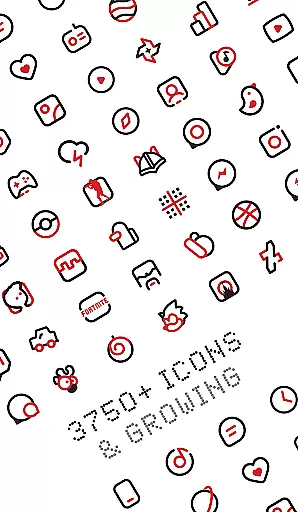
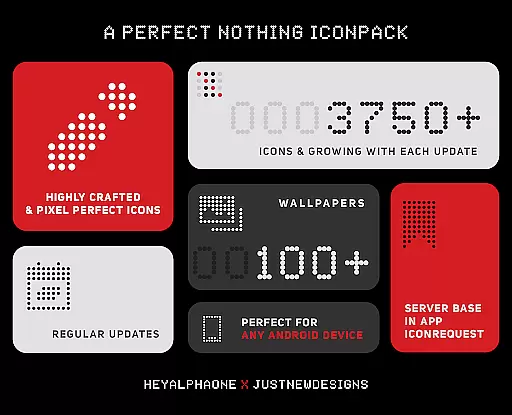
Nothing Icon Pack : Line is a visually stunning icon pack inspired by the Nothing brand's design philosophy. With over 3750 meticulously crafted icons, this pack brings a fresh and modern look to your Android device. Each icon is designed following Google's Material Design guidelines while incorporating unique creative touches that make them stand out.
The pack also includes a vast collection of cloud-based wallpapers that perfectly complement the icons. Whether you own a Nothing Phone or any other Android device, this icon pack serves as an ideal companion for personalizing your home screen. The minimalist yet colorful design approach ensures your device maintains a sleek appearance while offering a more exciting alternative to the default look.
This icon pack is not just about aesthetics; it offers practical features like icon search, preview functionality, and dynamic calendar support. Compatible with various launchers including Nova Launcher and Lawnchair, it provides users with flexibility in customizing their Android experience. Regular updates ensure new icons are added frequently, making it a continuously evolving product that keeps your device looking fresh and modern.
Nothing Icon Pack stands out with its comprehensive feature set tailored for customization enthusiasts. The pack boasts over 3750 icons, each crafted with attention to detail, ensuring top-notch quality. These icons follow Google's Material Design principles but incorporate unique creative elements that give your device a distinctive appearance.
Beyond the extensive icon collection, the pack offers several additional features that enhance user experience. It includes a server-based icon request system, allowing users to request missing icons easily. Alternative icons for popular apps and system applications provide further customization options. Users can also enjoy matching wallpapers, Muzei Live Wallpaper support, and custom folder icons, giving complete control over the device's aesthetic.
The pack's material dashboard provides quick access to essential functions like icon search and preview. Dynamic calendar support and frequent updates with new icons and activities ensure the pack remains relevant and functional. Compatibility with numerous launchers, including Nova Launcher and Lawnchair, makes it versatile for different devices. This combination of visual appeal and practical functionality establishes Nothing Icon Pack as a premium choice for Android personalization.
Customization is at the heart of personalizing your digital experience, and Nothing Icon Pack : Line offers a vast array of options to transform your device's interface. With over 3750 icons designed with a minimalist and colorful linear approach, this icon pack allows users to redefine their home screens with unique aesthetics inspired by the Nothing brand.
The pack doesn't stop at static icons; it also includes dynamic calendar support, custom folder icons, app drawer icons, and alternative icons for popular apps and system apps. This level of variety ensures that users can tailor their devices to reflect their personal style while maintaining a cohesive look throughout their interface.
Moreover, the inclusion of a Material Design-based dashboard and an icon preview and search feature adds layers of user-friendly customization. Users can easily navigate through the extensive collection, find exactly what they need, and apply changes effortlessly.
By choosing Nothing Icon Pack : Line, users gain access to frequent updates that not only add new icons but also introduce updated activities, ensuring that their customization options remain fresh and relevant over time.
Theme compatibility is crucial when selecting an icon pack, as it determines how seamlessly the icons will integrate with your deviceu2019s launcher. Nothing Icon Pack : Line boasts extensive compatibility with a wide range of launchers including Nova Launcher, Action Launcher, Apex Launcher, and many othersu2014ensuring that no matter your preference, there's a good chance this pack will work harmoniously with your chosen launcher.
In addition to supporting popular third-party launchers, this icon pack also works with specific theme engines like CM Theme Engine, offering even more flexibility for users who prefer to customize their Android experience further. The pack has been rigorously tested on these platforms to guarantee smooth performance and visual consistency across different interfaces.
For those whose devices come with stock launchers that support icon packsu2014such as Oxygen OS or Mi Pocou2014the Nothing Icon Pack provides an opportunity to refresh the look without needing a separate launcher. However, it's important to note that some stock launchers like Google Now Launcher and ONE UI do not support third-party icon packs.
With its broad compatibility and attention to detail in design, Nothing Icon Pack : Line ensures that users can enjoy a unified visual theme across their devices while taking advantage of additional features such as Muzei Live Wallpaper support and cloud-based wallpapers for a complete personalized experience.
Extensive icon library
Frequent updates
Customization options
High-quality designs
Wide launcher support
Paid application
Requires launcher
Missing some icons
No iOS support
Learning curve

Beautiful realistic hybrid watch face with numerous customization options.
 4.50
4.50
A launcher for Samsung Good Lock and Good Guardians modules without ads
4.70
Art & Emoji Keyboard with Cool Fonts, Cute Themes and Custom Designs.
4.40
Want to make your phone more special than ever?
4.60
Ultimate Gallery Lock App - Hide Pictures, Videos and Lock Apps Instantly!
4.60
Vibrant Adaptive Icons with Material You and Enhanced Monet Colors.
4.50
Create unique, fun emojis with Funny Emoji Maker! Unlimited creativity!
4.00
Emoji Maker app - Design custom emojis and effortlessly blend them with Mixer
3.80
Customize phone with anime themes, 3D icons, aesthetic widgets & wallpapers
4.80
Gun Chase - Let the chase begin.
4.80
Wallpaper HD 4K Live - Thousands of high-quality Anime backgrounds for you.
4.80
400+ Beautifully crafted widgets inspired by NOTHING.
4.70
300+ Beautifully crafted widgets inspired by OneUI.
4.60
Handcrafted pixel art icons, widgets & wallpapers
4.60
Themes - Widget & Wallpaper: Customize home screen, icon changer w unique themes
4.30
Launcher OS™ Pro without ads help make your phone simple and pretty
4.30
Adult video chat, dating, making friends, random matching
4.20
Crystal-clear, square icon provides a sleek and sophisticated visual upgrade
4.00
Turn your lock screen into fun with smile live wallpapers & animated wallpapers!
2.50



User Reviews