
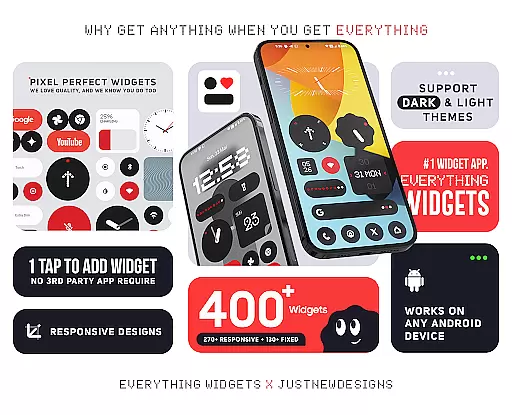
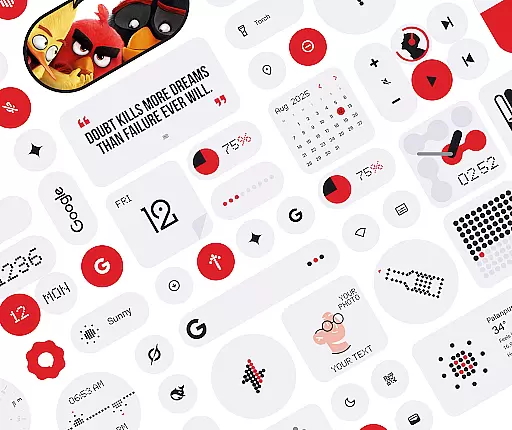
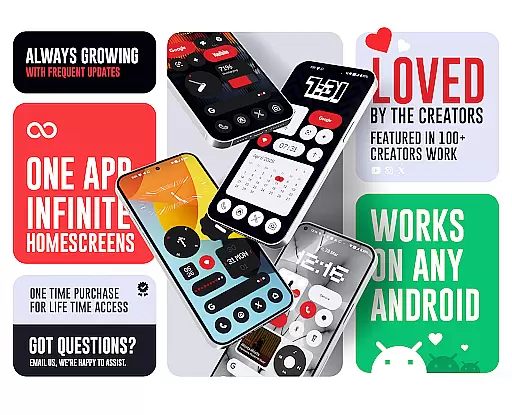
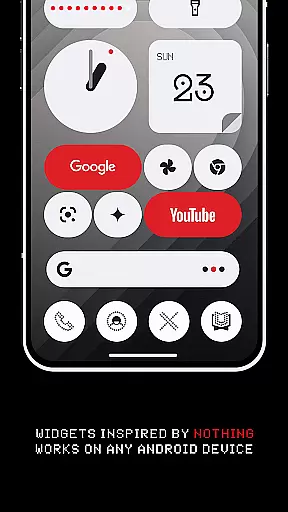
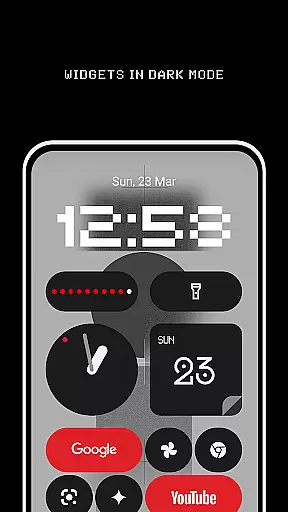
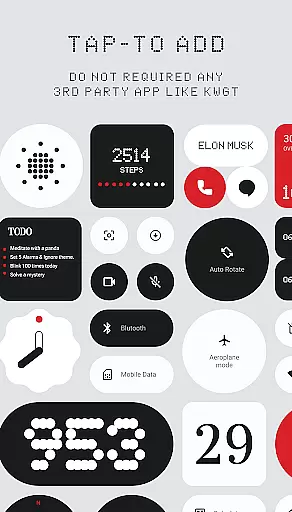
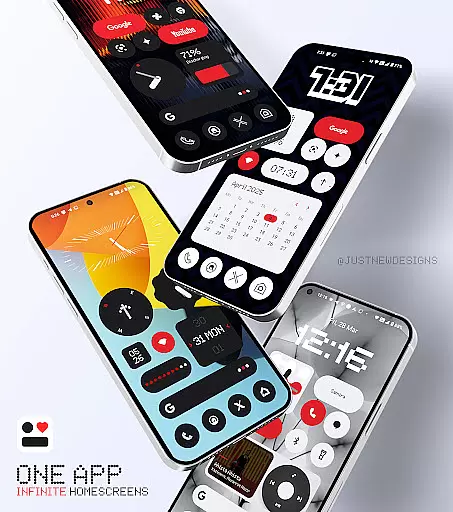
Everything Widgets offers a comprehensive suite of over 400 beautifully designed widgets inspired by the Nothing OS aesthetic, aimed at transforming your Android home screen. This widget pack works natively on any Android device without requiring additional apps like KWGT. The widgets are fully resizable and responsive, allowing for customization that fits perfectly on your home screen.
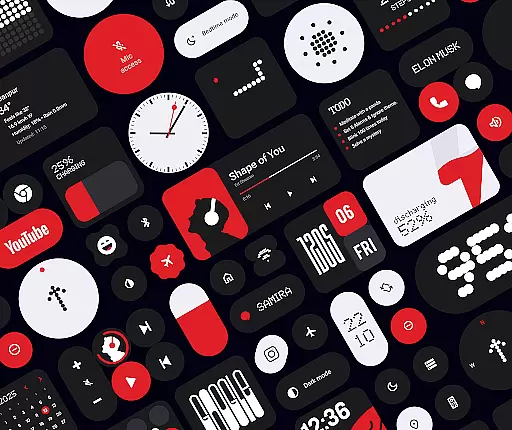
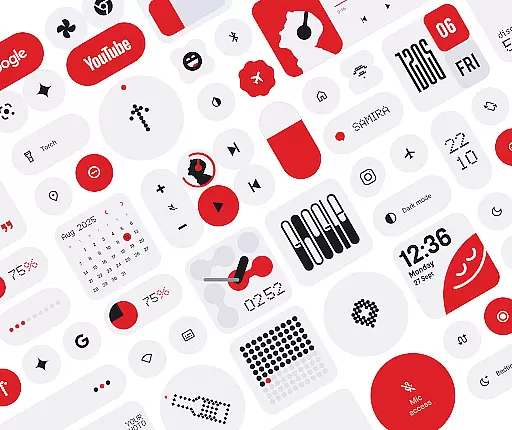
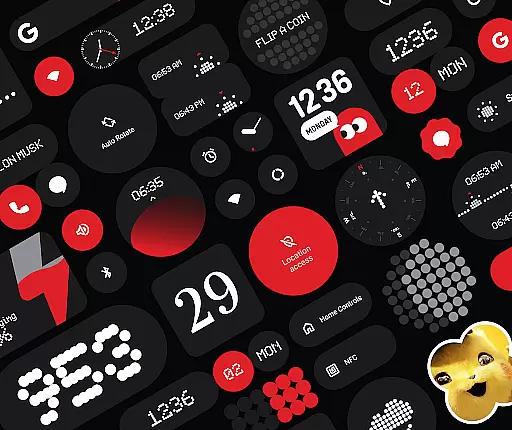
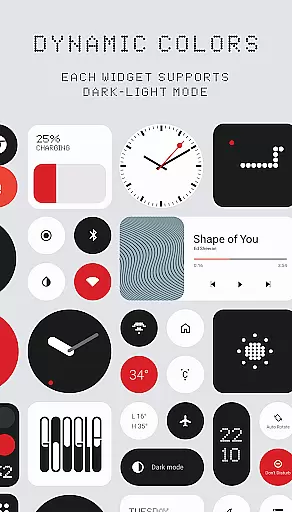
The app includes a diverse range of widgets such as Clock & Calendar, Battery, Weather, Quick Settings, Contact, Photo, Google, Utility, Productivity, Pedometer, Quote, and even Game widgets. With these, users can monitor device status, access quick settings, display favorite memories, and even enjoy classic games. Additionally, Everything Widgets provides matching wallpapers to complete the home screen setup.
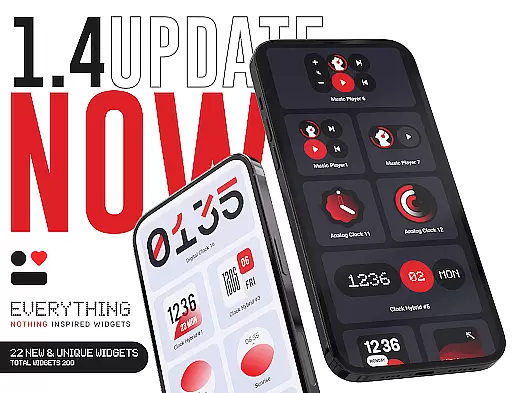
This application is ideal for those looking to personalize their smartphone experience with functional and aesthetically pleasing widgets. It promises quality over quantity, ensuring each widget is useful and creatively designed. Users benefit from regular updates and dedicated support, making it a reliable choice for home screen customization.
Everything Widgets stands out due to its native functionality, eliminating the need for third-party apps. This feature ensures seamless integration with Android devices, offering instant customization options. The app boasts over 400 widgets categorized into various types including Clock & Calendar, Battery, Weather, and more, all designed with a minimalist and elegant approach.
One of the key features is the full resize capability of most widgets, enabling users to adjust sizes from small to large for an optimal fit on any home screen. The widget categories cover a broad spectrum of functionalities, from monitoring battery life and weather conditions to enhancing productivity with to-do lists and notes. Moreover, the inclusion of game widgets adds an element of fun to the home screen.
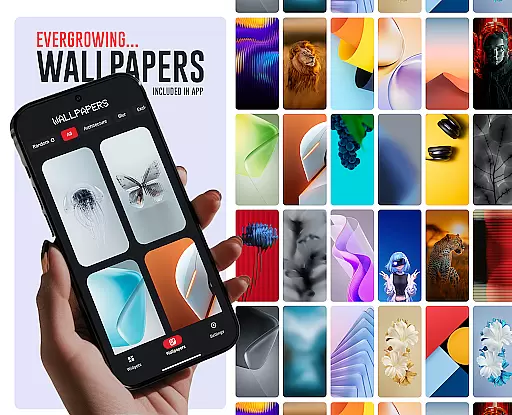
Additionally, Everything Widgets offers 100+ matching wallpapers, providing a cohesive look and feel to complement the widgets. The app also supports user feedback and ideas, fostering a community-driven development approach. With a focus on quality and user satisfaction, Everything Widgets ensures a personalized and enjoyable home screen experience.
Everything Widgets offers an extensive range of customization options, ensuring that users can tailor their home screens to reflect their personal style and needs. With over 400 beautifully designed widgets inspired by the Nothing OS aesthetic, this app provides a plethora of choices for clock, calendar, battery, weather, and even game widgets.
The app stands out with its fully resizable and responsive widgets, which allow for adjustments in size from small to large, guaranteeing a perfect fit for any home screen layout. Users can enjoy the flexibility of customizing their experience with widgets that include quick settings, contact access, photo displays, and productivity tools, all without the need for third-party apps.
By including unique Google app widgets and utility widgets such as a compass and calculator, Everything Widgets ensures that your home screen is not only stylish but also functional. The ability to monitor battery life, control device settings, and access favorite contacts with a tap enhances the user's daily interaction with their device.
In addition to the wide array of widgets, the app also offers over 100 matching wallpapers, completing the personalized look of your home screen. This comprehensive approach to customization empowers users to create a truly unique and cohesive smartphone experience that is both visually pleasing and practical.
Theme compatibility is at the heart of Everything Widgets, allowing for a seamless integration with the design language of Nothing OS. The app's widgets are crafted to maintain visual consistency across the user's home screen, providing an authentic and harmonious aesthetic that resonates with fans of minimalist and modern design.
Everything Widgets ensures that each widget, regardless of its function, adheres to a consistent design theme that complements the overall look and feel of the user's device. Whether it's an elegant analog clock or a battery monitor, the widgets exhibit a uniform style that aligns with the Nothing OS-inspired theme, offering a sense of cohesion and brand identity.
Moreover, the inclusion of exclusive wallpapers that match the widgets' design further solidifies the app's commitment to theme compatibility. Users can select from a variety of wallpapers that have been specifically created to enhance the visual appeal of the widgets, resulting in a home screen that feels intentional and well-curated.
This dedication to theme compatibility not only elevates the user's home screen customization but also enriches their overall mobile experience. By choosing Everything Widgets, users are guaranteed a level of quality and attention to detail that respects the integrity of their device's design while allowing for personal expression.
User-friendly interface
Wide variety of widgets
Fully resizable options
Regular updates
Matching wallpapers
Limited to Android
No iOS support
Some features may be redundant
Design style may not appeal to everyone
Dependent on device compatibility

A retro cartoon style watch face and a punch right in the face of the copyright
 4.60
4.60
AI-powered Copilot. Personalized keyboard with gifs, stickers & themes
4.40
Shimeji adds cute animated characters to your screen, lively and fun.
4.70
The definitive Icon pack maker and editor
4.30 4.50
4.50
Organize and manage your photos and videos effortlessly with Photo Gallery
4.20
Stylish Pink Cute Hippo keyboard with 10000+ customized keyboard themes!
4.60
Your home screen, just the way you like it.
4.30
Create stunning widgets with Widget 2026: Aesthetic Widgets for Android!
4.60
A Colorful and Minimal icon pack in an Outline Style - Over 13,600 icons!
4.70
A minimalist productivity launcher. One-hand-friendly. Zero ads.
4.70
Try creating your own keyboard with "Keyboard theme for android" app now!
4.50
200+ Material Inspired Widgets
4.50
Fingerprint Lock Screen & Live Animations with 4K Wallpapers as Live Wallpaper
4.40
Yandex Browser — stylish and secure, with voice search and data compression
4.40
Wear Os Watch Face - Seasonal - Animated Snow Effect - 9 Animals
4.20
Ultimate widget creator. Design custom widgets for a truly unique home screen!
3.90
Struggling to find apps? Use this app to locate and open any app on your phone!
2.20
⭐ OneUI inspired Fluffy Icon Pack – Soft. Stylish. Standout. ⭐
4.4



User Reviews