
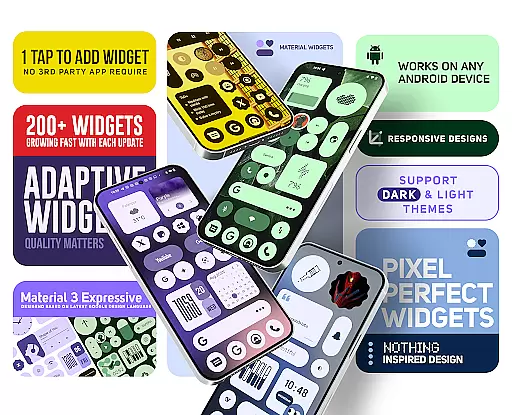
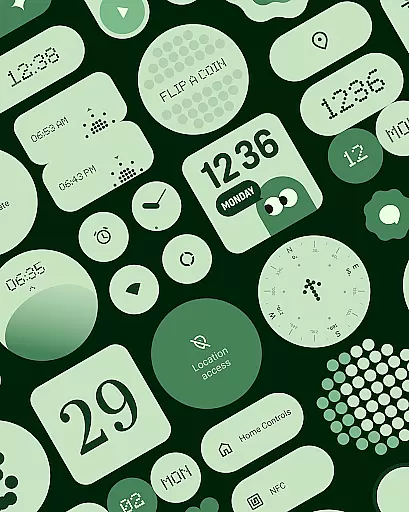
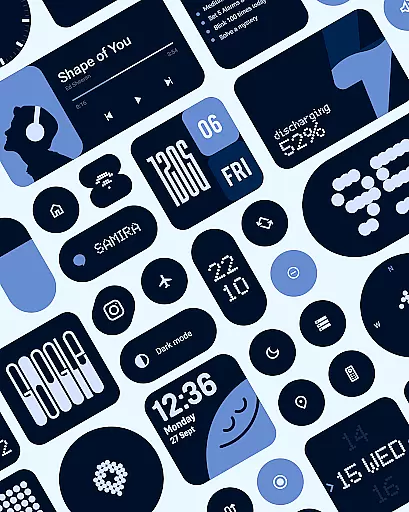
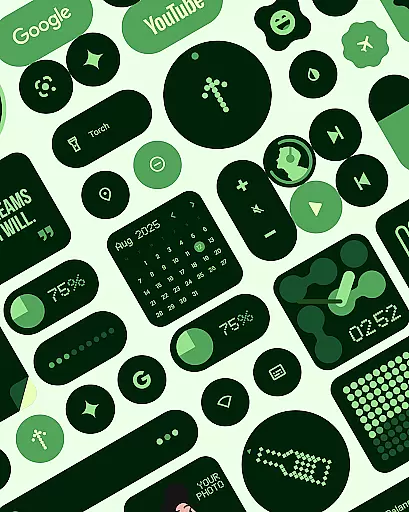
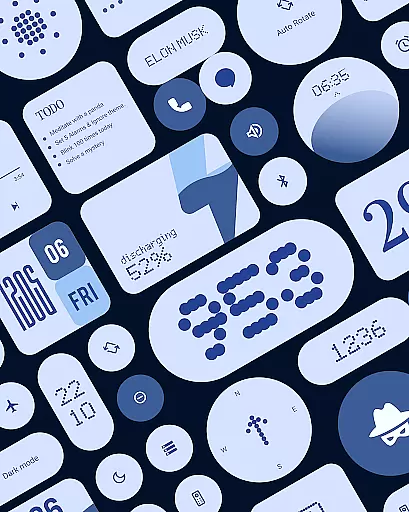
Material Widgets is a personalization app that brings Google's Material 3 design to your home screen. With over 200 widgets, it offers dynamic theming that adapts to your wallpaper and system colors, ensuring a fresh and unique look.
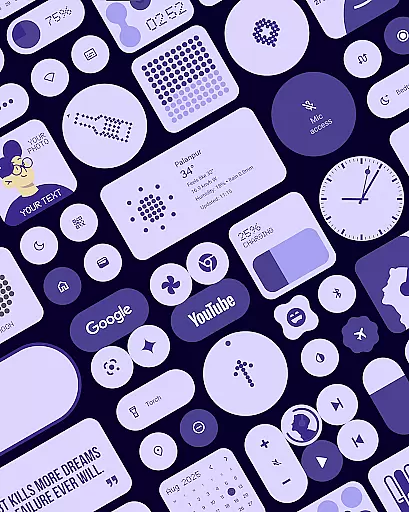
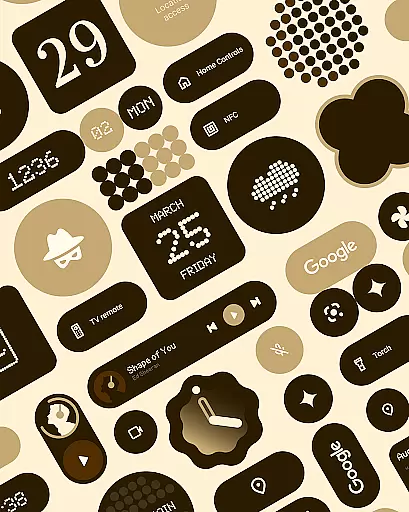
The app provides a variety of widget types including clocks, calendars, weather, and quick settings, all featuring modern shapes and bold typography. These widgets are fully resizable, giving users complete control over their home screen layout.
Designed for those who appreciate expressive and adaptive design, Material Widgets eliminates the need for third-party apps by working natively on your device. It's an ideal choice for creating a personalized and vibrant mobile experience.
One of the standout features of Material Widgets is its native functionality. Unlike other widget packs, it doesn't require additional apps like KWGT, allowing for quick and easy setup.
The widgets are built following Google’s Material 3 guidelines, ensuring a modern and cohesive aesthetic. They automatically adjust to both dark and light modes, maintaining visual consistency across different settings.
With over 200 widgets available, users can customize their home screens with clock, calendar, battery indicators, and even mini-games. The inclusion of matching wallpapers further enhances the personalized experience, making it a comprehensive solution for device customization.
Material Widgets offers an extensive range of customization options that allow users to tailor their home screens with over 200 widgets. These widgets include clocks, calendars, weather indicators, and productivity tools, all designed with Googleu2019s Material 3 expressive guidelines.
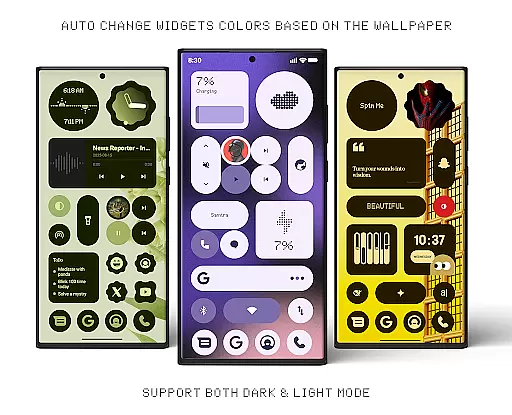
Each widget dynamically adapts its colors to match the user's wallpaper, ensuring a fresh and personalized appearance. The pack also supports seamless transitions between dark and light modes, enhancing usability across different environments.
Users can enjoy complete creative control without needing third-party apps like KWGT. With resizable widgets, from compact sizes to full-screen layouts, individuals have the flexibility to design a home screen that perfectly suits their preferences.
The inclusion of matching wallpapers further enriches the customization experience, providing 100+ options that complement the widgets. This comprehensive personalization suite ensures that every user's home screen is not only functional but also uniquely theirs.
Theme compatibility in Material Widgets ensures that every widget harmonizes with the user's system settings and chosen wallpapers. By adhering to Googleu2019s Material 3 design principles, these widgets offer modern shapes, bold typography, and dynamic theming capabilities.
Widgets automatically adjust their color schemes based on the deviceu2019s wallpaper and system-wide themes. This feature allows for a visually cohesive home screen experience, whether the user prefers vibrant or subdued aesthetics.
In addition to aesthetic alignment, the widgets provide practical benefits such as battery indicators, weather forecasts, and quick settings controls. Each element is crafted to maintain visual consistency while delivering essential information at a glance.
With ongoing updates and new widget additions, Material Widgets continues to enhance its theme compatibility. Users can look forward to future enhancements that will offer even more ways to personalize their digital environment seamlessly.
Native Functionality
Dynamic Theming
Variety of Widgets
Easy Customization
Regular Updates
Limited Compatibility
Design Limitations
Feature Overload
Performance Issues
Learning Curve

Customizable Glass widgets. Over 360+ stunning widgets and more!
 4.70
4.70
Beautiful realistic hybrid watch face with numerous customization options.
4.50
Sparkle your screen with Glitter Wallpapers For Girls and Cute Backgrounds!
4.80
Turn text & photos into stunning AI videos, art, and creative visual stories.
4.50
Icons made of colorful linear lines
4.60
Stylish Pink Cute Hippo keyboard with 10000+ customized keyboard themes!
4.60
350+ widgets with a premium glass-style finish, perfect for home & lock screens.
4.70
set a new experience for the Android mobile phone
4.20
Amazing letter fonts in your messages and social statuses
4.70
Shimeji adds cute animated characters to your screen, lively and fun.
4.70
Personalize your phone with stunning HD and 4K wallpapers!
4.70
Stunningly Different look with Line Icons and Neon Colors
4.60
Ninja Turtles Cowabunga SE watch face for Wear OS
4.50
Wear Os Watch Face - Seasonal - Animated Snow Effect - 9 Animals
4.20
Adult video chat, dating, making friends, random matching
4.20
Unique Fonts, typefaces and stylish text. Fonts for Instagram, Whatsapp & others
4.20
Unleash Your Creativity and Connect with Loved Ones with Lockscreen Drawing!
4.20
Customizable flower power digital watch face for Wear OS watches.
4.00 3.50
3.50



User Reviews