Moon+ Reader Pro is the premier ebook reader app for book enthusiasts, offering a comprehensive reading experience with advanced features. It supports an extensive range of formats including EPUB, PDF, DJVU, AZW3, MOBI, and more, making it a versatile tool for managing all your ebook documents.
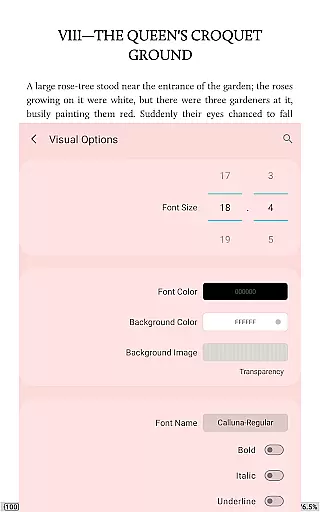
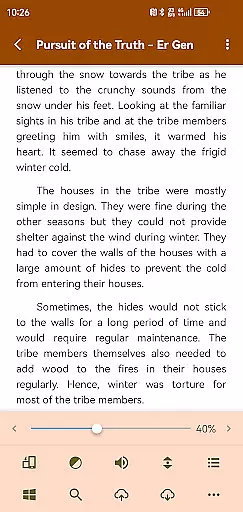
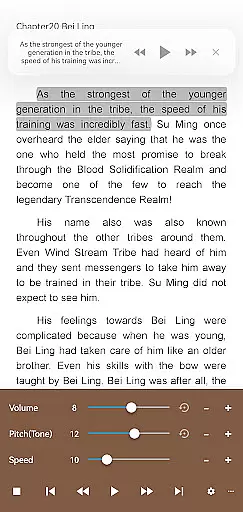
Designed with powerful controls and full functionality, this app unleashes the power of pro with features like ad-free reading, text-to-speech support, and multi-point touch. The app also offers beautiful themes, custom fonts, and personalized reading settings such as line space and font scale adjustments, ensuring a comfortable reading experience tailored to individual preferences.
Whether you're at home or on the go, Moon+ Reader Pro enhances your reading with options like tilt-to-turn page, night mode support, and dual-page viewing for landscape screens. Its innovative features cater to avid readers who seek both aesthetics and practicality in their digital reading experience.
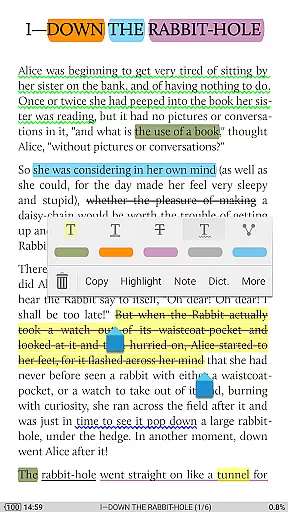
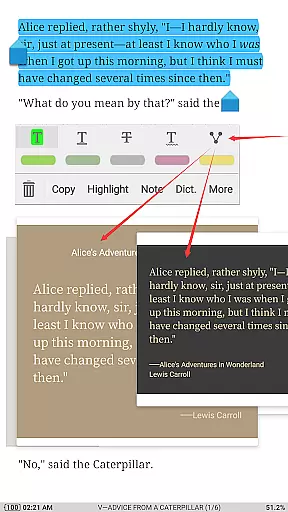
Moon+ Reader Pro stands out with its rich feature set designed to enhance every aspect of ebook reading. One notable feature is the ability to fill out PDF forms and add annotations, which is complemented by smooth scrolling and speech compatibility, providing a seamless interaction with PDF documents.
The app provides various customization options such as 10+ embedded themes, justified text alignment, and real page turning effects with adjustable speed and color. With 24 customizable operations and five auto-scroll modes, users can tailor their reading sessions precisely to their liking, whether they prefer swiping gestures or hardware key navigation.
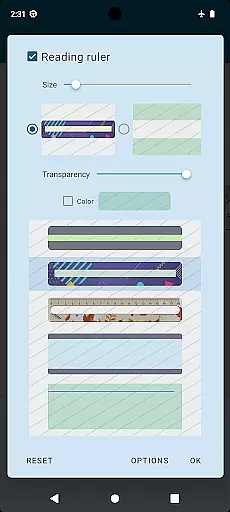
Additionally, Moon+ Reader Pro includes health-conscious features like bluelight filtering and reading rulers for focused reading. Integration with online libraries and personal calibre servers, along with backup and restore options via cloud services, ensures that your library is always synchronized across devices, offering convenience and peace of mind.
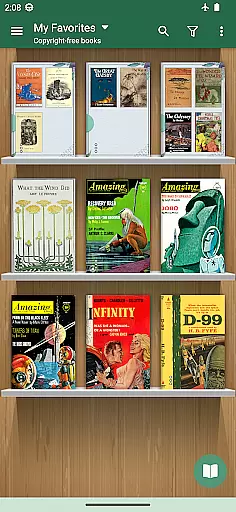
Moon+ Reader Pro offers an extensive e-book library that supports a wide array of formats including EPUB, PDF, DJVU, AZW3, MOBI, and more, ensuring users have access to a vast selection of reading materials. The application is designed to manage documents comprehensively while maintaining the integrity and authenticity of copyrighted content by supporting legitimate sources such as online ebook libraries and personal Calibre ebook servers.
With over 1,000,000 downloads, this app has established itself as the #1 Paid EBook Reader in Google Play, providing assurance of its credibility and commitment to legal content distribution. Users can confidently source their reading materials knowing that Moon+ Reader Pro aligns with proper copyright protocols and offers options like backup/restore via DropBox/WebDav for managing one's library across devices.
The inclusion of features such as PDF form filling, annotations, and handwriting not only enriches the user experience but also ensures that interactions with ebooks are preserved without infringing on the rights of authors or publishers. This positions Moon+ Reader Pro as a trustworthy tool for both leisure readers and professionals who require reliable access to authentic literature and reference materials.
One of the standout features of Moon+ Reader Pro is its exceptional format compatibility, accommodating virtually every popular ebook format such as EPUB, PDF, DJVU, AZW3, MOBI, FB2, and even comic book formats like CBZ and CBR. This versatility allows users to consolidate their entire digital library within a single application, streamlining their reading experience without the need for multiple apps or converters.
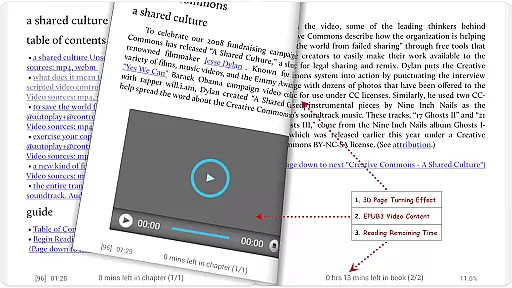
In addition to supporting standard text-based formats, Moon+ Reader Pro excels in rendering complex documents through advanced functions like PDF annotation support, dual-page mode for landscape viewing, and multimedia content handling for EPUB3 files. These capabilities ensure that whether you're reading novels, technical manuals, or interactive textbooks, the app maintains the original layout and functionality intended by the publisher.
Furthermore, the app enhances accessibility with adjustable visual settings including line spacing, font scaling, bolding, italicizing, and color adjustments which cater to individual preferences regardless of file type. By offering these customizable options alongside comprehensive format support, Moon+ Reader Pro delivers an inclusive and adaptable reading environment suitable for diverse user needs and document types.
Ad-free experience
Advanced PDF support
Versatile format compatibility
Customizable reading options
Cloud sync functionality
Paid application
Complex for beginners
Occasional performance lags
Limited free features
Requires storage permissions

Contains the 365 daily readings and everything other thing needed for catholics
 4.70
4.70
Read the KJV Bible with Strong’s offline: reading plans, audio Bibles, and more.
4.70
Bible Study App with Audio Book, Verse of the Day, and Devotionals.
4.80
KJV Bible works offline with Audio, Hebrew & Greek lexicon (concordance) & more!
4.20
Unlock more features in Lithium and show your support. Expand for details.
4.00
Watch real short episodes in just minutes— addictive, you won't be able to stop!
4.70
A story reading app: Read stories, novels and books, or write your own.
3.90
Daily thoughts, meditations, and prayers for living a sober life in recovery.
4.90
Read the Quran in Arabic alongside its translation, with color coded Tajweed.
4.50
A KJV Bible with Apocrypha and precept-based study concordance
5.00
“I am the Lorax. I speak for the trees.”
4.80
The dynamic dictionary/reference app for piano chords and scales!
4.80
A lightweight reader for comics and mangas files (.cbr, .cbz, .cbt, .pdf, ...)
4.80
"Five Dr. Seuss titles in one omBook!"
4.60
Master AKC Rally signs with in-depth hints, diagrams, and expert guidance.
4.50
The ultimate military vehicle identification (Equipment ID) guide.
4.40
Learn Electricians' Handbook PRO complete guide beginners to advance.
4.40
A companion for prayer, with Azan alarm, Quibla direction, and Holy Quran book
4.10
All in one Calibre libraries on your phones and tablets.
3.80




User Reviews