
PGT is a powerful launcher utility designed to enhance mobile gaming performance through advanced graphics optimization. The app allows users to change resolution, apply HDR and UHD graphics on low-end devices, and unlock FPS levels up to 90 FPS. With features like Potato Graphics and Simple Shaders, it caters to both casual and hardcore gamers.
The app supports all major Android OS versions from 4.3 to 13+, making it accessible to a wide range of devices. Whether you're looking to customize shadows, enable anti-aliasing, or set ultra audio quality, PGT provides the tools necessary for an immersive gaming experience. Its compatibility with all global versions of supported games ensures maximum versatility.
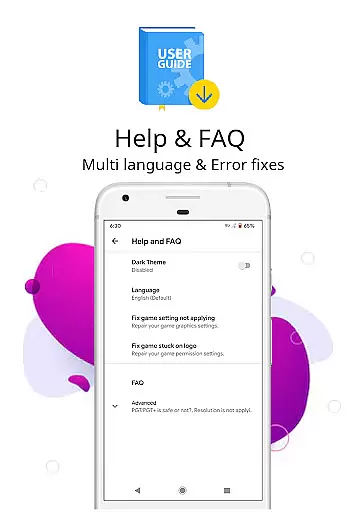
By offering detailed help and FAQs, PGT ensures that even beginners can optimize their gaming setup effectively. The app requires specific permissions such as storage access for settings backup and internet access for loading configurations from its server. This makes it a comprehensive solution for gamers seeking improved visuals and smoother gameplay.
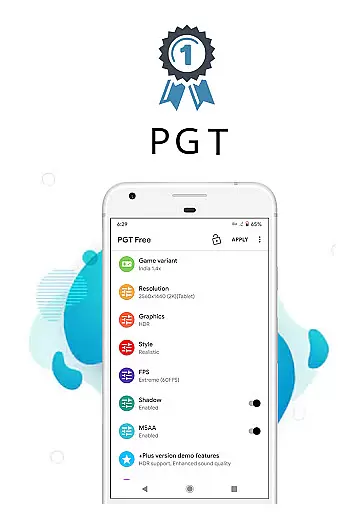
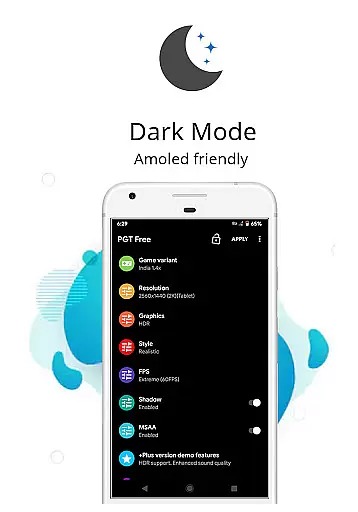
PGT stands out with its extensive feature set tailored for gaming enthusiasts. One of its core capabilities is the ability to customize basic, miscellaneous, advanced, and experimental graphics settings. This includes changing resolutions, applying HDR and UHD graphics, and unlocking various FPS levels, which collectively contribute to an enhanced visual experience.
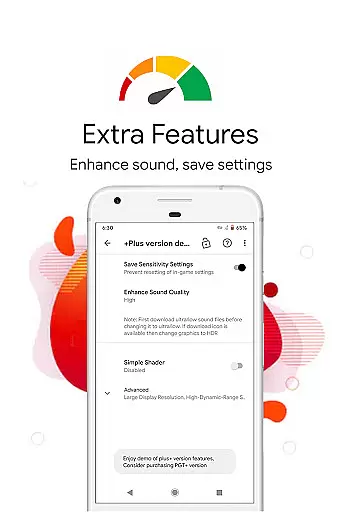
The app also offers unique features like Potato Graphics and Simple Shaders, which are specifically designed to optimize performance on lower-end devices. Gamers can fine-tune elements such as shadows, anti-aliasing, and audio quality to suit their preferences. These granular controls ensure that users can achieve the perfect balance between performance and visual fidelity.
Another notable aspect is its broad compatibility with different Android versions and game variants, including Global, CN, LITE, KR, VN, TW, and BETA versions. By providing comprehensive support and requiring minimal permissions like storage and internet access, PGT ensures a seamless user experience while maintaining system security and stability.
Functionality completeness refers to the range and depth of features an application offers to ensure it meets user needs effectively. PGT is a launcher utility that excels in this area by providing users with the ability to change graphics settings, optimize fps, and boost gaming performance. This app supports all major Android OS versions from 4.3 to 13+, making it accessible to a wide audience.
The app covers various aspects of graphic customization, such as changing resolution, applying HDR and UHD graphics even on low-end devices, and unlocking all FPS levels up to 90 FPS. It also allows for shadow customization, enabling anti-aliasing, setting ultra audio quality, and more. With these capabilities, PGT ensures that users can fully customize their game graphics to achieve both beautiful visuals and smooth gameplay.
By offering a comprehensive suite of tools, PGT empowers users to tailor their gaming experience according to personal preferences and device capabilities. Whether you're looking to enhance visual fidelity or improve performance, PGT's extensive feature set has got you covered.
Usability and operational smoothness are critical factors that determine how easily users can interact with an application and how reliably it performs its intended functions. PGT stands out in this regard by providing intuitive controls and seamless operations for customizing basic, miscellaneous, advanced, and experimental graphics settings. Its user-friendly interface makes it easy for gamers to apply desired changes without hassle.
In addition to its straightforward usability, PGT requires certain permissions to operate smoothly. These include storage access for applying and backing up graphics settings, internet access for loading settings from their server, and the ability to kill background apps to free up memory. Such permissions ensure that the app operates efficiently while maintaining optimal device performance.
PGT's commitment to delivering a smooth operational experience is further reinforced by helpful resources like FAQs and tips. Users can refer to these materials to maximize the benefits of using PGT, ensuring they enjoy an enhanced gaming experience with minimal disruptions.
Extensive customization
Wide device support
High FPS options
User-friendly interface
Regular updates
Requires specific permissions
Internet connection needed
Premium features locked
Occasional bugs
Complex for beginners

Enjoy Minecraft Mod Scary Neighbor Granny for Minecraft PE.
 4.30
4.30
Wireless reverse charging using phone now is possible
4.30
Demo for Key Attestation feature of the Android system.
4.80
Collection of Maps and Mods for Dmod
3.30
Block, disable and secure phone camera from secretly taking photos by spyware.
4.50
Study Bible King James Version: the correct way to learn the Bible with audio
4.80
a wireless controller that provides a seamless and gaming experience for players
3.80
MirrorLink for connecting your Android phone to your car’s infotainment screen.
4.50
Barcode scanning made simple!
4.40
Phone Software Update Quick Checker helps you to keep your phone apps up to date
4.50
Recite Quran Majeed القران with special 16 line real Kuran page in hand
4.30
Easily evaluate the performance of Scandit's barcode and ID scanning SDK
4.10
You can remote control and play much easier.
4.10
Mirror link car connector to share your screen with car dashboard
3.80
Connect your phone to any endoscope camera, USB camera, or borescope with ease.
3.70
Mobs maker Minecraft help MCPE creators make their own mob by using Blockbench
3.50
Connect and Find your smart tag via our app.our app is compatible with smarttag.
3.30
Endoscope camera an app to connect with endoscope cam or any device
3.30
Record with Double Camera Video Recording using Dual Camera Front and Back Video
3.00



User Reviews