
Slack is a comprehensive business communication platform designed to streamline collaboration and enhance productivity. It serves as a centralized hub where teams can seamlessly interact through channels, direct messages, and integrated tools.
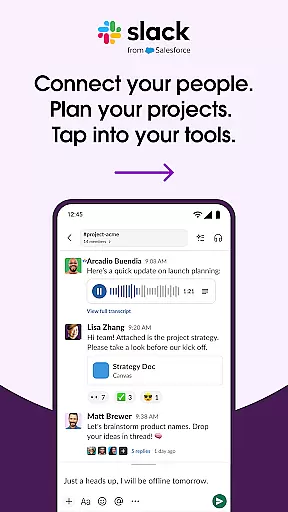
The app's core functionality revolves around organized communication - every project or topic has a dedicated channel, keeping discussions focused and accessible. Slack also supports multimedia interactions including video calls, screen sharing, and voice notes, making it versatile for various communication needs.
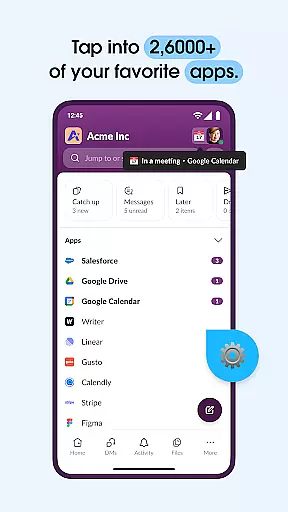
Beyond basic messaging, Slack integrates with over 2,600 third-party applications, creating a unified workspace that connects your favorite tools like Google Drive, Salesforce, and Dropbox. This integration capability, combined with AI-powered features like smart search and automated meeting notes, makes Slack particularly valuable for businesses looking to consolidate their digital operations into one efficient platform.
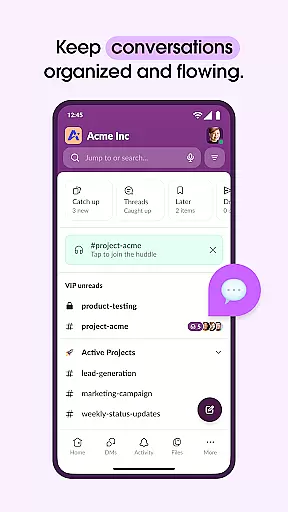
Slack distinguishes itself through several key features that optimize workplace communication. The channel-based system allows for organized conversations that are easily searchable and referenceable, while customizable notifications ensure users stay informed without being overwhelmed.
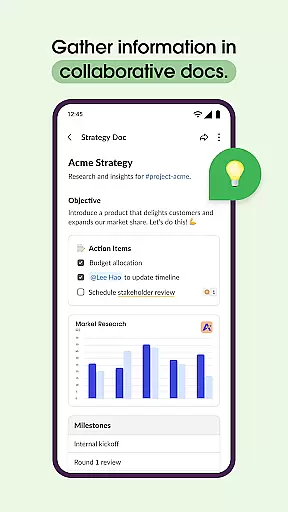
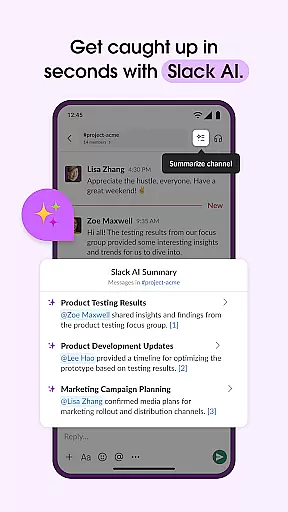
Advanced collaboration tools include document sharing and editing capabilities, project management features with task assignment and milestone tracking (available in premium versions), and seamless video conferencing directly within the platform. The app's AI integration extends beyond search functionality to include automated meeting summaries and intelligent information retrieval.
Particularly noteworthy is Slack's extensive app ecosystem. Users can connect their existing workflows by integrating popular business tools, eliminating the need to switch between multiple applications. The platform also supports custom-built integrations, allowing businesses to tailor their Slack experience to specific operational needs.
Collaborative work features are essential for modern businesses looking to enhance team productivity and communication. Slack excels in this area by providing a unified platform where teams can seamlessly interact and collaborate.
The application offers dedicated channels for every project, ensuring that discussions, files, and tasks related to specific projects are organized and easily accessible. This structured approach helps teams maintain clarity and focus, even when managing multiple projects simultaneously.
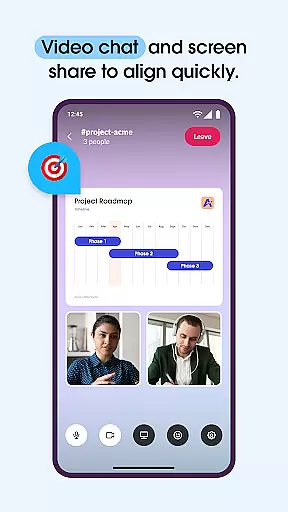
Slack goes beyond simple text-based communication by integrating video chat and screen sharing capabilities. Users can conduct live presentations and discussions without leaving the app. Additionally, the option to send audio or video clips allows for clear and effective communication of complex ideas.
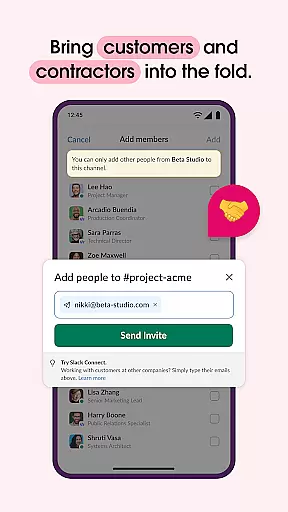
Furthermore, Slack's collaboration extends to working alongside external partners, customers, and contractors, enabling a cohesive work environment regardless of geographical locations. This level of integration and accessibility significantly enhances the collaborative potential of teams using Slack.
Effective task management is crucial for keeping projects on track and ensuring timely delivery. Slack addresses this need by offering tools that help teams organize, assign, and monitor tasks efficiently.
One of the standout features is the availability of pre-made and customizable templates. These templates provide a solid foundation for setting up projects, allowing teams to quickly adapt them to fit their specific requirements and workflows.
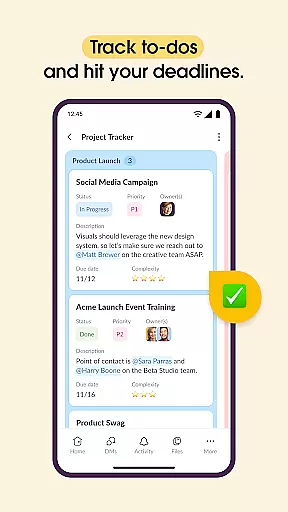
In addition to templates, Slack incorporates project management tools that enable users to track to-dos, assign tasks, and establish milestones. This functionality ensures that all team members are aware of their responsibilities and deadlines, promoting accountability and progress tracking.
For teams requiring advanced project management features, Slack offers the option to upgrade to premium plans such as Slack Pro, Business+, or Enterprise. These plans unlock enhanced capabilities, empowering teams to manage complex projects with greater precision and efficiency.
Streamlined communication channels
Extensive app integrations
Robust search functionality
Versatile collaboration tools
AI-powered productivity features
Premium features come at extra cost
Steeper learning curve for new users
Occasional connectivity issues
Mobile app less feature-rich
Notification management complexity

viewing and sharing of PDFs
 3.60
3.60
Scan Business Cards & Conference Badges - Capture Leads at Events & Tradeshows
4.20
Amazon A to Z is the place to manage your work-life at Amazon.
4.50
Recover what matters — quickly and easily.
4.70
Grow your business and connect with more people with Meta Business Suite.
4.60
Permission Guard is a security app that helps you manage app permissions.
4.80
Say hello to the mobile work experience built to help you thrive at work.
4.30
Shop, deliver, and earn with the Spark Driver™ App
4.10
ADP Mobile Solutions is an employee self service app
4.50
The MyWalmart App is available for all associates in stores.
4.70
Earn free swag, G-Cards & food • Enter sweepstakes • Find stores • So much more.
4.70
USPS Mobile®Access USPS.com’s most popular tools on-the-go.
4.70
Chat, meet, and collaborate to achieve more together, all in one place on Teams
4.60
Master crypto trading with real-time simulations and exciting challenges!
4.50
The revolutionary flexible staffing platform
4.40
Earn crypto with secure cloud mining. Monitor, track & withdraw easily
4.40
Deliver and earn money
4.30
Make money as a delivery driver with DoorDash and work when you want as a Dasher
4.30
Find flexible, hourly jobs hiring near you in restaurant, retail & hospitality!
4.00




User Reviews