
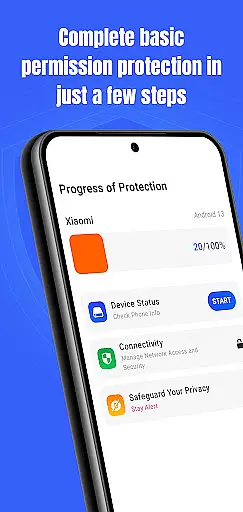
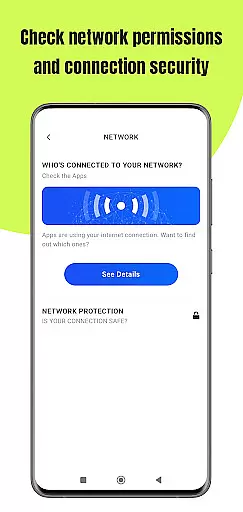
Permission Guard is a specialized security application within the Business category, designed to help users manage app permissions effectively. The core functionality revolves around monitoring and controlling the permissions granted to various apps on your device. This ensures that each application only accesses the data it genuinely requires, protecting your privacy and sensitive information.
Apart from its primary role in permission management, Permission Guard also offers features like real-time alerts for suspicious permission requests and detailed insights into how your data is being accessed. Whether you're an individual looking to safeguard personal information or a business aiming to secure corporate data, this app provides a reliable solution. By maintaining strict control over app permissions, Permission Guard helps prevent unauthorized access and potential data breaches.
Permission Guard stands out with its comprehensive approach to managing app permissions. One of its key features is the ability to provide real-time alerts whenever an app attempts to access sensitive data without proper authorization. This proactive monitoring allows users to take immediate action against potential threats.
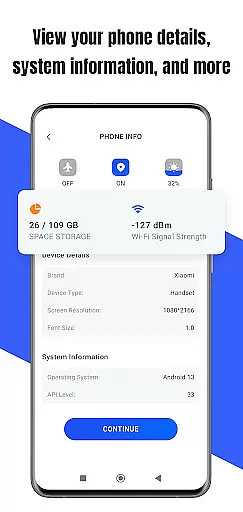
In addition to real-time alerts, the app offers detailed reports and analytics on permission usage. Users can view historical data on which apps accessed what information and when. This level of transparency empowers users to make informed decisions about their privacy settings. Furthermore, Permission Guard includes customizable settings that allow users to tailor the app's behavior according to their specific needs, ensuring optimal protection and convenience.
Collaborative work features are essential for businesses that rely on teamwork and shared responsibilities. Permission Guard enhances this aspect by ensuring that all collaborative apps on your device operate within their necessary limits.
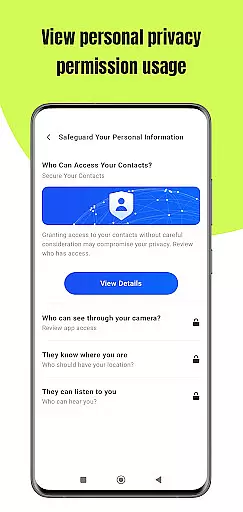
The app meticulously monitors permissions granted to collaborative tools, preventing unauthorized access to sensitive data such as contacts, microphone, or camera. This ensures that your team's collaboration remains secure without compromising privacy.
With Permission Guard, businesses can foster a safer digital environment where teams can focus on productivity without worrying about potential security breaches. The app provides real-time alerts whenever an app tries to access unnecessary permissions, allowing administrators to take immediate action.
This level of control not only protects company data but also builds trust among team members who can be confident that their collaborative work is safeguarded against intrusive apps. By maintaining strict permission controls, Permission Guard supports a more secure and efficient workplace.
Effective task management is crucial for business productivity, and managing app permissions plays a significant role in this process. Permission Guard offers robust features that help streamline task management by securing the apps involved in daily operations.
By monitoring and controlling app permissions, Permission Guard ensures that task management apps function optimally without accessing unrelated device resources. This targeted permission management prevents potential slowdowns and keeps task-related apps running smoothly.
Moreover, Permission Guard allows users to customize permission settings based on specific tasks or projects. This flexibility enables businesses to tailor their app environments according to different operational needs, enhancing overall efficiency.
With enhanced security measures and optimized app performance, Permission Guard empowers businesses to manage tasks confidently. Users can focus on their responsibilities knowing that their task management tools are both effective and secure from unnecessary intrusions.
Enhanced Security
Real-Time Alerts
User-Friendly Interface
Detailed Reports
Customizable Settings
Limited Free Version
Occasional False Positives
High Resource Usage
Complex Setup
Frequent Notifications

Find jobs and make money fast with JobStack.
 4.60
4.60
Completed Course Lectures on how to use IBM Maximo in Maintenance issues
4.0
The revolutionary flexible staffing platform
4.40
Manage work life on the go
4.50
Finance, Investing, Stocks, Trading and Stock news
4.60
Paychex Flex - Save Time and Stay Connected
4.60
enjoy effortless PDF reading anytime, anywhere
3.90
Find jobs near you and temp work in minutes, from your phone.
4.50
Access to Paylocity, empowering employees with information they need 24/7.
4.70
Start earning fast. Apply Today.
4.80
Manage Your Shop
4.70
USPS Mobile®Access USPS.com’s most popular tools on-the-go.
4.70
AI-powered document scanner with auto enhance for perfect PDFs.
4.60
Mobile POS for any business: sales, invoices, retail, restaurants & appointments
4.60
Find work, shifts and gigs near you. Jobs lasting a few hours to a few months.
4.30
The All-in-One File Manager for Phone, TV, Watch, Cars, XR / VR, Chromebook
4.10
On the go? Take FedEx with you.
4.00
Take the stress out of storage with the all-in-one app to manage your space.
3.70
We are a dynamic team of creatives people of design, marketing, web & apps
3.00



User Reviews