
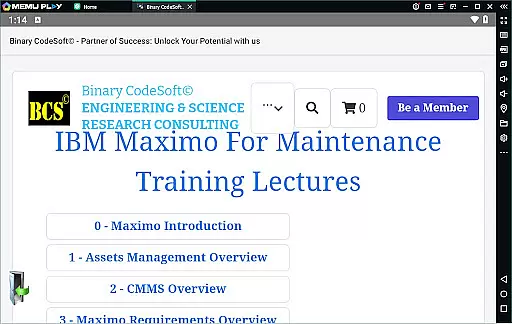
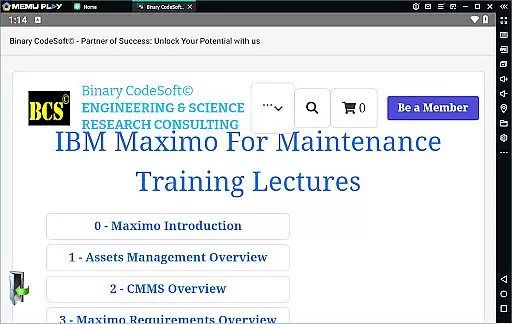
BCS©-Maximo Maintenance course is a comprehensive business application designed to educate users on maintenance operations and IBM Maximo. The app covers various aspects of maintenance strategies, planning, scheduling, and costs while highlighting the significance of effective maintenance management. It provides detailed insights into IBM Maximo, including asset management, CMMS, implementation, and new features.
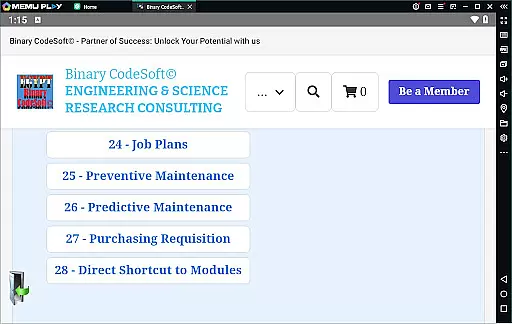
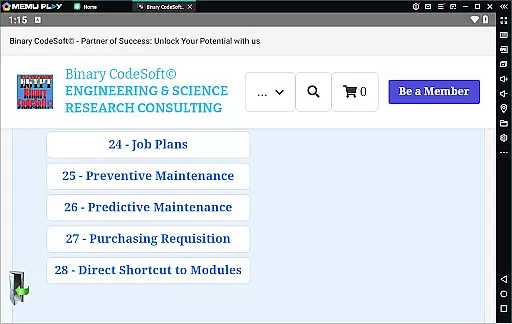
The app further explores work orders, job plans, preventive and predictive maintenance, dynamic job plans, and modifications. Users can learn about shutdown planning, 7-day and monthly plans, child work orders, and data export functionalities to MS Excel or MS Project files. Additionally, it offers knowledge on purchasing, shortcuts to modules, executing tasks on multiple records, and advanced planning techniques using reports.
BCS©-Maximo Maintenance course boasts an extensive range of features tailored for business professionals seeking in-depth knowledge of maintenance operations and IBM Maximo. One notable feature is its detailed coverage of maintenance strategies and costs, providing users with a solid foundation in effective maintenance practices. The app also delves into IBM Maximo's core functionalities such as asset management, CMMS, implementation guidelines, and the latest features available.
Another remarkable aspect is the app's focus on practical applications like work orders, job plans, preventive and predictive maintenance, and dynamic job plan modifications. Users can master shutdown planning, short-term and long-term maintenance plans, and exporting data to widely-used formats such as MS Excel and MS Project files. Furthermore, the app equips users with skills to streamline purchasing processes, utilize direct shortcuts to modules, manage queries efficiently, execute tasks across multiple records, and enhance planning capabilities through customized reports.
In the realm of business applications, collaborative work features are essential for streamlining operations and enhancing team productivity. The BCSu00a9-Maximo Maintenance course offers comprehensive training on how IBM Maximo facilitates collaboration among maintenance teams. This includes creating and managing work orders, job plans, and preventive maintenance schedules that can be accessed and updated by multiple users simultaneously.
Through this application, users can efficiently implement shutdown plans, 7-day plans, and monthly plans, ensuring that all team members are aligned with the organization's maintenance strategies. The ability to generate child work orders further supports complex project management, allowing teams to break down larger tasks into manageable actions.
The real value for users lies in the application's capacity to foster seamless communication and coordination within maintenance teams. By providing tools for direct shortcuts to modules and executing tasks on multiple records, it empowers teams to work more cohesively. This results in reduced downtime and maintenance backlogs, leading to improved asset performance and operational efficiency.
Effective task management is a cornerstone of successful business operations, particularly in maintenance planning and scheduling. The BCSu00a9-Maximo Maintenance course excels in teaching users how to leverage IBM Maximo for superior task management capabilities. This includes detailed instruction on using the system for maintenance planning, ensuring that every task from routine checks to critical repairs is scheduled and executed efficiently.
One of the standout features covered in the course is the use of dynamic job plans and modifications to existing job plans, which allow for flexible and responsive task management. Additionally, the course highlights methods for listing PMs that do not generate work orders and following up on important items using reports, ensuring no critical task is overlooked.
For businesses, this means enhanced control over maintenance operations, leading to significant time and cost savings. Users benefit from a structured approach to task management that not only keeps maintenance activities on track but also supports strategic planning by keeping teams one step ahead. With these skills, organizations can achieve higher standards of asset management and maintenance efficiency.
Comprehensive content
User-friendly interface
Practical examples
Latest Maximo features
Effective learning tool
Advanced terminology
Limited interactive features
No offline access
Occasional updates needed
Premium pricing

Formerly Facebook Ads Manager. Manage and create ads on the go.
 4.20
4.20
All Your Gig Work. One App.
4.30
FX Plus adds media, networking, and cloud capabilities to FX File Explorer.
4.10
enjoy effortless PDF reading anytime, anywhere
3.90
All document reader, pdf viewer app, read docs & excel files
3.80
USPS Mobile®Access USPS.com’s most popular tools on-the-go.
4.70
From Gone to Back Again — In Just a Few Taps
4.50
Collaborate seamlessly with Google Chat, part of Google Workspace
4.50
Earn money with the driver & delivery partner app for Uber, UberEats & Postmates
4.60
FaxCover - Create fax cover pages. Works with any app or fax machine.
4.90
Manage Your Shop
4.70
All your team communication in one place
4.70
Make invoices, bills, receipts & estimates on the go with Invoice Generator.
4.70
AI-powered document scanner with auto enhance for perfect PDFs.
4.60
No more passwords, easier sign-in, and greater protection for your accounts.
4.60
Shop, deliver, and earn with the Spark Driver™ App
4.10
Get your benefits on-the-go.
3.80
Windows App allows you to connect to remote PCs and virtual apps.
3.70
We are a dynamic team of creatives people of design, marketing, web & apps
3.00




User Reviews