
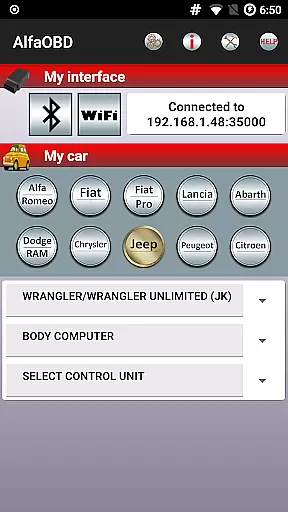
AlfaOBD is a comprehensive diagnostic tool designed specifically for vehicles produced by Stellantis (formerly FCA), including Alfa-Romeo, Fiat, Lancia, Dodge, RAM, Chrysler, and Jeep. It also supports Peugeot Boxer and Citroen Jumper models. This software provides car owners with professional-level diagnostic features typically found in commercial scanners, offering access to many dealer-level diagnostic and configuration procedures.
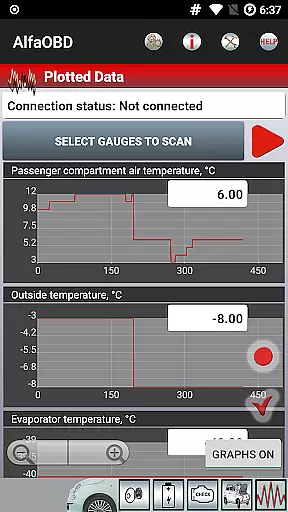
One of the key strengths of AlfaOBD is its native support for electronic control units used in Fiat group cars, setting it apart from other diagnostic applications that offer only limited generic OBDII support. The application allows users to monitor various dynamic parameters of engine, gearbox, ABS, climate control ECUs, and present them graphically as plots. Additionally, it can read static data such as ECU identification, system status, fault codes, and clear fault codes when necessary.
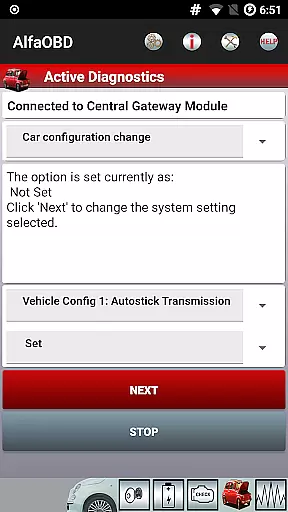
The app's value extends beyond diagnostics; it includes active diagnostics and configuration procedures for equipment controlled by multiple ECUs, programming capabilities for electronic keys and RF remote controls, and supports a wide range of languages. Whether you're a DIY enthusiast or a professional mechanic, AlfaOBD equips you with powerful tools to efficiently manage vehicle diagnostics and configurations.
AlfaOBD stands out with its extensive feature set tailored for automotive diagnostics. The software offers native support for Electronic Control Units (ECUs) used in Fiat group cars, providing more detailed and accurate diagnostics compared to generic OBDII tools. Users can monitor dynamic parameters of various systems such as engine, gearbox, ABS, and climate control ECUs, with the ability to visualize these parameters through graphical plots.
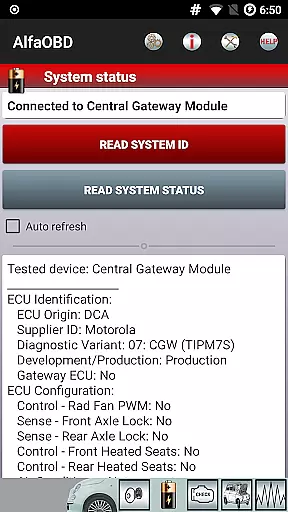
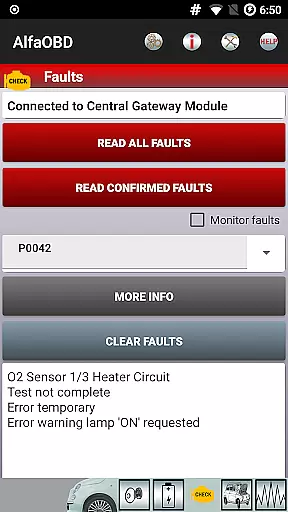
In addition to monitoring, AlfaOBD excels in reading static data, which includes ECU identification, system status, fault codes, and environmental information where applicable. The application enables users to clear fault codes, perform active diagnostics, and execute configuration procedures for different vehicle components controlled by various ECUs. These include engine, gearbox, body computer, climate control, ABS, airbag, and code control units.
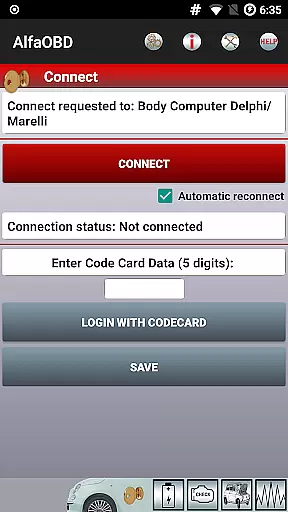
Another notable feature is the electronic key and RF remote control programming, allowing users to program new keys or remotes directly through the app. With support for multiple languages and compatibility with a list of specific OBD interfaces, AlfaOBD ensures a versatile and user-friendly experience across different regions and vehicle types.
AlfaOBD provides comprehensive access to detailed vehicle information, ensuring users can effectively monitor and manage their car's performance. This includes native support for Electronic Control Units (ECUs) used in Fiat group cars, allowing for a more specialized and accurate diagnostic process compared to generic OBDII tools.
The application enables the monitoring of various dynamic parameters from critical systems such as the engine, gearbox, ABS, and climate control ECUs. These parameters are presented graphically, offering users clear insights into their vehicle's operational status and potential issues.
Additionally, AlfaOBD facilitates reading static data like ECU identification, system status, fault codes, and environmental information where applicable. This feature empowers car owners with the knowledge needed to address problems promptly and efficiently, enhancing both vehicle longevity and performance.
While AlfaOBD itself is a powerful diagnostic tool, understanding the costs associated with vehicle maintenance and diagnostics is crucial. The app indirectly supports price transparency by providing detailed fault codes and probable causes, enabling users to make informed decisions regarding repairs and services.
By offering dealer-level diagnostic and configuration procedures, AlfaOBD helps demystify what might otherwise be seen as costly, proprietary services. Users gain access to professional-grade features that could lead to significant savings on maintenance expenses.
Moreover, AlfaOBD's ability to clear fault codes and perform active diagnostics and configurations ensures that users have a clear overview of necessary actions without incurring unnecessary costs. This proactive approach not only saves money but also enhances the overall ownership experience by keeping users well-informed about their vehicle's needs.
User-friendly interface
Comprehensive diagnostic tools
Wide language support
Professional-level features
Graphical data presentation
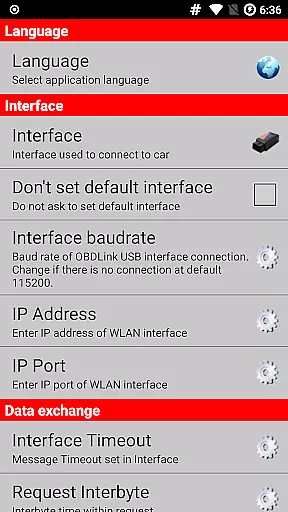
Requires compatible OBD interface
Limited to specific vehicle brands
SGW module may block access
Complex for beginners
Interface compatibility issues

OBDII - ELM327 Terminal tool for 96-00 Volvos
 4.50
4.50
DIY Vehicle Wheel Alignment
4.2
DMV Test Pro offers all the updated FREE DMV tests online.
4.60
Digital Car Key/Launcher, Screen Mirror, Android Dashboard, Remote Wireless Link
4.40
Your Path to Driving Licensing Success Begins Here! Develop your driving skills.
4.40
Secure mobile payments & fuel savings at Phillips 66®, Conoco® and 76® stations
4.40
Your go-to app for car, truck & SUV parts, DIY tools, and expert repair help.
4.70
Find Your Local Store or Shop Online for the Car, Truck, or SUV Parts You Need
4.70
Browse millions of cars, track vehicle listings or sell your car today
4.70
Play what you want through Android Auto
4.90
Take Control of Your Car
4.80
The Texaco App allows you to pay for fuel from the comfort of your car!
4.80
Shop, finance, or sell today.
4.80
The ExtraMile App allows you to pay for fuel from the comfort of your car!
4.70
Shop cars & see your financing
4.60
Find, search, and browse 40,000+ used cars, SUVs, and trucks.
4.50
Taximeter; the professional's choice
4.30
Control maps, media and messaging, with the Google Assistant while you drive
4.10
Monitor specific TOYOTA parameters by adding this plugin to Torque Pro.
2.00



User Reviews