
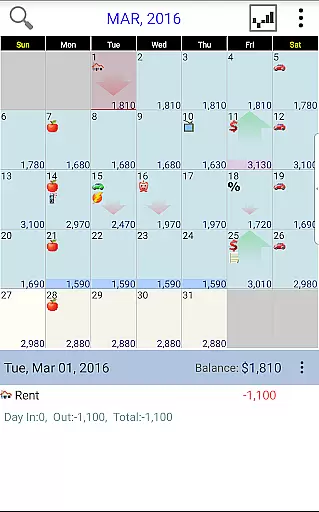
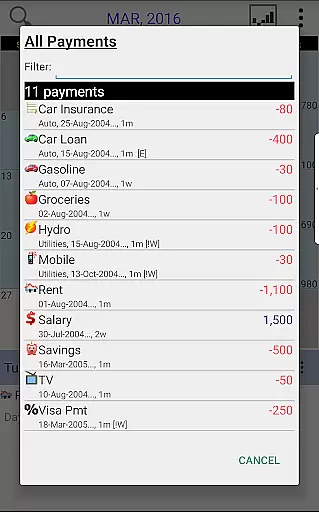
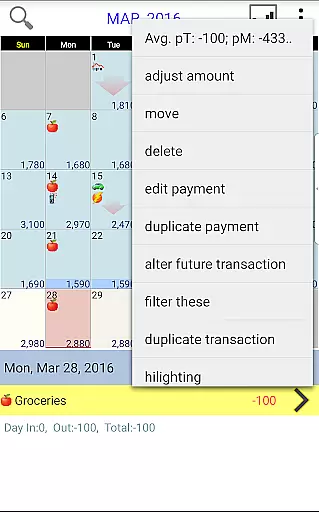
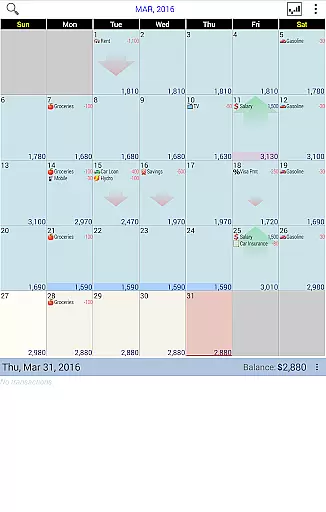
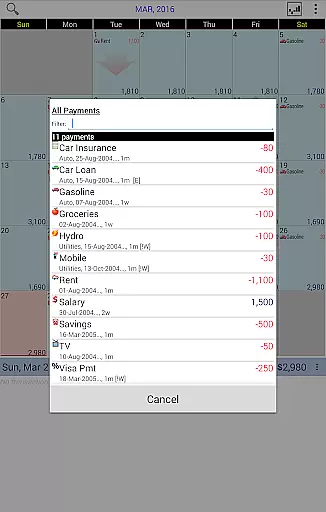
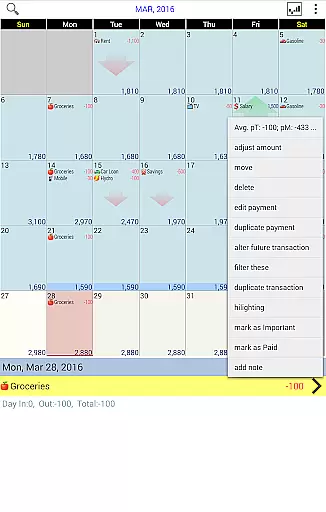
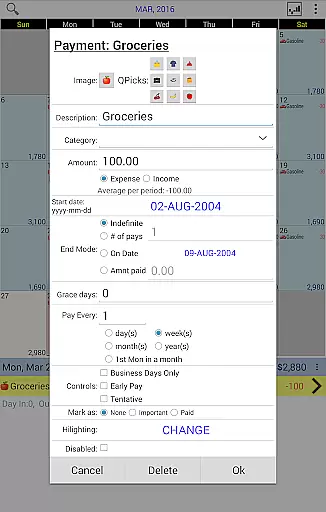
Budget Calendar is a comprehensive financial planning tool designed to simplify budget management through an intuitive calendar-based interface. Unlike traditional ledger systems, this Finance app visualizes all transactions directly on a calendar, providing users with a clear overview of their financial activities. Each payment entry can be customized with unique icons, allowing for easy categorization and recognition. The app's drag-and-drop functionality enables users to effortlessly reschedule transactions to better fit their financial plans.
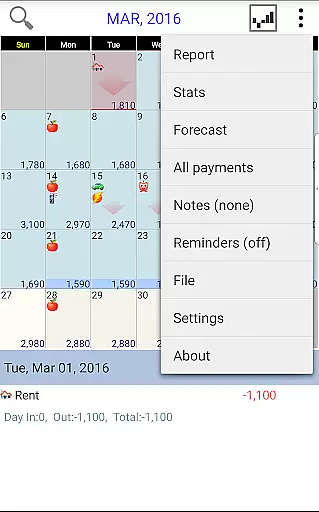
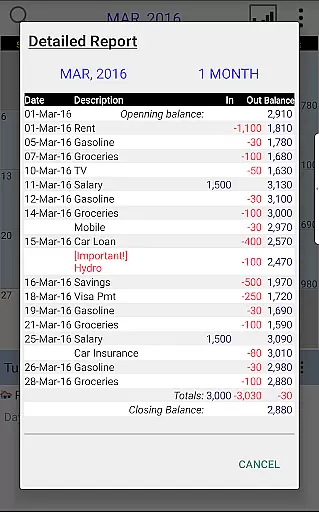
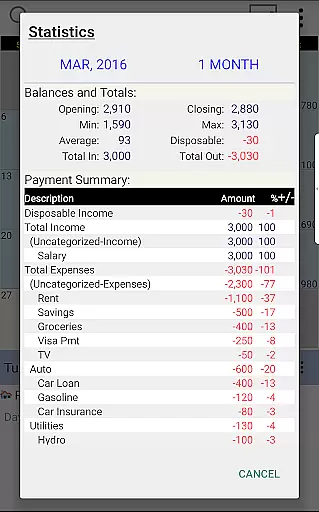
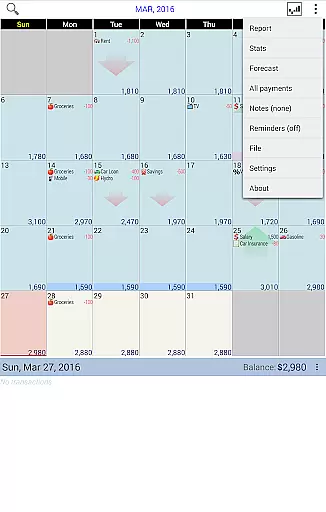
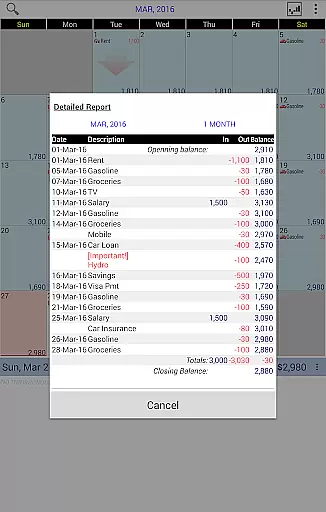
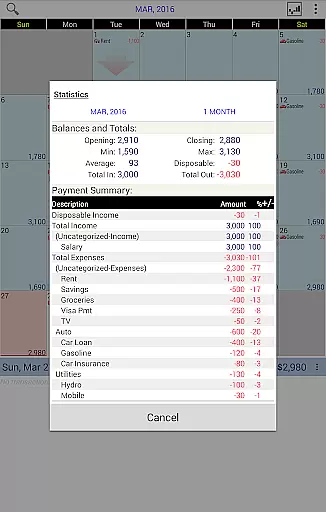
The application goes beyond basic transaction recording by offering robust reporting features. Users can generate detailed statistics and reports spanning single or multiple months, helping them make informed financial decisions. The smart balance adjustment feature allows for precise reconciliation between planned budgets and actual account balances. With cross-platform compatibility between smartphone and desktop versions (available as a separate purchase), Budget Calendar ensures seamless financial management across all devices. The app also supports Google Drive synchronization, making it easy to maintain consistent financial records across multiple devices.
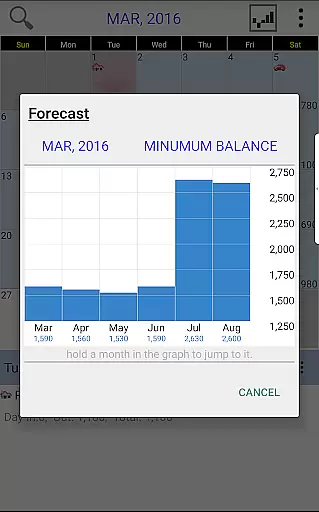
Budget Calendar distinguishes itself through several innovative features that enhance the financial management experience. The calendar-based transaction system revolutionizes how users interact with their financial data, replacing complex ledgers with an intuitive visual representation. This approach not only simplifies tracking but also provides immediate insights into future financial commitments. The customizable icon system for payments adds another layer of personalization and organization, while the flexible drag-and-drop functionality empowers users to modify their financial plans easily.
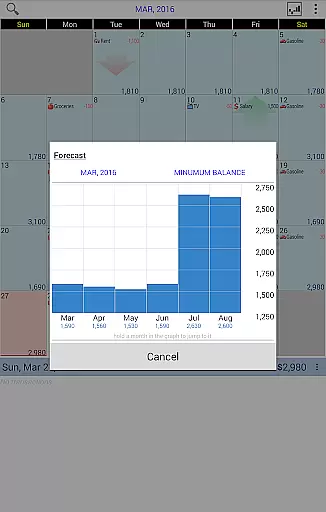
Advanced reporting capabilities are at the core of Budget Calendar's value proposition. The app generates comprehensive monthly reports and statistics that help users understand their spending patterns and make necessary adjustments. The balance adjustment feature addresses the common issue of budget discrepancies by allowing users to align their planned budgets with actual account balances. Cross-platform compatibility with desktop versions (sold separately) and Google Drive synchronization ensures that users can access and update their financial information from any device, maintaining consistency across their entire digital ecosystem.
Budget Calendar ensures robust account and fund security through multiple layers of protection. The application employs advanced encryption protocols to safeguard your financial data, ensuring that all transactions are securely stored and transmitted.
One of the standout features is its secure syncing capability with Google Drive, allowing users to safely back up and access their budget data across multiple devices without compromising security. This seamless integration provides peace of mind, knowing your sensitive information is protected both locally and in the cloud.
In addition, Budget Calendar offers customizable privacy settings, enabling users to control who can view or edit their financial plans. With these comprehensive security measures, users can confidently manage their budgets without worrying about unauthorized access or data breaches.
The transaction experience in Budget Calendar is designed to be intuitive and user-friendly, setting it apart from traditional ledger-based budgeting applications. Each transaction is visually represented on a calendar, making it easy for users to see their financial activities at a glance and plan accordingly.
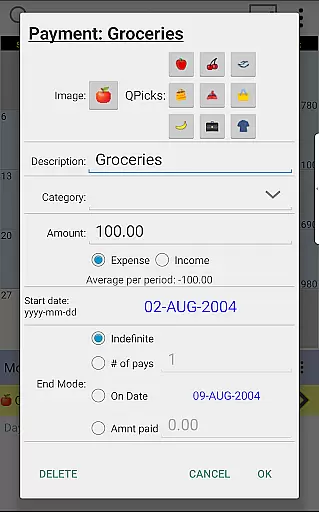
Users can assign unique icons to different types of payments, enhancing visual recognition and simplifying the process of tracking various expenses. The ability to drag and drop transactions to different days adds flexibility, allowing users to effortlessly adjust their plans based on changing circumstances.
Furthermore, Budget Calendar provides clear statistics and reports, giving users valuable insights into their spending habits over one or more months. This feature empowers users to make informed financial decisions and better manage their budgets with precision and ease.
User-friendly interface
Customizable icons
Drag-and-drop functionality
Detailed reporting tools
Cross-platform sync
Desktop version extra
Limited free features
Monthly subscription
Learning curve
Occasional bugs

Download the MySynchrony App to manage your accounts securely and conveniently!
 4.60
4.60
Payday cash advance & Instant cash advance: Borrow money instantly, Get cash now
4.60
The Citi Mobile® App lets you manage your accounts virtually anytime, anywhere
4.80
Invest, bank & save in one app. Trade stocks, earn high APY & budget smarter.
4.00
“Money Manager” is an optimized application for personal asset management.
4.70
The US Debt Clock .org App gives you a Real-Time glimpse of US Financial Stats
4.60
Powerful Money Manager, Expense & Savings Tracker, Budget Planner - Pro Version
4.70
Wells Fargo Mobile allows you to access your investment and bank accounts.
4.80
Insurance that's quick and easy to buy and use—anytime, anywhere.
4.60
The DailyPay app lets you access earned wages before your next payday.
4.70
Get 250$ Cash Advance to solve emergencies instantly in loan app called LendMe
4.70
Money App - Earn Cash back, Fast Cash Advance, Personal Loan Offers, Banking
4.70
Navigate your unique financial path confidently with help from Credit Karma.
4.70
Manage and cancel subscriptions, lower bills, track expenses, create budgets.
4.60
Make Real Cash by Playing Games! Fetch Playful Rewards, Win & Triumph
4.50
View BSC Transactions for multiple accounts
3.90
Expenses, Bills, Budget and Accounts - All seamlessly integrated in one app!
3.80
StockTiles lets you view prices & charts of your favorite stock assets
2.30
SuperQi, Your all-in-one Super App.
1.30



User Reviews