
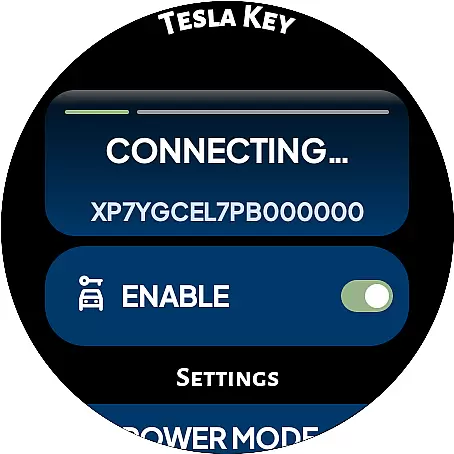
DRIVE Electric for Tesla revolutionizes vehicle access by transforming your Wear OS smartwatch into a digital car key. By utilizing advanced NFC and Bluetooth technologies, this innovative lifestyle application enables users to lock, unlock, and start their Tesla vehicles directly from their wrist.
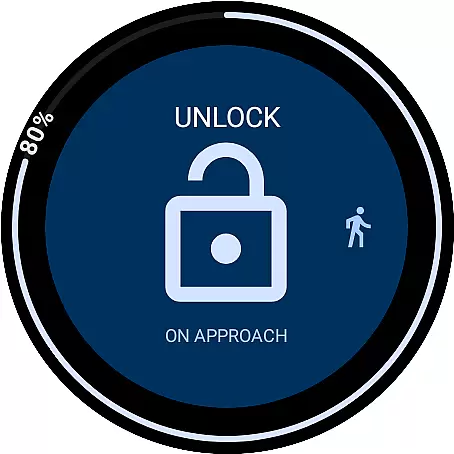
The app offers both proximity-based access when near the vehicle and optional remote control capabilities through an internet connection. Key features include six customizable command tiles, battery status complication, and On Approach functionality that delays actions until you reach your car. These features provide seamless integration between wearable technology and modern electric vehicles.
Particularly beneficial for Model 3/Y owners and those with 2021 S/X vehicles onward, the application eliminates the need to carry traditional keys or even a smartphone. The implementation of robust security measures, including optional PIN protection and local token storage, ensures safe operation while maintaining convenience.
The application distinguishes itself through comprehensive access solutions. Its dual NFC and Bluetooth LE system enables instant vehicle interaction within range, while the premium subscription option extends functionality to remote operations. The unique On Approach feature allows users to schedule commands that execute automatically upon nearing their vehicle.
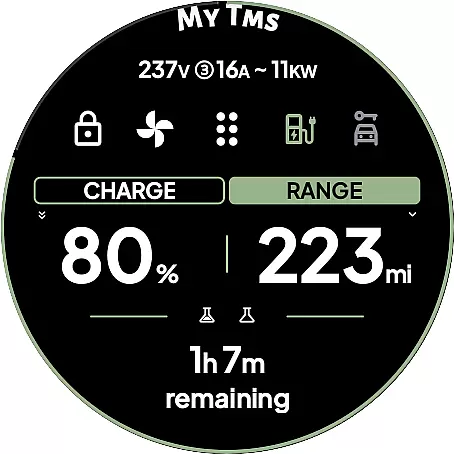
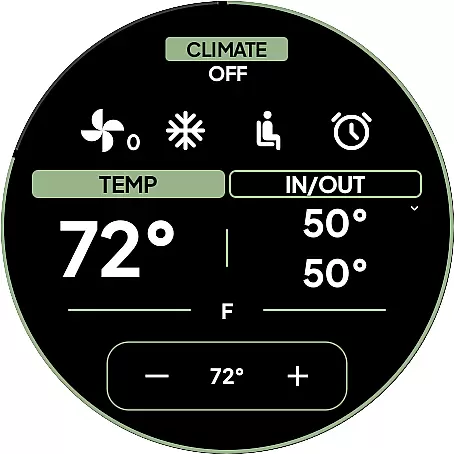
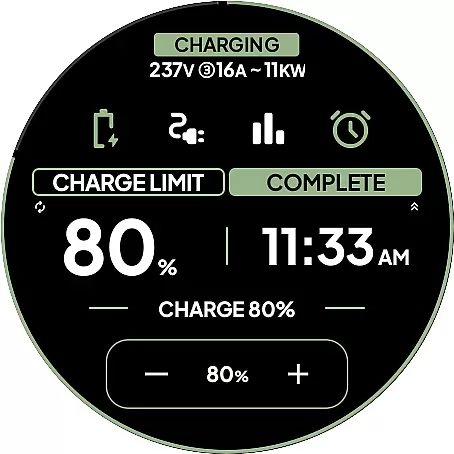
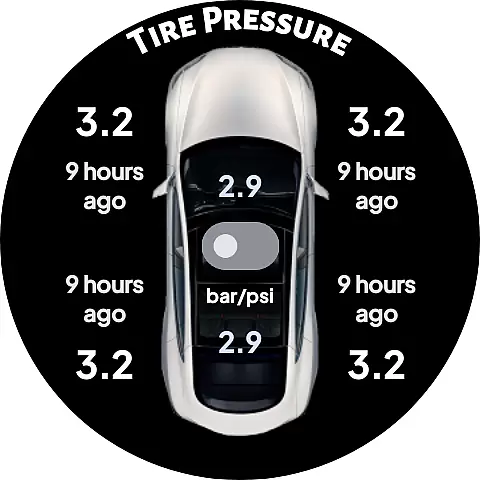
Six dedicated tiles provide quick access to essential functions, complemented by a specialized watch complication displaying real-time battery information. Advanced location services help users find their parked vehicle through either compass direction or map view. Additional security measures include optional PIN code protection and strict adherence to Tesla's direct communication protocols.
Notably, the application maintains complete autonomy from third-party servers, communicating exclusively with Tesla's official servers or directly with the vehicle. This architecture, combined with the ability to pair as a key card for traditional tap-to-unlock functionality, creates a versatile and reliable vehicle access solution that enhances the smartwatch's utility while preserving robust security standards.
DRIVE Electric for Tesla exemplifies comprehensive lifestyle category coverage by integrating advanced smartwatch technology with everyday vehicle usage. This app is designed to enhance convenience and accessibility, particularly for Tesla owners who value seamless integration between their digital devices and vehicles.
The app supports key functionalities such as NFC and Bluetooth access, which allow users to unlock and drive their vehicles without needing to carry a phone. Additionally, it offers remote access through a monthly subscription, catering to those who prefer internet-based commands. These features ensure that users can manage their vehicles efficiently, whether they are nearby or at a distance.
Beyond basic operations, the app includes innovative tools like the On Approach feature, which delays commands until the user reaches their vehicle. This is especially useful in scenarios where users have their hands full, such as carrying groceries. The inclusion of a compass view or map view to locate parked vehicles further enriches the user experience by addressing common pain points associated with vehicle ownership.
Overall, DRIVE Electric for Tesla demonstrates a robust approach to lifestyle enhancement by providing practical solutions that align with modern living standards. Its diverse feature set ensures that users can enjoy a streamlined and secure vehicle management process, making daily tasks more manageable and efficient.
When evaluating content authenticity and expert credibility, DRIVE Electric for Tesla stands out due to its transparent communication and adherence to high-security standards. The app clearly states that it does not store user credentials or share them with third parties, ensuring that sensitive information remains protected.
Furthermore, DRIVE Electric for Tesla emphasizes its direct communication with Tesla's servers or the vehicle itself using NFC or BLE. This approach eliminates the need for proxy servers, reinforcing the appu2019s commitment to data integrity and security. Users can trust that their interactions with the app are both private and reliable, which is crucial for managing vital vehicle operations.
The app also provides detailed instructions and disclaimers, urging users to understand the limitations and requirements for optimal functionality. For instance, it highlights the necessity of location permissions for Bluetooth features and advises users to protect their watches with PIN codes to prevent unauthorized access. Such guidance reflects a dedication to user education and safety, enhancing the overall credibility of the app.
In summary, DRIVE Electric for Tesla establishes its authority and trustworthiness by prioritizing user security, offering clear instructions, and maintaining transparency about its operational framework. These elements collectively contribute to a credible and authentic user experience, setting a benchmark for similar applications in the lifestyle category.
Fast NFC access
Secure BLE connection
Compass navigation
PIN code security
Remote command support
No Tizen support
Subscription required
Limited older models
Third-party API risk
Location permission needed

Chat, meet genuine singles in your area. Real connections start with being real.
 4.30
4.30
Daily lessons from A Course in Miracles with scheduled reminders
4.80
BILT interactive 3D instructions help you get the job done right
3.50
Get your life organized with My Agenda!
4.30
The go to app for taking unlimited notes!
4.50
Crochet made easy: step-by-step tutorials, beginner patterns & projects
4.60
A smart Siddur with halachic times
4.50
Vehicle ownership simplified. Get the myChevrolet® app today.
4.60
AAA Mobile provides on-the-go access to the services you know and trust.
4.60
Colorful selection floral watch face with gyro for Wear OS
4.60
Make money, get paid cash rewards & gift cards for every survey. Earn today!
4.60
Unique "Isometric" style digital watch face for Wear OS
4.50
Material You inspired colors with BIG and Bold looks for Wear OS watches.
4.20
Use your device sensors to detect energy and convert it into spoken words.
4.10
Subwoofer school’s in session! You’ve now enrolled into KICKER U.
3.80
LineLearner, the quick way to learn lines.
2.90
Unique Dark Analog style for Wear OS watches.
4.4
A uniquely designed isometric digital watch face made for Wear OS
4.2
Wear your favorite memories, loved ones, pets or travel photos on your watch
4.3



User Reviews