
Expo Go is a powerful development tool that allows users to create rich, interactive experiences on Android devices using JavaScript and React Native. The app provides an ideal platform for developers to build applications with advanced features such as camera integration, background location tracking, audio and video playback, and SQLite database management.
With Expo Go, developers can instantly preview their projects directly on their mobile devices without complex configurations. This makes it an invaluable tool for both beginners learning mobile development and experienced developers looking to streamline their workflow. By enabling rapid prototyping and testing, Expo Go significantly reduces development time while maintaining high-quality standards.
Expo Go offers a comprehensive suite of tools designed specifically for mobile app development. One of its standout features is the ability to test code changes in real-time through hot reloading, which allows developers to see updates instantly without restarting the app. Additionally, it supports a wide range of native APIs, including camera access, geolocation services, and multimedia handling.
The app also includes extensive documentation and community support, making it easier for new users to get started. Developers can leverage pre-built components and libraries to accelerate development. Furthermore, Expo Go integrates seamlessly with popular development environments like Visual Studio Code, enhancing productivity. Overall, these features make Expo Go an essential tool for efficient and effective mobile app creation.
Expo Go offers a comprehensive suite of tools that cater to both novice and experienced developers looking to create rich, interactive mobile applications. The app provides an extensive range of functionalities including camera access, background location tracking, audio and video capabilities, and SQLite database integration.
These features are seamlessly integrated into the Expo ecosystem, ensuring that developers can easily incorporate them into their projects without the need for additional plugins or complex configurations. This allows for rapid prototyping and development, making it an ideal choice for those who want to quickly test ideas and iterate on their designs.
The completeness of Expo Go's offerings means that developers have everything they need at their fingertips, from essential device features to advanced APIs, all accessible through a single platform. This not only streamlines the development process but also enhances productivity by reducing the time spent on setting up environments and managing dependencies.
By covering a wide array of use cases, Expo Go empowers developers to focus on crafting unique user experiences rather than worrying about the underlying technical details, thus significantly lowering the barrier to entry for mobile app development.
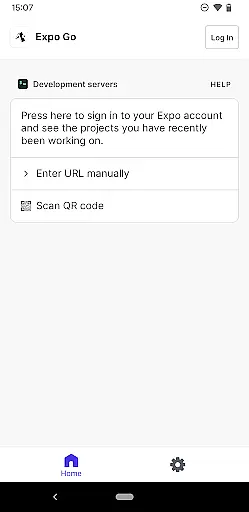
Expo Go stands out in the realm of development tools due to its emphasis on usability and operational smoothness. The application is designed with simplicity in mind, allowing users to start building apps directly from their Android devices with minimal setup required. Its intuitive interface ensures that even those new to React Native can navigate and utilize its features effectively.
Operational efficiency is another cornerstone of Expo Go's design philosophy. The app runs smoothly on a variety of devices, maintaining performance even when executing complex tasks such as processing multimedia content or handling real-time data updates. This reliability is crucial for developers who need consistent behavior across different testing scenarios.
Furthermore, Expo Go's seamless integration with development environments like Visual Studio Code enhances the coding experience by providing live reloads and instant feedback on code changes. This tight coupling between the mobile app and desktop tools creates a fluid workflow that accelerates the development cycle.
Overall, the combination of ease-of-use and robust performance makes Expo Go a go-to solution for developers seeking a hassle-free path from concept to deployment in the world of cross-platform mobile applications.
User-friendly interface
Real-time code updates
Wide API support
Comprehensive documentation
Active community support
Limited offline functionality
Requires programming knowledge
Occasional performance lags
Dependent on external services
Not suitable for all project types

Connect and find your Smart Tag 2 devices through our app.
 3.60
3.60
SmartCast mirrors Android phone to TV screen With Cast Screen, Chromecast.
4.80
With Endoscope Camera Connector you can connect your phone with endoscope cam
3.70
An essential GFX utility developed for specific FPS mobile games
4.50
You can remote control and play much easier.
4.10
use your smartphone as Remote control drones .
4.20
Study Bible King James Version: the correct way to learn the Bible with audio
4.80
Turn your phone into a wireless Xbox controller – play, stream & control anytime
4.5
Simulator of real black light
3.50
Explore The Holy Quran Majeed for Muslim. Listen to MP3 Quran & Al Quran Kareem.
4.80
Block and secure the microphone and protect from secret listening and recording.
4.50
Block, disable and secure phone camera from secretly taking photos by spyware.
4.50
MirrorLink for connecting your Android phone to your car’s infotainment screen.
4.50
Phone Software Update Quick Checker helps you to keep your phone apps up to date
4.50
Recite Quran Majeed القران with special 16 line real Kuran page in hand
4.30
Now Available on Android ™
3.40
Connect and Find your smart tag via our app.our app is compatible with smarttag.
3.30
If you are looking for melon playground mod that fun you deffinitely try our app
2.70
Mirror Link Car Display to share your screen with car dashboard wirelessly
4.4




User Reviews