
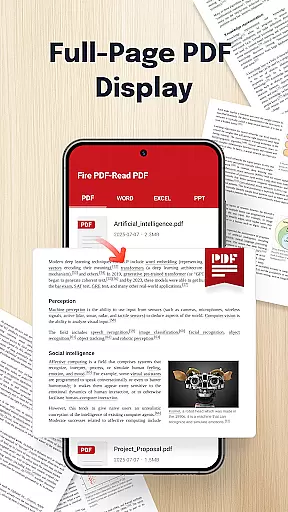
Fire PDF-Read PDF is a versatile document reader designed for business professionals and students who need quick access to various file formats. This app allows users to open and read PDFs directly from their mobile devices while also supporting multiple formats including DOC, PPT, and Excel files.
With its intuitive interface and smooth navigation features, Fire PDF ensures seamless reading experiences. Whether you're reviewing business reports or studying lecture slides, this app provides the tools necessary to manage your documents efficiently.
The ability to share files quickly makes it an ideal solution for collaborative work environments. By streamlining document management tasks, Fire PDF helps users stay organized and productive on the go.
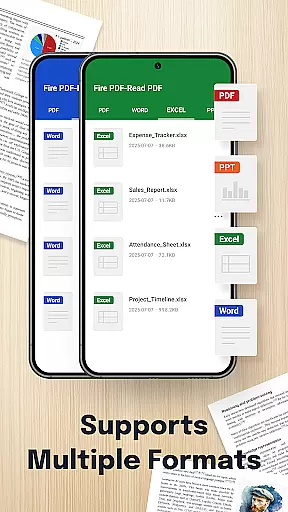
Fire PDF-Read PDF stands out with its comprehensive feature set tailored for document handling. The app supports multiple file formats such as PDF, DOC, PPT, and Excel, making it a one-stop solution for all your document viewing needs.
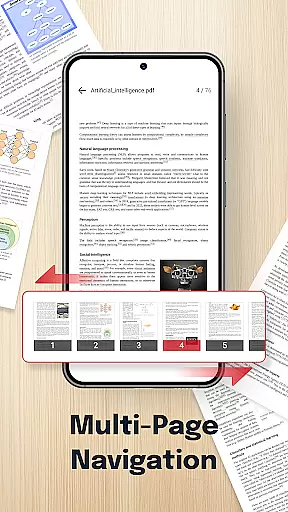
One of the key highlights is its smooth navigation system, which allows users to swipe through pages effortlessly. This ensures that reading long documents feels natural and uninterrupted. Additionally, the quick sharing functionality enables seamless collaboration by letting users send files to colleagues or friends with just a few taps.
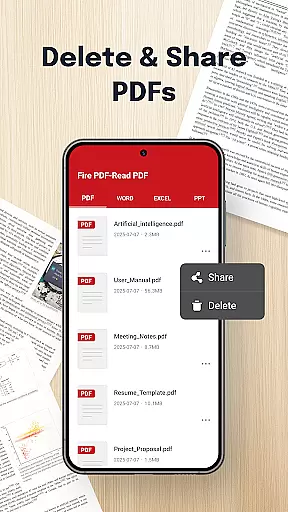
The app's clean and intuitive design prioritizes user experience, ensuring that even those unfamiliar with advanced document readers can use it effectively. With essential permissions for file management, users can organize, view, and delete documents directly within the app, enhancing overall productivity.
Collaborative work features are essential for modern business applications, enabling teams to work together efficiently regardless of location. Fire PDF - Read PDF supports multi-format document handling, allowing users to open and read various file types such as PDF, DOC, PPT, and Excel.
This functionality ensures that team members can access and review different document formats seamlessly, promoting better collaboration. The app's smooth navigation and quick sharing capabilities further enhance the collaborative experience by making it easy to swipe through pages and share documents with colleagues.
By providing an intuitive interface and necessary file management permissions, Fire PDF empowers users to view, organize, and manage documents effectively. This results in streamlined workflows and improved productivity for businesses relying on digital document collaboration.
Effective task management is crucial for maintaining productivity and ensuring timely completion of projects. Fire PDF - Read PDF offers features that contribute to efficient task management, particularly when dealing with document-related tasks. Users can easily locate and open PDFs stored on their device, thanks to the app's straightforward document access system.
The ability to handle multiple file formats including PDF, DOC, PPT, and Excel means that users can manage diverse document-based tasks from a single platform. This consolidation simplifies task tracking and execution, saving valuable time and effort.
Additionally, Fire PDF's permission structure allows for organized document management, enabling users to delete or rearrange files within the app. These capabilities support structured task management practices, helping businesses maintain order and efficiency in their document-handling processes.
User-friendly interface
Multi-format support
Quick sharing options
Smooth page navigation
Efficient file management
Limited editing capabilities
No cloud integration
Basic annotation tools
Occasional performance lags
Ads in free version

viewing and sharing of PDFs
 3.60
3.60
Completed Course Lectures on how to use IBM Maximo in Maintenance issues
4.2
Formerly Facebook Ads Manager. Manage and create ads on the go.
4.20
Convert Your Lovable.dev Website into a Mobile App Instantly!
4.0
Manage Your Shop
4.70
Delivery Track App - Tracking with Fedex, USPS, UPS, DHL. Monitor your Orders.
3.20
USPS Mobile®Access USPS.com’s most popular tools on-the-go.
4.70
Find part-time earning opportunities near you that pay within days.
3.20
Access to Paylocity, empowering employees with information they need 24/7.
4.70
FaxCover - Create fax cover pages. Works with any app or fax machine.
4.90
TurboScan turns your phone into a full-featured PDF document scanner.
4.80
Paychex Flex - Save Time and Stay Connected
4.60
Earn money with the driver & delivery partner app for Uber, UberEats & Postmates
4.60
Chat, meet, and collaborate to achieve more together, all in one place on Teams
4.60
Drive and earn extra money
4.50
Scan Business Cards & Conference Badges - Capture Leads at Events & Tradeshows
4.20
Build a store in minutes with our full suite of AI tools. Start for free!
4.20
Quickly open and manage PDF files on your device.
3.80
view, manage, and share every PDF file you have
3.60



User Reviews